# Brand and design system
> Who Hey Albert is, how he sounds and how he looks — in one place, for people and for machines.
Source: https://brand.heyalbert.family/en/ · Hey Albert brand and design system
Hey Albert is the family manager for iPhone, iPad, Mac, Apple Watch and the browser. Appointments, drives, meals, school, paperwork and occasions live in one place. Every task has a name next to it. Albert suggests, a person decides.
This site shows how that sounds and how it looks. It is the one source for everyone who works on Hey Albert.
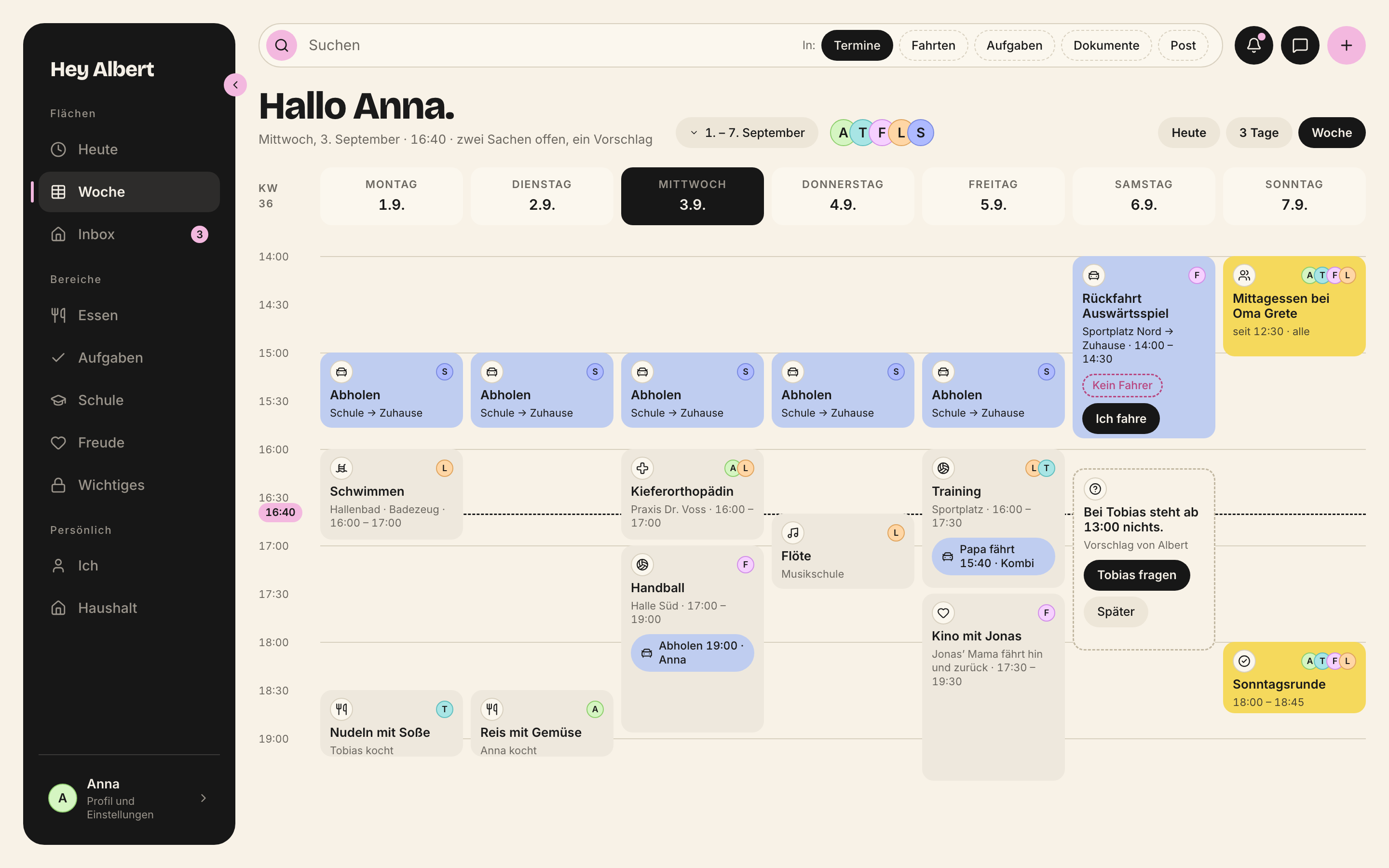
*Wochenboard · mac · 2880 × 1800 px*
## Who this site is for
**The team.** If you build a screen, write a sentence or design a post, you will find the rule and an example here.
**Outside experts and agencies.** You get the complete brand without access to the repository. Every colour, typeface and screen can be downloaded.
**Language models and agents.** Every chapter is also available as Markdown. Tokens, rules and components are published as JSON. An agent reads the same rules as a person.
> **One source**
>
> This site holds no values of its own. Colours, measurements, fonts, components and screens are pulled straight from `packages/design-system` at build time. When a token changes there, this site changes with it. What you read here is what the app uses.
## How to use it
- **Read the chapters.** Eight groups on the left, from the brand to the downloads. Each chapter ends with a link to the next.
- **Open as Markdown.** Top right, „As Markdown“. Every page also exists at the same address with `.md`, for example `/en/farbe.md`.
- **Connect machines.** `/llms.txt` is the index for language models. Everything else is [in the chapter for machines](/en/ki/).
- **Download.** Logos, icons, fonts, tokens and screens, one by one or as a package.
- **Light or dark.** The circle at the top right switches the mode. Every colour on this site switches with it, just as in the app.
Chapter addresses and token and component names stay German on purpose — they are the names the code uses.
## Five principles
They apply to every screen and every device. They are not up for negotiation.
1. Everything has exactly one person responsible. Anything without one is a problem and is shown loudly. The only exception: the task inbox.
2. One data model, many views. Web, Mac, iPhone, iPad and Watch show the same rows.
3. Bundles, not loose parts. A drive brings its car, driver, passengers and checklist along.
4. Every person has their own space. Children design theirs themselves, within contrast guardrails.
5. Children take part; they are not an audience. Test question: could a nine-year-old use this alone?
## The chapters
**Brand**
- [Brand essentials](https://brand.heyalbert.family/en/marke/) — Hey Albert's positioning, claim, stance and audience — and the rules that follow for every sentence and every image.
- [Albert](https://brand.heyalbert.family/en/albert/) — Who Albert is — the figure in the picture, the family manager in tone, and the line he never crosses: he suggests, a person decides.
- [Voice and tone](https://brand.heyalbert.family/en/stimme/) — How Hey Albert writes — forms of address, five registers, tone, stylistic devices, hard limits, formatting, word lists and the ten microcopy patterns.
- [Logo](https://brand.heyalbert.family/en/logo/) — The scribble ball with a face and the „Hey Albert“ wordmark — versions to download, backgrounds, clear space, misuse, and the honest state of the vector and app icon.
**Foundations**
- [Colour](https://brand.heyalbert.family/en/farbe/) — Warm paper, ink, a pink accent and one sticky note per person. Every colour is a role with a fixed meaning, light and dark from one source.
- [Type](https://brand.heyalbert.family/en/schrift/) — Four typefaces with four jobs – Bricolage Grotesque for titles, Inter for everything that is read and operated, Roboto Mono for identifiers, Reenie Beanie for Albert’s margin notes. All served locally.
- [Shape](https://brand.heyalbert.family/en/form/) — Five radius steps, lines that carry meaning, and depth without shadows – from a veil, an outline and a tilt. Plus sticky notes, playful shapes and the anatomy of a card.
- [Space](https://brand.heyalbert.family/en/raum/) — The 8 px grid, the paddings and margins measured from the reference screens, the sidebars and the three target sizes for pointer, finger and children’s hands.
- [Motion](https://brand.heyalbert.family/en/bewegung/) — Short and calm. Three durations, two curves, no springs, no spinner. Motion explains what happens and stands still when the system asks for less motion.
- [Icons](https://brand.heyalbert.family/en/zeichen/) — A set of stroke icons, coloured through the text colour. Fixed roles say what a thing is – from the car for a drive to the question mark for Albert’s suggestion. No emoji, anywhere.
- [Imagery](https://brand.heyalbert.family/en/bildsprache/) — The product is the subject. Real screens of the Sonntag family on flat frames, ink drawings with exactly one yellow accent, a single photo. Plus how screenshots are made and which files the website needs.
- [Accessibility](https://brand.heyalbert.family/en/zugaenglichkeit/) — Hey Albert is built for a whole family, from nine-year-old Lena to Oma Grete. Contrast, target sizes, focus, screen readers, text sizes, motion and plain language belong to every view, not to the end.
**Screens**
- [Screens](https://brand.heyalbert.family/en/screens/) — How a Hey Albert screen is built – on iPhone, iPad, Mac, Watch and in the browser. Devices, places, roles, density, grid, header and cards, with every screen of the Sonntag family.
- [iPhone](https://brand.heyalbert.family/en/iphone/) — The everyday device region by region – Today, week as a list, week at a glance, child space – with measurements in points, the tab bar, target sizes, gestures and what the iPhone does not have.
- [iPad](https://brand.heyalbert.family/en/ipad/) — The family and children’s device – Lena’s space (established), the adult view in landscape and portrait and the kitchen wall mode (proposals), with measurements in points.
- [Mac and browser](https://brand.heyalbert.family/en/mac/) — The planning machine – week in the hour grid, sidebar expanded and collapsed, areas with list and side column. Applies to a Mac app and to the web app in the browser, with measurements in points and keyboard shortcuts.
- [Apple Watch](https://brand.heyalbert.family/en/watch/) — The five-second device – one question, two answers, seven words at most. Layout in points, what the watch carries, notifications and what the watch does not have.
- [States](https://brand.heyalbert.family/en/zustaende/) — Empty, loading, error, offline, undo, optimistic update, conflict, no one responsible, Albert’s suggestion, disabled – each with layout, register, example text from the Sonntag family and its component.
**Components**
- [Components](https://brand.heyalbert.family/en/bauteile/) — Every component of the design system with a live example, usage rule and types – named in German, from one source, for web, Mac, iPhone and iPad.
- [Patterns](https://brand.heyalbert.family/en/muster/) — How components answer together – bundle, suggestion, conflict, no one responsible, lanes, forms, lists, scan, children, side sheet, confirm and delete.
**Applications**
- [Website and landing pages](https://brand.heyalbert.family/en/website/) — How hey-albert.app is built, how it speaks and what it shows — fourteen sections, landing pages per audience, eleven languages, preview images and the bar for performance and accessibility.
- [Social media](https://brand.heyalbert.family/en/social-media/) — Stance, channels, formats with safe zones and ready-made example motifs built from tokens and real screens — plus rules for images, copy, labelling and approval.
- [App Store](https://brand.heyalbert.family/en/app-store/) — Name, subtitle, description, screenshots, app icon, privacy details, review access and the language for subscriptions — everything that ends up in App Store Connect.
- [Mail, letters and support](https://brand.heyalbert.family/en/mail/) — How Hey Albert writes when it lands in the inbox — senders and domains, template structure, subject lines, confirmation and unsubscribing, letters on the family’s behalf and replies in support.
**Build**
- [How we build](https://brand.heyalbert.family/en/entwickeln/) — One source, many surfaces. How tokens, components and checks fit together, which rules apply in code, and when a view is done.
- [Tokens](https://brand.heyalbert.family/en/tokens/) — Every value of the brand as a named role, light and dark. How they are named, how to use them — on the web, in Swift, in token tools — and the complete table.
- [For agents and language models](https://brand.heyalbert.family/en/ki/) — How machines read this site. Addresses, files, a skill to install, templates for typical briefs, and the limits that apply to every agent.
**Resources**
- [Downloads](https://brand.heyalbert.family/en/downloads/) — Logos, fonts, icons, tokens and screens of the Sonntag family to download, one by one or as a package. Plus who may use what, and for what.
- [Changes and open points](https://brand.heyalbert.family/en/aenderungen/) — What changed in brand and design, when and why, and what is not yet decided or built. Honest, with sources.
## Everything to download
- [Logos](https://brand.heyalbert.family/downloads/hey-albert-logos.zip)
- [Icons (SVG)](https://brand.heyalbert.family/downloads/hey-albert-zeichen.zip)
- [Fonts with licences](https://brand.heyalbert.family/downloads/hey-albert-schriften.zip)
- [Tokens: JSON, CSS, Tailwind, Swift](https://brand.heyalbert.family/downloads/hey-albert-tokens.zip)
- [Sonntag family screens (PNG)](https://brand.heyalbert.family/downloads/hey-albert-screens.zip)
- [Everything in one package](https://brand.heyalbert.family/downloads/hey-albert-markenpaket.zip)
> **The Sonntag family**
>
> Every example on this site shows the Sonntag family: Anna, Tobias, Felix (11), Lena (9), Sofia the au pair, and three grandparents. The week runs from Monday 1 September to Sunday 7 September. Today is Wednesday the 3rd. We never show real families.
---
# Brand essentials
> Hey Albert's positioning, claim, stance and audience — and the rules that follow for every sentence and every image.
Source: https://brand.heyalbert.family/en/marke/ · Hey Albert brand and design system
Hey Albert is the place where a family plans its life. Appointments, tasks, drives, meals, school, documents, money, occasions and memories live there together. Alongside sits a family manager who suggests, prepares and never acts alone.
## The claim
> Hey Albert. Er kümmert sich. Ihr dürft Familie sein.
In English: *He takes care of things. You get to be a family.* Six words after the name, two sentences. The first says what Albert does. The second says what for. The founder decided this on 4 September 2026.
**Why „dürft“.** Until then it read „Ihr seid Familie“ (*you are a family*). „Dürft“ is a permission, not a statement. While Albert carries the organising, you can be what you already are.
> **Claim in other languages**
>
> The German claim is the original. No English claim has been decided yet. The line above is a translation for understanding, not a slogan to publish.
**What the claim keeps to:**
| | |
|---|---|
| The family is in it | literally, not just implied |
| It works with the gain | no guilt, no „finally in control“ |
| It says what Albert does | *kümmern*, taking care — the family manager's word |
| It promises nothing it can't keep | Albert doesn't hold a family together, he takes care of things |
| It doesn't sound like the market | no „everything in one place“, no superlatives |
On the website the claim is followed by one explaining sentence: „Er kümmert sich, damit ihr euch um das Schöne kümmern könnt.“ (*He takes care of things so you can take care of the good stuff.*)
> **Open: a claim for households without children**
>
> On 20 September the founder opened the door: Albert also helps couples, singles and flat shares. Three candidates are being tested: „Dein Freund im Haushalt.“ (*your friend at home*), „Hey Albert. Der Alltag hat einen Kumpel.“ (*everyday life has a buddy*) and „Albert kümmert sich mit.“ (*Albert helps take care*). The claim above stands until the survey shows a preference.
>
> An older addendum in `docs/21` still lists „Albert zaubert, damit ihr Familie sein könnt.“ as decided. That is outdated; the decision of 4 September applies.
## The sentence behind it
> We talk to a family about its life — not to „users“ about a tool.
Everything else on this site unfolds from that sentence.
**Albert in three sentences**, the way we tell it:
Twenty minutes on Sunday evening, and the whole family knows what the week holds. Albert has prepared what is still open: the drive without a driver, the meal without a cook, the deadline in two weeks. He takes care of things so you can take care of the good stuff.
**The north star.** Twenty minutes on Sunday evening that the family sits down for of its own free will. Afterwards everyone knows what the week holds and what they have to do. Every product decision is measured against that.
## What we stand for
Four convictions. They are not adjectives but attitudes. Every sentence comes from them.
1. **Unclear responsibility is the real problem.** Families rarely fail for lack of time. They fail because nobody knows whose turn it is. Albert makes that visible instead of politely hiding it.
2. **Organising is not an end in itself.** Albert clears away the clutter around the edges. That leaves room for what matters: eating together, going away, being there.
3. **Children belong.** A family tool that only parents operate is a parents' tool. Children decide, design and write along.
4. **Trust comes from limits.** Albert does not read the whole inbox. He sends nothing on his own. The cleaner never sees the property tax. That is exactly why people let him in.
## Five promises
Instead of a list starting with „no“: five promises, each with its limit built in.
1. **The Family Feed, and only you are in it.** It is a social network with a single circle: yours. Reactions are faces and hearts, never numbers.
2. **Conversations happen where the thing is.** With other families you talk at the carpool, at the list, at the appointment. What is said at the appointment can be found at the appointment.
3. **Your money stays yours.** Albert collects receipts and adds them up. He has no access to your bank account and transfers nothing.
4. **The child presses the button.** What a child shares, the child shares. Their space always shows who is looking and why.
5. **What shows is what someone has done.** There is no completion rate, no ranking and no bar showing who is behind.
One sentence may be a negation, and it is the most important one: *We do not build a tool that lets adults watch children without the children knowing.*
## How we are different
The family calendar market writes the same copy everywhere: „everything in one place“, „never forget anything again“, „more time for your family“. Write like that and you sound like everyone else.
### Four tensions
| | |
|---|---|
| **Bold, but approachable** | A sentence may take a position; it may not show off. |
| **Different, but dependable** | Every claim holds up when you actually use the app. |
| **With love for families** | Families are not a market segment. We like the loud ones and the blended ones too. |
| **With love for detail** | Six minutes until you leave, not „leave soon“. These details are the brand. |
### Scene before feature
We tell what happens, not what the app can do. A scene always has a time, a name, a place or a number. Without any of them it is a feature.
| Feature | Scene |
|---|---|
| „All your appointments in one place“ | „Twenty minutes on Sunday evening, and the whole family knows what the week holds“ |
| „Smart reminders“ | „Six minutes until you leave — worked out from arrival time minus travel“ |
| „Task management for families“ | „Nobody is driving at four on Friday. Anna is free from three“ |
| „Involve your kids“ | „Lena presses the button herself when she gets there“ |
### Promise, not negation
A negation calls up the thing it negates. Readers keep the noun and forget the „no“. Every limit can be written as a promise, and it gets better for it, because it has to say what happens instead.
| Negation | Promise |
|---|---|
| „Not a surveillance tool“ | „The child presses the button. And sees who else can see“ |
| „Not a social network“ | „The Family Feed, and only you are in it“ |
| „No rankings“ | „What shows is what someone has done“ |
### The gain, not the pain
Every family already knows what guilt feels like. It does not need an app to remind it.
> **Do**
>
> „So you can take care of the good stuff.“ — „On Sunday evening everyone knows what the week holds.“
> **Don't**
>
> „So no one has to carry it all alone.“ — „mental load“ — „Chaos at home?“ — „Never forget anything again.“
**The test:** cut the sentence if it names a problem without a gain next to it.
## Who we speak to
**The family is always the addressee.** In the settings and in the App Store too. It is their life we are talking about, not their business.
**Parents decide. That changes the argument, not the tone.** The adults buy, set up and pay. On the website we therefore address parents, but we talk about the family. We never talk about the children.
| Not like this | Like this |
|---|---|
| „Keep track of your kids“ | „So everyone knows what's coming up“ |
| „Remind your child about homework“ | „Felix adds his homework himself“ |
| „See whether your child has arrived“ | „Lena presses the button herself when she gets there“ |
| „Assign tasks to your family“ | „On Sunday you decide together who takes what“ |
**The children read along.** On every family device and on the kitchen wall. So a screen a child can see never carries a sentence about that child — unless you would say it to the child's face.
## Households and roles
The stage is the family with children, because that is where the strongest scene plays out. But the unit is the household, not the number of children. The same app supports five forms:
- A family with children. This is the default.
- A single parent.
- Separated parents sharing care.
- A couple without children.
- A flat share.
Whatever only families need, such as the Family Feed or the children's space, simply does not appear for the others.
Every household has five roles. The database enforces them, not the interface.
| Role | Who | What they see |
|---|---|---|
| `owner` | whoever sets up the household | everything, plus roles and permissions |
| `adult` | adults in the household | calendar, tasks, people; locked areas only with permission |
| `child` | children, in three stages: 6–9, 10–12, 13+ | what is visible to the household, plus their own things |
| `guest` | grandparents, friends, other parents | only what is explicitly shared |
| `service` | au pair, cleaner, tradespeople | like guests, every permission with an expiry date |
## Devices and their roles
| Device | Role | For |
|---|---|---|
| **Mac** | the planning machine | planning the week, Safe, finances, the Sunday round (*Sonntagsrunde*) |
| **iPhone** | the everyday device | out and about, in the shop, in the car, in the hallway — one-handed |
| **iPad** | the family and children's device | in the kitchen, at the table, in the children's room |
| **Apple Watch** | the five-second device | leaving, arrived, ticked off, voted |
| **Browser** | the space for planning and paperwork | week board, important things, documents — on any computer |
The Watch is not a small iPhone. Anything that takes longer than five seconds is wrong on it. Its strength is one question with two answers while your hands are full.
## How we never show ourselves
Each line here is an obvious temptation. That is why it is here.
> **Red lines**
>
> - The stock-photo family in linen shirts on a meadow against the light.
> - Guilt as the opener: „Are you overwhelmed too?“
> - Fear as a sales argument: „Does your family know where the policies are?“
> - Number promises without evidence: „Save 20 hours a month.“
> - Sentences claiming Albert acts on his own: „Albert thinks for you.“
> - The buddy tone with emoji and „oops“.
> - Pressure through the children, rankings between siblings, secret evaluation.
> - People as resources: „resource planning“ for a family.
> - Real family data in screenshots.
> - Gloating about competitors.
> - Superlatives and strings of exclamation marks.
> - Promises the software doesn't keep.
## The Sonntag family
Every example, every screenshot and every sample record shows the same family. It is also the account Apple uses to review the app.
| Name | Role | Colour |
| --- | --- | --- |
| Anna | mum | var(--person-1) |
| Tobias | dad | var(--person-2) |
| Felix | son, 11 | var(--person-3) |
| Lena | daughter, 9 | var(--person-4) |
| Sofia | au pair | var(--person-5) |
| Oma Grete | grandmother | var(--person-6) |
| Opa Werner | grandfather | var(--person-7) |
| Oma Hilde | grandmother | var(--person-8) |
Examples always use the Sonntag family, never real families. Week Mon 1 – Sun 7 September, today is Wednesday the 3rd.
If you introduce the family, you may name everyone. If you tell a single scene, two names are enough: one adult, one child. And the person in every family who keeps everything in their head always stays nameless. We never say who that is.
---
# Albert
> Who Albert is — the figure in the picture, the family manager in tone, and the line he never crosses: he suggests, a person decides.
Source: https://brand.heyalbert.family/en/albert/ · Hey Albert brand and design system
Albert is not a feature and not a place in the app. He works in all of them. He sounds like someone who has known the family for years, keeps everything in his head and never talks about it.
A tool this close to a family's time, meals, children, contracts and pictures cannot sound neutral. It either sounds like someone you would trust with all that, or like software you end up deleting.
## A wizard in the picture, a family manager in tone
**The figure.** Albert is drawn as a wizard: a pointed hat with a yellow band and a star, round glasses, a beard, a few sparks. An ink drawing, not a mascot. To an eight-year-old a family manager is nobody. A wizard in a pointed hat is somebody. So the figure is not decoration. It is the reason a child opens Albert of their own accord.
**The tone.** The figure does magic, the tone stays calm. A good magician doesn't shout „look, here comes the magic“. He does the trick and the audience is amazed. That is how Albert writes: plainly, concretely, without fuss.
> You say the spell, Albert makes it happen.
The spells belong to the family. „Dienstag 17:00 Fußball, Tobias fährt“ (*Tuesday 17:00 football, Tobias drives*) is one sentence. It turns into an appointment, a drive, a checklist and a ride home — as a suggestion a person accepts. The wand is in the family's hand.
> **Open: the drawn figure**
>
> The wizard is described in `docs/21` but has not been drawn yet. The design system only holds the logo, the scribble ball with a face. Until the figure exists, no wizard appears anywhere — not even as a placeholder from an image generator.
## Why a family manager
A family manager is the one who takes care of things. He has the overview, knows where everything is and takes things off your plate before you have to ask. He keeps the place running because he knows it and likes it.
**He doesn't wait.** An administrator reports that a driver is missing on Friday. A family manager adds who is free that afternoon and that a single tap will do.
**He is welcome.** You can't decide to be welcome. It follows from everything else: whoever regularly takes things off your hands without making a fuss about it is felt as relief, not as a tool.
| Why not … | |
|---|---|
| Butler | too servile — he serves, he doesn't think along |
| Property manager | too dusty and too passive — he waits for instructions |
| Assistant | too generic — every other app has one |
| Coach | too preachy — he turns daily life into a programme |
| Buddy | too close — he takes nothing off your plate |
| Secretary | too subordinate — he executes instead of overseeing |
## Seven traits
| | |
|---|---|
| **Assured** | He knows without making a point of it. Not „I've prepared something for you“ but: „Here's the contract.“ |
| **Hands-on** | He doesn't report a gap, he closes it as far as he is allowed to. „Nobody is driving at four on Friday — Anna is free from three.“ |
| **Resourceful** | If he doesn't know something, he says where it is. „It's in the 2025 notice, page 3.“ |
| **Tactful** | He tells the cleaner nothing about taxes and the child nothing about insurance. He shares appointments, not judgements. |
| **Calm** | Nothing about Albert is hectic. No notification where the morning briefing will do. |
| **Concrete** | „Friday is missing a driver for the ride home at 18:40.“ Never „there are open items in your planning“. |
| **Playful — in the picture** | The hat, the star, the sparks. Visible, never audible: the playfulness lives in the drawing, not in Albert's sentences. |
## He suggests, you decide
This is the line Albert never crosses. Albert infers, drafts, reminds and suggests. He does not decide, sends nothing on his own and changes nothing silently.
Every suggestion has three parts:
1. **Preview** — what would be created, with its source: „From the class teacher's email“.
2. **Accept** (*Übernehmen*) — a person confirms.
3. **Undo** (*Rückgängig*) — at any time, even after accepting.
On screen a suggestion has a dashed grey border. On the iPhone it appears filled in yellow. The `VorschlagKarte` component in the [components](/en/bauteile/) chapter shows what it looks like.
> **Example**
>
> „From the class teacher's email: signature and 8.00 € by Friday. Add as two tasks?“ — with two buttons below: „Accept“ and „Later“.
## How Albert speaks
> Tobias has nothing on from 13:00. Ask him?
One observation, one question, two buttons. That is how Albert almost always sounds.
- **He states.** „Done.“ People give praise, Albert doesn't.
- **He brings the next step.** „No driver yet“ is half the job. „No driver yet, Anna is free from 15:00“ is the whole job.
- **He says „I“ in exactly three places:** when suggesting, when he doesn't know, and when he got it wrong. „My suggestion was wrong. I've withdrawn it.“
- **He never celebrates what he suggested himself.** When someone gets something done, the credit is theirs.
- **He keeps a rhythm.** Once in the morning, once on Sunday, and in between only what can't wait.
> **Don't**
>
> „I've taken care of it for you …“ — „Great job!“ — „Albert created 2 tasks for you.“ — „Albert knows what you need before you do.“
## What Albert never does
He doesn't nag. He doesn't judge. He doesn't compare the family to anyone. He doesn't act surprised. He doesn't celebrate himself. He doesn't claim to feel anything.
**He is loyal — and that is a rule, not a tone.** Albert does not pass on what a person has confided in him. What a child writes in their mood check-in does not go into the parents' Sunday briefing unasked. A ride request from Lena appears as Lena's request, not as Albert's observation. No briefing says „Felix didn't tick things off three times“. The task is open, not the person.
Organising, on the other hand, belongs to everyone who plans along. Who drives where and when may be said out loud at the kitchen table. The rule covers judgements and confidences, not appointments.
## Where the figure appears
A figure that is always in the picture turns into wallpaper. So Albert appears rarely.
> **Albert appears here**
>
> - small in the website hero
> - at the „say it“ step, where the family types a spell
> - in the children's space
> - in onboarding, as the narrator
> **Never here**
>
> - in lists and tables
> - in the Safe, in finances and contracts
> - in the views for helpers
> - next to price, questions and trust on the website
**How Albert is never drawn:** not as a 3D render, not as a glossy mascot, not with eyebrows that claim emotions, not with speech bubbles, not waving in an animation. He is a drawing in a book, not an advertising character.
## How we talk about Albert
Plainly, and limits first. The limit is the argument. We name it in the same breath as the capability.
> **Do**
>
> „Albert reads the school email, turns it into two tasks and asks whether to add them.“
> **Don't**
>
> „Albert uses artificial intelligence to simplify your life.“ — „fully automatic“ — „done as if by magic“
Magic is allowed as an image and as a name: the hat as the brand, the wand as the symbol for quick entry, „spells“ (*Zaubersprüche*) as its name. Forbidden is any sentence claiming Albert acts on his own. Whoever promises magic would have to deliver autonomy. We don't want that.
---
# Voice and tone
> How Hey Albert writes — forms of address, five registers, tone, stylistic devices, hard limits, formatting, word lists and the ten microcopy patterns.
Source: https://brand.heyalbert.family/en/stimme/ · Hey Albert brand and design system
Behaviour is language too. A hint without a next step sounds cold even if every word is friendly. So this chapter starts with the stance and ends with the patterns that already contain almost every answer.
The voice is defined in German. The rules below describe German copy; English examples are translations for understanding. An English voice guide has not been decided yet — the structure carries over, the specific values do not.
> Family life is not described in the language of the workplace.
A family is not a team, a holiday is not a project, a child is not a resource. Nobody works at home. There are tasks and chores (*Aufgaben und Pflichten*), and people take care of things.
## Forms of address
Plural „you“ to the family, singular to one person, never the formal register. Number decides, never gender.
- **To the family** and on the website: „ihr“ (plural *you*). At least two adults are meant there.
- **To one person in the app:** „du“ (singular *you*) — adults, children and helpers alike.
- **To helpers** especially respectful and without imperatives: „Diese Woche geplant: Dienstag 8–12“ (*planned this week: Tuesday 8–12*).
- **Gender-neutral** by rephrasing: „wer kocht“ (*whoever cooks*), never gender asterisks.
## Five registers
Albert does not speak the same way everywhere. Mixing registers makes the brand implausible. Poetry in a contract looks unserious, bureaucratese in the children's space feels cold. So every text starts with one question: which register?
| Register | Where | Hallmark | Words per sentence avg / max |
| --- | --- | --- | --- |
| R1 · Der Erzähler | Website, landing pages, onboarding, manifesto, module names, release notes | Maxims, contrast pairs, concrete pictures from family life | 9 / 18 |
| R2 · Der Family Manager | The everyday interface for adults: buttons, labels, hints, briefings | Brief and action-oriented | 8 / 12 |
| R3 · Der Vorleser | All children’s views, in three stages: small 6–9, middle 10–12, large 13+ | Short, vivid, in the present tense | 6 / 10 |
| R4 · Der Sachbearbeiter | Safe, contracts, deadlines, finances, taxes, privacy, legal texts | Precise, sober, complete | 10 / 14 |
| R5 · Der Briefeschreiber | Replies Albert drafts to school, club, insurer, tradespeople, authorities | Not Albert’s voice but the family’s | 12 / 18 |
Watch and notifications: seven words at most, the most important first. Example: „16:40 · Handball, Halle Süd.“
### What each register sounds like
**R1 · The narrator** (*Erzähler*)
> Familienalltag scheitert selten an fehlenden Informationen. Er scheitert daran, dass niemand eindeutig zuständig ist.
*Family life rarely fails for lack of information. It fails because nobody is clearly responsible.*
**R2 · The family manager** — always with the next step.
> Freitag, 18:40 — Rückfahrt vom Turnier. Noch kein Fahrer. Tobias hat ab 17:00 Zeit.
*Friday, 18:40 — ride home from the tournament. No driver yet. Tobias is free from 17:00.*
**R3 · The reader** (*Vorleser*) — the language grows up with the child, not just the type size.
| Stage | Example |
|---|---|
| Small, 6–9 | Nach der Schule: Fußball. Nimm mit: Trikot, Schienbeinschoner, Trinkflasche. |
| Middle, 10–12 | 17:00 Fußball. Papa fährt dich um 16:40. Trikot und Schoner liegen bereit? |
| Large, 13+ | Fußball 17:00, Abfahrt 16:40 mit Papa. Deine Rückfahrt ist noch offen — anfragen? |
*After school: football. Take: shirt, shin pads, water bottle. — 17:00 football. Dad drives you at 16:40. Shirt and pads ready? — Football 17:00, leaving 16:40 with Dad. Your ride home is still open — ask?*
**R4 · The clerk** (*Sachbearbeiter*) — here poetry is a mistake.
> Kfz-Versicherung, Police 4711-88. Laufzeit bis 31.12.2026, Kündigungsfrist ein Monat. Letzter Kündigungstag: 30.11.2026. Beitrag 684,00 € im Jahr.
*Car insurance, policy 4711-88. Term until 31.12.2026, one month's notice. Last day to cancel: 30.11.2026. Premium 684.00 € a year.*
**R5 · The letter writer** (*Briefeschreiber*) — this is the family's voice, not Albert's. A letter to the insurer sounds like Tobias, not like software. Every draft is visibly marked as a draft and carries no hint of a machine.
> Sehr geehrte Frau Berger, Lena kann am Freitag nicht am Ausflug teilnehmen. Sie hat an dem Tag einen Arzttermin. Viele Grüße, Tobias Sonntag
*Dear Ms Berger, Lena can't join the trip on Friday. She has a doctor's appointment that day. Best wishes, Tobias Sonntag*
> **Open: letter writer or whisperer**
>
> `docs/21` and the `texten` skill list the **letter writer** as the fifth register. The design system (`guidelines/sprache.html`, `readme.md`) names the **whisperer** (*Flüsterer*) for Watch and notifications in its place. Until a decision is made, `docs/21` applies. The whisperer is a length limit inside the family manager register: seven words at most, the most important first — „16:40 · Handball, Halle Süd.“
## Tone
Adjectives like „warm“ don't help anyone write. Positions on an axis do. The number shows where Albert sits between the poles, from 1 to 10.
| Axis | Poles | Albert | Meaning |
|---|---|---|---|
| Warmth | distant — gushing | 6 | warm, not sentimental |
| Closeness | formal — buddy | 5 | informal, but grown-up. No „hey“, no „yay“ |
| Authority | unsure — preachy | 6 | assured. He knows, he says it, he explains when asked |
| Pace | slow — hectic | 4 | calm, even with deadlines. Urgency comes from the content |
| Humour | humourless — silly | 4 | dry and sparing. One wink per screen, not per sentence |
| Concreteness | abstract — overdetailed | 8 | always concrete. Names, times, amounts |
**Two rules replace all the others.** If the sentence could appear in a banking app, it is too cold. If it could appear in a children's TV show, it is too warm.
## Five stylistic devices
What makes Hey Albert recognisable can be repeated. Five tools, with rules.
**S1 · The role name.** Feature name plus its role in the family's life. The week board is „die Heldenansicht für die Familie“ (*the family's hero view*). The Safe is „der Aktenschrank der Familie“ (*the family's filing cabinet*). The image comes from home, craft, body or theatre, never from technology. At most one role name per paragraph.
**S2 · The maxim** (*Merksatz*). A sentence you could pin up. Short, absolute, no conditional: „Kinder sind Beteiligte, nicht Publikum.“ (*Children take part; they are not an audience.*) At most one per section, and it brings its proof.
**S3 · The contrast pair.** Two things set against each other, usually with „statt“ (*instead of*): „Bündel statt Einzelteile“ (*bundles, not loose parts*), „Rhythmus statt Dauerfeuer“ (*rhythm, not constant fire*).
**S4 · The concrete image.** The thing itself instead of the category: „forgotten gym bags, pasta three times in one week, a parents' evening only one of you knew about“.
**S5 · The named consequence.** Why something matters, as a consequence rather than a claim: „A mistake here means the cleaner sees the property tax notice.“
## Sentence structure
- **One sentence, one thing.** Main clauses, subject first.
- **Active voice.** „Tobias fährt.“ Whoever acts is in the sentence.
- **Verbs, not nouns.** „Wir planen die Woche noch“, not „Die Planung der Woche steht aus“.
- **No relative clauses with „den“ or „dem“.** Two sentences instead.
- **A name, a time or an amount — never a vague quantity.** „Six minutes until you leave“, not „soon“.
- **One word per thing, everywhere.** „Fahrt“ (*drive*) is the same word in the app, on the website, in letters and in the children's view.
- **Write for the ear.** Read it aloud. Where you stumble, the reader stumbles too.
- **Each section has one long sentence that carries it.** Brevity is not the goal. No carrying sentence at all reads like a telegram.
### Hard limits
The numbers are guards, not judges. A person reads an outlier before it is thrown out.
```json
{
"satzlaenge_max": 18,
"anteil_ueber_15_max": 0.08,
"silben_je_wort_max": 1.7,
"wortteil_zeichen_max": 14,
"wstf4_kinder_max": 5,
"wstf4_erwachsene_max": 9,
"homepage": {
"hero_woerter_max": 40,
"sektion_woerter_max": 90,
"seite_woerter": [
600,
800
]
}
}
```
| Surface | Length | Example |
|---|---|---|
| Button | 1–3 words | „Übernehmen“ (*Accept*) |
| Hint in the app | one sentence with next step | „Noch kein Fahrer — Anna hat ab 15:00 Zeit“ |
| Empty state | two sentences and one button | „Hier stehen eure Termine der Woche. Noch ist nichts eingetragen.“ |
| Briefing | three to five lines | „Heute: drei Fahrten, du kochst, Lena braucht Badezeug.“ |
| Website section | one heading, two or three sentences | — |
## Formatting
| Rule | Like this | Not like this |
| --- | --- | --- |
| uhrzeit | 16:40 | 16 Uhr · 16.40 · 4:40 pm |
| datum | Mi 3.9. oder 3. September | 03.09.2026 in Fließtext · Mittwoch, den 3.9. |
| anfuehrungszeichen | „so“ | "so" · “so” |
| gedankenstrich | Halbgeviertstrich mit Leerzeichen: a – b | a - b · a—b |
| zahlen | bis zwölf im Fließtext ausgeschrieben, in Karten und Tabellen Ziffern, Dezimalkomma: 8,7 h, 48,00 € | 8.7 h · €48 |
| ausrufezeichen | keines in der Oberfläche | Fertig! |
| emoji | nirgends | jedes Emoji |
| textzeichen | erlaubt sind nur → · › und – | Unicode-Zeichen als Icon-Ersatz |
## Words
### Our words
- Ort
- Sache
- Zuständig
- Bündel
- Fahrt
- Sonntagsrunde
- Eingang
- Vorschlag
- Übernehmen
- Rückgängig
- Safe
- Woche
- Heute
- Taler
Add the verbs that belong to Albert: *kümmern, erinnern, vorschlagen, übernehmen, nachfragen, Bescheid geben* (take care, remind, suggest, take on, ask, let people know). And the words for the good things: *Vorfreude, zusammen, aussuchen, feiern, erleben, behalten, frei* (anticipation, together, choose, celebrate, experience, keep, free). A sentence about a holiday must not sound like a sentence about a dentist appointment.
> **Example**
>
> „Dänemark steht. Noch 23 Tage — die Pässe fehlen noch.“ (*Denmark is set. 23 days to go — the passports are still missing.*) instead of „Anlass angelegt. 12 Aufgaben zugewiesen, 3 offen.“ (*Occasion created. 12 tasks assigned, 3 open.*)
### Never
| Word | Instead | Why |
| --- | --- | --- |
| Nutzer | ihr, du, die Familie, der Name | We address people, not accounts. |
| User | ihr, du, die Familie | No loanword for people. |
| Feature | was Albert tut, der Bereich | We describe behaviour, not a feature list. |
| Dashboard | Heute, Woche, Überblick | The places in the app have their own names. |
| Task | Aufgabe, Sache | German, and a thing has one person responsible. |
| Item | Sache | Our word is „Sache“ (thing). |
| Content | Inhalt, Text, Bild | No jargon. |
| verwalten (für Menschen) | begleiten, einladen | People are not administered. |
| optimieren | das konkrete Ergebnis | A family is not a process. |
| effizient | das konkrete Ergebnis | A family is not a process. |
| Produktivität | die Szene, die aufgeht | A family is not a process. |
| Premium freischalten | der Preis, offen genannt | No paywall language. |
### Never in marketing
| Word | Why |
| --- | --- |
| KI | Measurably lowers trust for a product with children’s data and mail. We describe behaviour. |
| smart | Empty claim. |
| intelligent | Empty claim. |
| magisch | Empty claim. |
| automatisch | Albert never acts alone. |
| nahtlos | Empty claim. |
| Mental Load | We sell the gain, never the pain. |
| Chaos | No reproach to the family. |
| Nie wieder … | Promise, not negation. |
| Superlative („#1“, „das beste“) | No ranking claims. |
| jetzt sichern | No acquisition language, no pressure. |
| spart Zeit | No promised effect. |
### Instead of workplace language
| Instead of | We say |
|---|---|
| „Arbeit“ (*work*) at home | Aufgaben, Pflichten, was zu tun ist (*tasks, chores, what needs doing*) |
| „Team“ | Familie, wir, ihr |
| „Projekt“ | Anlass, Vorhaben, Urlaub, Fest (*occasion, plan, holiday, party*) |
| „Workflow“, „Prozess“ | Ablauf, wie es läuft (*how it goes*) |
| „To-do“ | Aufgabe |
| „Deadline“ | Frist, bis Donnerstag (*by Thursday*) |
| „delegieren“, „zuweisen“ to people | abgeben, jemanden bitten, übernehmen (*hand over, ask someone, take on*) |
| „tracken“, „monitoren“ | mitschreiben, festhalten, sehen (*note, record, see*) |
| „Event“ | Fest, Feier, Anlass |
| „Onboarding“ for families | Ankommen, Einrichten, Loslegen (*arriving, setting up, getting started*) |
## What things are called
The product name is deliberately mixed: **Albert — the Family Manager.** It is the only permitted mix. English terms appear only where they have long arrived in German family life: Cockpit, Board, Inbox, Safe, Album. Everything else is German.
In code, things have different names than on screen. That is intentional.
| In code | On screen |
|---|---|
| `owner_id` | **Zuständig** (*responsible*) — „Zuständig: Papa“ |
| no `owner_id` | **Offen** (*open*), „Niemand zuständig“ |
| `tasks` | **Aufgaben** |
| `events` | **Termine** |
| `occasions` | **Anlässe**, concrete where possible: „Omas Geburtstag“ |
| `visibility: adults` | **Nur für Erwachsene** (*adults only*) |
| checklist in the children's view | **Nimm mit** (*take along*) |
| quick entry | **Zauberspruch** (*spell*), with a wand |
| role `service` | to the family „Menschen, die uns helfen“ (*people who help us*), in their own view „Deine Woche“ (*your week*) |
Where possible the screen shows a person's name, not a role. „Papa fährt“ beats „an adult is assigned“.
## Ten microcopy patterns
Almost every answer is here. All in the family manager register, the last one in the reader register.
| Situation | Pattern | Like this | Not like this |
|---|---|---|---|
| Button | one verb naming the result | „Woche planen“ · „Fahrt übernehmen“ · „In den Safe legen“ | „OK“ · „Absenden“ (*submit*) |
| Confirmation | the same verb in the past tense, plus Undo | „Fahrt übernommen. Rückgängig“ | „Erfolgreich gespeichert“ (*saved successfully*) |
| Empty state | what belongs here · why it is empty · one action | „Hier stehen später alle Verträge mit ihren Fristen. Der erste sagt dir, wann du kündigen könntest. — Vertrag anlegen“ | „Keine Daten vorhanden“ (*no data*) |
| Conflict | state the facts, don't judge, don't block | „Mama ist Donnerstag um 17:00 schon eingeplant.“ | „Fehler: Terminkonflikt“ |
| Missing owner | name the gap and offer the way | „Für die Rückfahrt am Freitag fehlt noch ein Fahrer — bei Tobias steht ab drei nichts.“ | „Unassigned trip“ |
| Reminder | deadline, thing, next step | „In 30 Tagen verlängert sich die Kfz-Versicherung. Letzter Kündigungstag ist der 30.11.“ | „Achtung, wichtige Frist“ |
| Albert's suggestion | marked as a suggestion, with its source | „Aus der Mail der Klassenlehrerin: Unterschrift und 8,00 € bis Freitag. Als zwei Aufgaben übernehmen?“ | „Albert hat 2 Aufgaben für dich erstellt.“ |
| System error | what failed · what holds now · what you can do | „Der Kalender konnte nicht abgeglichen werden. Deine Änderungen sind gespeichert. — Erneut versuchen“ | „Ein unerwarteter Fehler ist aufgetreten.“ |
| Delete | name the consequence, no drama | „Das Album und seine 84 Bilder werden gelöscht. Das lässt sich nicht rückgängig machen.“ | „Bist du wirklich sicher?“ |
| Child finished something | state it, don't celebrate | „Fertig. Bleibt noch: Zimmer aufräumen.“ | „Super gemacht“ with confetti |
### With children
- **Simplify the syntax, not the register.** „Heute bist du für den Müll zuständig.“ (*Today you're in charge of the bins.*)
- **At most three steps, one per line.** „Turnbeutel packen. Trinkflasche füllen. Beutel an die Tür stellen.“
- **No „you must“.** The necessity lies with the thing: „Der Bus fährt um 7:12. Die Tasche steht vorher im Flur.“ (*The bus leaves at 7:12. The bag is in the hallway before then.*)
- **Say what is open — not what someone failed to do.**
- **Praise names an action and comes from a person:** „Papa hat gesehen: Du hast heute alles allein gepackt.“ (*Dad saw: you packed everything yourself today.*)
> **How to spot condescension**
>
> Diminutives like „Müllchen“ · the „we“ for one person's job: „we're brushing our teeth now“ · „okay?“ at the end of a sentence · orders disguised as questions: „Could you please do that?“ · amplified praise: „unbelievably great“ · excitement as punctuation · „for me“ in a request
## What we don't claim
We promise no effect. Not for the software, not for children. The benefit is a scene, never an hour, never a percentage.
> **Don't**
>
> „Albert reduces the invisible mental work.“ — „Saves five hours a week.“ — „Scientifically proven: children become more independent.“
> **Do**
>
> „A nine-year-old sees here what is down to him today and ticks it off himself.“
## Checklist
Before every text, every post, every screen:
1. Could this appear in a banking app? Then it is too cold.
2. Could this appear in a children's TV show? Then it is too warm.
3. Is there a word from the workplace in it? Then out it goes.
4. Am I talking about a child or with them? We don't talk about children.
5. Does the hint bring the next step? Otherwise it is half a hint.
6. If it is about something nice — can you hear that?
7. Am I selling guilt? Then start again.
8. Is it a scene or a feature? Without a time, name, place or number it is a feature.
9. Does it say „no“? Then rewrite it as a promise.
10. Is Albert celebrating something he suggested himself? Then cut it.
Writing happens with the `texten` skill. Measuring happens with `python3 tooling/check-sprache.py`.
> **Open: the checker script**
>
> `tooling/check-sprache.py` currently aborts because it loads modules from the predecessor's folders (see `docs/status.md`). Until it is fixed, a person checks with the questions above.
---
# Logo
> The scribble ball with a face and the „Hey Albert“ wordmark — versions to download, backgrounds, clear space, misuse, and the honest state of the vector and app icon.
Source: https://brand.heyalbert.family/en/logo/ · Hey Albert brand and design system
The logo is a scribble ball with a face: a few strokes in ink, one in pink, and inside two big eyes and a smile. It looks as if someone drew it in the margin of a notebook. That is the point. Hey Albert lives in the „notebook“ (*Notizbuch*) world: warm paper, ink, a highlighter for what matters.
## Versions
All versions are derived from the delivered file and cut out. Always use the standard version unless the background calls for another.
| Version | Size | Weight | File |
| --- | --- | --- | --- |
| logo-albert-256 | 256 × 256 px | 32 KB | https://brand.heyalbert.family/marke/logos/logo-albert-256.png |
| logo-albert-auf-schwarz | 912 × 912 px | 76 KB | https://brand.heyalbert.family/marke/logos/logo-albert-auf-schwarz.png |
| logo-albert-hell | 1024 × 1024 px | 23 KB | https://brand.heyalbert.family/marke/logos/logo-albert-hell.png |
| logo-albert-mono | 912 × 912 px | 66 KB | https://brand.heyalbert.family/marke/logos/logo-albert-mono.png |
| logo-albert | 912 × 912 px | 77 KB | https://brand.heyalbert.family/marke/logos/logo-albert.png |
- **Standard, ink and pink** — on cream, card and all light surfaces. The first choice.
- **Single colour** — where only one colour works: stamps, embossing, one-colour print.
- **On black** — on the black sidebar and on dark surfaces. The eyes stay light, the pupils dark.
- **Small, 256 px** — for avatar, sidebar and email header. Do not enlarge.
- **Original in dark green** — the delivered source file. Archive only, never in use.
## Wordmark
The wordmark is the name „Hey Albert“ set in Bricolage Grotesque, weight `--gewicht-titel`, tightly tracked with `--laufweite-titel`. It is set as text, not as an image. That keeps it sharp, searchable and readable aloud.
| Version | Size | Weight | File |
| --- | --- | --- | --- |
| logo-albert-256 | 256 × 256 px | 32 KB | https://brand.heyalbert.family/marke/logos/logo-albert-256.png |
| logo-albert-auf-schwarz | 912 × 912 px | 76 KB | https://brand.heyalbert.family/marke/logos/logo-albert-auf-schwarz.png |
| logo-albert-hell | 1024 × 1024 px | 23 KB | https://brand.heyalbert.family/marke/logos/logo-albert-hell.png |
| logo-albert-mono | 912 × 912 px | 66 KB | https://brand.heyalbert.family/marke/logos/logo-albert-mono.png |
| logo-albert | 912 × 912 px | 77 KB | https://brand.heyalbert.family/marke/logos/logo-albert.png |
- **In the Mac sidebar** the wordmark is written out in full.
- **Collapsed**, the sidebar shows only the ball in a cream circle.
- **Under the wordmark** the claim may appear: „Er kümmert sich. Ihr dürft Familie sein.“ Without the wordmark next to it, it reads „Hey Albert. Er kümmert sich. Ihr dürft Familie sein.“ — otherwise the „Er“ (*he*) has nothing to refer to.
## Backgrounds
The logo sits on a calm, flat background. Good choices are `--grund`, `--karte`, `--hell`, and `--schwarz` for the on-black version. On yellow, pink or blue only the standard version, and only when the surface is large and calm.
The logo never sits on photos. Hey Albert shows exactly one photo, the founder, and that needs no logo.
## Clear space and minimum size
| Version | Size | Weight | File |
| --- | --- | --- | --- |
| logo-albert-256 | 256 × 256 px | 32 KB | https://brand.heyalbert.family/marke/logos/logo-albert-256.png |
| logo-albert-auf-schwarz | 912 × 912 px | 76 KB | https://brand.heyalbert.family/marke/logos/logo-albert-auf-schwarz.png |
| logo-albert-hell | 1024 × 1024 px | 23 KB | https://brand.heyalbert.family/marke/logos/logo-albert-hell.png |
| logo-albert-mono | 912 × 912 px | 66 KB | https://brand.heyalbert.family/marke/logos/logo-albert-mono.png |
| logo-albert | 912 × 912 px | 77 KB | https://brand.heyalbert.family/marke/logos/logo-albert.png |
> **Proposal, not decided**
>
> There is no fixed rule yet for clear space and minimum size. The proposal:
>
> - **Clear space** all round of one quarter of the logo width. No text, edge or other mark inside it.
> - **Minimum size** 24 px on screen. Below that the eyes and strokes blur. Only the favicon is smaller, and it is drawn for that size.
> - **With the wordmark** the ball is as tall as capitals plus descender; the gap to the type is a quarter of the ball's width.
>
> Until a decision is made, the proposal serves as a guideline.
## Misuse
The logo is a drawing. It is never changed, only scaled.
| Version | Size | Weight | File |
| --- | --- | --- | --- |
| logo-albert-256 | 256 × 256 px | 32 KB | https://brand.heyalbert.family/marke/logos/logo-albert-256.png |
| logo-albert-auf-schwarz | 912 × 912 px | 76 KB | https://brand.heyalbert.family/marke/logos/logo-albert-auf-schwarz.png |
| logo-albert-hell | 1024 × 1024 px | 23 KB | https://brand.heyalbert.family/marke/logos/logo-albert-hell.png |
| logo-albert-mono | 912 × 912 px | 66 KB | https://brand.heyalbert.family/marke/logos/logo-albert-mono.png |
| logo-albert | 912 × 912 px | 77 KB | https://brand.heyalbert.family/marke/logos/logo-albert.png |
> **Don't**
>
> - Distort, squash or stretch it.
> - Rotate or tilt it. Sticky notes may tilt, the logo may not.
> - Recolour it, not even in a person's colour.
> - Add an outline, shadow, gloss or 3D. Hey Albert has no shadows, anywhere.
> - Place it on busy backgrounds, patterns or gradients.
> - Make it translucent.
> - Redraw or re-scribble it. There is one drawing, and this is it.
> - Confuse the logo with the wizard. The wizard is the figure in the product; the ball is the brand's mark.
## App icon and favicon
For the website and the web app, the favicon and app icon already exist in ink and pink on cream. They live in `apps/site` and are copied onto this site.
> **Open: vector and native app icon**
>
> - **A vector version is missing.** All logos are PNGs derived from the delivered file. Print, large surfaces and animation need an SVG.
> - **The native app's icon** was fed by older vectors in dark green (`docs/22-gestaltung.md` §7). Those vectors are not in this repository. They need recolouring to ink and pink once the Apple app moves to `apps/apple`.
> - **The dark-mode and tinted iOS icon variants** have not been drawn yet.
## Download
- [Logos](https://brand.heyalbert.family/downloads/hey-albert-logos.zip)
The logos belong to Emma Rocket Ltd OOD. You may use them to report on Hey Albert. You may not alter them.
---
# Colour
> Warm paper, ink, a pink accent and one sticky note per person. Every colour is a role with a fixed meaning, light and dark from one source.
Source: https://brand.heyalbert.family/en/farbe/ · Hey Albert brand and design system
Hey Albert looks like a notebook (*Notizbuch*). The background is warm paper, the type is ink. Every person has their own sticky note. A marker highlights what matters now. The sidebar is black, the accent is pink.
Colour comes from the cards, not from the background. The background stays calm: no gradients, no textures, no patterns.
## Roles, never ladders
Every colour has a name that says what it is for. We say “card” (`--karte`), not “Beige 200”. A component names only the role, never the value. That is how dark mode switches without any component knowing about it.
The values live in exactly one place: `packages/design-system/tokens/quelle/`. CSS, Tailwind and Swift are generated from there. Everything on this page is read from there at build time.
```css
/* right: the role */
.termin { background: var(--flaeche-karte); color: var(--text-koerper); border-radius: var(--radius-karte); }
/* wrong: the value. In dark mode the card stays light. */
.termin { background: #EEE8DD; }
```
```swift
// right: the role from AlbertFarbe, it carries light and dark
Text("Schwimmen mit Lena")
.foregroundStyle(AlbertFarbe.textKoerper)
.padding(AlbertRaum.karteInnen)
.background(AlbertFarbe.flaecheKarte, in: .rect(cornerRadius: AlbertForm.radiusKarte))
// wrong: an ad-hoc colour or a switch on the colour scheme
// Color(hex: 0xEEE8DD) · if colorScheme == .dark { … }
```
> **Note**
>
> `swift/Tokens.swift` is generated from the same source. It is not yet included in Xcode. Until then the app carries its own colour catalogue in `AlbertUI`, generated from the CSS tokens.
## Base colours
The base colours are the material. Most components do not use them directly but through the semantic roles further down.
| Token | CSS | Value | Dark | Meaning |
| --- | --- | --- | --- | --- |
| grund | var(--grund) | #F8F2E7 | #14110D | Seitenhintergrund, warmes Creme |
| karte | var(--karte) | #EEE8DD | #2A2620 | Standardkarte (Termin), beige |
| hell | var(--hell) | #FBF7EE | #201C17 | Tagesreiter, Menüs, Badges auf Karten, Suchfeld |
| knopf-zweit | var(--knopf-zweit) | #EDE6D8 | #322D26 | Segment-Regler inaktiv, sekundäre Knöpfe |
| schwarz | var(--schwarz) | #171717 | #0B0A08 | Leiste, primäre Knöpfe, heutiger Tag, aktive Auswahl |
| schwarz-zeiger | var(--schwarz-zeiger) | #2C2C2C | #2C2C2C | Schwarz unter dem Zeiger (Knopf, Kreis, heutiger Reiter) |
| schwarz-druck | var(--schwarz-druck) | #3A3A3A | #3A3A3A | Schwarz beim Drücken |
| tinte | var(--tinte) | #1A1A1A | #F4EFE6 | Fließtext, Titel |
| grau | var(--grau) | #6E6A63 | #A9A297 | Zweittext, Zeiten, Beschriftungen |
| linie | var(--linie) | #D8D0BF | #3D372E | Haarlinien 1 px, Ränder von Feldern und Kreisen |
| rosa | var(--rosa) | #F3B8DF | #F3B8DF | Akzent: Plus, Jetzt-Zeit, aktiver Ort, Zähler, Lupe |
| rosa-hell | var(--rosa-hell) | #F7CDE8 | #F7CDE8 | Zustands-Pillen, Tageskreis mit Offenem |
| gelb | var(--gelb) | #F5D95C | #F5D95C | Familie und Rituale, Alberts Vorschlag (iPhone), Zahlen |
| gelb-dunkel | var(--gelb-dunkel) | #E4C63A | #E4C63A | Formen auf gelben Karten |
| ampel-gruen | var(--ampel-gruen) | #BFD9A6 | #BFD9A6 | Bewertung: gut (HQ) |
| ampel-gelb | var(--ampel-gelb) | #F5D95C (→ gelb) | #F5D95C | Bewertung: Potenzial (HQ) |
| ampel-rot | var(--ampel-rot) | #EBA7A0 | #EBA7A0 | Bewertung: schwach (HQ) |
| text-auf-ampel | var(--text-auf-ampel) | #2B2A25 | #2B2A25 | |
| blau | var(--blau) | #BFCDF0 | #BFCDF0 | Fahrten |
| blau-dunkel | var(--blau-dunkel) | #9DB1E3 | #9DB1E3 | Formen auf blauen Karten |
| offen | var(--offen) | #B8467F | #F09CC6 | nur gestrichelter Rand für „ohne Zuständigen“ |
| auf-gelb | var(--auf-gelb) | #4A4530 | #4A4530 | Zweittext auf gelben Flächen |
| leistentext | var(--leistentext) | #F4EFE6 | #F4EFE6 | Text und Zeichen auf Schwarz |
| sonntag | var(--sonntag) | #C9A0BD | #B98CAD | gedämpftes Rosa-Grau für den Sonntag |
- `--grund` is the paper. Every surface lies on it.
- `--karte` is the recessed surface, the standard card for appointments.
- `--hell` is what floats: day tabs, menus, the search field, badges on cards.
- `--schwarz` carries the sidebar, the primary button and today’s date.
- `--tinte` is body text and titles. `--grau` is secondary text: times, places, labels.
- `--linie` draws the hairlines.
## Meanings that are never swapped
Four colours carry a meaning. It holds everywhere: in the app, on the website, on social media, in the yearbook.
| Token | CSS | Value | Dark | Meaning |
| --- | --- | --- | --- | --- |
| akzent | var(--akzent) | #F3B8DF (→ rosa) | #F3B8DF | Akzent und „jetzt“ – nie Fehler |
| akzent-hell | var(--akzent-hell) | #F7CDE8 (→ rosa-hell) | #F7CDE8 | |
| akzent-tief | var(--akzent-tief) | #B8467F (→ offen) | #F09CC6 | |
| bedeutung-fahrt | var(--bedeutung-fahrt) | #BFCDF0 (→ blau) | #BFCDF0 | |
| bedeutung-fahrt-tief | var(--bedeutung-fahrt-tief) | #9DB1E3 (→ blau-dunkel) | #9DB1E3 | |
| bedeutung-familie | var(--bedeutung-familie) | #F5D95C (→ gelb) | #F5D95C | |
| bedeutung-familie-tief | var(--bedeutung-familie-tief) | #E4C63A (→ gelb-dunkel) | #E4C63A | |
| bedeutung-termin | var(--bedeutung-termin) | #EEE8DD (→ karte) | #2A2620 | |
| Colour | Means | Examples |
|---|---|---|
| Pink (`--akzent`, `--rosa`) | accent and now | plus, the current time, the active place, counters, the magnifier |
| Light pink (`--rosa-hell`) | a state that needs attention | the pill “Kein Fahrer” (no driver), a day circle with open items |
| Yellow (`--bedeutung-familie`) | family and ritual | the Sunday round (*Sonntagsrunde*), lunch at Oma Grete’s, large numbers, Albert’s suggestion on iPhone |
| Blue (`--bedeutung-fahrt`) | drive | pick-up, ride home, drive pills |
| Open-pink (`--offen`) | no one responsible | only as a dashed outline, never as a fill |
| Dashed grey (`--rand-vorschlag`) | suggestion from Albert | dashed outline without its own fill |
Pink never means “error”. An error has no alarm colour with us. It says what happened and what you can do.
Yellow is never a text colour. On the paper it is barely legible. Yellow is always a surface; text on it uses `--text-auf-gelb`.
> **Do**
>
> Friday’s drive is blue. If nobody is down as driver yet, the card also gets the dashed outline in `--rand-offen` and the pill “Kein Fahrer” in `--rosa-hell`.
> **Don't**
>
> Pink for an error, red for “urgent”, yellow as a warning, blue for links. Open-pink as a filled surface. A new colour for a new kind of card.
## Semantic roles
Components use these roles. Each points to a base colour and may point to a different one in dark mode.
### Surfaces
| Token | CSS | Value | Dark | Meaning |
| --- | --- | --- | --- | --- |
| flaeche-seite | var(--flaeche-seite) | #F8F2E7 (→ grund) | #14110D | |
| flaeche-erhoben | var(--flaeche-erhoben) | #FBF7EE (→ hell) | #201C17 | was schwebt: Menü, Reiter, Feld |
| flaeche-karte | var(--flaeche-karte) | #EEE8DD (→ karte) | #2A2620 | Termin |
| flaeche-karte-fahrt | var(--flaeche-karte-fahrt) | #BFCDF0 (→ blau) | #BFCDF0 | Fahrt |
| flaeche-karte-familie | var(--flaeche-karte-familie) | #F5D95C (→ gelb) | #F5D95C | Familie und Ritual |
| flaeche-karte-vorschlag | var(--flaeche-karte-vorschlag) | transparent | transparent | Vorschlag: gestrichelt, ohne Füllung |
| flaeche-leiste | var(--flaeche-leiste) | #171717 (→ schwarz) | #0B0A08 | |
| flaeche-schleier | var(--flaeche-schleier) | rgba(26, 26, 26, 0.32) | rgba(0, 0, 0, 0.56) | dämpft, was dahinter liegt |
| leiste-ort-zeiger | var(--leiste-ort-zeiger) | rgba(244, 239, 230, 0.08) | rgba(244, 239, 230, 0.08) | Ort in der Leiste unter dem Zeiger |
| leiste-ort-aktiv-zeiger | var(--leiste-ort-aktiv-zeiger) | rgba(244, 239, 230, 0.14) | rgba(244, 239, 230, 0.14) | aktiver Ort in der Leiste unter dem Zeiger |
`--flaeche-schleier` is the only translucent colour. The veil dims whatever lies behind a dialog, a menu or the scanner. There is no frosted glass and no blur.
### Text
| Token | CSS | Value | Dark | Meaning |
| --- | --- | --- | --- | --- |
| text-koerper | var(--text-koerper) | #1A1A1A (→ tinte) | #F4EFE6 | |
| text-titel | var(--text-titel) | #1A1A1A (→ tinte) | #F4EFE6 | |
| text-zweit | var(--text-zweit) | #6E6A63 (→ grau) | #A9A297 | |
| text-auf-leiste | var(--text-auf-leiste) | #F4EFE6 (→ leistentext) | #F4EFE6 | |
| text-auf-leiste-zweit | var(--text-auf-leiste-zweit) | #9A948B | #8C857A | |
| text-auf-gelb | var(--text-auf-gelb) | #4A4530 (→ auf-gelb) | #4A4530 | |
| text-auf-blau | var(--text-auf-blau) | #1A1A1A (→ tinte) | #1A1A1A | |
| text-auf-blau-zweit | var(--text-auf-blau-zweit) | #4A4F63 | #4A4F63 | Zweittext auf blauen Flächen (Fahrt) |
| text-auf-rosa | var(--text-auf-rosa) | #1A1A1A (→ tinte) | #1A1A1A | |
| text-inaktiv | var(--text-inaktiv) | #A29B8F | #7A7469 | gerechnet, keine Deckkraft |
Text on yellow, blue and pink has its own roles: `--text-auf-gelb`, `--text-auf-blau`, `--text-auf-rosa`. They stay dark in dark mode because the surface stays light. Use `--tinte` there and you write cream on light at night.
`--text-inaktiv` is a computed colour. Disabled never means “half opacity” here.
### Lines and outlines
| Token | CSS | Value | Dark | Meaning |
| --- | --- | --- | --- | --- |
| linie-haar | var(--linie-haar) | #D8D0BF (→ linie) | #3D372E | |
| linie-stark | var(--linie-stark) | #C2B8A2 | #524A3D | Kontur 1,5 px statt 1 px |
| linie-inaktiv | var(--linie-inaktiv) | #E4DDCE | #2B2620 | gerechnet, keine Deckkraft |
| linie-jetzt | var(--linie-jetzt) | #1A1A1A (→ tinte) | #F4EFE6 | gestrichelte Jetzt-Achse |
| rand-vorschlag | var(--rand-vorschlag) | #6E6A63 (→ grau) | #A9A297 | gestrichelt grau: Vorschlag von Albert |
| rand-offen | var(--rand-offen) | #B8467F (→ offen) | #F09CC6 | gestrichelt: ohne Zuständigen |
| rand-fokus | var(--rand-fokus) | #B8467F (→ offen) | #F09CC6 | :focus-visible Ring |
### Buttons
| Token | CSS | Value | Dark | Meaning |
| --- | --- | --- | --- | --- |
| knopf-primaer-flaeche | var(--knopf-primaer-flaeche) | #171717 (→ schwarz) | #F4EFE6 | |
| knopf-primaer-flaeche-zeiger | var(--knopf-primaer-flaeche-zeiger) | #2C2C2C (→ schwarz-zeiger) | #E2DACD | Druck macht die Fläche nicht dunkler, sondern die Schrift ruhiger |
| knopf-primaer-flaeche-druck | var(--knopf-primaer-flaeche-druck) | #3A3A3A (→ schwarz-druck) | #CFC6B7 | |
| knopf-primaer-text | var(--knopf-primaer-text) | #F4EFE6 (→ leistentext) | #171717 | |
| knopf-zweit-flaeche | var(--knopf-zweit-flaeche) | #EDE6D8 (→ knopf-zweit) | #322D26 | |
| knopf-zweit-text | var(--knopf-zweit-text) | #1A1A1A (→ tinte) | #F4EFE6 | |
| knopf-inaktiv-flaeche | var(--knopf-inaktiv-flaeche) | #E9E2D4 | #2B2620 | |
| knopf-inaktiv-text | var(--knopf-inaktiv-text) | #A29B8F (→ text-inaktiv) | #7A7469 | |
The primary button gets lighter on hover and press, not darker. On paper, lightening feels calmer. In dark mode it flips: light surface, dark text.
## Person colours
Every person in the household has a slot and with it a colour. There are eight slots. The Sonntag family fills five: Anna, Tobias, Felix, Lena and Sofia. The grandparents are guests.
| Slot | Surface | Line | Sonntag family |
| --- | --- | --- | --- |
| 1 | var(--person-1) #D5F5C2 | var(--person-linie-1) #8FCF6E | Anna |
| 2 | var(--person-2) #A8E5E5 | var(--person-linie-2) #62BFBF | Tobias |
| 3 | var(--person-3) #F6D0FF | var(--person-linie-3) #D28FE8 | Felix |
| 4 | var(--person-4) #FFD6A5 | var(--person-linie-4) #E0A55F | Lena |
| 5 | var(--person-5) #AEBAFF | var(--person-linie-5) #7B8BE0 | Sofia |
| 6 | var(--person-6) #C7EFD0 | var(--person-linie-6) #7FC993 | Oma Grete |
| 7 | var(--person-7) #FFC9C9 | var(--person-linie-7) #E08F8F | Opa Werner |
| 8 | var(--person-8) #E3DCA8 | var(--person-linie-8) #B7AE6A | Oma Hilde |
Every slot has two faces:
- **The note** (`--person-1` to `--person-8`) is a light surface: avatar, sticky note, personal lane. Text on it is always `--person-text`, which is ink. The note stays light in dark mode too, because a sticky note is a light scrap of paper at night as well.
- **The line** (`--person-linie-1` to `--person-linie-8`) is the stronger step for dots, outlines and lanes. In dark mode it becomes stronger still, otherwise it would disappear.
Three rules always apply:
1. **Colour is never the only carrier.** Every person colour comes with an initial or a name. On the paper the person lines only reach 1.7:1 to 2.9:1. The system promises no contrast there, so initial and name carry the meaning.
2. **One person, one colour, everywhere.** Lena is peach on iPhone, on the Mac and in the campaign. Anyone who knows Anna recognises her colour.
3. **Guests are outlined, household and helpers are filled.** Oma Grete appears as a ring, Sofia as a filled note.
Children design their own space, within contrast guardrails (principle 4).
> **Open**
>
> What a child may choose in their own space is not yet described as a component. Only the limit is fixed: everything stays legible under the contrast rules below, and their own person colour stays theirs.
## Dark mode
Dark mode is not a second design. It redefines the same roles under `:root[data-modus="dunkel"]`. In SwiftUI every role carries both values and decides at runtime.
- `--grund` becomes a deep black-brown, `--karte` a dark beige-grey.
- `--tinte` becomes cream.
- Pink, yellow and blue stay light surfaces. Text on them stays dark.
- The person notes stay light, their lines get stronger.
- `--offen` gets a stronger step so the dashed outline still reads at night.
The swatches on this page switch along. The button at the top right changes the mode.
> **Don't**
>
> Choosing a colour in a component by mode: `if colorScheme == .dark`, `@media (prefers-color-scheme: dark)` inside a component, a second palette for night.
## Contrast
Body text and controls need at least 4.5:1. Surfaces and outlines need at least 3:1. The table computes both modes from the tokens on every build.
| Foreground | Background | Light | Verdict | Dark | Verdict |
| --- | --- | --- | --- | --- | --- |
| tinte | grund | 15.62:1 | AAA | 16.43:1 | AAA |
| tinte | karte | 14.27:1 | AAA | 13.13:1 | AAA |
| grau | grund | 4.83:1 | AA | 7.44:1 | AAA |
| grau | karte | 4.41:1 | 3:1 | 5.94:1 | AA |
| text-inaktiv | grund | 2.47:1 | zu schwach | 4.06:1 | 3:1 |
| tinte | rosa | 10.55:1 | AAA | 1.44:1 | zu schwach |
| tinte | gelb | 12.40:1 | AAA | 1.23:1 | zu schwach |
| tinte | blau | 10.94:1 | AAA | 1.39:1 | zu schwach |
| tinte | person-1 | 14.64:1 | AAA | 1.04:1 | zu schwach |
| tinte | person-5 | 9.34:1 | AAA | 1.63:1 | zu schwach |
| hell | schwarz | 16.77:1 | AAA | 1.17:1 | zu schwach |
| offen | grund | 4.47:1 | 3:1 | 9.21:1 | AAA |
| linie | grund | 1.38:1 | zu schwach | 1.60:1 | zu schwach |
For information, not as a promise: pink, blue and yellow as surfaces on the paper sit at 1.3:1 to 1.5:1. These surfaces separate through their hairline and their content, not through colour distance.
> **Open: grey and disabled are not corrected in the source**
>
> `docs/entscheidungen.md` (04.09.2026) and `docs/22-gestaltung.md` §3 state: `--grau` was moved from `#6E6A63` to `#6C6861` so that secondary text on a card holds 4.5:1. `--text-inaktiv` was moved from `#A29B8F` to `#928B7F` to reach 3:1.
>
> The token source `tokens/quelle/farben-hell.json`, the generated CSS, `swift/Tokens.swift` and the frozen reference in `tokens/referenz/` still carry the old values. Recomputed:
>
> - `--grau` on `--karte`: 4.41:1 instead of 4.5:1. With the corrected value it would be 4.54:1. On `--grund` grey holds at 4.83:1.
> - `--text-inaktiv` on `--grund`: 2.47:1, on `--karte` 2.26:1. With the corrected value it would be 3.03:1 on the background, and still only 2.77:1 on a card.
>
> The correction was apparently lost in the move to the new design system. To decide: update the values in the source, run `pnpm tokens` and renew the reference.
## HQ-only colours
`--ampel-gruen`, `--ampel-gelb`, `--ampel-rot` and `--text-auf-ampel` exist only in the internal HQ. There they rate figures: good, potential, weak. They never appear in the family app. A child never sees a red score.
## In short
> **Do**
>
> - Name the role, never the value.
> - Meaning before taste: a drive is blue, family is yellow, now is pink.
> - Text on coloured surfaces through the `--text-auf-…` roles.
> - An initial or a name next to every person colour.
> - A new colour? Into the source first, light and dark, then compute contrast.
> **Don't**
>
> - Hex values, `rgba()` or Tailwind colours like `bg-pink-200` in a component.
> - Opacity for “disabled”.
> - Gradients, patterns or images as an interface background.
> - Yellow as text, open-pink as a fill, pink as an error.
> - Traffic lights, ranking colours or a red score for children.
---
# Type
> Four typefaces with four jobs – Bricolage Grotesque for titles, Inter for everything that is read and operated, Roboto Mono for identifiers, Reenie Beanie for Albert’s margin notes. All served locally.
Source: https://brand.heyalbert.family/en/schrift/ · Hey Albert brand and design system
Hey Albert has four typefaces. Each has exactly one job. There is no fifth, not even for a campaign.
| Role | Family | Use |
| --- | --- | --- |
| schrift-titel | "Bricolage Grotesque", "Helvetica Neue", system-ui, sans-serif | |
| schrift-text | Inter, system-ui, -apple-system, sans-serif | |
| schrift-mono | "Roboto Mono", ui-monospace, "SF Mono", monospace | |
| schrift-hand | "Reenie Beanie", "Bradley Hand", cursive | |
Files: [bricolage-grotesque-latin-ext.woff2](https://brand.heyalbert.family/schriften/web/bricolage-grotesque-latin-ext.woff2), [bricolage-grotesque-latin.woff2](https://brand.heyalbert.family/schriften/web/bricolage-grotesque-latin.woff2), [inter-latin-ext.woff2](https://brand.heyalbert.family/schriften/web/inter-latin-ext.woff2), [inter-latin.woff2](https://brand.heyalbert.family/schriften/web/inter-latin.woff2), [reenie-beanie-latin.woff2](https://brand.heyalbert.family/schriften/web/reenie-beanie-latin.woff2), [roboto-mono-latin-ext.woff2](https://brand.heyalbert.family/schriften/web/roboto-mono-latin-ext.woff2), [roboto-mono-latin.woff2](https://brand.heyalbert.family/schriften/web/roboto-mono-latin.woff2), [BricolageGrotesque[opsz,wdth,wght].ttf](https://brand.heyalbert.family/schriften/app/BricolageGrotesque[opsz,wdth,wght].ttf), [Inter[opsz,wght].ttf](https://brand.heyalbert.family/schriften/app/Inter[opsz,wght].ttf), [OFL-BricolageGrotesque.txt](https://brand.heyalbert.family/schriften/app/OFL-BricolageGrotesque.txt), [OFL-Inter.txt](https://brand.heyalbert.family/schriften/app/OFL-Inter.txt), [OFL-ReenieBeanie.txt](https://brand.heyalbert.family/schriften/app/OFL-ReenieBeanie.txt), [OFL-RobotoMono.txt](https://brand.heyalbert.family/schriften/app/OFL-RobotoMono.txt), [ReenieBeanie.ttf](https://brand.heyalbert.family/schriften/app/ReenieBeanie.ttf), [RobotoMono[wght].ttf](https://brand.heyalbert.family/schriften/app/RobotoMono[wght].ttf), [LIZENZEN.md](https://brand.heyalbert.family/schriften/LIZENZEN.md)
## The four roles
| Role | Typeface | For | Never for |
|---|---|---|---|
| `--schrift-titel` | Bricolage Grotesque, 800, tight | greeting, surface titles, large numbers, website headings | body text, buttons |
| `--schrift-text` | Inter, 400 / 500 / 600 | everything that is read and operated: card titles, text, buttons, pills, small caps | titles above `--grad-abschnitt` |
| `--schrift-mono` | Roboto Mono | technical identifiers: calendar week, time axes, dense grids, code | sentences |
| `--schrift-hand` | Reenie Beanie | Albert’s pencil margin notes in storyteller moments | buttons, lists, tables, safe, finances, any control |
Bricolage always sits at `--gewicht-titel` with `--laufweite-titel`, set tight. That way a greeting like “Guten Morgen, Anna.” reads as one word rather than a line.
Inter carries three weights: `--gewicht-text` for reading, `--gewicht-text-halb` for secondary buttons and labels, `--gewicht-text-fest` for card titles and the primary button.
Handwriting appears once or twice per surface at most. It is a margin note, not a style. An example from the yearbook: “Am Freitag ist Platz.” (Friday is free.)
## Sizes
The sizes are fixed steps. There is no size in between.
| Token | CSS | Value | Dark | Meaning |
| --- | --- | --- | --- | --- |
| gewicht-titel | var(--gewicht-titel) | 800 | | |
| gewicht-text | var(--gewicht-text) | 400 | | |
| gewicht-text-halb | var(--gewicht-text-halb) | 500 | | |
| gewicht-text-fest | var(--gewicht-text-fest) | 600 | | |
| grad-anrede-mac | var(--grad-anrede-mac) | 40px | | „Guten Morgen, Anna.“ auf dem Mac |
| grad-anrede-phone | var(--grad-anrede-phone) | 30px | | dieselbe Zeile auf dem iPhone |
| grad-zahl-gross | var(--grad-zahl-gross) | 34px | | Zahl-Kachel: 8,7 h |
| grad-block-titel | var(--grad-block-titel) | 22px | | Logo in der Leiste |
| grad-abschnitt | var(--grad-abschnitt) | 17px | | |
| grad-karten-titel | var(--grad-karten-titel) | 14.5px | | Kartentitel |
| grad-text | var(--grad-text) | 14px | | |
| grad-zweit | var(--grad-zweit) | 12px | | Zweitzeile, Zeiten |
| grad-klein | var(--grad-klein) | 11px | | |
| grad-kapitaelchen | var(--grad-kapitaelchen) | 10px | | Wochentag im Tagesreiter |
| laufweite-titel | var(--laufweite-titel) | -0.03em | | eng, wie in den Screensets |
| laufweite-text | var(--laufweite-text) | 0em | | |
| laufweite-kapitaelchen | var(--laufweite-kapitaelchen) | 0.08em | | |
| zeile-titel | var(--zeile-titel) | 1.02 | | |
| zeile-karten-titel | var(--zeile-karten-titel) | 1.2 | | |
| zeile-text | var(--zeile-text) | 1.45 | | |
- The greeting is `--grad-anrede-mac` on the Mac and `--grad-anrede-phone` on iPhone.
- Large numbers on coloured tiles use `--grad-zahl-gross`, in Bricolage, with tabular figures: “8,7 h”.
- The card title is `--grad-karten-titel` in Inter 600. Below it the second line sits in `--grad-zweit` and `--text-zweit`.
- Small caps (`--grad-kapitaelchen`, `--laufweite-kapitaelchen`, upper case) appear only in the day tab and as a label above groups.
## Line height and figures
- Line height: titles `--zeile-titel`, card titles `--zeile-karten-titel`, text `--zeile-text`.
- Numbers and times always with `--ziffern-tabellarisch`. Then 07:30 and 16:40 line up cleanly. In SwiftUI that is `.monospacedDigit()`.
- Times always `16:40`, amounts with a decimal comma in German: `48,00 €`.
## Local, never from Google
All four typefaces live with us and are served from our own server. No request goes to `fonts.googleapis.com` or `fonts.gstatic.com`. No visitor’s IP address leaves the house.
The reason: on 20.01.2022 the Munich Regional Court I (3 O 17493/20) ruled that embedding Google Fonts from Google’s servers violated a visitor’s personality rights. For a family app with children’s data that is out of the question.
- **Website and web app:** woff2 from `packages/design-system/assets/fonts/`, included via `tokens/fonts.css`. They are variable fonts: one file carries every weight.
- **App:** variable TTF from `assets/fonts/ttf/`, bundled in the app and registered. The app picks the nearest named instance by weight and optical size.
- [Fonts with licences](https://brand.heyalbert.family/downloads/hey-albert-schriften.zip)
## Licences
| Typeface | Licence according to `LIZENZEN.md` | Designer |
|---|---|---|
| Bricolage Grotesque | SIL Open Font License 1.1 | Mathieu Triay |
| Inter | SIL Open Font License 1.1 | Rasmus Andersson |
| Roboto Mono | Apache License 2.0 | Christian Robertson, Google |
| Reenie Beanie | SIL Open Font License 1.1 | James Grieshaber |
All may be used commercially and served locally. The licence texts travel with every redistribution. We do not modify any typeface.
> **Open: licence of Roboto Mono**
>
> `assets/fonts/LIZENZEN.md` and `tokens/fonts.css` give the Apache License 2.0 for Roboto Mono. The bundled file `assets/fonts/ttf/OFL-RobotoMono.txt` says SIL Open Font License 1.1. Both allow our use. The only question is which text belongs in `LIZENZEN.md`.
## In short
> **Do**
>
> - Titles in Bricolage, everything else in Inter.
> - Only sizes from the tokens.
> - Tabular figures for every number and every time.
> - Handwriting sparingly, only as Albert’s margin note.
> **Don't**
>
> - A fifth typeface, including for social media.
> - Fonts from Google’s servers, even “just for testing”.
> - Bricolage in body text or buttons, handwriting in controls.
> - Free sizes like `font-size: 15px`, whole sentences in capitals.
---
# Shape
> Five radius steps, lines that carry meaning, and depth without shadows – from a veil, an outline and a tilt. Plus sticky notes, playful shapes and the anatomy of a card.
Source: https://brand.heyalbert.family/en/form/ · Hey Albert brand and design system
Hey Albert’s shapes are soft and flat. Everything is paper on paper. Nothing shines, nothing casts a shadow.
## Radii
Five radii, each with a job. Without a token there is no radius.
| Token | CSS | Value | Dark | Meaning |
| --- | --- | --- | --- | --- |
| radius-karte | var(--radius-karte) | 16px | | Karten und Menüs |
| radius-klein | var(--radius-klein) | 12px | | Tagesreiter, kleine Karten |
| radius-leiste | var(--radius-leiste) | 24px | | iPhone-Leiste |
| radius-block | var(--radius-block) | 22px | | Mac-Block |
| radius-pille | var(--radius-pille) | 999px | | Pillen, Kreise, Knöpfe |
- `--radius-karte` for cards, menus, dialogs.
- `--radius-klein` for day tabs and small cards.
- `--radius-leiste` for the iPhone tab bar, `--radius-block` for the black block of the Mac sidebar.
- `--radius-pille` for pills, circles and every button. Our buttons are always round.
## Lines mean something
A line is never decoration here. The kind of outline says what state a thing is in.
| Token | CSS | Value | Dark | Meaning |
| --- | --- | --- | --- | --- |
| strich-haar | var(--strich-haar) | 1px | | |
| strich-stark | var(--strich-stark) | 1.5px | | Kontur wird stark, statt Schatten |
| strich-gestrichelt | var(--strich-gestrichelt) | 1.5px | | |
| muster-gestrichelt | var(--muster-gestrichelt) | 5px 4px | | |
| kippung-zettel | var(--kippung-zettel) | 0.3deg | | was liegt, ist leicht gekippt |
| kippung-null | var(--kippung-null) | 0deg | | was schwebt, steht gerade |
| schatten | var(--schatten) | none | | nicht verhandelbar |
| fokus-ring | var(--fokus-ring) | 2px | | |
| fokus-abstand | var(--fokus-abstand) | 2px | | |
| Outline | Means | Tokens |
|---|---|---|
| solid hairline | calm field, everything settled | `--strich-haar`, `--linie-haar` |
| solid, stronger outline | the pointer is on it | `--strich-stark`, `--linie-stark` |
| dashed grey | suggestion from Albert, not yet accepted | `--strich-gestrichelt`, `--muster-gestrichelt`, `--rand-vorschlag` |
| dashed open-pink | no one responsible | `--rand-offen` |
| thin dashed | area chip in the surface header | `--strich-haar` |
| ring with offset | keyboard focus | `--fokus-ring`, `--fokus-abstand`, `--rand-fokus` |
Hairlines are always `--strich-haar`. The dash pattern is the same everywhere: `--muster-gestrichelt`.
## No shadows
There are no shadows. Not under cards, not under menus, not under buttons. The token `--schatten` is `none` and not negotiable.
Depth comes from three means:
1. **The veil.** `--flaeche-schleier` dims what lies behind a dialog, a menu or the scanner.
2. **The outline.** What the pointer touches gets a stronger line: `--strich-haar` becomes `--strich-stark`. The surface stays the same.
3. **The tilt.** What lies is tilted slightly (`--kippung-zettel`). What floats stands straight (`--kippung-null`). Sticky notes lie, menus float.
> **Don't**
>
> `box-shadow`, `drop-shadow`, Tailwind classes like `shadow-md`, frosted glass, blur under cards, translucent cards, gradients as depth.
## Sticky notes
Every person has their note in their person colour. Avatars, per-person lanes and the notes on the Today surface (*Heute*) are sticky notes.
- Surface `--person-1` to `--person-8`, text `--person-text`.
- Tilted slightly, alternating left and right: `--kippung-zettel`.
- Always with an initial or a name. Colour alone is never enough.
## Playful shapes
Star, heart, blob, circle and puzzle piece (component `DekoForm`) bring joy to a surface. They are not decoration for everything.
- Only on yellow and pink surfaces.
- Always in the darker step of the same colour: `--gelb-dunkel` on yellow.
- Cropped at the edge of the surface, never in the middle of text.
- Never on cards with controls, never in the safe, never in finances, never in the clerk register (*Sachbearbeiter*).
### DekoForm
Source: `packages/design-system/components/bausteine/DekoForm.jsx`
Die spielerische Form auf einer gelben oder rosa Fläche – Freude, kein Schmuck.
```jsx
```
Die Elternfläche braucht `position: relative` und `overflow: hidden`. Nie auf Karten mit Bedienelementen, nie im Safe, nie bei Finanzen.
```ts
/** Spielerische Form als Deko auf gelben und rosa Flaechen - Stern, Herz, Kleks, Puzzleteil. */
export interface DekoFormProps {
form?: "stern" | "herz" | "kleks" | "kreis" | "puzzle";
groesse?: number;
/** Immer die dunklere Stufe derselben Flaechenfarbe: var(--gelb-dunkel), var(--blau-dunkel). */
farbe?: string;
drehung?: number;
style?: React.CSSProperties;
}
export function DekoForm(props: DekoFormProps): JSX.Element;
```
## The anatomy of a card
The card is what Today, Week and the calendar are made of. It always has the same structure.
- **Surface** by kind: appointment `--flaeche-karte`, drive `--flaeche-karte-fahrt`, family `--flaeche-karte-familie`, suggestion `--flaeche-karte-vorschlag` with a dashed grey outline, open with a dashed open-pink outline.
- **Radius** `--radius-karte`, **padding** `--karte-innen`, **gap** to the next card `--karte-abstand`.
- **Outline:** a hairline as a placeholder for the stronger outline. No shadow.
- **Header:** on the left the symbol of the thing in a light circle, on the right the dots of the people. Nothing in between: no menu, no chevron.
- **Title** in `--grad-karten-titel`, below it time and place in `--grad-zweit`.
- **Pills** for states, for example “Kein Fahrer” (no driver).
- **Buttons** at the bottom, in a `Knopfreihe`. A suggestion always has two: “Übernehmen” (accept) and “Rückgängig” (undo), or a question with two answers.
Three carriers in three places: the card colour tells the kind. The symbol tells the thing. The dots tell the people.
### Karte
Source: `packages/design-system/components/karten/Karte.jsx`
Die Karte – das Ding, aus dem Heute, Woche und Kalender bestehen. Ein Datenmodell, viele Ansichten.
```jsx
Kein Fahrer}
knoepfe={Ich fahre} />
} />
```
Register Family Manager, kurz und ruhig. Die Bedeutungen werden nicht getauscht: blau ist Fahrt, gelb ist Familie, gestrichelt rosa heisst "ohne Zuständigen". Ein Vorschlag hat immer zwei Knöpfe – Albert erledigt nie still.
```ts
/**
* Die Karte in fuenf Arten. Die Farbe sagt die Art, das Symbol die Sache, die Punkte die Leute.
*/
export interface KarteProps {
/** "termin" beige | "fahrt" blau | "familie" gelb | "vorschlag" gestrichelt grau | "offen" gestrichelt rosa. */
art?: "termin" | "fahrt" | "familie" | "vorschlag" | "offen";
/** Kartentitel, ein Gegenstand: "Rückfahrt Auswärtsspiel". */
titel: string;
/** Zweitzeile: Ort oder Bündel-Teile, mit " · " getrennt. */
ort?: React.ReactNode;
/** Zeitspanne als "16:00 – 17:00" (Halbgeviertstrich mit Leerzeichen). */
zeit?: string;
/** Wer dabei ist; der Zustaendige zuerst. */
leute?: string[];
/** Sach-Symbol, wenn es nicht aus der Art folgt: "schule", "sport", "arzt", "musik". */
symbol?: string;
/** "kurz" (78 px) oder "hoch" (132 px) - fuer das Stundenraster. */
hoehe?: "kurz" | "hoch";
/** Zustands- und Fahrt-Pillen. */
pillen?: React.ReactNode;
/** Handlungsknoepfe; bei Vorschlaegen immer zwei. */
knoepfe?: React.ReactNode;
/** Kleine Zeile unter dem Inhalt, z. B. "Vorschlag von Albert". */
unterzeile?: React.ReactNode;
/** Einzeiler fuer Listen: Symbol, Titel, Zeit, Punkt. */
kompakt?: boolean;
klickbar?: boolean;
/** Leicht gekippt, wie ein liegender Klebezettel. */
gekippt?: boolean;
children?: React.ReactNode;
style?: React.CSSProperties;
}
export function Karte(props: KarteProps): JSX.Element;
export function KarteVorschlagKnoepfe(props: { uebernehmen?: string; zurueck?: string; onUebernehmen?: () => void; onZurueck?: () => void }): JSX.Element;
```
## In short
> **Do**
>
> - Radius from the five tokens.
> - Show state through the kind of outline.
> - Depth through veil, outline and tilt.
> **Don't**
>
> - Shadows of any kind.
> - Free radii like `rounded-[10px]`.
> - Playful shapes on cards with buttons.
> - Square buttons.
---
# Space
> The 8 px grid, the paddings and margins measured from the reference screens, the sidebars and the three target sizes for pointer, finger and children’s hands.
Source: https://brand.heyalbert.family/en/raum/ · Hey Albert brand and design system
Everything sits on an 8 px grid. The half step of 4 px is allowed when two things belong tightly together. Other spacings do not exist.
## The grid
| Token | CSS | Value | Dark | Meaning |
| --- | --- | --- | --- | --- |
| raum-halb | var(--raum-halb) | 4px | | |
| raum-1 | var(--raum-1) | 8px | | |
| raum-2 | var(--raum-2) | 16px | | |
| raum-3 | var(--raum-3) | 24px | | |
| raum-4 | var(--raum-4) | 32px | | |
| raum-5 | var(--raum-5) | 40px | | |
| raum-6 | var(--raum-6) | 48px | | |
| raum-8 | var(--raum-8) | 64px | | |
| karte-innen | var(--karte-innen) | 12px | | |
| karte-abstand | var(--karte-abstand) | 8px | | |
| flaeche-rand-mac | var(--flaeche-rand-mac) | 32px | | |
| flaeche-rand-phone | var(--flaeche-rand-phone) | 20px | | |
| leiste-mac | var(--leiste-mac) | 220px | | |
| leiste-mac-eng | var(--leiste-mac-eng) | 72px | | |
| leiste-phone-hoehe | var(--leiste-phone-hoehe) | 64px | | |
| umbruch-tisch | var(--umbruch-tisch) | 768px | | ab hier ist es ein Tisch, kein Handy (nur Tailwind-Breakpoint, nicht in spacing.css) |
| Token | For |
|---|---|
| `--raum-halb` | between an icon and its text, between dots |
| `--raum-1` | between pills, between buttons in a row |
| `--raum-2` | between groups inside a card, between tabs |
| `--raum-3` | between sections of a surface |
| `--raum-4` | the margin of a surface on the Mac |
| `--raum-5` to `--raum-8` | large sections, mostly on the website |
## Padding and margins
These measures were taken from the reference screens. They apply in the app and on the website.
- **Card padding** `--karte-innen`: from the card edge to its content.
- **Card gap** `--karte-abstand`: between two cards, horizontally and vertically.
- **Surface margin, Mac** `--flaeche-rand-mac`: between sidebar and content, and all round.
- **Surface margin, iPhone** `--flaeche-rand-phone`: left and right.
There is no token for the iPad yet. The [iPad](/en/ipad/) chapter describes the proposal.
## Sidebars
The sidebar is Hey Albert’s black signature.
- **Mac:** fully expanded `--leiste-mac` wide, collapsed `--leiste-mac-eng`. Collapsed, only Albert’s ball and the place icons remain.
- **iPhone:** `--leiste-phone-hoehe` tall, fixed at the bottom, with radius `--radius-leiste`. The pink plus sticks out.
More in the [Mac](/en/mac/) and [iPhone](/en/iphone/) chapters.
## Target sizes
Every element you can operate has a minimum size. Never below it, not even in dense lists.
| Token | CSS | Value | Dark | Meaning |
| --- | --- | --- | --- | --- |
| ziel-zeiger | var(--ziel-zeiger) | 28px | | |
| ziel-finger | var(--ziel-finger) | 44px | | |
| ziel-kind | var(--ziel-kind) | 56px | | |
- **Pointer, 28:** Mac with mouse or trackpad. Precise, therefore small.
- **Finger, 44:** iPhone and iPad. That is Apple’s minimum for touch.
- **Child, 56:** everything children operate. Small hands are less precise. The type grows with it, so the button does not look clumsy, just bigger.
The test question for every view: could a nine-year-old use it alone? Lena is nine. If she misses her checkmark, the target is too small.
### Knopf
Source: `packages/design-system/components/bausteine/Knopf.jsx`
Der Handlungsknopf auf Karten und Flächen — schwarz für den einen Schritt, beige für den zweiten.
```jsx
Ich fahreSpäterFertig
```
Register Family Manager: kurz, zupackend, ein Verb — „Ich fahre“, „Tobias fragen“, „Übernehmen“, „Rückgängig“. Nie „OK“, nie „Abbrechen“ ohne Gegenstand.
Ein Knopf ist immer einzeilig. Knöpfe stehen in einer `Knopfreihe`: nebeneinander, wenn beide Platz haben, sonst untereinander in voller Breite — nie ein zweizeiliger Knopf, nie zwei ungleich breite Knöpfe untereinander. `ziel="kind"` gibt 56 px mit 16-px-Schrift, wo Kinder bedienen. `inaktiv` rechnet eigene Rollen statt Deckkraft.
```ts
/**
* Handlungsknopf. Primär schwarz mit hellem Text („Ich fahre“), Zweitknopf beige („Später“),
* Klein ohne Fläche für Nebenwege. Schriftgrad und Polster wachsen mit der Zielfläche.
*/
export interface KnopfProps {
art?: "primaer" | "zweit" | "klein";
/** Zielfläche: Zeiger 32 / 12,5 px, Finger 44 / 14 px, Kind 56 / 16 px. */
ziel?: "zeiger" | "finger" | "kind";
/** Sach-Rolle oder Lucide-Name eines Zeichens links im Knopf. */
zeichen?: string;
/** Inaktiv ist eine eigene Rolle, keine Deckkraft. */
inaktiv?: boolean;
/** Füllt die Breite - für iPhone-Karten. */
breit?: boolean;
/** Erlaubt Zeilenumbruch in der Beschriftung. Standard aus: ein Knopf ist einzeilig;
* wird die Reihe zu eng, stapelt die Knopfreihe die Knöpfe in voller Breite. */
umbruch?: boolean;
type?: "button" | "submit" | "reset";
children?: React.ReactNode;
onClick?: (e: React.MouseEvent) => void;
style?: React.CSSProperties;
}
export function Knopf(props: KnopfProps): JSX.Element;
/** Die Knopfreihe: nebeneinander, wenn Platz ist, sonst untereinander in voller Breite. */
export interface KnopfreiheProps {
children?: React.ReactNode;
/** Mindestbreite je Knopf in px, ab der zwei nebeneinander passen. Standard 104. */
mindest?: number;
ausrichtung?: "mitte";
style?: React.CSSProperties;
}
export function Knopfreihe(props: KnopfreiheProps): JSX.Element;
```
## Phone and desktop
`--umbruch-tisch` is the line between phone and desktop. Below it the phone layout applies, above it the desktop layout. The token exists only as a Tailwind breakpoint, not as a CSS variable.
Most website visits come from a phone. So every surface is built for the phone first.
## In short
> **Do**
>
> - Every spacing is a `--raum-…` token or a measured value like `--karte-innen`.
> - Choose target sizes by device and person: pointer, finger, child.
> **Don't**
>
> - Spacings like 10, 14 or 18 px.
> - Buttons below the target size “because space is tight”.
> - A custom margin per surface.
---
# Motion
> Short and calm. Three durations, two curves, no springs, no spinner. Motion explains what happens and stands still when the system asks for less motion.
Source: https://brand.heyalbert.family/en/bewegung/ · Hey Albert brand and design system
Motion explains; it does not decorate. A card glides to where it now belongs. A toast comes up from below. A skeleton breathes until the content arrives. Nothing else moves.
## Durations and curves
| Token | CSS | Value | Dark | Meaning |
| --- | --- | --- | --- | --- |
| dauer-kurz | var(--dauer-kurz) | 120ms | | |
| dauer-mittel | var(--dauer-mittel) | 200ms | | |
| dauer-atem | var(--dauer-atem) | 300ms | | |
| verlauf-ruhig | var(--verlauf-ruhig) | cubic-bezier(0.2, 0, 0.2, 1) | | |
| verlauf-atem | var(--verlauf-atem) | cubic-bezier(0.4, 0, 0.6, 1) | | |
| dauer-kurz | var(--dauer-kurz) | 0ms | | |
| dauer-mittel | var(--dauer-mittel) | 0ms | | |
| dauer-atem | var(--dauer-atem) | 0ms | | |
| Token | For |
|---|---|
| `--dauer-kurz` | states: hover, press, focus, a colour change |
| `--dauer-mittel` | reveals: menu, toast, dialog |
| `--dauer-atem` | the skeleton’s breath |
| `--verlauf-ruhig` | everything except the breath |
| `--verlauf-atem` | only the skeleton, back and forth |
In SwiftUI: `AlbertBewegung.verlaufRuhig(AlbertBewegung.dauerKurz)`.
## What moves
- **States** change softly: background, outline, text colour. Never the size.
- **Reveals** arrive calmly; a toast rises a few pixels from below.
- **One thing travels:** when Tobias takes the drive, the card glides from “open” into his lane. On the website exactly this one movement shows what Albert does.
- **The skeleton breathes** between `--karte` and `--knopf-zweit`. It has the shape of the content that is about to arrive.
## What never moves
- No springs, no bouncing, no wobbling.
- No spinner. Whoever waits sees a skeleton.
- No progress bar as decoration.
- No confetti, not even when Lena has ticked everything off. Albert states (“Fertig.” – done); praise comes from people.
- No autoplay video and no carousel on the website.
### Skelett
Source: `packages/design-system/components/zustaende/Skelett.jsx`
Das Skelett – die Form dessen, was gleich kommt.
```jsx
```
Nie ein Kreisel, nie ein Fortschrittsbalken. Es atmet zwischen Karte und Zweitknopf-Beige und steht still, wenn das System weniger Bewegung will.
```ts
/** Skelett in der Form des Inhalts. Atmet 300 ms, steht bei reduzierter Bewegung, nie ein Kreisel. */
export interface SkelettProps {
/** "karte" (eine Karte) | "zeile" (Liste) | "board" (Stundenraster). */
form?: "karte" | "zeile" | "board";
/** Zeilen je Spalte. */
zeilen?: number;
/** Spalten im Board. */
spalten?: number;
style?: React.CSSProperties;
}
export function Skelett(props: SkelettProps): JSX.Element;
```
## Reduced motion
Whoever has asked their system for less motion gets none. With `prefers-reduced-motion: reduce` all three durations are zero. The skeleton stops breathing; the toast simply appears.
#### Motion · Dauern
| Token | CSS | Value | Dark | Meaning |
| --- | --- | --- | --- | --- |
| dauer-kurz | var(--dauer-kurz) | 120ms | | |
| dauer-mittel | var(--dauer-mittel) | 200ms | | |
| dauer-atem | var(--dauer-atem) | 300ms | | |
#### Motion · Verläufe
| Token | CSS | Value | Dark | Meaning |
| --- | --- | --- | --- | --- |
| verlauf-ruhig | var(--verlauf-ruhig) | cubic-bezier(0.2, 0, 0.2, 1) | | |
| verlauf-atem | var(--verlauf-atem) | cubic-bezier(0.4, 0, 0.6, 1) | | |
#### Motion · Reduzierte Bewegung
| Token | CSS | Value | Dark | Meaning |
| --- | --- | --- | --- | --- |
| dauer-kurz | var(--dauer-kurz) | 0ms | | |
| dauer-mittel | var(--dauer-mittel) | 0ms | | |
| dauer-atem | var(--dauer-atem) | 0ms | | |
In SwiftUI `accessibilityReduceMotion` switches motion off completely, not halfway.
## In short
> **Do**
>
> - Only the three durations and the two curves.
> - Motion that shows where something went.
> - Skeleton instead of spinner.
> **Don't**
>
> - Spring curves, `spring()`, custom curves, durations above `--dauer-atem` for states.
> - Animation as a reward or to grab attention.
> - Motion that keeps running under reduced motion.
---
# Icons
> A set of stroke icons, coloured through the text colour. Fixed roles say what a thing is – from the car for a drive to the question mark for Albert’s suggestion. No emoji, anywhere.
Source: https://brand.heyalbert.family/en/zeichen/ · Hey Albert brand and design system
Our icons are stroke icons: 2 px stroke, round ends, no fill. An icon sits next to text and makes it faster to grasp. It does not replace the text.
## The set
| Icon | Role | File |
| --- | --- | --- |
| bell | | https://brand.heyalbert.family/marke/zeichen/bell.svg |
| calendar | | https://brand.heyalbert.family/marke/zeichen/calendar.svg |
| camera | | https://brand.heyalbert.family/marke/zeichen/camera.svg |
| car-front | fahrt | https://brand.heyalbert.family/marke/zeichen/car-front.svg |
| chart-column | | https://brand.heyalbert.family/marke/zeichen/chart-column.svg |
| check | | https://brand.heyalbert.family/marke/zeichen/check.svg |
| chevron-down | | https://brand.heyalbert.family/marke/zeichen/chevron-down.svg |
| chevron-left | | https://brand.heyalbert.family/marke/zeichen/chevron-left.svg |
| chevron-right | | https://brand.heyalbert.family/marke/zeichen/chevron-right.svg |
| circle-alert | konflikt | https://brand.heyalbert.family/marke/zeichen/circle-alert.svg |
| circle-check | ritual | https://brand.heyalbert.family/marke/zeichen/circle-check.svg |
| circle-plus | | https://brand.heyalbert.family/marke/zeichen/circle-plus.svg |
| circle-question-mark | vorschlag | https://brand.heyalbert.family/marke/zeichen/circle-question-mark.svg |
| clock | | https://brand.heyalbert.family/marke/zeichen/clock.svg |
| coins | taler | https://brand.heyalbert.family/marke/zeichen/coins.svg |
| cross | arzt | https://brand.heyalbert.family/marke/zeichen/cross.svg |
| file-text | dokument | https://brand.heyalbert.family/marke/zeichen/file-text.svg |
| gauge | | https://brand.heyalbert.family/marke/zeichen/gauge.svg |
| globe | | https://brand.heyalbert.family/marke/zeichen/globe.svg |
| graduation-cap | schule | https://brand.heyalbert.family/marke/zeichen/graduation-cap.svg |
| heart | freude | https://brand.heyalbert.family/marke/zeichen/heart.svg |
| house | | https://brand.heyalbert.family/marke/zeichen/house.svg |
| inbox | | https://brand.heyalbert.family/marke/zeichen/inbox.svg |
| link | | https://brand.heyalbert.family/marke/zeichen/link.svg |
| lock | | https://brand.heyalbert.family/marke/zeichen/lock.svg |
| mail | | https://brand.heyalbert.family/marke/zeichen/mail.svg |
| message-circle | | https://brand.heyalbert.family/marke/zeichen/message-circle.svg |
| message-square | | https://brand.heyalbert.family/marke/zeichen/message-square.svg |
| moon | | https://brand.heyalbert.family/marke/zeichen/moon.svg |
| music | musik | https://brand.heyalbert.family/marke/zeichen/music.svg |
| pencil | | https://brand.heyalbert.family/marke/zeichen/pencil.svg |
| plus | | https://brand.heyalbert.family/marke/zeichen/plus.svg |
| scan-line | | https://brand.heyalbert.family/marke/zeichen/scan-line.svg |
| search | | https://brand.heyalbert.family/marke/zeichen/search.svg |
| shopping-basket | einkauf | https://brand.heyalbert.family/marke/zeichen/shopping-basket.svg |
| sliders-horizontal | | https://brand.heyalbert.family/marke/zeichen/sliders-horizontal.svg |
| star | | https://brand.heyalbert.family/marke/zeichen/star.svg |
| sticky-note | notiz | https://brand.heyalbert.family/marke/zeichen/sticky-note.svg |
| sun | | https://brand.heyalbert.family/marke/zeichen/sun.svg |
| table | | https://brand.heyalbert.family/marke/zeichen/table.svg |
| undo-2 | | https://brand.heyalbert.family/marke/zeichen/undo-2.svg |
| user-plus | | https://brand.heyalbert.family/marke/zeichen/user-plus.svg |
| user | | https://brand.heyalbert.family/marke/zeichen/user.svg |
| users | familie | https://brand.heyalbert.family/marke/zeichen/users.svg |
| utensils | essen | https://brand.heyalbert.family/marke/zeichen/utensils.svg |
| volleyball | sport | https://brand.heyalbert.family/marke/zeichen/volleyball.svg |
| waves-ladder | schwimmen | https://brand.heyalbert.family/marke/zeichen/waves-ladder.svg |
Every icon can be downloaded as SVG. All of them are in the package:
- [Icons (SVG)](https://brand.heyalbert.family/downloads/hey-albert-zeichen.zip)
> **Open: Lucide is a stopgap**
>
> Hey Albert never received its own icon set. The reference screens show icons in the style of SF Symbols. The closest match, **Lucide** (ISC licence), was brought in. That is a substitution. It has to be confirmed or swapped for the real set. Until then the Apple app uses SF Symbols.
## Roles (*Sach-Rollen*)
Some icons have a fixed meaning. The icon says what kind of thing a card is. This mapping is never swapped.
| Icon | Role | File |
| --- | --- | --- |
| car-front | fahrt | https://brand.heyalbert.family/marke/zeichen/car-front.svg |
| circle-alert | konflikt | https://brand.heyalbert.family/marke/zeichen/circle-alert.svg |
| circle-check | ritual | https://brand.heyalbert.family/marke/zeichen/circle-check.svg |
| circle-question-mark | vorschlag | https://brand.heyalbert.family/marke/zeichen/circle-question-mark.svg |
| coins | taler | https://brand.heyalbert.family/marke/zeichen/coins.svg |
| cross | arzt | https://brand.heyalbert.family/marke/zeichen/cross.svg |
| file-text | dokument | https://brand.heyalbert.family/marke/zeichen/file-text.svg |
| graduation-cap | schule | https://brand.heyalbert.family/marke/zeichen/graduation-cap.svg |
| heart | freude | https://brand.heyalbert.family/marke/zeichen/heart.svg |
| music | musik | https://brand.heyalbert.family/marke/zeichen/music.svg |
| shopping-basket | einkauf | https://brand.heyalbert.family/marke/zeichen/shopping-basket.svg |
| sticky-note | notiz | https://brand.heyalbert.family/marke/zeichen/sticky-note.svg |
| users | familie | https://brand.heyalbert.family/marke/zeichen/users.svg |
| utensils | essen | https://brand.heyalbert.family/marke/zeichen/utensils.svg |
| volleyball | sport | https://brand.heyalbert.family/marke/zeichen/volleyball.svg |
| waves-ladder | schwimmen | https://brand.heyalbert.family/marke/zeichen/waves-ladder.svg |
In code an icon is named after its role, not its file: `` rather than ``. That keeps the meaning in one place, the `Icon` component.
## How icons sit
- **In the card header** the icon of the thing sits on the left in a light circle: 26 px on the Mac, 24 px on iPhone (component `SachSymbol`). On the right are the people’s dots. Nothing else in the header.
- **Coloured** through `currentColor`. The icon takes its parent’s text colour. So it switches with the mode and comes along in screenshots and exports.
- **Rendered inline**, never as an image URL. The paths live in `components/bausteine/zeichen.js`; the SVG files in `assets/icons/` remain the source.
- **Decorative** without `titel`: the icon gets `aria-hidden`, because the text next to it carries the meaning. An icon on its own, say in a round button, needs a `titel` or a label on the button.
### Icon
Source: `packages/design-system/components/bausteine/Icon.jsx`
Ein Zeichen aus dem Lucide-Satz — für alles, was ein Symbol braucht.
```jsx
```
- `name` nimmt eine Sach-Rolle (`fahrt`, `schule`, `sport`, `essen`, `arzt`, `musik`, `freude`, `familie`, `ritual`, `schwimmen`, `vorschlag`) oder direkt einen Lucide-Dateinamen (`bell`, `search`, `plus`).
- Das Zeichen wird inline gerendert und über `stroke: currentColor` eingefärbt — es trägt also die Textfarbe seines Elternteils und kommt in Screenshots und Exporten mit.
- Quelle sind die Dateien in `assets/icons/`; `components/bausteine/zeichen.js` hält ihren Pfad-Inhalt. Kommt ein Zeichen dazu: Datei nach `assets/icons/` legen und `zeichen.js` neu erzeugen — nie ein SVG von Hand zeichnen.
- Ohne `titel` ist das Zeichen dekorativ (`aria-hidden`) — richtig, weil neben jedem Zeichen Text steht.
```ts
/** Zeichen aus dem Lucide-Satz, inline gerendert und über `stroke` eingefärbt. */
export interface IconProps {
/** Sach-Rolle ("fahrt", "schule", "essen", "familie", "ritual", "vorschlag", ...) oder Lucide-Dateiname ("bell"). */
name: string;
/** Kantenlänge in px. Standard 16. */
groesse?: number;
/** Strichstärke. Standard 2 — wie im Satz. */
strich?: number;
/** Strichfarbe. Standard currentColor. */
farbe?: string;
/** Wenn gesetzt, wird das Zeichen für VoiceOver benannt; sonst ist es dekorativ. */
titel?: string;
style?: React.CSSProperties;
}
export function Icon(props: IconProps): JSX.Element | null;
export const SACHEN: Record;
```
### SachSymbol
Source: `packages/design-system/components/bausteine/SachSymbol.jsx`
Der helle Kreis mit dem Zeichen der Sache – immer links im Kartenkopf, nie woanders.
```jsx
```
Was für eine Sache es ist, sagt dieses Symbol; wer dabei ist, sagen die Punkte rechts (`Punktgruppe`); was für eine Art es ist, sagt die Kartenfarbe. Kein Menü, kein Chevron im Kopf.
```ts
/** Zeichen der Sache in einem hellen Kreis - steht links im Kartenkopf. */
export interface SachSymbolProps {
/** Sach-Rolle: "fahrt" | "schule" | "sport" | "essen" | "arzt" | "musik" | "freude" | "familie" | "ritual" | "vorschlag" | "schwimmen". */
art?: string;
/** Kreisdurchmesser in px. Standard 26 (Mac), 24 auf dem iPhone. */
groesse?: number;
/** Auf farbigen Karten - haelt den Kreis hell. */
aufFarbe?: boolean;
titel?: string;
style?: React.CSSProperties;
}
export function SachSymbol(props: SachSymbolProps): JSX.Element;
```
## No emoji
There is no emoji. Not in the app, not on the website, not on social media, not in emails. Nor Unicode characters as icon substitutes, such as stars, ticks or arrows from the font.
Exactly four text characters are allowed:
| Character | For | Example |
|---|---|---|
| `→` | from – to, in drives | Sportplatz Nord → Zuhause |
| `·` | separator within a line | 16:40 · Handball, Halle Süd |
| `›` | filing path | Wichtiges › Versicherungen |
| `–` | en dash, with spaces | 14:00 – 14:30 |
## An icon is missing
No drawing of our own. If an icon is missing, take it from the same set:
1. Put the SVG file from the set into `packages/design-system/assets/icons/`.
2. Regenerate `components/bausteine/zeichen.js`.
3. If the icon needs a meaning, add the role to `SACHEN` in the `Icon` component.
## In short
> **Do**
>
> - Icons next to text, in the text colour.
> - Role name instead of file name.
> - Icons that stand alone get a label.
> **Don't**
>
> - Emoji, including “just on social media”.
> - Filled icons, other stroke widths, two-colour icons.
> - An icon drawn by hand or taken from another set.
> - A menu or chevron in the card header.
---
# Imagery
> The product is the subject. Real screens of the Sonntag family on flat frames, ink drawings with exactly one yellow accent, a single photo. Plus how screenshots are made and which files the website needs.
Source: https://brand.heyalbert.family/en/bildsprache/ · Hey Albert brand and design system
Our images are calm and warm. Paper, not glass. No gradients, no shadows, hairlines. We show what Hey Albert does instead of claiming it.
## The product is the subject
The real week board with two open items and one suggestion convinces more than any sentence about “overview”. So our most important image is a screen of the Sonntag family.

*Wochenboard · mac · 2880 × 1800 px*
Screens sit on flat device frames:
- **No gloss.** No reflection, no perspective, no 3D.
- **Cropped** rather than floating at an angle.
- **One device, one statement.** A stack of Mac and iPhone shows that the same things appear everywhere.
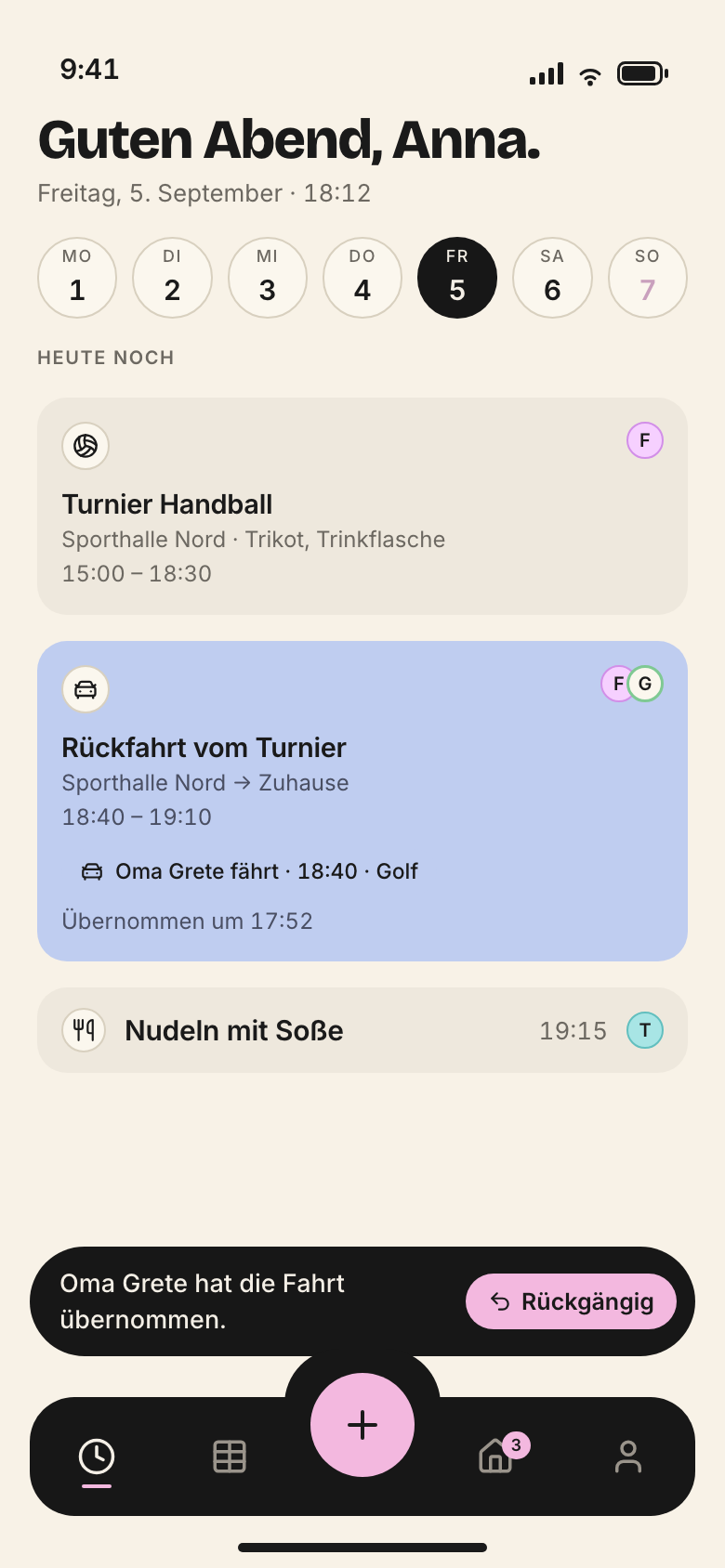
*Main · iphone · 780 × 1688 px*
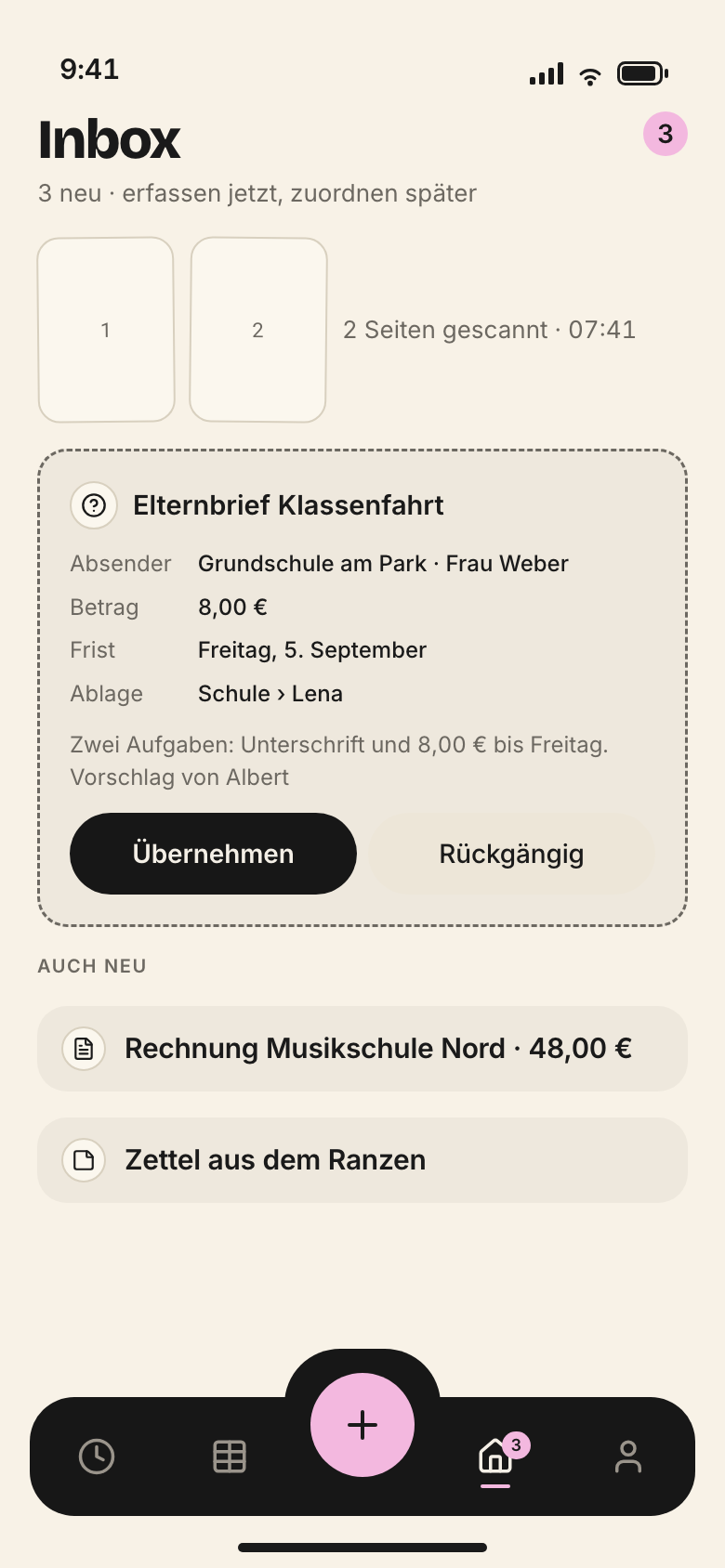
*Eingang · iphone · 780 × 1688 px*
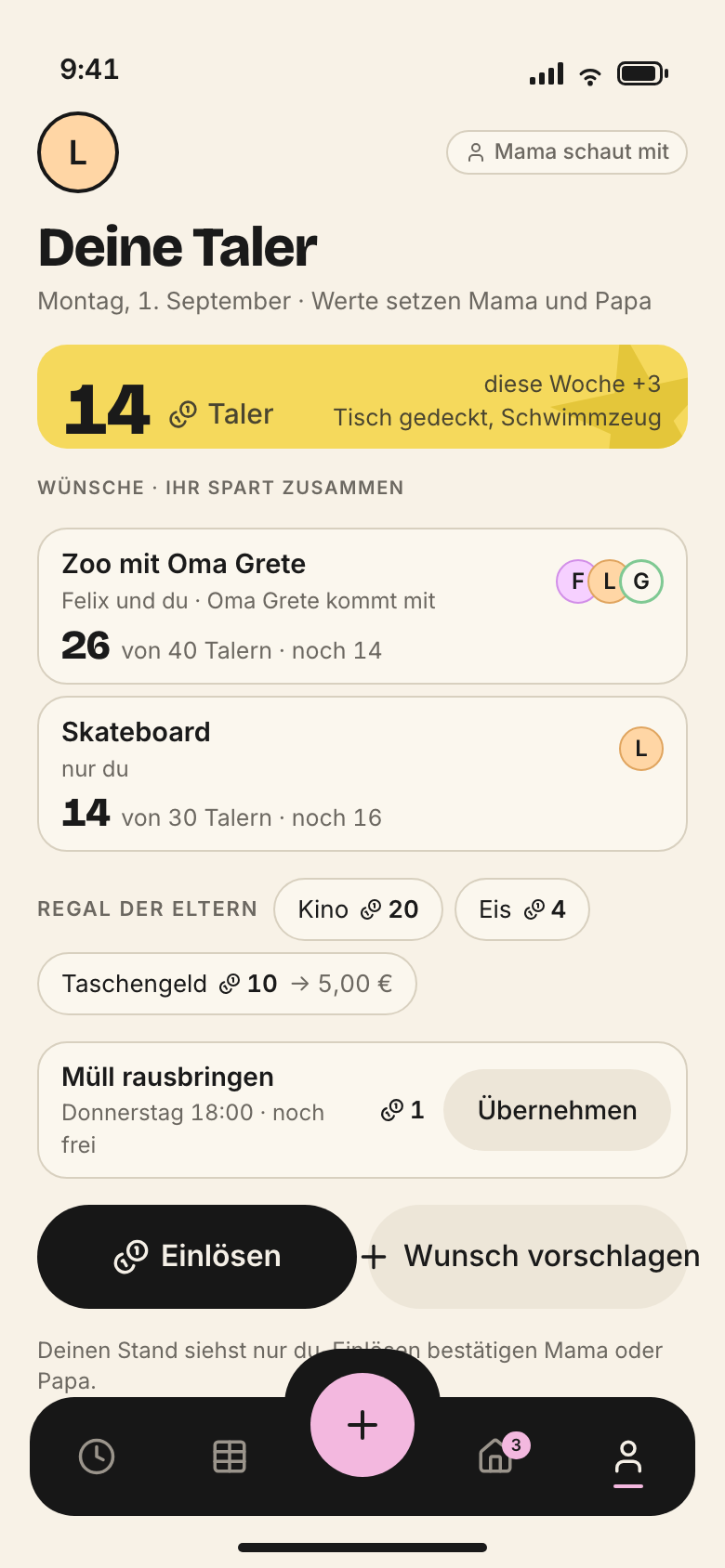
*Taler · iphone · 780 × 1688 px*
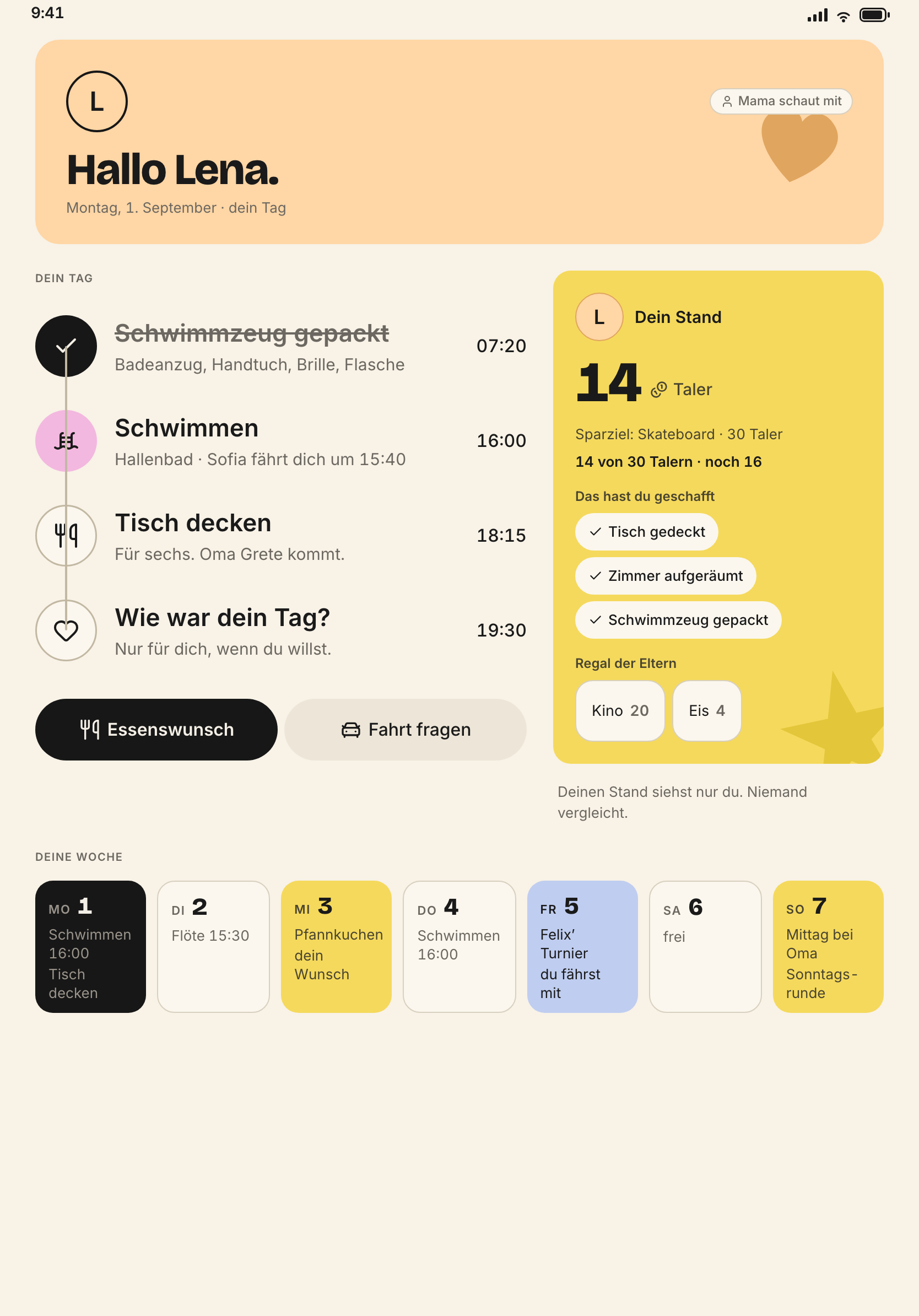
*LenaBereich · ipad · 1668 × 2388 px*
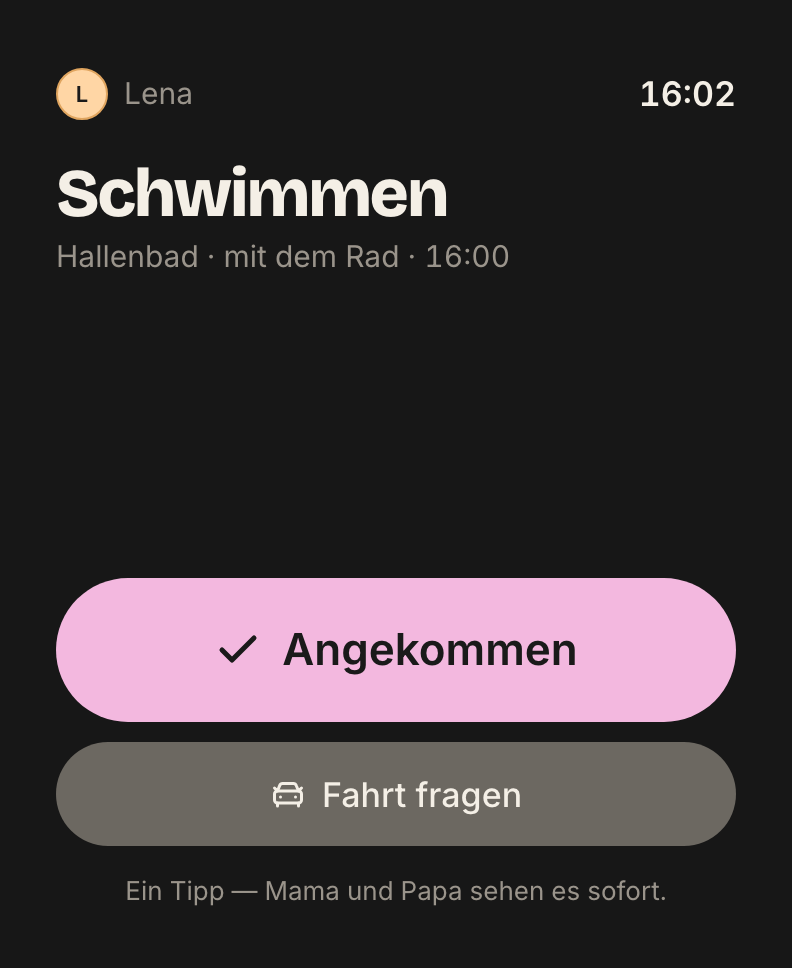
*Watch · watch · 792 × 968 px*
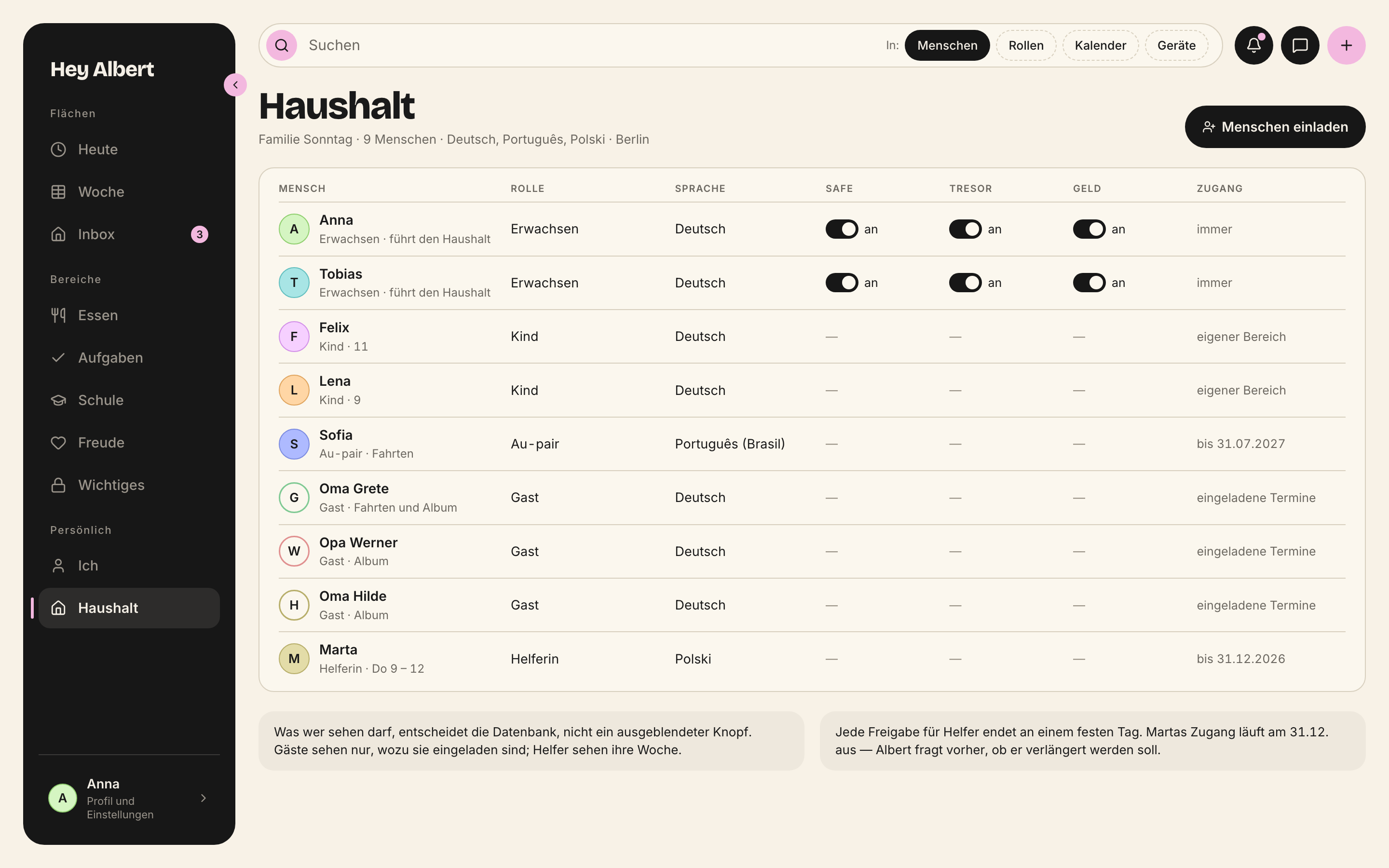
*Haushalt · mac · 2880 × 1800 px*
All screens as full-resolution PNG:
- [Sonntag family screens (PNG)](https://brand.heyalbert.family/downloads/hey-albert-screens.zip)
## Drawing
Everything that is not a screen is our own drawing: flat ink, monoline, round ends. In it exactly **one** yellow accent, as a surface, never as text.
- Subjects are real situations: the hallway at 7:38, the gym bag on its hook, the dinner table on Sunday, the car, the supermarket.
- Homes are lived in, not tidied. A spotless kitchen does not speak to our family.
- Children **do** something: tick off, add, decide together. They are never shown being looked after.
- The person colours are also the colours of the drawings. Anyone who knows Anna recognises her colour.
> **Open: the drawings do not exist yet**
>
> The homepage has three places for ink drawings. They are marked with the `Bildplatz` component until the drawings exist. Neither a stock image nor a generated image replaces them.
## One photo, one object
- **Exactly one real photo:** the founder, in the section “Wer dahinter steht” (who is behind it). No other photos of people.
- **One physical object:** the printed yearbook (*Jahresbuch*), open, from above.
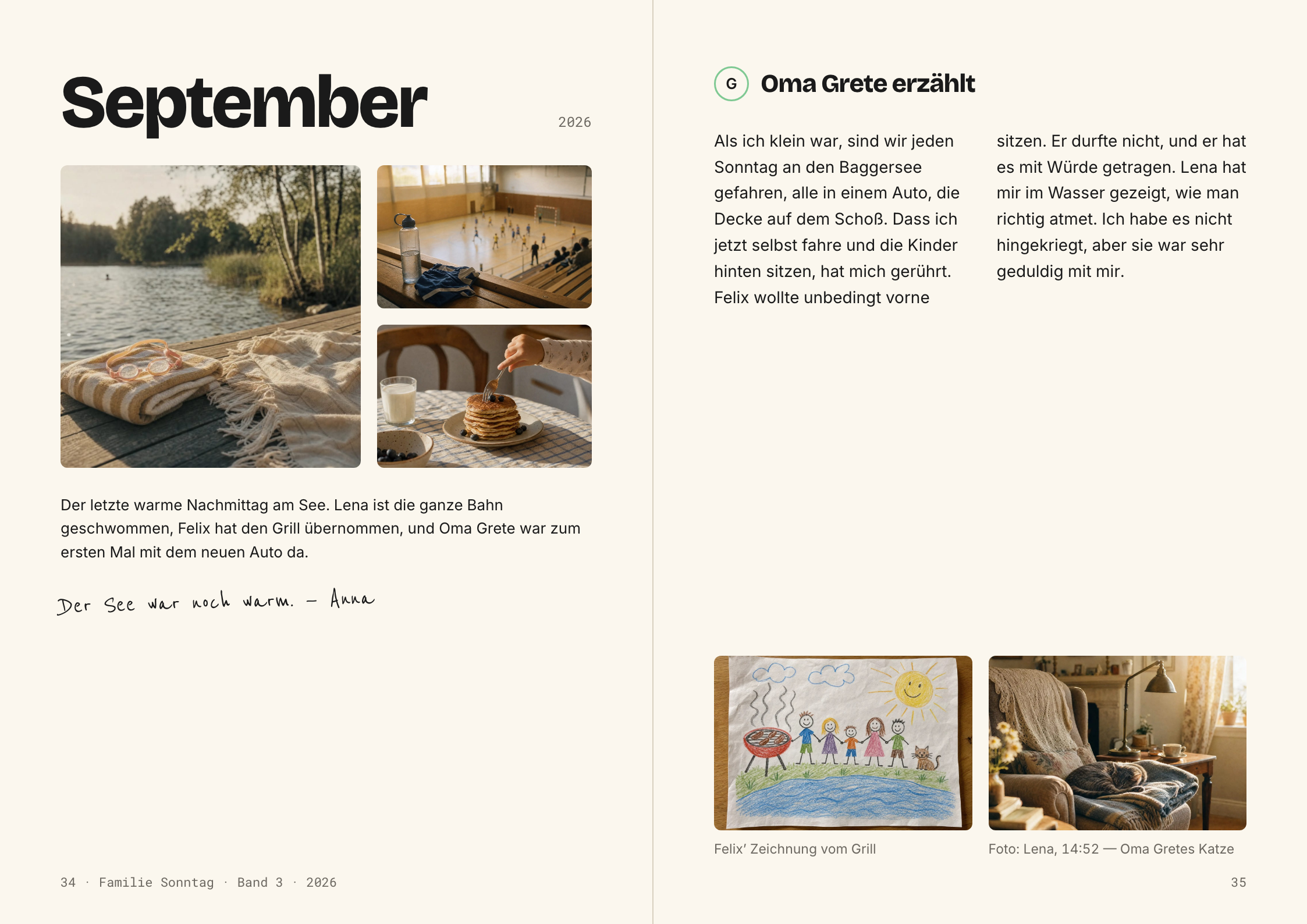
*Jahresbuch · objekt · 2246 × 1588 px*
## Albert as a character
In pictures Albert is a wizard; in tone he is the family manager. He is an ink drawing, not a mascot. He appears sparingly:
- small in the website header, at the step “Sagen” (say it), in the children’s area;
- in onboarding, empty states, briefings, the Sunday round and the yearbook.
He never appears in lists, tables, the safe, finances, system surfaces, pricing, FAQs or trust sections.
## What we show and what we never show
**We show**
- real screens of the Sonntag family on flat device frames
- flat ink drawings with exactly one yellow accent
- exactly one real photo: the founder
- one physical object: the printed yearbook
**We never show**
- children’s faces
- stock photos
- AI-generated images
- gloss, perspective, 3D devices
- carousels, autoplay video
- real family data
And from the brand:
- No exhausted parents and no piles of notes. We do not sell a problem.
- No screens without context.
- No people staring at a phone while someone is talking.
- No progress bars, rankings or other people’s coin balances, not even as decoration.
> **Open: photos of children**
>
> `docs/21-marke-und-stimme.md` (I.7) allows real children with revocable consent and says “when in doubt, we draw”. The design system and `regeln.json` exclude children’s faces and allow a single photo, the founder’s. Until decided, the stricter rule applies: no children’s faces.
## Making screenshots
Every screen shows the Sonntag family in their week: Mon 1 to Sun 7 September, today is Wednesday the 3rd. Never a real family, never real names, never real addresses.
- **Content:** an honest week. Two items without anyone responsible, one suggestion from Albert. A board with nothing open looks staged.
- **Mode:** light. Dark mode only where dark mode itself is the topic.
- **Status bar:** no imitation of a foreign status bar on mock-ups.
- **Sizes** at double resolution, as in `apps/site/bilder`:
| Device | Pixels | Points | Screens |
|---|---|---|---|
| Mac | 2880 × 1800 | 1440 × 900 | Wochenboard, Haushalt, Safe, Anlass, Aufgaben, FamilyFeedMac |
| iPhone | 780 × 1688 | 390 × 844 | Main, Eingang, Einkauf, Essensplan, Schule, Taler, … |
| iPad portrait | 1668 × 2388 | 834 × 1194 | LenaBereich, Rueckblick |
| Watch | 792 × 968 | 396 × 484 | Watch |
## Files for the website
- **Source:** full-resolution PNG in `apps/site/bilder/`. They stay as fallback and for preview images.
- **Served:** AVIF with WebP fallback, each at 480, 720, 1080 px and full width. Generated with `python3 tooling/bilder-optimieren.py`, which only recomputes when the PNG is newer.
- **The first image** on a page has no fade-in and is preloaded so it appears fast.
- **Preview images** for shared links: 1200 × 630 per language, generated with `tooling/og-bilder.py`.
| Language | File |
| --- | --- |
| bg | https://brand.heyalbert.family/bilder/og/og-bg.png |
| da | https://brand.heyalbert.family/bilder/og/og-da.png |
| de | https://brand.heyalbert.family/bilder/og/og-de.png |
| en | https://brand.heyalbert.family/bilder/og/og-en.png |
| es | https://brand.heyalbert.family/bilder/og/og-es.png |
| fr | https://brand.heyalbert.family/bilder/og/og-fr.png |
| it | https://brand.heyalbert.family/bilder/og/og-it.png |
| no | https://brand.heyalbert.family/bilder/og/og-no.png |
| pl | https://brand.heyalbert.family/bilder/og/og-pl.png |
| sv | https://brand.heyalbert.family/bilder/og/og-sv.png |
| tr | https://brand.heyalbert.family/bilder/og/og-tr.png |
## Alt text
Every image has alt text. It says what the image shows, not how nice it is.
> **Do**
>
> “The Sonntag family’s week board on the Mac. Friday, 16:40: the drive to handball has no driver yet.”
> **Don't**
>
> “Screenshot”, “image”, “Hey Albert app dashboard”, an empty alt text on an image that says something.
Drawings that only decorate get `alt=""`. A screen always says something, so it always gets text.
---
# Accessibility
> Hey Albert is built for a whole family, from nine-year-old Lena to Oma Grete. Contrast, target sizes, focus, screen readers, text sizes, motion and plain language belong to every view, not to the end.
Source: https://brand.heyalbert.family/en/zugaenglichkeit/ · Hey Albert brand and design system
A family is the most varied group you can design for. Lena is nine and reads slowly. Oma Grete sees less well and taps less precisely. Tobias drives the Mac by keyboard. Everyone uses the same app.
So accessibility is not a check at the end. It lives in the tokens.
## The test question
> Could a nine-year-old use this alone?
This question applies to every view. Children take part; they are not an audience (principle 5). If Lena cannot find, hit or understand her checkmark, the view is not done.
## Contrast
- Body text and controls: at least **4.5:1**.
- Surfaces, outlines, dashed borders, focus ring: at least **3:1**.
- Both modes are computed, not estimated.
| Foreground | Background | Light | Verdict | Dark | Verdict |
| --- | --- | --- | --- | --- | --- |
| tinte | grund | 15.62:1 | AAA | 16.43:1 | AAA |
| tinte | karte | 14.27:1 | AAA | 13.13:1 | AAA |
| grau | grund | 4.83:1 | AA | 7.44:1 | AAA |
| grau | karte | 4.41:1 | 3:1 | 5.94:1 | AA |
| text-inaktiv | grund | 2.47:1 | zu schwach | 4.06:1 | 3:1 |
| text-auf-gelb | gelb | 6.85:1 | AA | 6.85:1 | AA |
| text-auf-blau | blau | 10.94:1 | AAA | 10.94:1 | AAA |
| text-auf-rosa | rosa | 10.55:1 | AAA | 10.55:1 | AAA |
| text-auf-leiste | schwarz | 15.65:1 | AAA | 17.28:1 | AAA |
| knopf-primaer-text | knopf-primaer-flaeche | 15.65:1 | AAA | 15.65:1 | AAA |
| rand-offen | grund | 4.47:1 | 3:1 | 9.21:1 | AAA |
| rand-vorschlag | grund | 4.83:1 | AA | 7.44:1 | AAA |
| rand-fokus | grund | 4.47:1 | 3:1 | 9.21:1 | AAA |
Where a row falls below the limit, that is an open defect, not an exception. The state of grey and disabled is described in the [Colour](/en/farbe/#contrast) chapter.
## Colour is never alone
No information depends on colour alone.
- A person colour always with an initial or a name.
- The kind of card always also through the symbol of the thing.
- “No one responsible” is a dashed outline **and** a pill with text, such as “Kein Fahrer” (no driver).
- A suggestion is dashed **and** carries the line “Vorschlag von Albert” (suggestion from Albert).
That way Hey Albert works for people with colour vision deficiency and in greyscale.
## Target sizes
| Token | CSS | Value | Dark | Meaning |
| --- | --- | --- | --- | --- |
| ziel-zeiger | var(--ziel-zeiger) | 28px | | |
| ziel-finger | var(--ziel-finger) | 44px | | |
| ziel-kind | var(--ziel-kind) | 56px | | |
Whatever children operate is at least 56. That applies in the children’s area, when ticking off and with the coins (*Taler*). An icon alone is never the target; the whole row or the whole button is.
## Focus and keyboard
- Focus is always visible, but only through `:focus-visible`: a ring in `--rand-fokus`, `--fokus-ring` wide, with `--fokus-abstand`.
- Whoever taps with mouse or finger sees no ring.
- On the Mac everything works by keyboard, including drag and drop: a card can be moved into another lane without a mouse.
- The order follows reading: header, filters, content, sidebar.
## Screen readers
- Icons next to text are decorative and invisible to VoiceOver (`aria-hidden`).
- Icons on their own, such as the three circles in the header (bell, messages, plus), need a label.
- A card should read out as a whole: kind, title, time, place, people, state. For example: “Fahrt. Rückfahrt Auswärtsspiel, 14:00 bis 14:30. Felix. Kein Fahrer.”
- Buttons say what happens: “Ich fahre” (I’ll drive), not “OK”.
- Images that say something have alt text; decorative ones get `alt=""`.
## Text sizes
- In the app every size follows Dynamic Type. That is part of the definition of done: whoever has set larger text gets it everywhere.
- Cards grow in height. Buttons never wrap to two lines: if space runs out, the `Knopfreihe` stacks them.
- On the website, zoom up to 200 % must work without horizontal scrolling.
> **Open**
>
> How the fixed sizes from the tokens map onto the Dynamic Type steps is not documented. The app is not yet in the monorepo (`apps/apple`). The table belongs here once it has moved.
## Motion
With reduced motion every duration is zero and the skeleton does not breathe. Nothing blinks, nothing runs on its own. More in the [Motion](/en/bewegung/) chapter.
## Plain language
Text is part of accessibility.
- One thought per sentence. Short words, verbs instead of nouns.
- Errors and empty states say three things: what belongs here, why it is empty, what you can do – with one button.
- Children read in the reader register (*Vorleser*), in three stages: small (6–9), middle (10–12), large (13+). The limits per register are in the [Voice](/en/stimme/) chapter.
| Register | Where | Hallmark | Words per sentence avg / max |
| --- | --- | --- | --- |
| R1 · Der Erzähler | Website, landing pages, onboarding, manifesto, module names, release notes | Maxims, contrast pairs, concrete pictures from family life | 9 / 18 |
| R2 · Der Family Manager | The everyday interface for adults: buttons, labels, hints, briefings | Brief and action-oriented | 8 / 12 |
| R3 · Der Vorleser | All children’s views, in three stages: small 6–9, middle 10–12, large 13+ | Short, vivid, in the present tense | 6 / 10 |
| R4 · Der Sachbearbeiter | Safe, contracts, deadlines, finances, taxes, privacy, legal texts | Precise, sober, complete | 10 / 14 |
| R5 · Der Briefeschreiber | Replies Albert drafts to school, club, insurer, tradespeople, authorities | Not Albert’s voice but the family’s | 12 / 18 |
Watch and notifications: seven words at most, the most important first. Example: „16:40 · Handball, Halle Süd.“
## A view is done only with
- [ ] empty state
- [ ] skeleton instead of spinner
- [ ] keyboard and :focus-visible
- [ ] phone and desktop
- [ ] light and dark as a token switch
- [ ] optimistic update with „Undo“
- [ ] correct register
- [ ] no hex value
- [ ] target sizes 28/44/56
The `design-pruefer` agent checks views against this list. The brand QA (`pnpm qa` in the design system) finds hex values, shadows, forbidden words, exclamation marks and images without alt text.
---
# Screens
> How a Hey Albert screen is built – on iPhone, iPad, Mac, Watch and in the browser. Devices, places, roles, density, grid, header and cards, with every screen of the Sonntag family.
Source: https://brand.heyalbert.family/en/screens/ · Hey Albert brand and design system
Hey Albert has one data model and many views. An event is a card in the hour grid on the Mac, a row in the list on the iPhone and a question with two answers on the watch. It is always the same row in the database. This chapter covers what applies to every device. The chapters [iPhone](/en/iphone/), [iPad](/en/ipad/), [Mac](/en/mac/) and [Watch](/en/watch/) show the layout region by region, in points.
## One data model, many views
Principle 2 is the foundation of every screen. Week, Today and calendar render the same things. A view may filter, group and condense. It may never hold data of its own.
> **Do**
>
> A new view reads the same rows as the existing ones and shows them differently. Saturday’s ride home is the same thing in the week board, the list, the week at a glance and the Sunday round.
> **Don't**
>
> A view gets its own copy of the data “so it’s faster”. Then there are two truths, and one of them is wrong.
## Devices and their role
| Device | Role | What belongs there |
|---|---|---|
| Mac | the planning machine | planning the week, safe, finances, Sunday round, managing the household |
| iPhone | the everyday device | on the way, in the shop, in the car, in the hallway – one-handed |
| iPad | family and children’s device | in the kitchen, at the table, in the children’s room |
| Apple Watch | the five-second device | leaving, arrived, ticked off, voted |
| Browser | the web app | planning and paperwork on any computer, the same layout as the Mac |
The rule behind it is in `docs/11-produkt.md` §10: what is **planned** belongs on the Mac. What happens **together** belongs on the iPad. What happens **on the way** belongs on the iPhone. What takes **one second** belongs on the watch.
## Places in the app
The app has three kinds of places. Albert himself is not a place. He works in all of them.
- **Surfaces (*Flächen*):** Today (*Heute*), Week (*Woche*), Inbox (*Eingang*). They show things from every area.
- **Areas (*Bereiche*):** Food (*Essen*), Tasks (*Aufgaben*), School (*Schule*), Joy (*Freude*), Important (*Wichtiges*). Each shows one kind of thing in full depth.
- **Personal (*Persönlich*):** Me (*Ich*) and Household (*Haushalt*). Profile, your own things, people and rights.
The groups are not destinations. Nobody clicks on “Areas”; you click on “Food”.
## Navigation per device
| Device | Navigation | Component |
|---|---|---|
| Mac and browser | black sidebar on the left, 220 pt, collapsed 72 pt | `LeisteMac` |
| iPad landscape | sidebar on the left as on the Mac (proposal) | `LeisteMac` |
| iPad portrait | sidebar collapsed (proposal) | `LeisteMac` |
| iPhone | black bar at the bottom, five places, the plus sticks out | `LeistePhone` |
| Watch | none, one question per screen | – |
| Child space, wall mode | no bar, a dedicated entry point | – |
On the iPhone the bar has five places: Today · Week · Plus · Inbox · Me. On the Mac every place sits in three groups.
> **Open**
>
> `docs/11-produkt.md` §6 lists the iPhone tabs as “Heute · Woche · Einkauf · Essen · Mehr” (Today · Week · Shopping · Food · More). The `LeistePhone` component, all reference screens and all website screens show “Heute · Woche · Plus · Eingang · Ich”. This site follows the built component. The decision is the founder’s.
## Roles get different entry points
Hey Albert is not an app with permissions that greys out what someone may not do. From the same data model, every role gets its own entry point. What someone may see is decided by the database, never by a hidden button.
| Role | Who | First page |
|---|---|---|
| `owner`, `adult` | Anna, Tobias | Mac: the whole week · iPhone: Today by urgency · iPad: portal |
| `child · small` (6–9) | Lena | iPad: her space, three picture tiles, 56 pt targets · iPhone: only “what’s now” |
| `child · mid` (10–12) | Felix | iPad: day path, two buttons · iPhone: school folder, take-along list, ask for a ride |
| `child · teen` (13+) | – | almost the adult view, without safe, vault and finances |
| `guest` | Oma Grete, Opa Werner, Oma Hilde | iPhone: three things – events they are invited to, album, “I’ll drive” |
| `service` | Sofia | iPhone: her list – shifts, her drives, shopping; every grant with an expiry date |
Safe, vault and finances only open via `albert.may_enter()`. Children never see them, not even greyed out.
## Density: five seconds
The first page holds as much as this role can take in on this device in five seconds. For Oma Grete that is three things. For Lena four. For Anna at the Mac it may be the whole week; she has sat down. Whoever needs more goes one level deeper.
Three questions come before every screen:
1. Who is this page for? “For everyone” means for no one.
2. How many things are on it, and how many seconds does this role have?
3. Am I hiding things, or building a dedicated entry point? Greying out is always the worse answer.
## Grid, margins, safe areas
Everything sits on the 8 pt grid with 4 pt as a half step. The surface margin is `--flaeche-rand-mac` on the Mac and `--flaeche-rand-phone` on the iPhone. Cards have `--karte-innen` inside and `--karte-abstand` between them.
| Token | CSS | Value | Dark | Meaning |
| --- | --- | --- | --- | --- |
| raum-halb | var(--raum-halb) | 4px | | |
| raum-1 | var(--raum-1) | 8px | | |
| raum-2 | var(--raum-2) | 16px | | |
| raum-3 | var(--raum-3) | 24px | | |
| raum-4 | var(--raum-4) | 32px | | |
| raum-5 | var(--raum-5) | 40px | | |
| raum-6 | var(--raum-6) | 48px | | |
| raum-8 | var(--raum-8) | 64px | | |
| karte-innen | var(--karte-innen) | 12px | | |
| karte-abstand | var(--karte-abstand) | 8px | | |
| flaeche-rand-mac | var(--flaeche-rand-mac) | 32px | | |
| flaeche-rand-phone | var(--flaeche-rand-phone) | 20px | | |
| leiste-mac | var(--leiste-mac) | 220px | | |
| leiste-mac-eng | var(--leiste-mac-eng) | 72px | | |
| leiste-phone-hoehe | var(--leiste-phone-hoehe) | 64px | | |
| umbruch-tisch | var(--umbruch-tisch) | 768px | | ab hier ist es ein Tisch, kein Handy (nur Tailwind-Breakpoint, nicht in spacing.css) |
Safe areas belong to the system: status bar, Dynamic Island, home indicator. We draw nothing there and never imitate a status bar. Controls never sit below the iPhone bar.
Target sizes are minimums, not guidelines: pointer 28, finger 44, child 56.
| Token | CSS | Value | Dark | Meaning |
| --- | --- | --- | --- | --- |
| ziel-zeiger | var(--ziel-zeiger) | 28px | | |
| ziel-finger | var(--ziel-finger) | 44px | | |
| ziel-kind | var(--ziel-kind) | 56px | | |
## The header of a surface
Every surface starts the same way. First the header, then the greeting, then the row with date and filters, then the content.
- **Header** (Mac, iPad): search pill with pink magnifier, dashed area chips, three circles on the right in fixed order – bell, messages, pink plus. The iPhone has no header; the plus sits in the bar.
- **Greeting:** “Guten Morgen, Anna.” in Bricolage 800. On Today it greets; on every other surface it names: “Woche 36”, “Aufgaben”, “Einkauf”. Below it a subline with the date and what counts: “zwei Sachen offen, ein Vorschlag” (two things open, one suggestion).
- **Row:** date pill, person filter, span control.
### Kopfzeile
Source: `packages/design-system/components/kopf/Kopfzeile.jsx`
Der Kopf jeder Fläche auf dem Mac und iPad – Suche links, drei Kreise rechts.
```jsx
setMenue(true)} />
```
Die Reihenfolge der Kreise steht fest: Klingel, Nachrichten, Plus – Plus ist rosa und immer der letzte. Chips sind gestrichelt, weil sie Bereiche einschränken und nichts anlegen.
```ts
/**
* Der Kopf jeder Flaeche: Suchfeld mit rosa Lupe, Bereichs-Chips, drei Kreise rechts.
*/
export interface KopfzeileProps {
platzhalter?: string;
/** Bereichs-Chips, gestrichelt: "Termine", "Fahrten", "Aufgaben", "Dokumente", { name: "Post", zaehler: 2 }. */
bereiche?: Array;
gewaehlterBereich?: string;
onBereich?: (name: string) => void;
onSuche?: (e: React.ChangeEvent) => void;
/** Rosa Punkt an der Klingel, wenn etwas Neues da ist. */
klingelPunkt?: boolean;
onKlingel?: () => void;
onNachrichten?: () => void;
/** Oeffnet das Schnellmenue "Schnell anlegen". */
onPlus?: () => void;
style?: React.CSSProperties;
}
export function Kopfzeile(props: KopfzeileProps): JSX.Element;
```
## The five kinds of card
Today, Week and calendar are made of cards. The kind sets the surface, the icon the thing, the dots the people.
| Kind | Surface and edge | For |
|---|---|---|
| Event (*Termin*) | beige, hairline | anything with a time and place |
| Drive (*Fahrt*) | blue | drives from → to |
| Family (*Familie*) | yellow | rituals, shared meals, Sunday round |
| Suggestion (*Vorschlag*) | dashed grey without fill (Mac) · yellow with shapes (iPhone) | Albert’s suggestion, always with two buttons |
| Open (*Offen*) | dashed open-pink | something with no one responsible, shown loudly |
### Karte
Source: `packages/design-system/components/karten/Karte.jsx`
Die Karte – das Ding, aus dem Heute, Woche und Kalender bestehen. Ein Datenmodell, viele Ansichten.
```jsx
Kein Fahrer}
knoepfe={Ich fahre} />
} />
```
Register Family Manager, kurz und ruhig. Die Bedeutungen werden nicht getauscht: blau ist Fahrt, gelb ist Familie, gestrichelt rosa heisst "ohne Zuständigen". Ein Vorschlag hat immer zwei Knöpfe – Albert erledigt nie still.
```ts
/**
* Die Karte in fuenf Arten. Die Farbe sagt die Art, das Symbol die Sache, die Punkte die Leute.
*/
export interface KarteProps {
/** "termin" beige | "fahrt" blau | "familie" gelb | "vorschlag" gestrichelt grau | "offen" gestrichelt rosa. */
art?: "termin" | "fahrt" | "familie" | "vorschlag" | "offen";
/** Kartentitel, ein Gegenstand: "Rückfahrt Auswärtsspiel". */
titel: string;
/** Zweitzeile: Ort oder Bündel-Teile, mit " · " getrennt. */
ort?: React.ReactNode;
/** Zeitspanne als "16:00 – 17:00" (Halbgeviertstrich mit Leerzeichen). */
zeit?: string;
/** Wer dabei ist; der Zustaendige zuerst. */
leute?: string[];
/** Sach-Symbol, wenn es nicht aus der Art folgt: "schule", "sport", "arzt", "musik". */
symbol?: string;
/** "kurz" (78 px) oder "hoch" (132 px) - fuer das Stundenraster. */
hoehe?: "kurz" | "hoch";
/** Zustands- und Fahrt-Pillen. */
pillen?: React.ReactNode;
/** Handlungsknoepfe; bei Vorschlaegen immer zwei. */
knoepfe?: React.ReactNode;
/** Kleine Zeile unter dem Inhalt, z. B. "Vorschlag von Albert". */
unterzeile?: React.ReactNode;
/** Einzeiler fuer Listen: Symbol, Titel, Zeit, Punkt. */
kompakt?: boolean;
klickbar?: boolean;
/** Leicht gekippt, wie ein liegender Klebezettel. */
gekippt?: boolean;
children?: React.ReactNode;
style?: React.CSSProperties;
}
export function Karte(props: KarteProps): JSX.Element;
export function KarteVorschlagKnoepfe(props: { uebernehmen?: string; zurueck?: string; onUebernehmen?: () => void; onZurueck?: () => void }): JSX.Element;
```
## States are mandatory
No screen is finished without its states: empty, loading, error, offline, undo. They are in the chapter [States](/en/zustaende/). A view is only finished with all of this:
- [ ] empty state
- [ ] skeleton instead of spinner
- [ ] keyboard and :focus-visible
- [ ] phone and desktop
- [ ] light and dark as a token switch
- [ ] optimistic update with „Undo“
- [ ] correct register
- [ ] no hex value
- [ ] target sizes 28/44/56
## What is available where
“Full” means it belongs here. “Reduced”: present, deliberately leaner. “Read”: view, not edit. From `docs/11-produkt.md` §10, cut down to the places of the app.
| Place | Mac | iPad | iPhone | Watch |
|---|---|---|---|---|
| Today | reduced | full | full | reduced |
| Week (week board) | full | reduced | read | – |
| Inbox (mail, scan) | full | full | reduced, scanning full | – |
| Food and shopping | full (plan) | full | full (list in the shop) | vote |
| Tasks | full | full | reduced, ticking off full | tick off |
| Drives | planning full | reduced | leaving and arriving full | leaving and arriving |
| School | timetable | reduced | school folder full | dictate homework |
| Joy (feed, occasions, album) | full | full | reduced | – |
| Important (safe, vault, finances) | full | reduced | read | – |
| Sunday round | full | full | read | – |
| Household and rights | full | reduced | read | – |
## Every screen of the Sonntag family
These are the screens the website, the App Store and this site work with. Each links to a PNG for download.
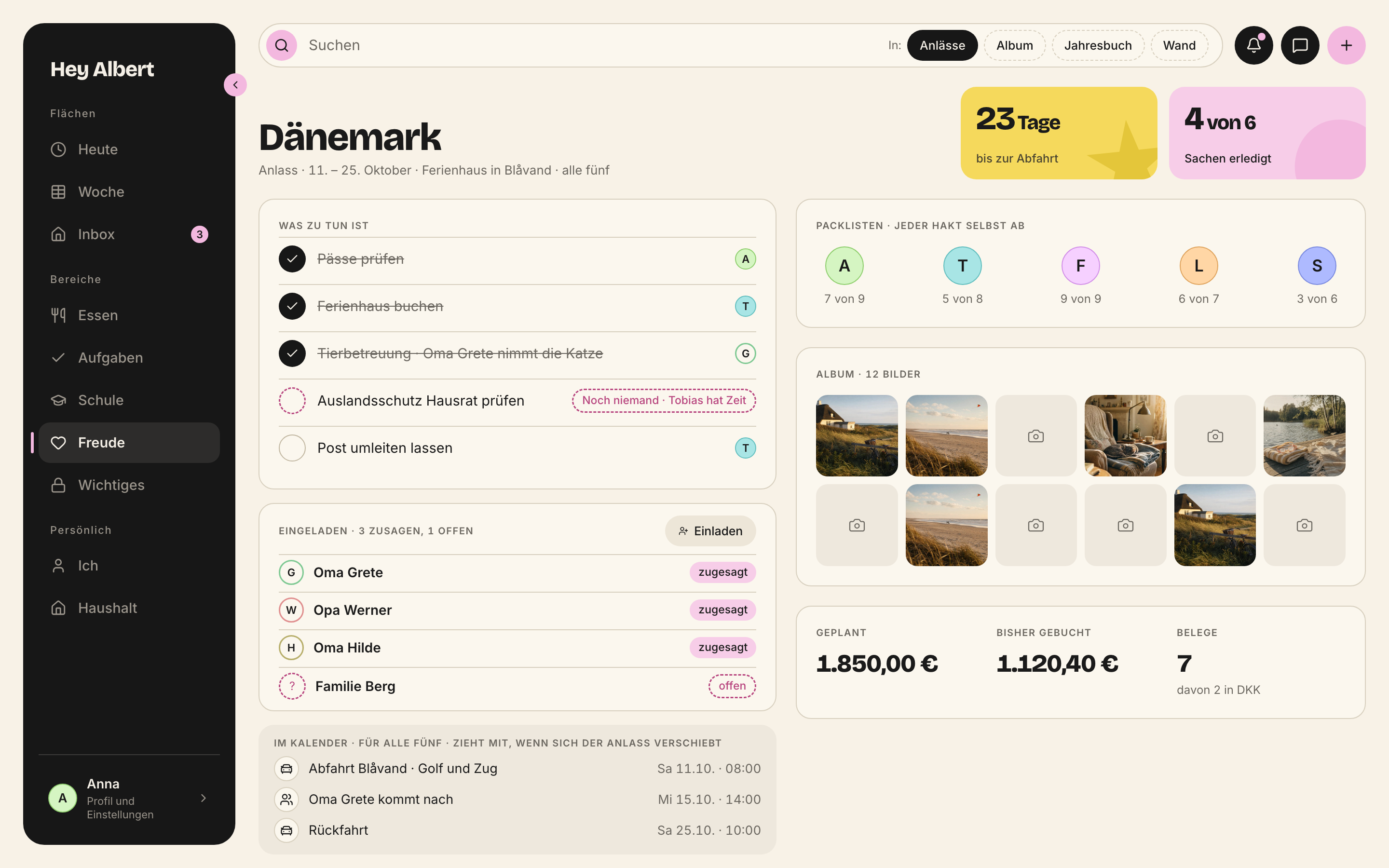
*Anlass · mac · 2880 × 1800 px*
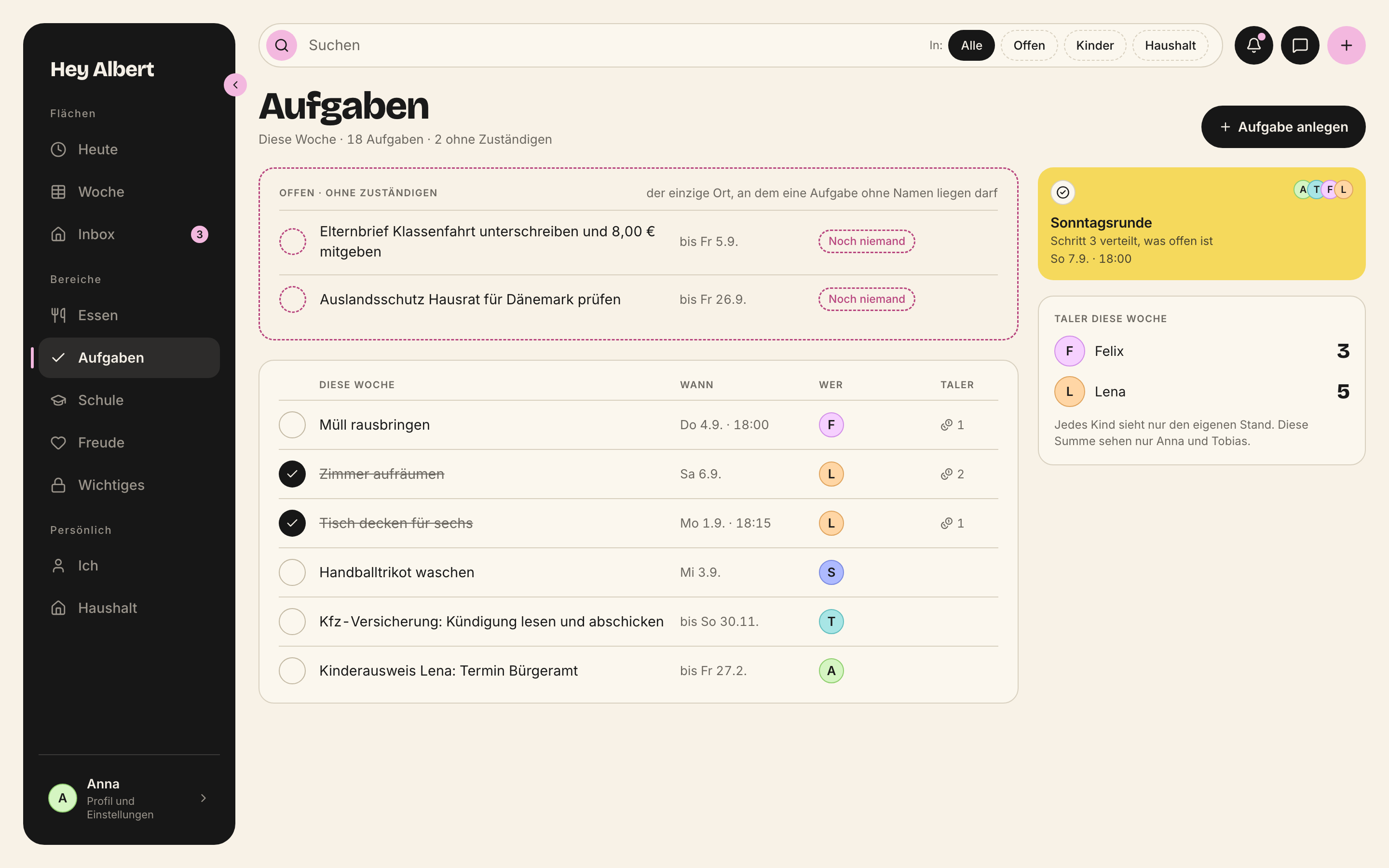
*Aufgaben · mac · 2880 × 1800 px*

*Eingang · iphone · 780 × 1688 px*
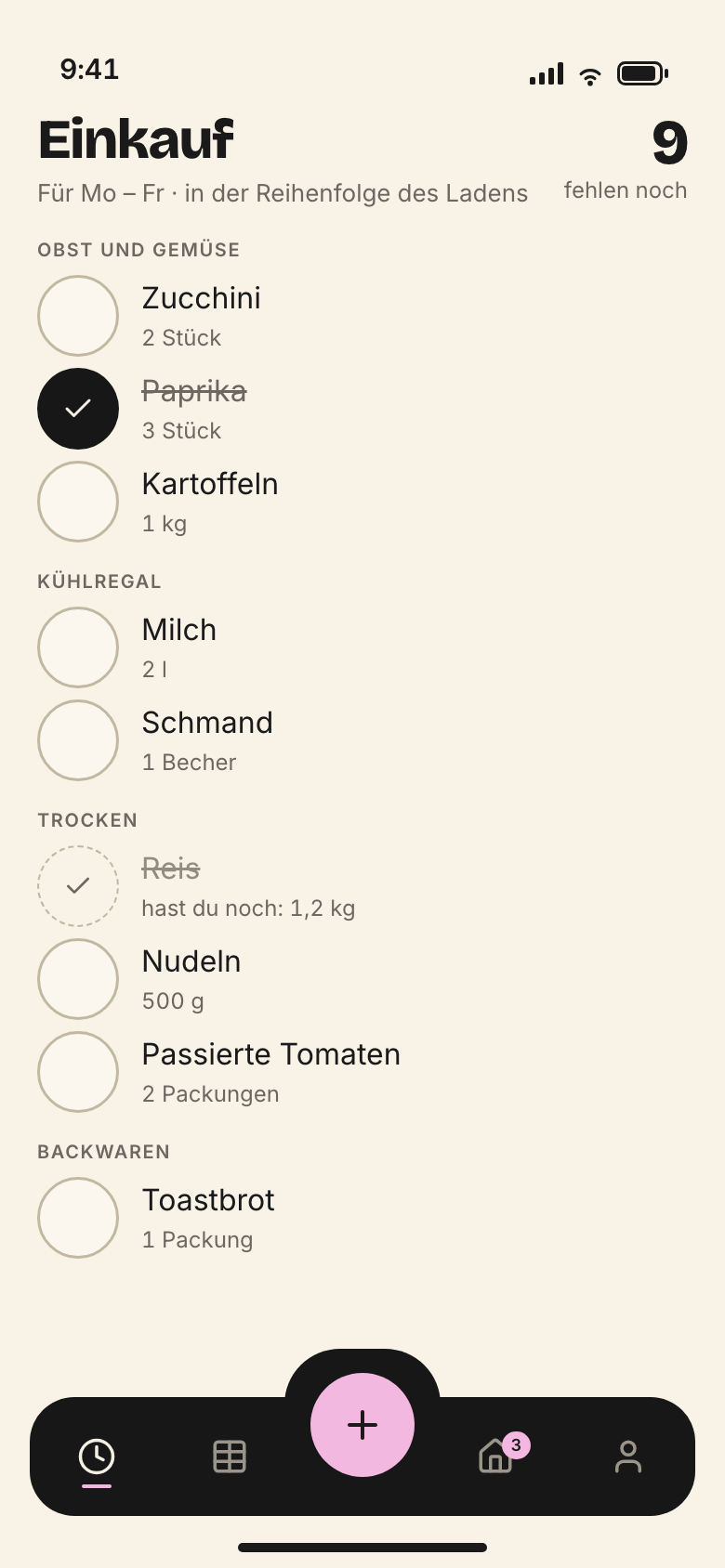
*Einkauf · iphone · 780 × 1688 px*
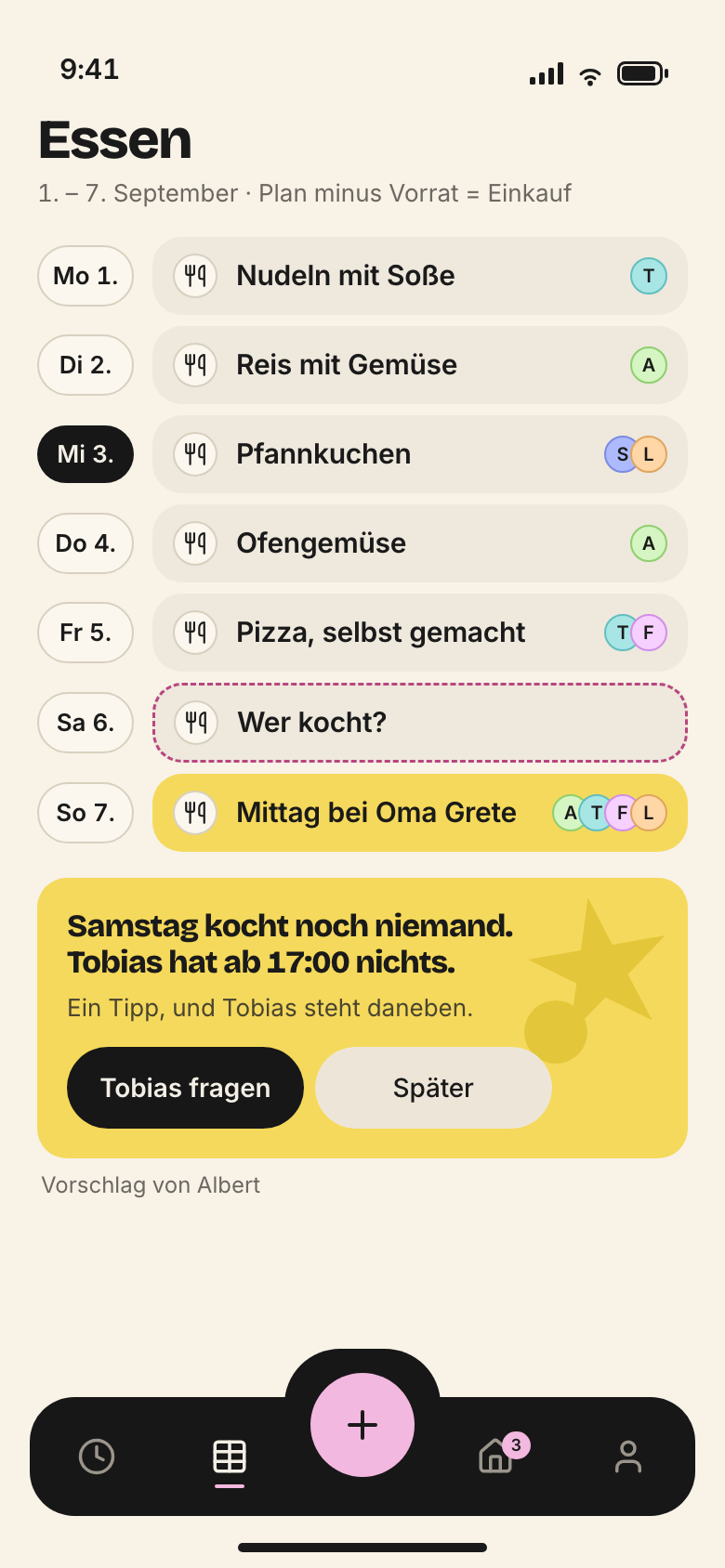
*Essensplan · iphone · 780 × 1688 px*
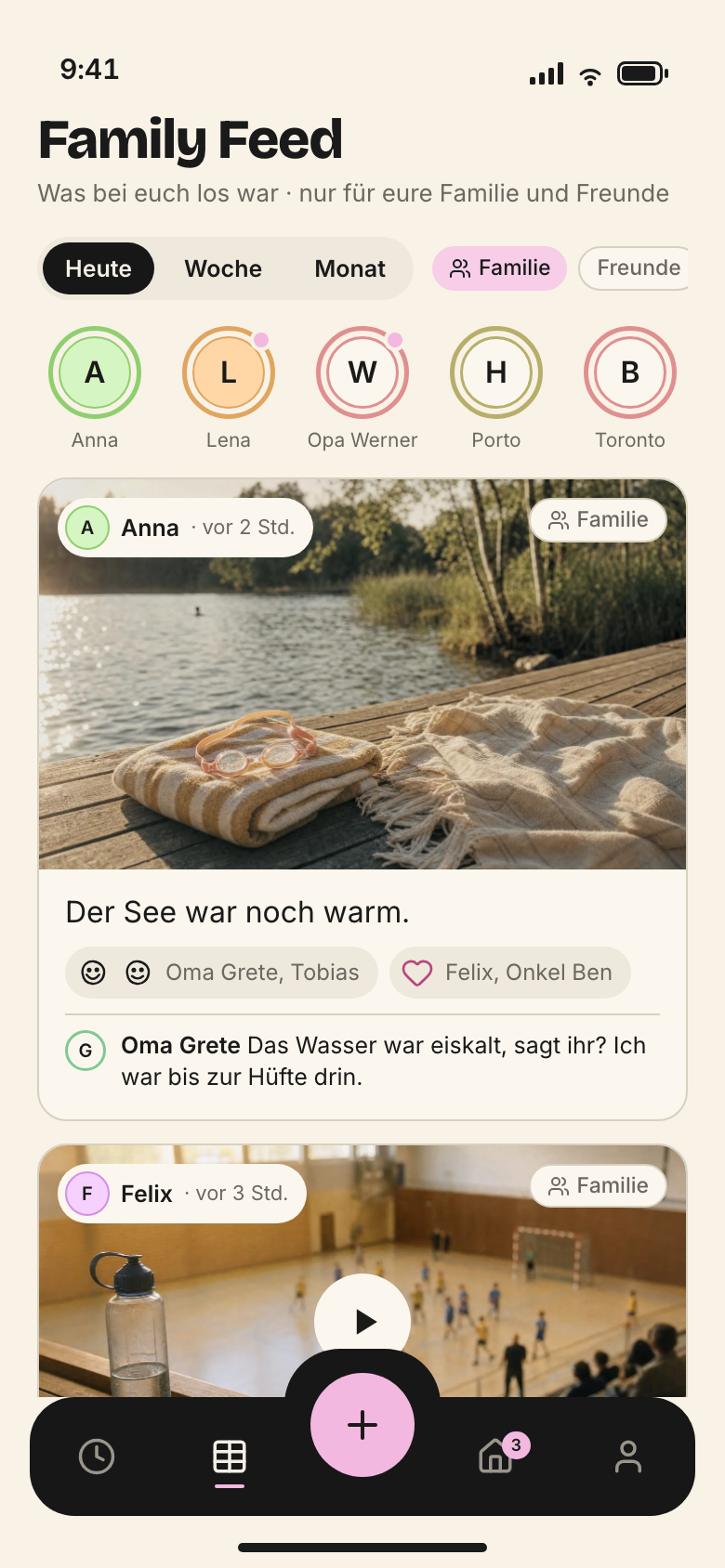
*FamilyFeed · iphone · 780 × 1688 px*
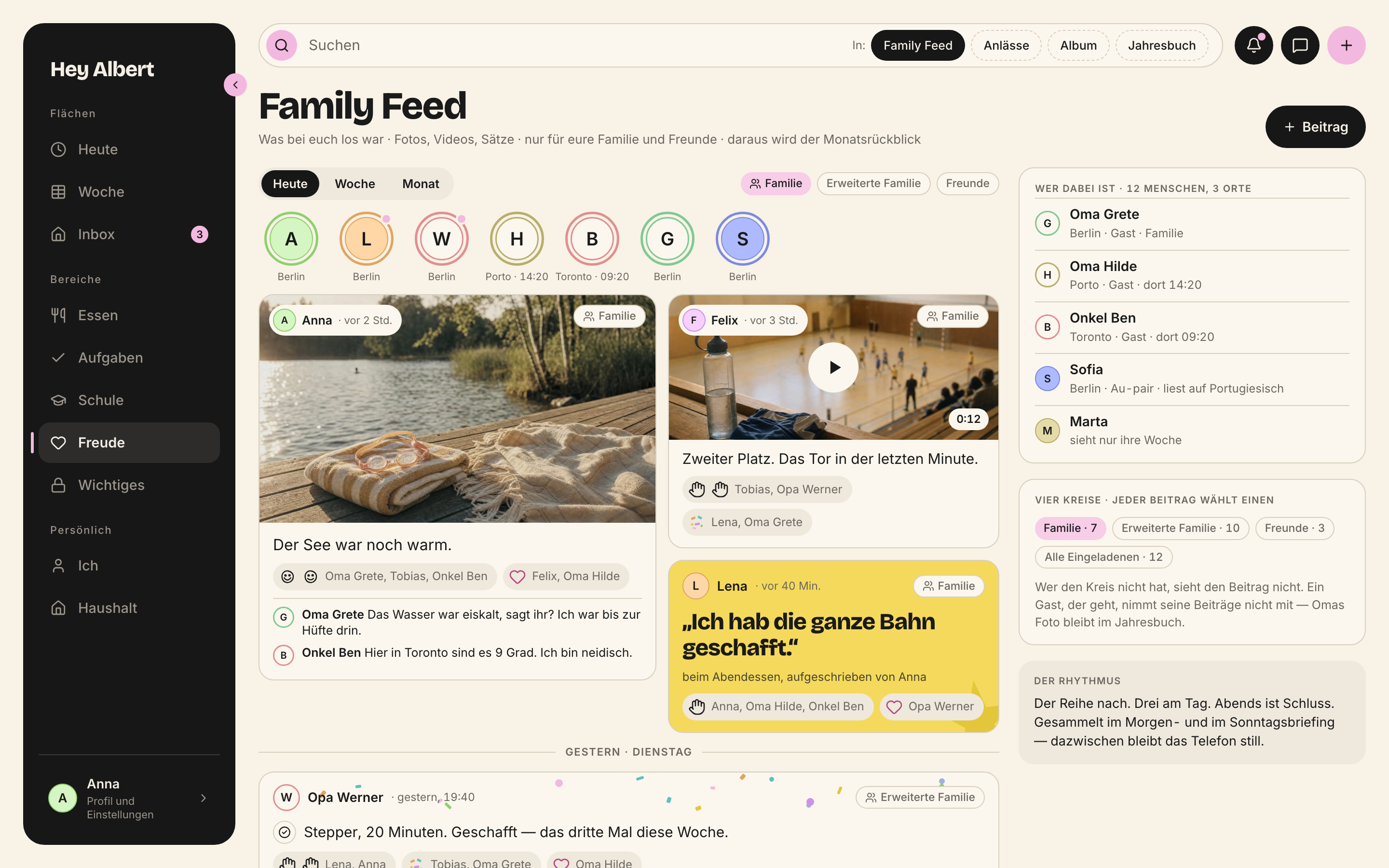
*FamilyFeedMac · mac · 2880 × 1800 px*
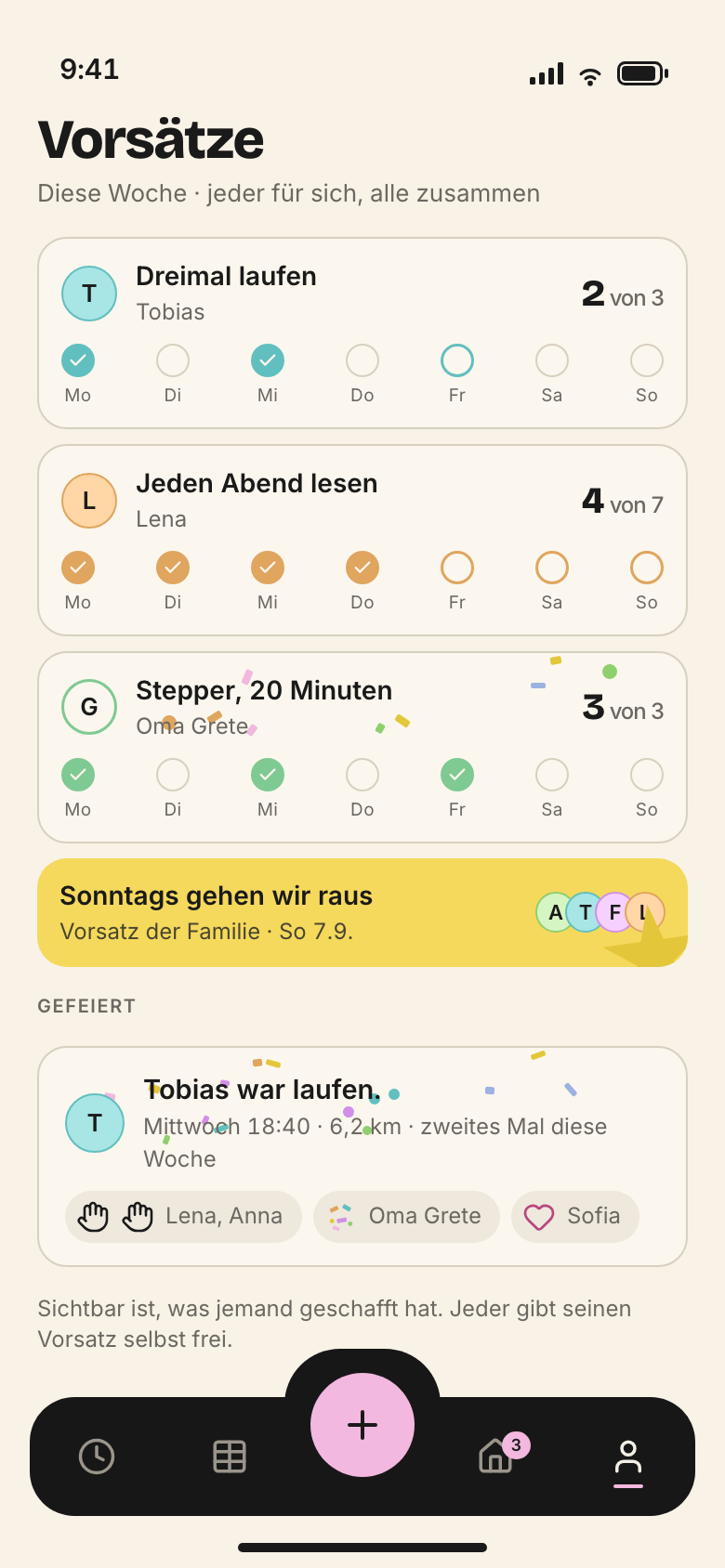
*Gewohnheiten · iphone · 780 × 1688 px*

*Haushalt · mac · 2880 × 1800 px*

*Jahresbuch · objekt · 2246 × 1588 px*

*LenaBereich · ipad · 1668 × 2388 px*

*Main · iphone · 780 × 1688 px*
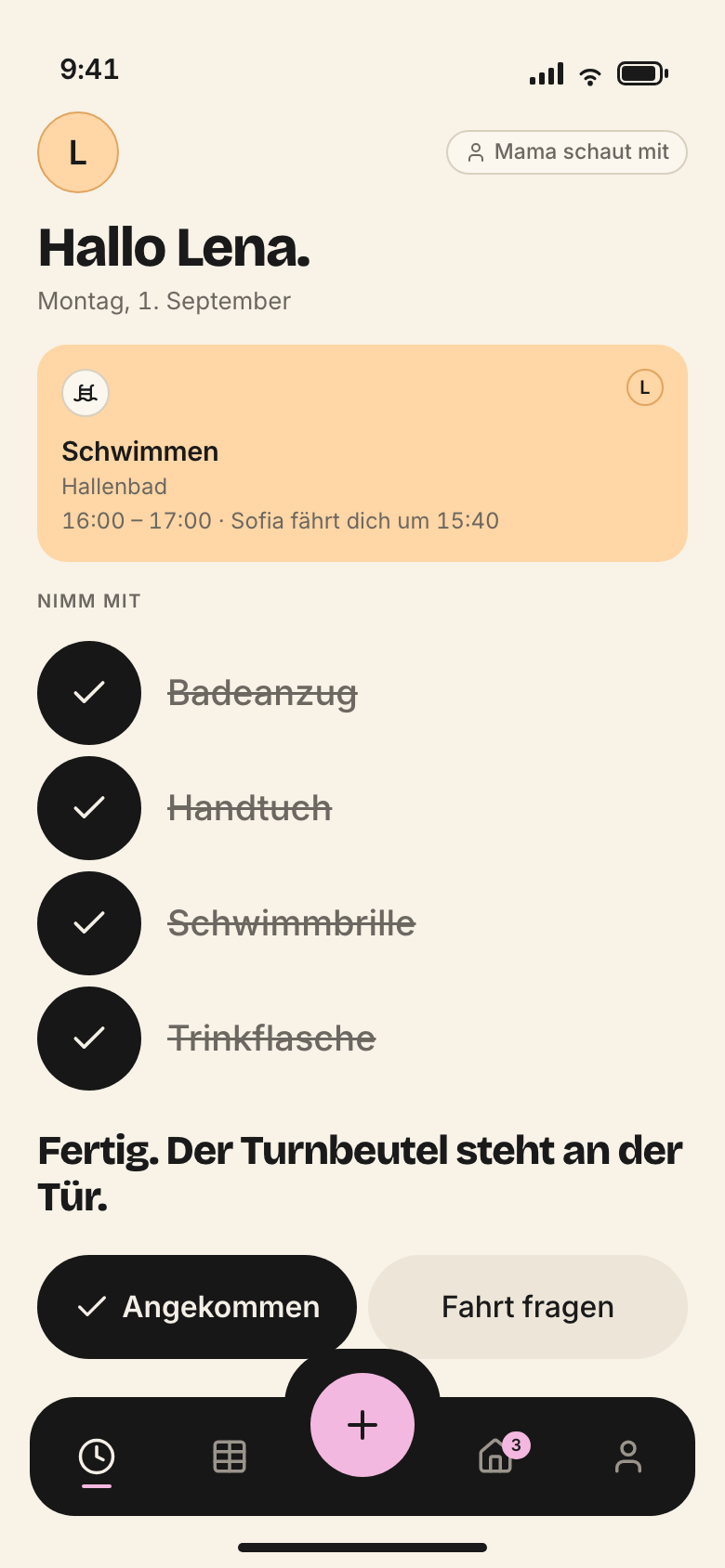
*MomentTurnbeutel · iphone · 780 × 1688 px*
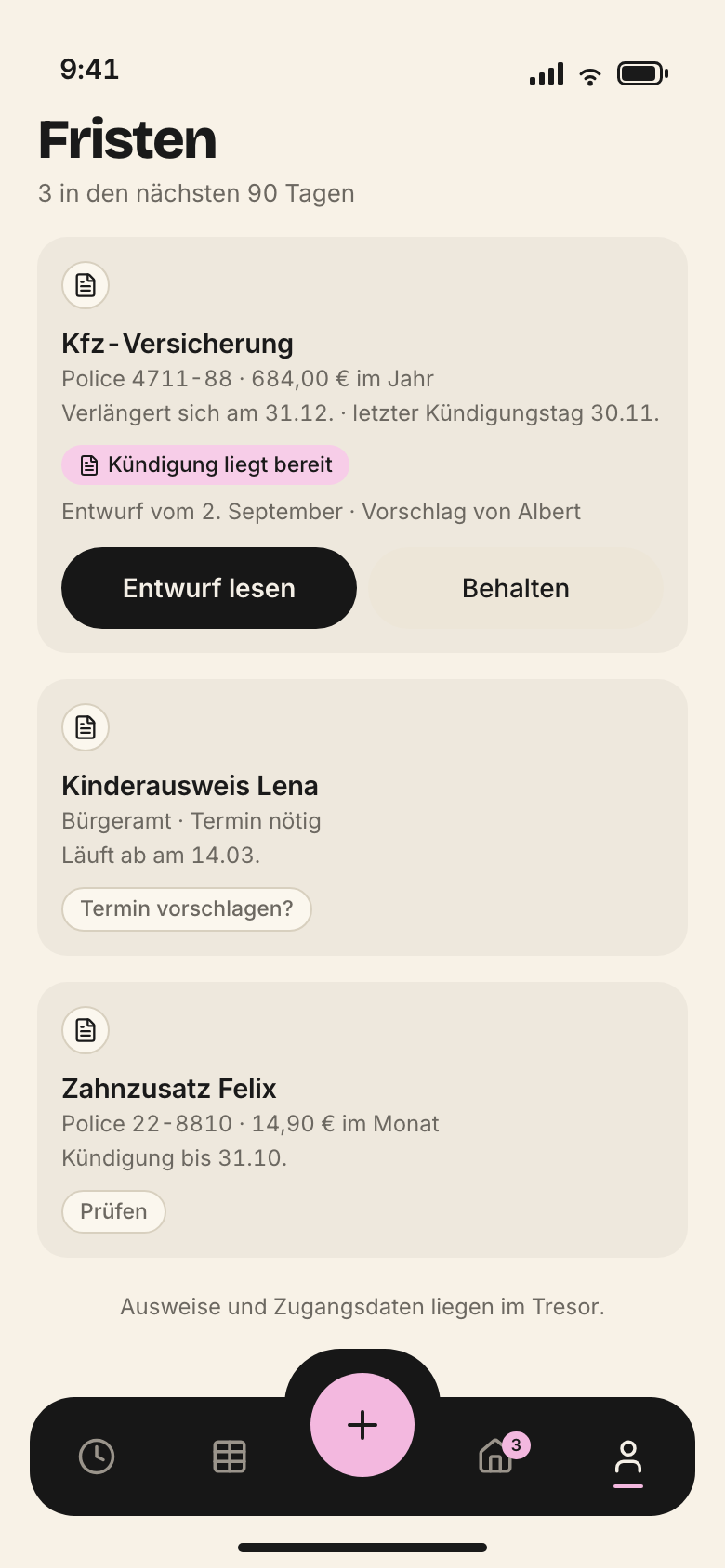
*MomentVersicherung · iphone · 780 × 1688 px*
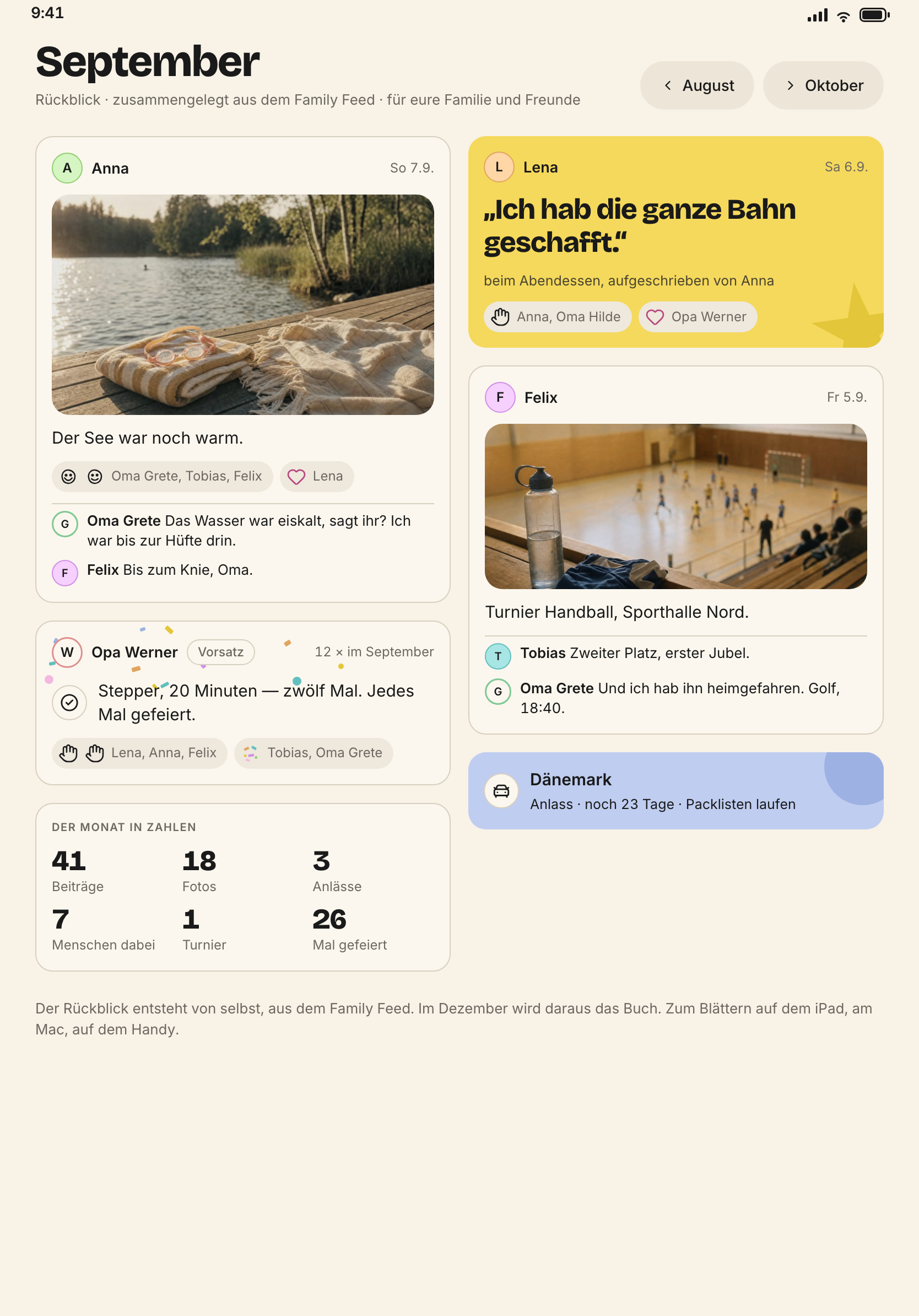
*Rueckblick · ipad · 1668 × 2388 px*
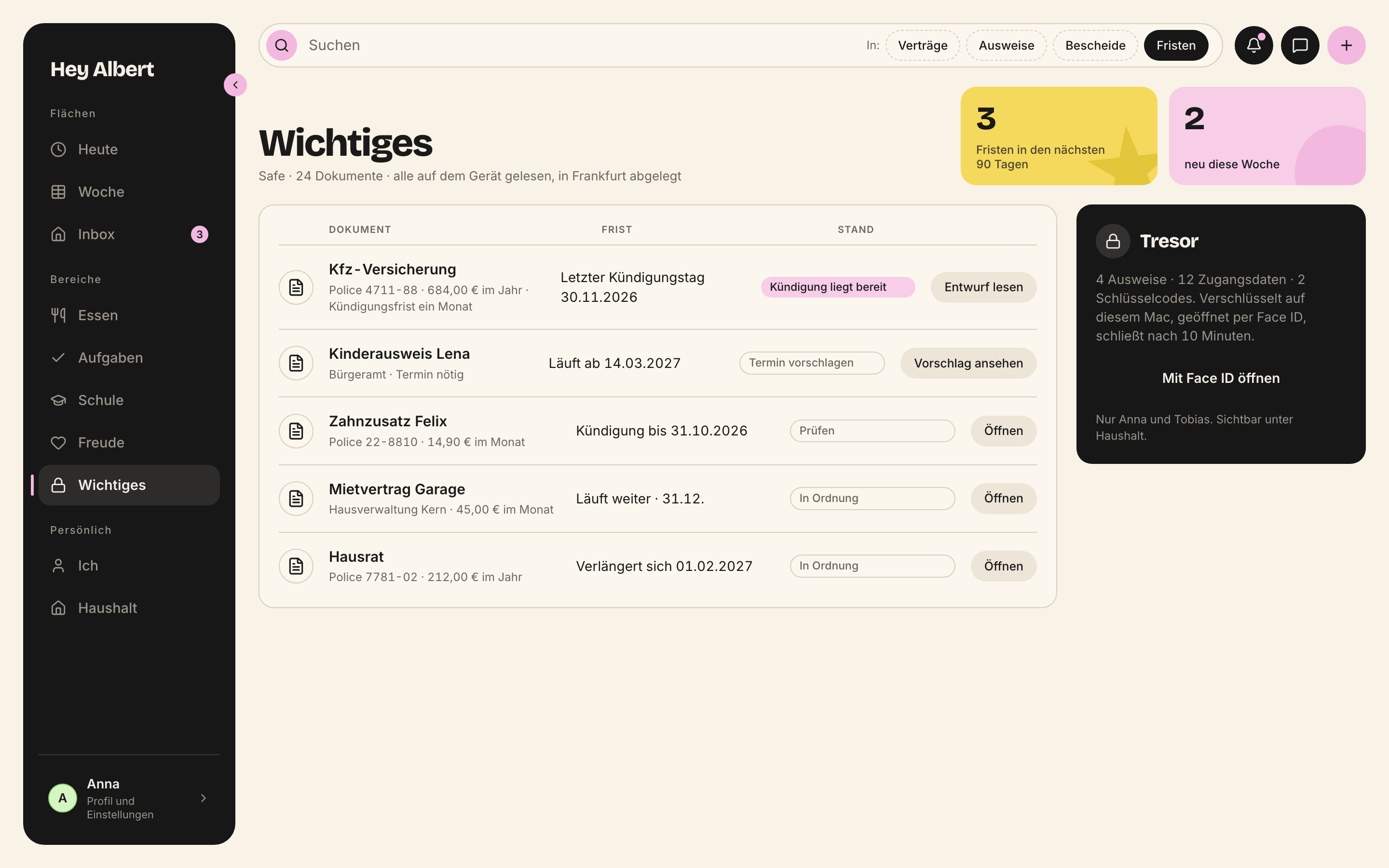
*Safe · mac · 2880 × 1800 px*
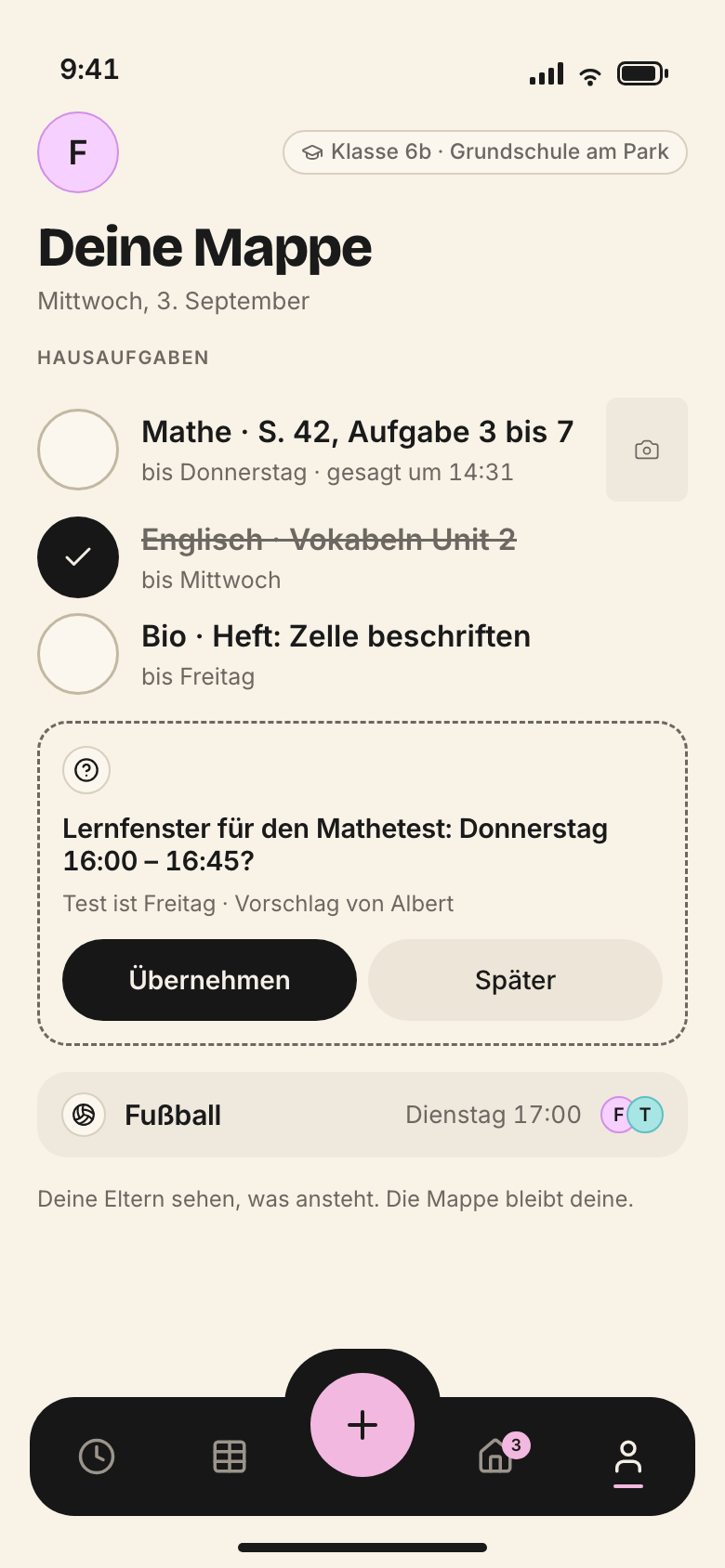
*Schule · iphone · 780 × 1688 px*
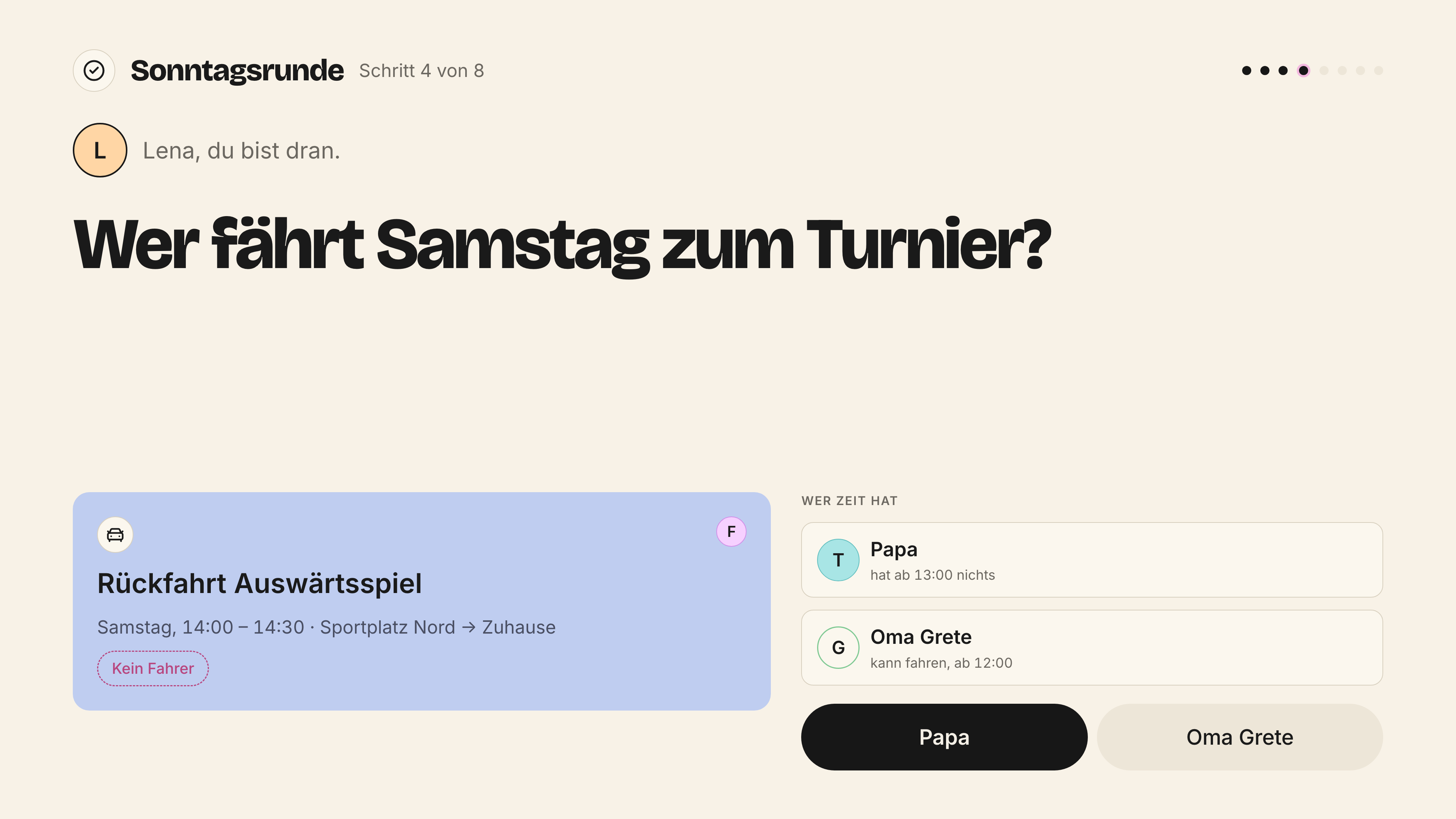
*Sonntagsrunde · breitbild · 3840 × 2160 px*

*Taler · iphone · 780 × 1688 px*
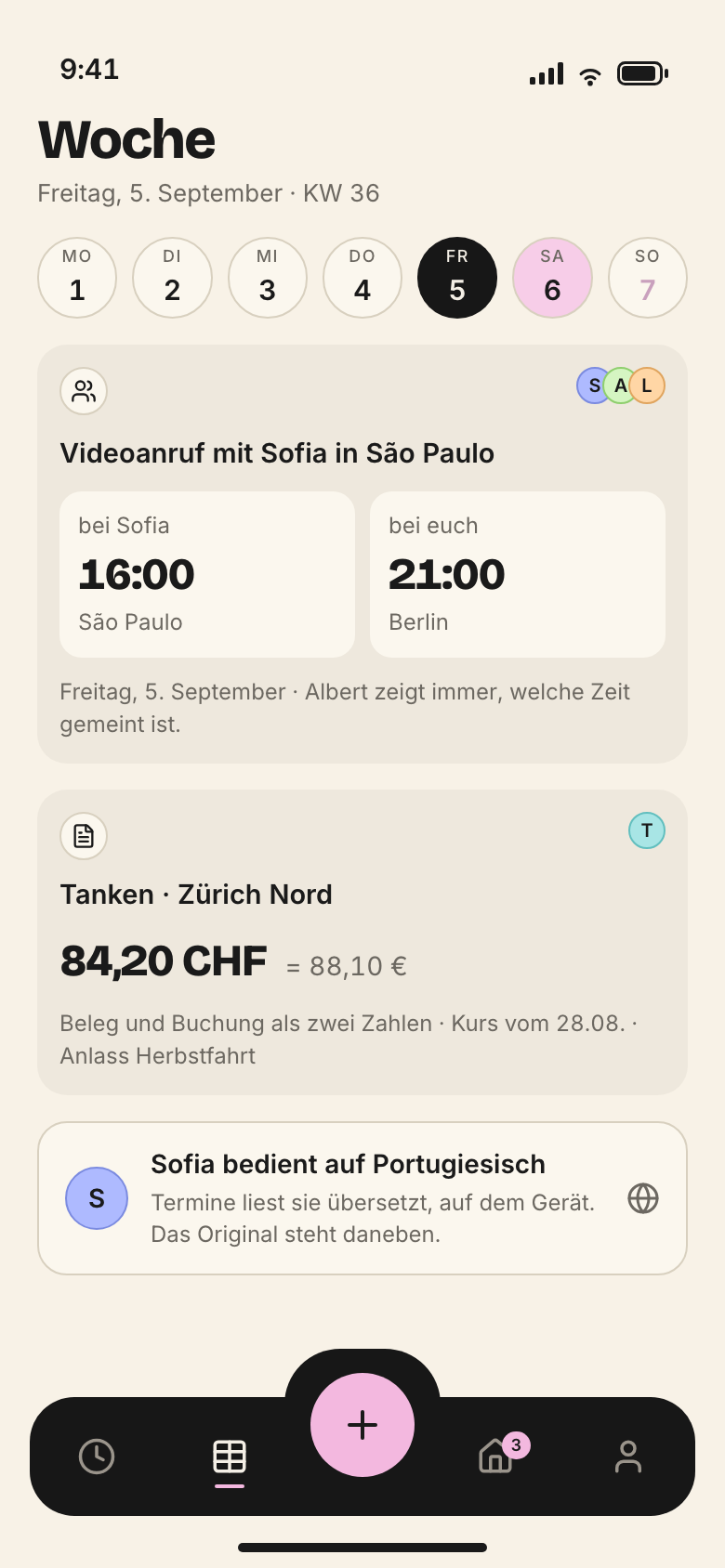
*Ueberall · iphone · 780 × 1688 px*

*Watch · watch · 792 × 968 px*

*Wochenboard · mac · 2880 × 1800 px*

*Anlass · mac · 2880 × 1800 px*

*Aufgaben · mac · 2880 × 1800 px*

*Eingang · iphone · 780 × 1688 px*

*Einkauf · iphone · 780 × 1688 px*

*Essensplan · iphone · 780 × 1688 px*

*FamilyFeed · iphone · 780 × 1688 px*

*FamilyFeedMac · mac · 2880 × 1800 px*

*Gewohnheiten · iphone · 780 × 1688 px*

*Haushalt · mac · 2880 × 1800 px*

*Jahresbuch · objekt · 2246 × 1588 px*

*LenaBereich · ipad · 1668 × 2388 px*

*Main · iphone · 780 × 1688 px*

*MomentTurnbeutel · iphone · 780 × 1688 px*

*MomentVersicherung · iphone · 780 × 1688 px*

*Rueckblick · ipad · 1668 × 2388 px*

*Safe · mac · 2880 × 1800 px*

*Schule · iphone · 780 × 1688 px*

*Sonntagsrunde · breitbild · 3840 × 2160 px*

*Taler · iphone · 780 × 1688 px*

*Ueberall · iphone · 780 × 1688 px*

*Watch · watch · 792 × 968 px*

*Wochenboard · mac · 2880 × 1800 px*

*Anlass · mac · 2880 × 1800 px*

*Aufgaben · mac · 2880 × 1800 px*

*Eingang · iphone · 780 × 1688 px*

*Einkauf · iphone · 780 × 1688 px*

*Essensplan · iphone · 780 × 1688 px*

*FamilyFeed · iphone · 780 × 1688 px*

*FamilyFeedMac · mac · 2880 × 1800 px*

*Gewohnheiten · iphone · 780 × 1688 px*

*Haushalt · mac · 2880 × 1800 px*

*Jahresbuch · objekt · 2246 × 1588 px*

*LenaBereich · ipad · 1668 × 2388 px*

*Main · iphone · 780 × 1688 px*

*MomentTurnbeutel · iphone · 780 × 1688 px*

*MomentVersicherung · iphone · 780 × 1688 px*

*Rueckblick · ipad · 1668 × 2388 px*

*Safe · mac · 2880 × 1800 px*

*Schule · iphone · 780 × 1688 px*

*Sonntagsrunde · breitbild · 3840 × 2160 px*

*Taler · iphone · 780 × 1688 px*

*Ueberall · iphone · 780 × 1688 px*

*Watch · watch · 792 × 968 px*

*Wochenboard · mac · 2880 × 1800 px*

*Watch · watch · 792 × 968 px*

*Sonntagsrunde · breitbild · 3840 × 2160 px*

*Jahresbuch · objekt · 2246 × 1588 px*
> **Words in the screens**
>
> Some website screens (the iPhone inbox, the Mac sidebar) say “Inbox”; the `LeisteMac` component and the documentation say “Eingang”. Until this is decided, the app uses “Eingang”.
---
# iPhone
> The everyday device region by region – Today, week as a list, week at a glance, child space – with measurements in points, the tab bar, target sizes, gestures and what the iPhone does not have.
Source: https://brand.heyalbert.family/en/iphone/ · Hey Albert brand and design system
The iPhone is the everyday device. It is used in the hallway, in the shop, in the car, one-handed and often in a hurry. So an iPhone screen asks one question: what is happening now? Everything else is one level deeper.
## Device and measurements
All reference and website screens are drawn for **390 × 844 pt** (the smaller iPhone 14, 15 and 16, stored @2x as 780 × 1688 px). Other sizes only change the width of the content. Margin, bar, circles and target sizes stay the same.
| Measure | Value | Token |
|---|---|---|
| Surface margin | 20 pt | `--flaeche-rand-phone` |
| Status bar, top safe area | 47 pt | system |
| Tab bar | 64 pt high, 16 pt from the edge | `--leiste-phone-hoehe`, `--radius-leiste` |
| Plus | 56 pt, sticks out | `--ziel-kind` |
| Bottom safe area | 34 pt | system |
| Greeting | 30 pt | `--grad-anrede-phone` |
| Card title, text, subline | 14.5 · 14 · 12 pt | `--grad-karten-titel`, `--grad-text`, `--grad-zweit` |
| Target size | 44 pt, children and plus 56 pt | `--ziel-finger`, `--ziel-kind` |
> **Open**
>
> There are no reference screens for larger devices (430 pt wide) or the smallest (375 pt). Proposal: margin and measurements stay, cards get wider, and at 375 pt the week at a glance shows initials without icons.
## Today
Today is the first surface for adults. Sorted by urgency, not by area: what is running, what comes next, what needs to go along, what is open. Four to six blocks. No person filter, because whoever opens Today is standing in the hallway themselves.
**iPhone · Today** · 390 × 844 pt · established
| Nr. | Region | Frame (x, y, w, h in pt) | Measure | Tokens | Components | What goes there |
| --- | --- | --- | --- | --- | --- | --- |
| 1 | Status bar, safe area | 0, 0, 390, 47 | 47 pt, owned by the system | | | Belongs to the system. Nothing of ours goes here, and we never draw our own status bar. |
| 2 | Greeting and subline | 20, 56, 350, 58 | greeting 30 pt, subline 12 pt, margin 20 pt | --grad-anrede-phone, --grad-zweit, --flaeche-rand-phone | Anredezeile | „Guten Abend, Anna.“ in Bricolage 800, below it weekday, date and time: „Freitag, 5. September · 18:12“. Full stop at the end, never an exclamation mark. |
| 3 | Day circles | 20, 126, 350, 46 | seven circles of 44 pt | --ziel-finger, --schwarz, --rosa-hell, --sonntag | Tagesreiter | Mon to Sun as circles. Today is black, Sunday a muted pink-grey. A pink circle means something is open that day. Tap to switch day. |
| 4 | Section label | 20, 184, 350, 18 | 10 pt small caps | --grad-kapitaelchen, --laufweite-kapitaelchen, --text-zweit | | „Heute noch“ (still today). Groups by urgency, not by module. |
| 5 | Cards by urgency | 20, 212, 350, 366 | full width 350 pt, padding 12 pt | --karte-innen, --karte-abstand, --radius-karte, --bedeutung-fahrt, --bedeutung-familie | Karte, VorschlagKarte, BuendelKarte | What is running, what comes next, what needs to go along, what is open. Four to six blocks, no more. Drives blue, family yellow, events beige. A suggestion from Albert appears as a yellow VorschlagKarte where it is urgent. No person filter: whoever opens Today is standing in the hallway themselves. |
| 6 | Toast with Undo | 16, 671, 358, 59 | above the tab bar, button 44 pt | --schwarz, --akzent, --ziel-finger | Toast | Appears after every change: „Oma Grete hat die Fahrt übernommen.“ with „Rückgängig“ (Undo) next to it. It never covers the tab bar. |
| 7 | Tab bar, fixed | 16, 752, 358, 64 | 64 pt high, 16 pt inset | --leiste-phone-hoehe, --radius-leiste, --flaeche-leiste, --ziel-finger | LeistePhone | Black, five places: Today · Week · Plus · Inbox (Eingang) · Me (Ich). The active place has a pink underline, the inbox carries its counter. Each place is 44 pt. The bar stays put while scrolling. |
| 8 | Plus, protruding | 167, 739, 56, 56 | 56 pt circle | --ziel-kind, --akzent | LeistePhone, SchnellMenue | The only thing that sticks out of the bar. Pink, 56 pt, because children press it too. Opens the quick menu: event, task, drive, scan document, contact, note. |
| 9 | Home indicator, safe area | 0, 818, 390, 26 | 34 pt safe area, the bar overlaps it | | | Belongs to the system. No controls below the tab bar. |
## Week as a list
On the iPhone a seven-day grid is too dense. So the week runs as a list: one day per row, expandable, with Albert’s suggestion at the top when something is missing.
**iPhone · Week as list** · 390 × 844 pt · established
| Nr. | Region | Frame (x, y, w, h in pt) | Measure | Tokens | Components | What goes there |
| --- | --- | --- | --- | --- | --- | --- |
| 1 | Status bar, safe area | 0, 0, 390, 47 | 47 pt, owned by the system | | | Belongs to the system. Nothing of ours goes here, and we never draw our own status bar. |
| 2 | Title and span | 20, 60, 300, 58 | | --grad-anrede-phone, --grad-zweit | Anredezeile | „Woche 36“, below it „1. – 7. September“. Here the heading names, it does not greet. |
| 3 | Own avatar | 334, 62, 36, 36 | | --person-1 | Avatar | Your own sticky note with initial. Leads to „Ich“ (Me). |
| 4 | Span control | 20, 133, 300, 30 | | --radius-pille, --knopf-zweit, --schwarz | SpannenRegler | Today · 3 days · Mon – Fri · Mon – Sun · Month, always in this order. Same data, different range. |
| 5 | Person filter | 20, 175, 280, 44 | circles 44 pt | --ziel-finger, --person-1, --person-2, --person-3, --person-4, --person-5 | PersonenFilter | First circle black with two heads: everyone. Then one circle per person with initial. Selected circles get a dark ring. |
| 6 | Albert’s suggestion | 20, 231, 350, 140 | | --bedeutung-familie, --text-auf-gelb, --gelb-dunkel | VorschlagKarte | Yellow, with shapes, always two buttons. „Samstag fehlt ein Fahrer.“ and „Tobias fragen“. Below it, small: „Vorschlag von Albert“. |
| 7 | List rows per day | 20, 384, 350, 168 | | --hell, --linie-haar, --schwarz | Listenzeile, Karte | One day per row. Past days collapse. The text says who carries the day: „heute · Anna und Felix“, the hours on the right, „3,0 h“. Expanded, compact cards sit inside. |
| 8 | Tab bar, fixed | 16, 752, 358, 64 | 64 pt high, 16 pt inset | --leiste-phone-hoehe, --radius-leiste, --flaeche-leiste, --ziel-finger | LeistePhone | Black, five places: Today · Week · Plus · Inbox (Eingang) · Me (Ich). The active place has a pink underline, the inbox carries its counter. Each place is 44 pt. The bar stays put while scrolling. |
| 9 | Plus, protruding | 167, 739, 56, 56 | 56 pt circle | --ziel-kind, --akzent | LeistePhone, SchnellMenue | The only thing that sticks out of the bar. Pink, 56 pt, because children press it too. Opens the quick menu: event, task, drive, scan document, contact, note. |
| 10 | Home indicator, safe area | 0, 818, 390, 26 | 34 pt safe area, the bar overlaps it | | | Belongs to the system. No controls below the tab bar. |
## Week at a glance
The glance in passing. It answers one question: who carries which day, and where is someone missing?
**iPhone · Week at a glance** · 390 × 844 pt · established
| Nr. | Region | Frame (x, y, w, h in pt) | Measure | Tokens | Components | What goes there |
| --- | --- | --- | --- | --- | --- | --- |
| 1 | Status bar, safe area | 0, 0, 390, 47 | 47 pt, owned by the system | | | Belongs to the system. Nothing of ours goes here, and we never draw our own status bar. |
| 2 | Title | 20, 60, 300, 58 | | --grad-anrede-phone | Anredezeile | „Woche 36“, below it „1. – 7. September · heute Mittwoch“. |
| 3 | Number tiles | 20, 134, 350, 96 | three tiles, number 34 pt | --grad-zahl-gross, --gelb, --rosa, --blau | ZahlKachel | „8,7 h heute verplant“, „2 Fahrten heute“, „1 offen diese Woche“. Large number in Bricolage 800 on a coloured surface. |
| 4 | Week dot field | 20, 242, 350, 182 | | --hell, --rand-offen | Wochenueberblick, Tagesreiter | Seven columns, one dot per thing, the initial says who. Open items are a dashed dot. Answers: who carries which day, and where is someone missing? |
| 5 | Cards with action | 20, 435, 350, 235 | | --bedeutung-fahrt, --bedeutung-familie | Karte, ZustandsPille, Knopf | What needs an answer: the ride home without a driver, with „Ich fahre“ (I’ll drive), then the Sunday round. |
| 6 | Tab bar, fixed | 16, 752, 358, 64 | 64 pt high, 16 pt inset | --leiste-phone-hoehe, --radius-leiste, --flaeche-leiste, --ziel-finger | LeistePhone | Black, five places: Today · Week · Plus · Inbox (Eingang) · Me (Ich). The active place has a pink underline, the inbox carries its counter. Each place is 44 pt. The bar stays put while scrolling. |
| 7 | Plus, protruding | 167, 739, 56, 56 | 56 pt circle | --ziel-kind, --akzent | LeistePhone, SchnellMenue | The only thing that sticks out of the bar. Pink, 56 pt, because children press it too. Opens the quick menu: event, task, drive, scan document, contact, note. |
| 8 | Home indicator, safe area | 0, 818, 390, 26 | 34 pt safe area, the bar overlaps it | | | Belongs to the system. No controls below the tab bar. |
The day in the hour grid exists on the iPhone too, with day circles, person filter, time axis and now line (reference screen `iphone-a2-tag.png`). It follows the same regions as Today, with the person filter below the day circles.
## Child space
Children get their own entry point, not a trimmed adult view. Target sizes 56 pt, read-aloud register (*Vorleser*), short sentences, big words. The child always sees who is watching.
**iPhone · Child space (Taler)** · 390 × 844 pt · established
| Nr. | Region | Frame (x, y, w, h in pt) | Measure | Tokens | Components | What goes there |
| --- | --- | --- | --- | --- | --- | --- |
| 1 | Status bar, safe area | 0, 0, 390, 47 | 47 pt, owned by the system | | | Belongs to the system. Nothing of ours goes here, and we never draw our own status bar. |
| 2 | Own circle and who is watching | 20, 60, 350, 44 | circle 44 pt | --person-4, --ziel-finger | Avatar | Lena’s circle on the left. On the right, when an adult is watching: „Mama schaut mit“ (Mum is watching). The child always knows who can see. |
| 3 | Greeting | 20, 118, 350, 52 | | --grad-anrede-phone | Anredezeile | „Deine Taler“ (your Taler), below it „Montag, 1. September · Werte setzen Mama und Papa“. Read-aloud register: short, big words. |
| 4 | Taler balance | 20, 186, 350, 56 | | --gelb, --grad-zahl-gross | TalerStand | „14 Taler“ and „diese Woche +3“ with what was done. Never a deduction, never a comparison with Felix. |
| 5 | Wishes and savings goals | 20, 255, 350, 203 | | --hell, --linie-haar | Karte | „Zoo mit Oma Grete“ shared with Felix, „Skateboard“ for Lena alone. The bar shows the goal, never how much someone has to catch up. |
| 6 | Parents’ shelf | 20, 472, 350, 75 | | --radius-pille | | What can be exchanged: cinema 20, ice cream 4, pocket money 10 Taler = €5.00. Parents set the values. |
| 7 | Open chore | 20, 561, 350, 73 | | --ziel-kind | Knopf | „Müll rausbringen · Donnerstag 18:00 · noch frei“ with „Übernehmen“ (take it on). The child picks something up by choice. |
| 8 | Two child-size buttons | 20, 649, 350, 56 | 56 pt high | --ziel-kind, --knopf-primaer-flaeche, --knopf-zweit-flaeche | Knopfreihe, Knopf | „Einlösen“ (redeem) and „Wunsch vorschlagen“ (suggest a wish). Two real buttons that go to people: Mum or Dad confirm redemption. |
| 9 | Tab bar, fixed | 16, 752, 358, 64 | 64 pt high, 16 pt inset | --leiste-phone-hoehe, --radius-leiste, --flaeche-leiste, --ziel-finger | LeistePhone | Black, five places: Today · Week · Plus · Inbox (Eingang) · Me (Ich). The active place has a pink underline, the inbox carries its counter. Each place is 44 pt. The bar stays put while scrolling. |
| 10 | Plus, protruding | 167, 739, 56, 56 | 56 pt circle | --ziel-kind, --akzent | LeistePhone, SchnellMenue | The only thing that sticks out of the bar. Pink, 56 pt, because children press it too. Opens the quick menu: event, task, drive, scan document, contact, note. |
| 11 | Home indicator, safe area | 0, 818, 390, 26 | 34 pt safe area, the bar overlaps it | | | Belongs to the system. No controls below the tab bar. |
> **Open**
>
> Matrix III in `docs/11-produkt.md` gives small children (6–9) only “what’s now, two things” on the iPhone. The “Taler” screen shows Lena (9) with wishes, shelf and an open chore – a lot more. Either the Taler screen belongs to the middle stage, or the matrix gets an exception for Taler. In the “Taler” screen the plus also covers the note at the bottom, and “Wunsch vorschlagen” runs past its button. Both must be fixed before the App Store.
## The tab bar
### LeistePhone
Source: `packages/design-system/components/leiste/LeistePhone.jsx`
Die Leiste am unteren Rand des iPhones – fünf Plätze, nur das Plus tritt heraus.
```jsx
```
Der aktive Ort ist rosa unterstrichen, der Eingang trägt seinen rosa Zaehler. Zielfläche 44 px, das Plus 56 px – es wird auch von Kindern gedrückt.
```ts
/**
* Die schwarze Leiste unten am iPhone: Heute, Woche, Plus, Eingang, Ich.
*/
export interface LeistePhoneProps {
aktiverOrt?: string;
plaetze?: Array<{ name: string; zeichen: string; zaehler?: number; plus?: boolean }>;
onWahl?: (ort: string) => void;
onPlus?: () => void;
style?: React.CSSProperties;
}
export function LeistePhone(props: LeistePhoneProps): JSX.Element;
export const PLAETZE: Array<{ name: string; zeichen: string; zaehler?: number; plus?: boolean }>;
```
The bar stays put while scrolling and is never translucent. A toast sits above it, never on it. The counter on the inbox only counts what needs a decision.
## Gestures and interaction
- **Tapping** a card opens it. Proposal, not established: as a sheet from the bottom, with a grabber on top, closed by pulling down.
- **Tapping a day circle** switches the day. Swiping between days is a proposal, not established.
- **Ticking off** is a tap on the circle on the left, 44 pt, 56 pt for children. Ticked items are struck through and stay until the day is over.
- **Every change** shows immediately and reports with a toast and “Rückgängig” (Undo).
- **Plus** opens the quick menu: event, task, drive, scan document, contact, note.
- **Voice input** for homework and events runs on the device.
No swipe to delete without a way back. Anything that cannot be undone is asked first.
## Roles on the iPhone
| Role | First page | What is missing |
|---|---|---|
| Anna, Tobias | Today by urgency | – |
| Felix (middle) | school folder, take-along list, ask for a ride | safe, vault, finances, other people’s resolutions |
| Lena (small) | what’s now, two things | times only where she can read them; everything locked |
| Oma Grete (guest) | three cards: invited events, album, “Ich kann fahren” (I can drive) | bar, menu, settings; type one step larger, targets 56 pt |
| Sofia (au pair) | her list: today’s shifts, her drives, shopping | parents’ events, finances, documents, other people’s tasks |
> **Open**
>
> There is no screen yet for guests and the au pair. Whether they see the bar is not decided. Proposal from matrix III: guests without a bar, Sofia with a bar but only Today and Me.
## Every surface on the iPhone

*Main · iphone · 780 × 1688 px*

*Ueberall · iphone · 780 × 1688 px*

*Eingang · iphone · 780 × 1688 px*

*Essensplan · iphone · 780 × 1688 px*

*Einkauf · iphone · 780 × 1688 px*

*Schule · iphone · 780 × 1688 px*

*MomentVersicherung · iphone · 780 × 1688 px*

*Gewohnheiten · iphone · 780 × 1688 px*

*FamilyFeed · iphone · 780 × 1688 px*

*MomentTurnbeutel · iphone · 780 × 1688 px*

*Taler · iphone · 780 × 1688 px*
## What the iPhone does not have
- The seven-day week board as a grid. On the iPhone the week is a list or a glance.
- Editing safe, vault and finances. Reading yes, deadlines yes, editing on the Mac.
- Mail rules, roles and rights, timetable editing.
- A sidebar or hamburger menu.
- A redrawn status bar in mock-ups. The frame in `ui_kits/iphone/PhoneRahmen.jsx` leaves it out on purpose.
---
# iPad
> The family and children’s device – Lena’s space (established), the adult view in landscape and portrait and the kitchen wall mode (proposals), with measurements in points.
Source: https://brand.heyalbert.family/en/ipad/ · Hey Albert brand and design system
The iPad is the device that stays put. In the kitchen, at the dinner table, in the children’s room. It rarely belongs to one person. That is why it has more entry points than any other device: Lena’s space, Felix’s space, the parents’ view and the wall in the kitchen.
> **Open**
>
> The design system has no template for the iPad. Two screens are established (Lena’s space and the monthly look-back) together with the statements in `docs/11-produkt.md`, `docs/12-roadmap.md` and `docs/52-hq-app.md`. Everything else in this chapter is a proposal derived from the established Mac and iPhone patterns and is marked as such. It needs the founder’s approval and a test with children.
## Device and measurements
The website screens are drawn for **834 × 1194 pt** (iPad Air and iPad Pro 11-inch, stored @2x as 1668 × 2388 px). Landscape is 1194 × 834 pt. This site uses that size because the established screens use it.
> **Open**
>
> `docs/12-roadmap.md` names 1024 × 768 pt in Split View for the mock-ups. That is the older 9.7-inch size. Proposal: 834 × 1194 as the reference, 1024 × 768 as the smallest size that still has to work.
| Measure | Value | Token |
|---|---|---|
| Surface margin | 32 pt | `--flaeche-rand-mac` |
| Status bar | 24 pt | system |
| Sidebar in landscape | 220 pt, collapsed 72 pt (proposal) | `--leiste-mac`, `--leiste-mac-eng` |
| Greeting | 40 pt | `--grad-anrede-mac` |
| Target size, adults | 44 pt | `--ziel-finger` |
| Target size, children and wall | 56 pt | `--ziel-kind` |
Header circles and sidebar places grow from 40 and 42 pt to 44 pt on the iPad, because fingers operate it, not a pointer.
## Lena’s space
A child’s space is its own entry point, not an adult view with fewer buttons. Lena designs it herself, within the contrast guardrails. It shows her day as a path, her balance and her week. Two real buttons go to people.
**iPad portrait · Lena’s space** · 834 × 1194 pt · established
| Nr. | Region | Frame (x, y, w, h in pt) | Measure | Tokens | Components | What goes there |
| --- | --- | --- | --- | --- | --- | --- |
| 1 | Status bar | 0, 0, 834, 24 | 24 pt, owned by the system | | | Belongs to the system. |
| 2 | Header card in Lena’s colour | 32, 36, 770, 185 | margin 32 pt, radius 24 pt | --person-4, --flaeche-rand-mac, --grad-anrede-mac | Avatar, Anredezeile, DekoForm | „Hallo Lena.“ on her own peach, with a heart as a playful shape. Top right „Mama schaut mit“ when someone is watching. Lena designs this surface herself, within the contrast guardrails. |
| 3 | Your day as a path | 32, 252, 446, 350 | circles 56 pt, times on the right | --ziel-kind, --schwarz, --rosa | SachSymbol | Four stations, joined by a line: swim kit packed (ticked), swimming 16:00, set the table 18:15, „Wie war dein Tag?“ 19:30. The next step is pink. |
| 4 | Two buttons | 32, 634, 446, 56 | 56 pt high | --ziel-kind | Knopfreihe, Knopf | „Essenswunsch“ (meal wish) and „Fahrt fragen“ (ask for a ride). Both go to people, not to a system. |
| 5 | Your balance | 502, 245, 300, 448 | | --gelb, --grad-zahl-gross | TalerStand | 14 Taler, savings goal skateboard, „Das hast du geschafft“ as tick pills, parents’ shelf. Below: „Deinen Stand siehst nur du. Niemand vergleicht.“ |
| 6 | Your week | 32, 799, 770, 120 | | --schwarz, --gelb, --blau, --hell | Tagesreiter | Seven tiles Mon to Sun with the key item per day. Today black, family days yellow, drive days blue. For children up to nine without times (matrix III); shown here with times because Lena can read them. |
What applies in the child space:
- No completion rate, no leaderboard, no comparison with Felix. “Deinen Stand siehst nur du. Niemand vergleicht.” (Only you see your balance. Nobody compares.)
- Target sizes 56 pt, read-aloud register (*Vorleser*).
- Top right shows who is watching: “Mama schaut mit”.
- For children aged six to nine: three picture tiles, no times (matrix III). For ten to twelve: day path, two buttons, own colours.
> **Open**
>
> The screen shows no bar and no way back. A shared iPad needs the person switcher with Face ID or PIN (`docs/12-roadmap.md`, phase 1). Where it sits is not decided. Proposal: Lena’s circle top left opens it.
## Adults, landscape
For Anna and Tobias the iPad works like a large iPhone and is laid out like a small Mac. The entry point is the family portal as a tile wall. The week board runs reduced.
**iPad landscape · adults** · 1194 × 834 pt · proposal, not yet approved
| Nr. | Region | Frame (x, y, w, h in pt) | Measure | Tokens | Components | What goes there |
| --- | --- | --- | --- | --- | --- | --- |
| 1 | Status bar | 0, 0, 1194, 24 | 24 pt | | | Belongs to the system. |
| 2 | Sidebar as on the Mac | 24, 32, 220, 778 | 220 pt, collapses to 72 pt | --leiste-mac, --leiste-mac-eng, --radius-block, --flaeche-leiste | LeisteMac | The same groups as on the Mac: surfaces, areas, personal. Places 44 pt high instead of 42, because fingers operate here. |
| 3 | Surface header | 276, 40, 886, 46 | | --flaeche-erhoben, --akzent, --ziel-finger | Kopfzeile, SchnellMenue | Search pill with pink magnifier, area chips, three circles: bell, messages, pink plus last. Circles 44 pt instead of 40. |
| 4 | Greeting | 276, 110, 600, 44 | | --grad-anrede-mac | Anredezeile | „Guten Morgen, Anna.“ |
| 5 | Date, people, span | 276, 166, 886, 44 | | --ziel-finger | DatumPille, PersonenFilter, SpannenRegler | As on the Mac in one row, span on the right. On the iPad the span stops at Mon – Fri when the width cannot hold seven columns. |
| 6 | Portal or week | 276, 226, 886, 576 | | --karte-innen, --karte-abstand, --radius-karte | Karte, ZahlKachel, Zeitachse, Tagesreiter | The entry is the portal tile wall (matrix III). The week board runs reduced here: five days, compact cards. |
## Adults, portrait
**iPad portrait · adults** · 834 × 1194 pt · proposal, not yet approved
| Nr. | Region | Frame (x, y, w, h in pt) | Measure | Tokens | Components | What goes there |
| --- | --- | --- | --- | --- | --- | --- |
| 1 | Status bar | 0, 0, 834, 24 | | | | Belongs to the system. |
| 2 | Collapsed sidebar | 16, 32, 72, 1138 | 72 pt | --leiste-mac-eng, --radius-block | LeisteMac | Portrait has no room for 220 pt. The sidebar sits collapsed, icons only, the inbox with its counter. Expanding lays it over the content with a veil. |
| 3 | Surface header | 120, 40, 682, 46 | | --ziel-finger | Kopfzeile | As in landscape. Area chips move below the search when the row gets too narrow. |
| 4 | Greeting | 120, 110, 682, 44 | | --grad-anrede-mac | Anredezeile | „Guten Morgen, Anna.“ |
| 5 | Date and people | 120, 166, 682, 44 | | | DatumPille, PersonenFilter | The span defaults to „3 Tage“ (3 days). |
| 6 | Content | 120, 226, 682, 936 | | | Karte, SpurenJeMensch, Listenzeile | Two columns of tiles or three days in the grid. From here the iPhone patterns apply, only wider. |
## The wall in the kitchen
The iPad on the kitchen wall is not operated, it is seen. In passing, while making coffee, when a child asks: “When do I have to leave?” It is the note on the fridge and must be readable from two metres.
**iPad on the kitchen wall · wall mode** · 1194 × 834 pt · proposal, not yet approved
| Nr. | Region | Frame (x, y, w, h in pt) | Measure | Tokens | Components | What goes there |
| --- | --- | --- | --- | --- | --- | --- |
| 1 | Time and day, large | 32, 32, 1130, 72 | | --schrift-titel, --ziffern-tabellarisch | Anredezeile | „Mittwoch, 3. September · 16:40“. Readable from two metres. No greeting to one person; the device belongs to everyone. |
| 2 | Who is where today | 32, 128, 740, 560 | | --linie-jetzt, --person-1, --person-3, --person-4 | SpurenJeMensch, JetztLinie | One lane per person with name and circle. The now line moves by itself. |
| 3 | Today’s meal | 796, 128, 366, 170 | | --bedeutung-familie | Karte | „Pfannkuchen · Lenas Wunsch · Tobias kocht“. |
| 4 | Who drives | 796, 314, 366, 170 | | --bedeutung-fahrt | Karte, FahrtPille | The next drive with its driver: „Handball abholen 19:00 · Anna“. |
| 5 | Open | 796, 500, 366, 188 | | --rand-offen | Karte | What has no one responsible, dashed in open-pink. Tapping goes one level deeper: tick off, meal wish, vote. |
| 6 | Tap hint | 32, 712, 1130, 90 | | --ziel-kind | | Target sizes 56 pt, dimmed at night. No private content: safe, vault, finances and other people’s resolutions are not loaded at all, because the tradesperson sees the wall too. |
What applies in wall mode (`docs/11-produkt.md` §7):
- Large type, no sign-out after a timeout, no sign-in prompt.
- Dimmed at night.
- **No private content.** Safe, vault, finances and other people’s resolutions are not hidden but never loaded at all. Whatever hangs on the wall, the tradesperson sees too.
- Whoever stops and taps goes one level deeper: tick off, meal wish, vote.
## Gestures and interaction
- Everything that applies on the iPhone applies here: tap, tick off, toast with “Rückgängig” (Undo).
- On Today the three lenses timeline, board and household switch by swiping (`docs/11-produkt.md` §5b, ⌘1–3 on the Mac).
- A keyboard on the iPad gets the same shortcuts as the Mac. Proposal, not established.
- The Sunday round runs from the iPad to the TV via AirPlay.
## Roles on the iPad
| Role | Entry point |
|---|---|
| Anna, Tobias | portal tile wall, wall mode in the kitchen |
| Lena (small) | her space: three picture tiles, no times, 56 pt |
| Felix (middle) | his space: day path, two buttons, own colours |
| Grandparents (guest) | album, large, for browsing |
| Sofia (au pair) | kitchen and meal plan, if granted |
## Every surface on the iPad

*LenaBereich · ipad · 1668 × 2388 px*

*Rueckblick · ipad · 1668 × 2388 px*
## What the iPad does not have
- Mail rules and printing the yearbook. Both on the Mac.
- Editing the responsibility matrix. Reading yes.
- In wall mode: anything locked, anything private, any sign-in.
- In the child space: safe, vault, finances, other people’s resolutions, fairness figures.
---
# Mac and browser
> The planning machine – week in the hour grid, sidebar expanded and collapsed, areas with list and side column. Applies to a Mac app and to the web app in the browser, with measurements in points and keyboard shortcuts.
Source: https://brand.heyalbert.family/en/mac/ · Hey Albert brand and design system
At the Mac you sit down. Density is allowed here: the whole week at once, tables, columns, keyboard. The Mac is the only place where safe, vault and finances open fully.
## Mac app and web app
There are two ways onto a large screen, and both share **the same layout**:
- **The Mac app** from `apps/apple` (SwiftUI, one target next to iPhone and iPad). Only it can do what needs native code: Face ID for the vault, Secure Enclave, notifications, shortcuts.
- **The web app** at app.hey-albert.app (Next.js, `apps/web`) for any browser, including computers without the App Store. The web app is the surface for planning and paperwork. The vault is not here, because the browser has no Secure Enclave.
Sidebar, header, greeting, grid and cards are the same components. Whoever designs a surface for the Mac designs it for both.
> **Open**
>
> The Mac app is not in the repository yet. The app moves from its predecessor into `apps/apple` in phase 0 (`docs/12-roadmap.md`). Today the web app shows the Today surface and the HQ.
## Window and measurements
The reference screens are drawn for a **1440 × 900 pt** window. `docs/12-roadmap.md` also names 1600 × 1000 pt. The window is freely resizable. Below 1200 pt width the sidebar collapses (proposal).
| Measure | Value | Token |
|---|---|---|
| Sidebar | 220 pt, collapsed 72 pt, 24 pt from the window edge | `--leiste-mac`, `--leiste-mac-eng`, `--radius-block` |
| Gap between sidebar and surface | 32 pt | `--flaeche-rand-mac` |
| Header | search pill 46 pt, circles 40 pt | – |
| Greeting | 40 pt | `--grad-anrede-mac` |
| Day tabs | 68 pt high, radius 12 pt | `--radius-klein` |
| Cards | padding 12 pt, radius 16 pt | `--karte-innen`, `--radius-karte` |
| Target size | 28 pt for the pointer | `--ziel-zeiger` |
| Places in the sidebar | 42 pt high | – |
## Week in the hour grid
The hero view. Seven columns, an hour grid, the now line. This is where the week is shared out.
**Mac · Week in the hour grid** · 1440 × 900 pt · established
| Nr. | Region | Frame (x, y, w, h in pt) | Measure | Tokens | Components | What goes there |
| --- | --- | --- | --- | --- | --- | --- |
| 1 | Sidebar | 24, 24, 220, 852 | 220 pt, 24 pt from the window edge | --leiste-mac, --radius-block, --flaeche-leiste, --akzent | LeisteMac | Black block: wordmark „Hey Albert“, then surfaces (Today, Week, Inbox with counter), areas (Food, Tasks, School, Joy, Important), personal (Me, Household), and at the bottom the person with „Profil und Einstellungen“. Active place: pink stroke on the left. Albert is not a place. |
| 2 | Surface header | 276, 32, 1132, 48 | search pill 46 pt, circles 40 pt | --flaeche-erhoben, --akzent, --schwarz, --flaeche-rand-mac | Kopfzeile | Search pill with pink magnifier. Inside on the right „In:“ and dashed area chips: events, drives, tasks, documents, mail with counter. Then three circles in fixed order: bell, messages, pink plus. |
| 3 | Greeting | 276, 104, 700, 48 | 40 pt | --grad-anrede-mac, --laufweite-titel | Anredezeile | „Guten Morgen, Anna.“ in Bricolage 800, tight tracking. In the week board one line below: „Mittwoch, 3. September · 16:40 · zwei Sachen offen, ein Vorschlag“. |
| 4 | Date and people | 276, 166, 420, 34 | | --schwarz, --person-1, --person-2, --person-3, --person-4, --person-5 | DatumPille, PersonenFilter | Black date pill „1. – 7. September“, next to it the person filter: everyone, then A, T, F, L, S. |
| 5 | Span control | 1010, 166, 398, 34 | | --knopf-zweit, --schwarz | SpannenRegler | Today · 3 days · Mon – Fri · Mon – Sun · Month, right-aligned. |
| 6 | Week number and day tabs | 276, 222, 1132, 68 | tabs 68 pt, radius 12 pt | --radius-klein, --grad-kapitaelchen, --schwarz, --sonntag | Tagesreiter | „KW 36“ on the left. Seven tabs with weekday in small caps and date „3.9.“. Today black, Sunday pink-grey. |
| 7 | Time axis | 276, 300, 52, 600 | | --schrift-mono, --ziffern-tabellarisch, --grad-zweit | Zeitachse | Times HH:MM in Roboto Mono, every half hour. The current time is a pink pill: „16:40“. |
| 8 | Hour grid with cards | 344, 300, 1064, 600 | | --karte-innen, --radius-karte, --bedeutung-fahrt, --bedeutung-familie, --rand-vorschlag, --rand-offen | Zeitachse, Karte, BuendelKarte, KonfliktKarte | One column per day. The axis only sets the start; a card grows as tall as its content needs. Drives blue, family yellow, events beige, Albert dashed grey without fill and with two buttons, open items dashed pink. |
| 9 | Now line | 276, 616, 1132, 16 | | --linie-jetzt, --muster-gestrichelt | JetztLinie | Dashed across the full width, catches no clicks. Pink means now here, never error. |
| 10 | Quick menu (open) | 1182, 86, 226, 256 | | --flaeche-erhoben, --radius-karte | SchnellMenue | Sits over the grid while the pink plus is pressed: event (⌘ N), task, drive, scan document, contact, note. Nouns, not verbs. |
## Sidebar collapsed
Collapsed, the sidebar stays 72 pt wide. All the width gained goes to the columns.
**Mac · Sidebar collapsed** · 1440 × 900 pt · established
| Nr. | Region | Frame (x, y, w, h in pt) | Measure | Tokens | Components | What goes there |
| --- | --- | --- | --- | --- | --- | --- |
| 1 | Collapsed sidebar | 24, 24, 72, 852 | 72 pt | --leiste-mac-eng, --radius-block | LeisteMac | The ball in a cream circle at the top, then icons only, separated into three groups by hairlines. The pink arrow on the edge expands it again. Your own circle at the bottom. |
| 2 | Surface header | 128, 32, 1280, 48 | | | Kopfzeile | As expanded, only wider. |
| 3 | Greeting | 128, 104, 700, 48 | | --grad-anrede-mac | Anredezeile | „Guten Morgen, Anna.“ |
| 4 | Primary action | 1218, 106, 190, 42 | | --knopf-primaer-flaeche, --ziel-zeiger | Knopf | „Neuer Termin“ (new event) as a black button, next to it the circle for view settings. One goal per surface. |
| 5 | Date, people, span | 128, 166, 1280, 34 | | | DatumPille, PersonenFilter, SpannenRegler | One row, span on the right. |
| 6 | Week number and day tabs | 128, 222, 1280, 68 | | | Tagesreiter | Seven tabs, wider than expanded. |
| 7 | Time axis and grid | 128, 300, 1280, 600 | | | Zeitachse, Karte, JetztLinie | The 148 pt gained go entirely to the seven columns. |
### LeisteMac
Source: `packages/design-system/components/leiste/LeisteMac.jsx`
Die schwarze Leiste des Mac – Logo, drei Gruppen, unten der Mensch.
```jsx
```
Der aktive Ort trägt einen rosa Strich links und ein aufgehelltes Feld. Eingeklappt als `fassung="pille"` tritt er als rosa Kreis seitlich heraus und die Leiste beult sich um ihn. Albert steht nicht in der Leiste – er ist kein Ort.
Das Logo lädt aus `assets/logo-albert-hell.png`; setze auf `` `data-albert-logo=""`, wenn es woanders liegt.
```ts
/**
* Die schwarze Leiste auf dem Mac - voll (220 px) oder eingeklappt (72 px) als Block oder als Pille.
*/
export interface LeisteOrt { name: string; zeichen: string; zaehler?: number }
export interface LeisteGruppe { gruppe: string; eintraege: LeisteOrt[] }
export interface LeisteMacProps {
/** Der Ort, auf dem man steht: "Heute" | "Woche" | "Eingang" | "Essen" | ... */
aktiverOrt?: string;
/** Gruppen der Navigation. Standard: Flächen, Bereiche, Persönlich. */
orte?: LeisteGruppe[];
eingeklappt?: boolean;
/** Eingeklappt gibt es zwei Fassungen: schmaler "block" oder rundum abgerundete "pille",
* bei der der aktive Ort als rosa Kreis seitlich heraustritt. */
fassung?: "block" | "pille";
/** Der Mensch unten in der Leiste. */
ich?: string;
onWahl?: (ort: string) => void;
onKlappen?: () => void;
onProfil?: () => void;
style?: React.CSSProperties;
}
export function LeisteMac(props: LeisteMacProps): JSX.Element;
export const ORTE: LeisteGruppe[];
```
## Areas with list and side column
Tasks, Important, Joy and Household follow one pattern: title with a count line, open items at the top, a table, a side column on the right.
**Mac · Area with list and side column** · 1440 × 900 pt · established
| Nr. | Region | Frame (x, y, w, h in pt) | Measure | Tokens | Components | What goes there |
| --- | --- | --- | --- | --- | --- | --- |
| 1 | Sidebar | 24, 24, 220, 852 | | | LeisteMac | The active area carries the pink stroke. |
| 2 | Header with area chips | 268, 24, 1148, 46 | | | Kopfzeile | The chips belong to the area: in tasks „Alle, Offen, Kinder, Haushalt“, in the safe „Verträge, Ausweise, Bescheide, Fristen“. |
| 3 | Title and count line | 268, 88, 700, 64 | | --grad-anrede-mac, --grad-zweit | Anredezeile | „Aufgaben“, below it „Diese Woche · 18 Aufgaben · 2 ohne Zuständigen“. The count line always names what is open. |
| 4 | Primary action or number tiles | 996, 88, 420, 100 | | | Knopf, ZahlKachel | Top right either a black button („Aufgabe anlegen“, „Menschen einladen“) or two number tiles („3 Fristen in den nächsten 90 Tagen“). |
| 5 | Open, no one responsible | 268, 196, 786, 156 | | --rand-offen | Karte | At the very top, dashed pink outline: „der einzige Ort, an dem eine Aufgabe ohne Namen liegen darf“ (the only place a task may sit without a name). Each row carries „Noch niemand“ (no one yet). |
| 6 | Table | 268, 372, 786, 356 | | --hell, --linie-haar, --grad-kapitaelchen | Avatar, ZustandsPille, Knopf | Header in small caps, rows separated by hairlines, state or action per row on the right. Density is allowed on the Mac. |
| 7 | Side column | 1076, 196, 340, 306 | | --bedeutung-familie, --schwarz | Karte, TalerStand | What belongs to the area but not in the list: Sunday round, this week’s Taler, the vault as a black card with „Mit Face ID öffnen“. |
| 8 | Notes at the bottom | 268, 740, 1148, 60 | | --flaeche-karte | | In the clerk register, what applies: „Was wer sehen darf, entscheidet die Datenbank, nicht ein ausgeblendeter Knopf.“ |
## The Sunday round
The Sunday round is a surface of its own without a sidebar. Eight guided steps, large type for the family circle, one person’s turn at a time. The round runs from the Mac or iPad to the TV via AirPlay. The screen is drawn for 1920 × 1080 pt.

*Sonntagsrunde · breitbild · 3840 × 2160 px*
## Keyboard
On the Mac everything works with the keyboard. Focus is always visible: a 2 pt ring in open-pink with a 2 pt offset, only on `:focus-visible`.
| Shortcut | What | Status |
|---|---|---|
| ⌘ N | new event | established (quick menu in the reference screen) |
| ⌘ K | command palette | established (`docs/12-roadmap.md`, phase 0) |
| ⌘ J | ask Albert | established (`docs/11-produkt.md`) |
| ⌘ 1 – 3 | lenses on Today: timeline, board, household | established (`docs/11-produkt.md` §5b) |
| ⌘ F | search in the header | proposal |
| Arrow keys | move a card in the grid, announced to screen readers | established as a requirement (`docs/11-produkt.md` §5b) |
| ⌘ Z | undo | proposal, follows the system |
| ⌘ \ | expand and collapse the sidebar | proposal |
The shortcuts only appear in the quick menu on the Mac. Not on iPhone and iPad.
> **Open**
>
> `docs/11-produkt.md` describes Albert as an icon at the bottom right, 44 pt, with ⌘ J. The design system says Albert is not a place, and no reference screen shows the icon. Where the assistant surface sits is open.
## Roles on the Mac
| Role | Entry point |
|---|---|
| Anna, Tobias | week board, whole week, sidebar with everything |
| Child 13+ | own calendar, tasks – without safe, vault, finances |
| Children up to 12, guests, au pair | no entry point on the Mac (matrix III) |
## Every surface on the Mac

*Wochenboard · mac · 2880 × 1800 px*

*Aufgaben · mac · 2880 × 1800 px*

*Safe · mac · 2880 × 1800 px*

*Anlass · mac · 2880 × 1800 px*

*FamilyFeedMac · mac · 2880 × 1800 px*

*Haushalt · mac · 2880 × 1800 px*
## What the Mac does not have
- Ticking off the take-along list, leaving and arriving, the shopping list in the store. That happens on the way, on the iPhone and the watch.
- Scanning letters and photographing a textbook page. That is what the iPhone camera is for.
- HealthKit, so movement and health. It does not exist on the Mac.
- Child spaces for children under 13.
---
# Apple Watch
> The five-second device – one question, two answers, seven words at most. Layout in points, what the watch carries, notifications and what the watch does not have.
Source: https://brand.heyalbert.family/en/watch/ · Hey Albert brand and design system
The watch is not a small iPhone. Anything that takes longer than five seconds or needs more than one decision is wrong on it. What it can do, it does better than any other device: one question with two answers while your hands are full.
> **Open**
>
> There is no watchOS target yet (`docs/12-roadmap.md`), and the design system has no template for the watch. One screen is established (Lena, swimming, “Angekommen”) together with the rules in `docs/11-produkt.md` §2. The anatomy below reads that one screen. Further kinds of screen are proposals.
## Device and measurements
The screen is drawn for the **45 mm** watch: 198 × 242 pt (396 × 484 px, stored at twice the size in `apps/site/bilder`). The watch is always dark: surface `--schwarz`, light text.
| Measure | Value | Token |
|---|---|---|
| Margin | 14 pt | – |
| Main button | full width, 36 pt high, pill | `--akzent`, `--radius-pille` |
| Second button | full width, 26 pt high | `--radius-pille` |
| Title | Bricolage 800 | `--schrift-titel` |
| Length | seven words per line at most | whisperer register (*Flüsterer*) |
## One question, two answers
**Apple Watch · one question, two answers** · 198 × 242 pt · established
| Nr. | Region | Frame (x, y, w, h in pt) | Measure | Tokens | Components | What goes there |
| --- | --- | --- | --- | --- | --- | --- |
| 1 | Who and when | 14, 17, 170, 14 | margin 14 pt | --person-4 | Avatar | Circle and name „Lena“ on the left, time „16:02“ on the right. |
| 2 | The thing | 14, 40, 170, 18 | | --schrift-titel | | „Schwimmen“ in Bricolage 800. One word, two at most. |
| 3 | One line of context | 14, 60, 170, 10 | | | | „Hallenbad · mit dem Rad · 16:00“. Whisperer register: seven words at most. |
| 4 | Empty middle | 14, 76, 170, 62 | | | | Stays empty so the thumb does not hit anything by accident and the answer sits within reach at the bottom. |
| 5 | Main answer | 14, 144, 170, 36 | | --akzent, --radius-pille | Knopf | „Angekommen“ (arrived) in pink with a tick. Full width. |
| 6 | Second answer | 14, 185, 170, 26 | | --radius-pille | Knopf | „Fahrt fragen“ (ask for a ride). Never more than two answers. |
| 7 | What happens next | 14, 217, 170, 10 | | --grad-klein | | „Ein Tipp — Mama und Papa sehen es sofort.“ States the consequence before the tap. |
The layout is always the same: who and when, the thing, one line of context, then the answers at the bottom. The middle stays empty. Below the buttons sits the consequence: “Ein Tipp – Mama und Papa sehen es sofort.” (One tap – Mum and Dad see it straight away.)
## What the watch carries
- **Leaving:** tap the departure reminder, and the household knows.
- **Arrived:** the child presses it themselves on arrival.
- **Ticked off:** a task, an item on the take-along list.
- **Voted:** “Nudeln oder Ofengemüse?” (pasta or roast vegetables) with one tap.
- **Dictate homework:** the fastest way of all.
- **See time left:** as a Live Activity, without opening the app.
## Notifications
Notifications on the watch and iPhone follow the whisperer register: seven words at most, the most important first.
> **Example**
>
> “16:40 · Handball, Halle Süd.” · “Abfahrt in 6 Minuten.” (leaving in 6 minutes) · “Lena ist angekommen.” (Lena has arrived)
> **Don't**
>
> “Hey Anna! Don’t forget Felix has handball at Halle Süd today at 4:40 pm!”
## Roles on the watch
| Role | What |
|---|---|
| Anna, Tobias | departure, task, vote |
| Felix (middle) | dictate homework, arrived |
| Child 13+ | like adults |
| Sofia (au pair) | confirm shift, leave |
| Lena (small), guests | no entry point (matrix III) |
> **Open**
>
> The only watch screen shows Lena (9). Matrix III gives small children no watch. With Family Setup – a child’s watch without its own iPhone – separate limits apply that must be checked when building. Decision: either the screen shows Felix, or the matrix grants “Angekommen” to small children too.
## What the watch does not have
Lists, tables, safe, vault, finances, album, yearbook, settings. No scrolling through a week, no third answer, no form.
---
# States
> Empty, loading, error, offline, undo, optimistic update, conflict, no one responsible, Albert’s suggestion, disabled – each with layout, register, example text from the Sonntag family and its component.
Source: https://brand.heyalbert.family/en/zustaende/ · Hey Albert brand and design system
A screen has more than one state. Without its states it is not finished. This chapter describes each one: how it looks, which register it speaks in and which component carries it.
| State | Component | Register |
|---|---|---|
| empty | `LeererZustand` | family manager, with Albert as a character |
| loading | `Skelett` | – |
| error | `LeererZustand` without the character | family manager or clerk |
| offline | notice line (proposal) | family manager |
| undo | `Toast` | family manager |
| optimistic update | card immediately, `Toast` after | family manager |
| conflict | `KonfliktKarte`, `BuendelKarte` | family manager |
| no one responsible | card with open outline | family manager |
| Albert’s suggestion | `VorschlagKarte`, `Karte art="vorschlag"` | family manager, clerk in the scan |
| disabled | dedicated roles instead of opacity | – |
## Empty
An empty state says three things: what belongs here, why it is empty, what you can do. Plus exactly one button. Albert may appear here as a character, with a handwritten margin note. Never in lists, in the safe or in finances.
### LeererZustand
Source: `packages/design-system/components/zustaende/LeererZustand.jsx`
Der leere Zustand – drei Dinge und ein Knopf.
```jsx
```
Kein "Fehler", kein "Ups", kein Ausrufezeichen. Albert erscheint hier als Figur – in Listen, im Safe, bei Finanzen nie.
```ts
/**
* Der leere Zustand: was hierher gehoert, warum es leer ist, ein Knopf.
*/
export interface LeererZustandProps {
/** Was hierher gehoert - ein Satz, kein Titel: "Hier landet die Post der Schule." */
was: React.ReactNode;
/** Warum es leer ist: "Diese Woche kam nichts an." */
warum?: React.ReactNode;
/** Was man tun kann, als Verb: "Post verbinden". */
schritt?: string;
onSchritt?: () => void;
/** Albert als Figur - nur in Onboarding, leeren Zustaenden, Briefings, Kinderbereich, Jahresbuch. */
mitAlbert?: boolean;
/** Alberts Bleistift-Randnotiz in Reenie Beanie. Nur im Register Erzaehler. */
randnotiz?: string;
style?: React.CSSProperties;
}
export function LeererZustand(props: LeererZustandProps): JSX.Element;
```
> **Example**
>
> **What:** Hier landet die Post der Schule. (School mail lands here.) **Why:** Diese Woche kam nichts an. Sobald etwas kommt, macht Albert daraus einen Vorschlag. (Nothing arrived this week. As soon as something comes, Albert turns it into a suggestion.) **Button:** Post verbinden (connect mail).
> **Don't**
>
> “No data available.” · “Oops, nothing here yet!” · an empty screen with a grey icon and nothing else.
## Loading
Never a spinner, never a progress bar as decoration. The skeleton has the shape of what is about to arrive: seven columns for the week, three cards for Today. It breathes between `--karte` and `--knopf-zweit` over `--dauer-atem`. With reduced motion it stands still.
### Skelett
Source: `packages/design-system/components/zustaende/Skelett.jsx`
Das Skelett – die Form dessen, was gleich kommt.
```jsx
```
Nie ein Kreisel, nie ein Fortschrittsbalken. Es atmet zwischen Karte und Zweitknopf-Beige und steht still, wenn das System weniger Bewegung will.
```ts
/** Skelett in der Form des Inhalts. Atmet 300 ms, steht bei reduzierter Bewegung, nie ein Kreisel. */
export interface SkelettProps {
/** "karte" (eine Karte) | "zeile" (Liste) | "board" (Stundenraster). */
form?: "karte" | "zeile" | "board";
/** Zeilen je Spalte. */
zeilen?: number;
/** Spalten im Board. */
spalten?: number;
style?: React.CSSProperties;
}
export function Skelett(props: SkelettProps): JSX.Element;
```
The skeleton only appears when loading takes longer than a brief moment. Proposal: from 300 ms, so it does not flicker on fast responses.
## Error
An error is an empty state with a different why. No “error”, no “oops”, no red, no exclamation mark. It says what did not work and offers a step. Albert does not appear as a character in errors.
> **Example**
>
> **What:** Die Woche ist gerade nicht geladen. (The week has not loaded right now.) **Why:** Die Verbindung ist abgebrochen, eure Daten sind sicher. (The connection dropped, your data is safe.) **Button:** Noch einmal laden (load again).
Errors in safe, vault and finances speak in the clerk register (*Sachbearbeiter*): sober, complete, stating what is saved and what is not.
## Offline
> **Open**
>
> There is no component and no screen for offline. Proposal: a line below the greeting, “Ohne Netz · Änderungen gehen raus, sobald es wieder da ist” (no connection · changes go out as soon as it is back), in `--text-zweit`. Reading continues. Whatever is loaded stays. Changes show immediately and carry a dashed outline until they are synced.
## Undo
Every change reports with a toast and “Rückgängig” (Undo). Albert states facts, he does not praise. Without a way back there is no toast. Anything that cannot be undone is asked first.
### Toast
Source: `packages/design-system/components/zustaende/Toast.jsx`
Der Toast – eine Feststellung und ein Rückweg.
```jsx
```
Albert stellt fest ("Fertig."), er lobt nicht. Ohne `onZurueck` gibt es keinen Toast – was nicht rücknehmbar ist, wird vorher gefragt.
```ts
/** Kurze Rueckmeldung mit Rueckweg. Jedes optimistische Update bekommt einen. */
export interface ToastProps {
/** Feststellung im Praesens, ohne Lob: "Tobias fährt am Samstag." */
text: React.ReactNode;
zurueck?: string;
onZurueck?: () => void;
style?: React.CSSProperties;
}
export function Toast(props: ToastProps): JSX.Element;
```
> **Example**
>
> “Tobias fährt am Samstag.” (Tobias drives on Saturday.) · “Oma Grete hat die Fahrt übernommen.” (Oma Grete has taken the drive.) · “Fertig.” (Done.)
The toast sits above the bar on the iPhone and bottom centre on the Mac. It stays until you carry on. Proposal: at least five seconds, so that Oma Grete can read it too.
## Optimistic update
Whoever changes something sees the result immediately. The app does not wait for the server. If it fails, the previous state returns and a toast says what happened. When another person changes something, it says who: “Anna hat die Fahrt übernommen.”
> **Do**
>
> Anna taps “Ich fahre” (I’ll drive). The card shows “Anna fährt” at once, and the toast says “Anna fährt am Samstag.” with “Rückgängig”.
> **Don't**
>
> Anna taps “Ich fahre”, a spinner turns, and only after two seconds does the card change.
## Conflict
Two things collide. The card shows it and holds nobody up. No red, no error. The card states it and names a step.
### KonfliktKarte
Source: `packages/design-system/components/karten/KonfliktKarte.jsx`
Die Karte für zwei Sachen, die sich treffen – sie zeigt es und hält niemanden auf.
```jsx
```
Register Family Manager. Kein Rot, kein Ausrufezeichen, kein "Fehler" – die Karte stellt fest und nennt einen Schritt.
```ts
/** Zwei Sachen treffen sich. Sichtbar, nie blockierend, mit naechstem Schritt. */
export interface KonfliktKarteProps {
/** Was sich trifft, als Feststellung: "Lena schwimmt und Felix spielt - beides 16:00." */
titel: string;
/** Warum es klemmt, ein Satz. */
erklaerung?: React.ReactNode;
wer?: string[];
/** Der naechste Schritt als Verb: "Tobias fragen". */
schritt?: string;
onSchritt?: () => void;
zweitSchritt?: string;
onZweitSchritt?: () => void;
style?: React.CSSProperties;
}
export function KonfliktKarte(props: KonfliktKarteProps): JSX.Element;
```
When three things run at the same time, one card bundles them into three rows instead of stacking three cards.
### BuendelKarte
Source: `packages/design-system/components/karten/BuendelKarte.jsx`
Die Antwort auf Gleichzeitiges: eine Karte, drei Zeilen – statt drei Karten, die sich stapeln.
```jsx
```
Zeilen behalten ihre Bedeutungsfarbe. Eine Zeile ohne Zuständigen wird laut gezeigt: gestrichelter Offen-Rand, nie stillschweigend leer.
```ts
/** Eine Karte fuer Gleichzeitiges: mehrere Sachen zur selben Stunde, jede als Zeile. */
export interface BuendelTeil {
titel: string;
art?: "termin" | "fahrt" | "familie";
/** Sach-Symbol, wenn es nicht aus der Art folgt. */
symbol?: string;
zeit?: string;
leute?: string[];
/** Ohne Zustaendigen - die Zeile bekommt den gestrichelten Offen-Rand. */
offen?: boolean;
}
export interface BuendelKarteProps {
/** Was die Stunde traegt: "Drei Sachen um 16:00". */
titel: string;
zeit?: string;
teile: BuendelTeil[];
style?: React.CSSProperties;
}
export function BuendelKarte(props: BuendelKarteProps): JSX.Element;
```
## No one responsible
Everything has exactly one person responsible. Something without one is not a neutral state but a problem, and it is shown loudly: a dashed outline in open-pink, `--rand-offen`, and the line “Noch niemand” (no one yet). Never as a fill, never silently empty. The only exception is the task inbox.
> **Do**
>
> “Rückfahrt Auswärtsspiel · Kein Fahrer” (ride home from the away game · no driver) with “Ich fahre”. A pink circle on the Saturday day circle. A dashed dot in the week at a glance.
## Albert’s suggestion
Albert suggests and never acts alone. A suggestion is one observation, one question, two buttons. Yellow with shapes on the iPhone, dashed grey without fill on the Mac. Always with “Vorschlag von Albert” (suggestion from Albert) below.
### VorschlagKarte
Source: `packages/design-system/components/karten/VorschlagKarte.jsx`
Alberts Vorschlag auf dem iPhone – gelb, mit Formen, immer mit zwei Knöpfen.
```jsx
```
So klingt Albert: eine Beobachtung, eine Frage, zwei Knöpfe. Nie "Ich habe für dich…". Auf dem Mac nimmst du stattdessen `` - dort ist der Vorschlag gestrichelt und ohne Füllung.
```ts
/**
* Alberts Vorschlag am iPhone: gelbe Karte mit Formen, zwei Knoepfe, Unterzeile.
*/
export interface VorschlagKarteProps {
/** Eine Beobachtung: "Samstag fehlt ein Fahrer." */
titel: string;
/** Zwei kurze Saetze: was er sieht, was daraus folgt. */
text?: React.ReactNode;
/** Erster Knopf, ein Verb: "Tobias fragen", "Übernehmen". */
schritt?: string;
onSchritt?: () => void;
/** Zweiter Knopf. Es gibt immer zwei - Albert erledigt nie still. */
zweitSchritt?: string;
onZweitSchritt?: () => void;
unterzeile?: string;
style?: React.CSSProperties;
}
export function VorschlagKarte(props: VorschlagKarteProps): JSX.Element;
```
> **Example**
>
> “Samstag fehlt ein Fahrer. Rückfahrt vom Auswärtsspiel, 14:00. Bei Tobias steht ab 13:00 nichts.” (Saturday has no driver. Ride home from the away game, 14:00. Tobias is free from 13:00.) Buttons: “Tobias fragen” (ask Tobias), “Später” (later).
> **Don't**
>
> “I’ve entered Tobias as the driver.” Albert enters nothing silently.
In the inbox, the suggestion speaks as the clerk: sender, amount, deadline, filing place, plus “Übernehmen” (accept) and “Rückgängig”.
## Disabled
Disabled is a dedicated, computed role, not opacity: `--text-inaktiv`, `--linie-inaktiv`, `--knopf-inaktiv-flaeche`, `--knopf-inaktiv-text`. A disabled button stays readable and says why it does not work.
| Token | CSS | Value | Dark | Meaning |
| --- | --- | --- | --- | --- |
| knopf-inaktiv-flaeche | var(--knopf-inaktiv-flaeche) | #E9E2D4 | #2B2620 | |
| knopf-inaktiv-text | var(--knopf-inaktiv-text) | #A29B8F (→ text-inaktiv) | #7A7469 | |
| text-inaktiv | var(--text-inaktiv) | #A29B8F | #7A7469 | gerechnet, keine Deckkraft |
| linie-inaktiv | var(--linie-inaktiv) | #E4DDCE | #2B2620 | gerechnet, keine Deckkraft |
> **Do**
>
> A button that does not work says why next to it: “Einlösen bestätigen Mama oder Papa.” (Mum or Dad confirm redemption.)
> **Don't**
>
> A button at half opacity with no explanation. Or a greyed-out menu with twelve items of which two work – then the role gets its own entry point.
---
# Components
> Every component of the design system with a live example, usage rule and types – named in German, from one source, for web, Mac, iPhone and iPad.
Source: https://brand.heyalbert.family/en/bauteile/ · Hey Albert brand and design system
A component here is a finished piece of interface with a fixed meaning: a card, a button, the sidebar. Each component exists exactly once, in `packages/design-system`. The examples on this page are not pictures. They are the real components, showing the Sonntag family on Wednesday, 3 September.
## How a component is built
Every component has four parts. They sit in the same folder and share the same name.
| File | What it holds |
|---|---|
| `Name.jsx` | the component in React, using role tokens only |
| `Name.d.ts` | the props, with German names and explanations |
| `Name.prompt.md` | usage, language register and an example with the Sonntag family – for people and for agents |
| `gruppe.card.html` | a card with every state, for review |
The names are German, on purpose. The button is `Knopf`, not `Button`; the sidebar is `Leiste`, not `Sidebar`. Whoever reads the code reads the same words as in the interface and in this documentation.
> **One source, three versions**
>
> The production versions live in `apps/web/src/bausteine/` (web and HQ) and in `AlbertUI` (SwiftUI). `Rahmen.tsx` is `LeisteMac` plus `Kopfzeile`, `Zeichen.tsx` is `Icon`, `Karte.tsx` is `Karte`. If a version drifts, that is a bug, not a style.
## What every component must handle
A component only counts as done once it carries every state. The `design-pruefer` agent checks this before anything is called done.
- [ ] empty state
- [ ] skeleton instead of spinner
- [ ] keyboard and :focus-visible
- [ ] phone and desktop
- [ ] light and dark as a token switch
- [ ] optimistic update with „Undo“
- [ ] correct register
- [ ] no hex value
- [ ] target sizes 28/44/56
Three more rules are visible in the examples below:
- **Disabled is a role, not opacity.** `--knopf-inaktiv-flaeche` and `--text-inaktiv` are computed so the contrast holds.
- **Hover strengthens the outline, not the surface.** 1 px becomes 1.5 px. There are no shadows.
- **Focus only via `:focus-visible`.** The ring is 2 px open-pink with a 2 px offset.
## Building blocks (Bausteine)
The smallest parts: people, icons, buttons, pills, numbers. Every other component is built from them. A person always appears as a sticky note in their person colour, with an initial. Colour alone never carries meaning.
### bausteine
#### Avatar
Source: `packages/design-system/components/bausteine/Avatar.jsx`
Der Klebezettel eines Menschen – Personenfarbe mit Initiale, nie Farbe allein.
```jsx
```
Personenfarben sind über die ganze App gleich: Anna Mint, Tobias Türkis, Felix Flieder, Lena Pfirsich, Sofia Himmel. Text darauf ist immer Tinte – auch nachts, denn der Zettel bleibt hell.
```ts
/** Klebezettel je Mensch: Personenfarbe plus Initiale, optional mit Namen. */
export interface AvatarProps {
/** Schluessel aus Familie Sonntag ("anna", "tobias", "felix", "lena", "sofia", "grete", "werner", "hilde") oder ein Objekt {name, initiale, platz}. */
wer?: string | { name: string; initiale: string; platz: number };
/** Durchmesser in px. 20 im Kartenkopf, 32 im Filter, 44 am iPhone, 56 fuer Kinder. */
groesse?: number;
/** Name neben dem Kreis - fuer Leiste und Listen. */
mitName?: boolean;
/** Der schwarze Kreis mit zwei Koepfen: "alle". */
alle?: boolean;
/** Im Personenfilter: true = schwarzer Ring, false = grau zurueckgenommen. */
gewaehlt?: boolean | null;
ring?: boolean;
onClick?: () => void;
style?: React.CSSProperties;
}
export function Avatar(props: AvatarProps): JSX.Element;
```
#### DekoForm
Source: `packages/design-system/components/bausteine/DekoForm.jsx`
Die spielerische Form auf einer gelben oder rosa Fläche – Freude, kein Schmuck.
```jsx
```
Die Elternfläche braucht `position: relative` und `overflow: hidden`. Nie auf Karten mit Bedienelementen, nie im Safe, nie bei Finanzen.
```ts
/** Spielerische Form als Deko auf gelben und rosa Flaechen - Stern, Herz, Kleks, Puzzleteil. */
export interface DekoFormProps {
form?: "stern" | "herz" | "kleks" | "kreis" | "puzzle";
groesse?: number;
/** Immer die dunklere Stufe derselben Flaechenfarbe: var(--gelb-dunkel), var(--blau-dunkel). */
farbe?: string;
drehung?: number;
style?: React.CSSProperties;
}
export function DekoForm(props: DekoFormProps): JSX.Element;
```
#### FahrtPille
Source: `packages/design-system/components/bausteine/FahrtPille.jsx`
Die blaue Pille, die eine Fahrt an eine andere Sache hängt – Bündel statt Einzelteile.
```jsx
```
Blau heisst Fahrt, immer. Der Text lautet „Papa fährt 15:40 · Kombi“ — wer und wann ohne Trenner, das Auto mit Punkt. Uhrzeit als `15:40`, nie "15.40" und nie "15 Uhr".
```ts
/** Blaue Pille fuer eine Fahrt, die an einer anderen Sache haengt. */
export interface FahrtPilleProps {
/** Wer faehrt - "Papa", "Anna", "Jonas' Mama". */
wer?: string;
/** Uhrzeit als HH:MM. */
zeit?: string;
/** Auto aus dem Buendel - "Kombi". */
auto?: string;
children?: React.ReactNode;
style?: React.CSSProperties;
}
export function FahrtPille(props: FahrtPilleProps): JSX.Element;
```
#### Icon
Source: `packages/design-system/components/bausteine/Icon.jsx`
Ein Zeichen aus dem Lucide-Satz — für alles, was ein Symbol braucht.
```jsx
```
- `name` nimmt eine Sach-Rolle (`fahrt`, `schule`, `sport`, `essen`, `arzt`, `musik`, `freude`, `familie`, `ritual`, `schwimmen`, `vorschlag`) oder direkt einen Lucide-Dateinamen (`bell`, `search`, `plus`).
- Das Zeichen wird inline gerendert und über `stroke: currentColor` eingefärbt — es trägt also die Textfarbe seines Elternteils und kommt in Screenshots und Exporten mit.
- Quelle sind die Dateien in `assets/icons/`; `components/bausteine/zeichen.js` hält ihren Pfad-Inhalt. Kommt ein Zeichen dazu: Datei nach `assets/icons/` legen und `zeichen.js` neu erzeugen — nie ein SVG von Hand zeichnen.
- Ohne `titel` ist das Zeichen dekorativ (`aria-hidden`) — richtig, weil neben jedem Zeichen Text steht.
```ts
/** Zeichen aus dem Lucide-Satz, inline gerendert und über `stroke` eingefärbt. */
export interface IconProps {
/** Sach-Rolle ("fahrt", "schule", "essen", "familie", "ritual", "vorschlag", ...) oder Lucide-Dateiname ("bell"). */
name: string;
/** Kantenlänge in px. Standard 16. */
groesse?: number;
/** Strichstärke. Standard 2 — wie im Satz. */
strich?: number;
/** Strichfarbe. Standard currentColor. */
farbe?: string;
/** Wenn gesetzt, wird das Zeichen für VoiceOver benannt; sonst ist es dekorativ. */
titel?: string;
style?: React.CSSProperties;
}
export function Icon(props: IconProps): JSX.Element | null;
export const SACHEN: Record;
```
#### Knopf
Source: `packages/design-system/components/bausteine/Knopf.jsx`
Der Handlungsknopf auf Karten und Flächen — schwarz für den einen Schritt, beige für den zweiten.
```jsx
Ich fahreSpäterFertig
```
Register Family Manager: kurz, zupackend, ein Verb — „Ich fahre“, „Tobias fragen“, „Übernehmen“, „Rückgängig“. Nie „OK“, nie „Abbrechen“ ohne Gegenstand.
Ein Knopf ist immer einzeilig. Knöpfe stehen in einer `Knopfreihe`: nebeneinander, wenn beide Platz haben, sonst untereinander in voller Breite — nie ein zweizeiliger Knopf, nie zwei ungleich breite Knöpfe untereinander. `ziel="kind"` gibt 56 px mit 16-px-Schrift, wo Kinder bedienen. `inaktiv` rechnet eigene Rollen statt Deckkraft.
```ts
/**
* Handlungsknopf. Primär schwarz mit hellem Text („Ich fahre“), Zweitknopf beige („Später“),
* Klein ohne Fläche für Nebenwege. Schriftgrad und Polster wachsen mit der Zielfläche.
*/
export interface KnopfProps {
art?: "primaer" | "zweit" | "klein";
/** Zielfläche: Zeiger 32 / 12,5 px, Finger 44 / 14 px, Kind 56 / 16 px. */
ziel?: "zeiger" | "finger" | "kind";
/** Sach-Rolle oder Lucide-Name eines Zeichens links im Knopf. */
zeichen?: string;
/** Inaktiv ist eine eigene Rolle, keine Deckkraft. */
inaktiv?: boolean;
/** Füllt die Breite - für iPhone-Karten. */
breit?: boolean;
/** Erlaubt Zeilenumbruch in der Beschriftung. Standard aus: ein Knopf ist einzeilig;
* wird die Reihe zu eng, stapelt die Knopfreihe die Knöpfe in voller Breite. */
umbruch?: boolean;
type?: "button" | "submit" | "reset";
children?: React.ReactNode;
onClick?: (e: React.MouseEvent) => void;
style?: React.CSSProperties;
}
export function Knopf(props: KnopfProps): JSX.Element;
/** Die Knopfreihe: nebeneinander, wenn Platz ist, sonst untereinander in voller Breite. */
export interface KnopfreiheProps {
children?: React.ReactNode;
/** Mindestbreite je Knopf in px, ab der zwei nebeneinander passen. Standard 104. */
mindest?: number;
ausrichtung?: "mitte";
style?: React.CSSProperties;
}
export function Knopfreihe(props: KnopfreiheProps): JSX.Element;
```
- `Knopfreihe` · packages/design-system/components/bausteine/Knopf.jsx
#### Punktgruppe
Source: `packages/design-system/components/bausteine/Punktgruppe.jsx`
Wer dabei ist – die überlappenden Punkte rechts im Kartenkopf.
```jsx
```
Der Zuständige steht immer zuerst. Alles hat genau einen Zuständigen; fehlt er, trägt die Karte den gestrichelten Offen-Rand und nicht einfach keinen Punkt.
```ts
/** Die Punkte rechts im Kartenkopf: wer dabei ist. Initiale in Personenfarbe, bei mehreren ueberlappend. */
export interface PunktgruppeProps {
/** Schluessel aus Familie Sonntag, in der Reihenfolge der Zustaendigkeit. */
leute?: Array;
/** Durchmesser in px. Standard 20. */
groesse?: number;
style?: React.CSSProperties;
}
export function Punktgruppe(props: PunktgruppeProps): JSX.Element;
```
#### SachSymbol
Source: `packages/design-system/components/bausteine/SachSymbol.jsx`
Der helle Kreis mit dem Zeichen der Sache – immer links im Kartenkopf, nie woanders.
```jsx
```
Was für eine Sache es ist, sagt dieses Symbol; wer dabei ist, sagen die Punkte rechts (`Punktgruppe`); was für eine Art es ist, sagt die Kartenfarbe. Kein Menü, kein Chevron im Kopf.
```ts
/** Zeichen der Sache in einem hellen Kreis - steht links im Kartenkopf. */
export interface SachSymbolProps {
/** Sach-Rolle: "fahrt" | "schule" | "sport" | "essen" | "arzt" | "musik" | "freude" | "familie" | "ritual" | "vorschlag" | "schwimmen". */
art?: string;
/** Kreisdurchmesser in px. Standard 26 (Mac), 24 auf dem iPhone. */
groesse?: number;
/** Auf farbigen Karten - haelt den Kreis hell. */
aufFarbe?: boolean;
titel?: string;
style?: React.CSSProperties;
}
export function SachSymbol(props: SachSymbolProps): JSX.Element;
```
#### Zaehler
Source: `packages/design-system/components/bausteine/Zaehler.jsx`
Der rosa Zaehler – am Ort "Eingang", am Chip "Post", an der Klingel als Punkt.
```jsx
```
Bei Null zeigen wir keinen Zaehler, sondern nichts – und im Ort selbst den leeren Zustand.
```ts
/** Rosa Zaehler an Ort, Chip oder Klingel. */
export interface ZaehlerProps {
/** Die Zahl. Bei 0 nicht anzeigen - Leere ist ein leerer Zustand, kein Zaehler. */
wert?: number | string;
/** "akzent" (Standard) | "punkt" (rosa Punkt ohne Zahl, fuer die Klingel). */
art?: "akzent" | "aufSchwarz" | "punkt";
groesse?: number;
/** Beschriftung fuer VoiceOver, z. B. "3 Sachen im Eingang". */
titel?: string;
style?: React.CSSProperties;
}
export function Zaehler(props: ZaehlerProps): JSX.Element;
```
#### ZahlKachel
Source: `packages/design-system/components/bausteine/ZahlKachel.jsx`
Die farbige Kachel mit der grossen Zahl – drei davon stehen im Wochenblick nebeneinander.
```jsx
```
Beschriftung ohne Verb und ohne Wertung – "offen diese Woche", nie "noch offen!" und nie ein Fortschrittsbalken daneben.
```ts
/**
* Farbige Kachel mit grosser Zahl - der Blick auf die Woche.
*/
export interface ZahlKachelProps {
/** Die Zahl, deutsch geschrieben: "8,7", "2", "1". */
zahl: string | number;
/** Einheit direkt an der Zahl: "h". */
einheit?: string;
/** Ein Satzteil, klein darunter: "heute verplant", "Fahrten heute", "offen diese Woche". */
beschriftung: string;
farbe?: "gelb" | "rosa" | "blau";
form?: "stern" | "herz" | "kleks" | "kreis" | "puzzle" | "keine";
style?: React.CSSProperties;
}
export function ZahlKachel(props: ZahlKachelProps): JSX.Element;
```
#### ZustandsPille
Source: `packages/design-system/components/bausteine/ZustandsPille.jsx`
Die kleine Pille auf der Karte, die den Zustand der Sache nennt.
```jsx
Kein FahrerAbholen 19:00 · Anna
```
Register Family Manager: Sache, Zeit, Mensch – in dieser Reihenfolge, ohne Verb. Rosa heisst hier Akzent und Jetzt, niemals Fehler.
```ts
/** Kleine Pille auf der Karte: "Kein Fahrer", "Abholen 19:00 - Anna". */
export interface ZustandsPilleProps {
/** "zustand" rosa hell (Standard) | "offen" gestrichelt (ohne Zustaendigen) | "ruhig" hell mit Haarlinie. */
art?: "zustand" | "offen" | "ruhig";
children?: React.ReactNode;
style?: React.CSSProperties;
}
export function ZustandsPille(props: ZustandsPilleProps): JSX.Element;
```
## Cards (Karten)
The card is the most important component. It comes in five kinds, and the kind carries the meaning: beige for an event, blue for a drive, yellow for family and ritual, dashed grey for a suggestion from Albert, dashed pink for something without anyone responsible. The thing sits on the left of the card header, the people on the right.
### karten
#### BuendelKarte
Source: `packages/design-system/components/karten/BuendelKarte.jsx`
Die Antwort auf Gleichzeitiges: eine Karte, drei Zeilen – statt drei Karten, die sich stapeln.
```jsx
```
Zeilen behalten ihre Bedeutungsfarbe. Eine Zeile ohne Zuständigen wird laut gezeigt: gestrichelter Offen-Rand, nie stillschweigend leer.
```ts
/** Eine Karte fuer Gleichzeitiges: mehrere Sachen zur selben Stunde, jede als Zeile. */
export interface BuendelTeil {
titel: string;
art?: "termin" | "fahrt" | "familie";
/** Sach-Symbol, wenn es nicht aus der Art folgt. */
symbol?: string;
zeit?: string;
leute?: string[];
/** Ohne Zustaendigen - die Zeile bekommt den gestrichelten Offen-Rand. */
offen?: boolean;
}
export interface BuendelKarteProps {
/** Was die Stunde traegt: "Drei Sachen um 16:00". */
titel: string;
zeit?: string;
teile: BuendelTeil[];
style?: React.CSSProperties;
}
export function BuendelKarte(props: BuendelKarteProps): JSX.Element;
```
#### Karte
Source: `packages/design-system/components/karten/Karte.jsx`
Die Karte – das Ding, aus dem Heute, Woche und Kalender bestehen. Ein Datenmodell, viele Ansichten.
```jsx
Kein Fahrer}
knoepfe={Ich fahre} />
} />
```
Register Family Manager, kurz und ruhig. Die Bedeutungen werden nicht getauscht: blau ist Fahrt, gelb ist Familie, gestrichelt rosa heisst "ohne Zuständigen". Ein Vorschlag hat immer zwei Knöpfe – Albert erledigt nie still.
```ts
/**
* Die Karte in fuenf Arten. Die Farbe sagt die Art, das Symbol die Sache, die Punkte die Leute.
*/
export interface KarteProps {
/** "termin" beige | "fahrt" blau | "familie" gelb | "vorschlag" gestrichelt grau | "offen" gestrichelt rosa. */
art?: "termin" | "fahrt" | "familie" | "vorschlag" | "offen";
/** Kartentitel, ein Gegenstand: "Rückfahrt Auswärtsspiel". */
titel: string;
/** Zweitzeile: Ort oder Bündel-Teile, mit " · " getrennt. */
ort?: React.ReactNode;
/** Zeitspanne als "16:00 – 17:00" (Halbgeviertstrich mit Leerzeichen). */
zeit?: string;
/** Wer dabei ist; der Zustaendige zuerst. */
leute?: string[];
/** Sach-Symbol, wenn es nicht aus der Art folgt: "schule", "sport", "arzt", "musik". */
symbol?: string;
/** "kurz" (78 px) oder "hoch" (132 px) - fuer das Stundenraster. */
hoehe?: "kurz" | "hoch";
/** Zustands- und Fahrt-Pillen. */
pillen?: React.ReactNode;
/** Handlungsknoepfe; bei Vorschlaegen immer zwei. */
knoepfe?: React.ReactNode;
/** Kleine Zeile unter dem Inhalt, z. B. "Vorschlag von Albert". */
unterzeile?: React.ReactNode;
/** Einzeiler fuer Listen: Symbol, Titel, Zeit, Punkt. */
kompakt?: boolean;
klickbar?: boolean;
/** Leicht gekippt, wie ein liegender Klebezettel. */
gekippt?: boolean;
children?: React.ReactNode;
style?: React.CSSProperties;
}
export function Karte(props: KarteProps): JSX.Element;
export function KarteVorschlagKnoepfe(props: { uebernehmen?: string; zurueck?: string; onUebernehmen?: () => void; onZurueck?: () => void }): JSX.Element;
```
- `KarteVorschlagKnoepfe` · packages/design-system/components/karten/Karte.jsx
#### Kartenkopf
Source: `packages/design-system/components/karten/Kartenkopf.jsx`
Der Kartenkopf – Symbol links, Leute rechts, nichts dazwischen.
```jsx
```
Drei Träger, drei Orte: Kartenfarbe sagt die Art, Symbol sagt die Sache, Punkte sagen die Leute. Wird nur von `Karte` gebraucht – eigenständig nur, wenn du eine eigene Kartenform baust.
```ts
/** Der Kopf jeder Karte: Sach-Symbol links, Punktgruppe rechts. */
export interface KartenkopfProps {
/** Sach-Rolle - bestimmt das Symbol, nicht die Kartenfarbe. */
art?: string;
leute?: Array;
/** Durchmesser des Symbolkreises; die Punkte folgen mit 77 %. */
groesse?: number;
titel?: string;
style?: React.CSSProperties;
}
export function Kartenkopf(props: KartenkopfProps): JSX.Element;
```
#### KonfliktKarte
Source: `packages/design-system/components/karten/KonfliktKarte.jsx`
Die Karte für zwei Sachen, die sich treffen – sie zeigt es und hält niemanden auf.
```jsx
```
Register Family Manager. Kein Rot, kein Ausrufezeichen, kein "Fehler" – die Karte stellt fest und nennt einen Schritt.
```ts
/** Zwei Sachen treffen sich. Sichtbar, nie blockierend, mit naechstem Schritt. */
export interface KonfliktKarteProps {
/** Was sich trifft, als Feststellung: "Lena schwimmt und Felix spielt - beides 16:00." */
titel: string;
/** Warum es klemmt, ein Satz. */
erklaerung?: React.ReactNode;
wer?: string[];
/** Der naechste Schritt als Verb: "Tobias fragen". */
schritt?: string;
onSchritt?: () => void;
zweitSchritt?: string;
onZweitSchritt?: () => void;
style?: React.CSSProperties;
}
export function KonfliktKarte(props: KonfliktKarteProps): JSX.Element;
```
#### SpurenJeMensch
Source: `packages/design-system/components/karten/SpurenJeMensch.jsx`
Spuren je Mensch – wenn drei Sachen gleichzeitig laufen und die Frage "wer wo" lautet.
```jsx
```
Jede Spur trägt Name und Avatar, nicht nur Farbe. Dieselben Daten wie im Stundenraster – ein Datenmodell, viele Ansichten.
```ts
/** Je Mensch eine Spur ueber die Stunden - die dritte Antwort auf Gleichzeitiges. */
export interface Spur {
titel: string;
/** Stunde als Dezimalzahl: 16.5 heisst 16:30. */
von: number;
bis: number;
art?: "termin" | "fahrt" | "familie";
offen?: boolean;
}
export interface SpurenJeMenschProps {
/** Schluessel aus Familie Sonntag, eine Spur je Person. */
leute: string[];
/** Spuren je Personenschluessel. */
spuren: Record;
/** Erste und letzte Stunde der Achse. */
von?: number;
bis?: number;
style?: React.CSSProperties;
}
export function SpurenJeMensch(props: SpurenJeMenschProps): JSX.Element;
```
#### VorschlagKarte
Source: `packages/design-system/components/karten/VorschlagKarte.jsx`
Alberts Vorschlag auf dem iPhone – gelb, mit Formen, immer mit zwei Knöpfen.
```jsx
```
So klingt Albert: eine Beobachtung, eine Frage, zwei Knöpfe. Nie "Ich habe für dich…". Auf dem Mac nimmst du stattdessen `` - dort ist der Vorschlag gestrichelt und ohne Füllung.
```ts
/**
* Alberts Vorschlag am iPhone: gelbe Karte mit Formen, zwei Knoepfe, Unterzeile.
*/
export interface VorschlagKarteProps {
/** Eine Beobachtung: "Samstag fehlt ein Fahrer." */
titel: string;
/** Zwei kurze Saetze: was er sieht, was daraus folgt. */
text?: React.ReactNode;
/** Erster Knopf, ein Verb: "Tobias fragen", "Übernehmen". */
schritt?: string;
onSchritt?: () => void;
/** Zweiter Knopf. Es gibt immer zwei - Albert erledigt nie still. */
zweitSchritt?: string;
onZweitSchritt?: () => void;
unterzeile?: string;
style?: React.CSSProperties;
}
export function VorschlagKarte(props: VorschlagKarteProps): JSX.Element;
```
## Header (Kopf)
The header of every surface: greeting, date, search, areas, a filter by person, the span of the view. On the Mac it sits above the week board, on the iPhone above the day.
### kopf
#### Anredezeile
Source: `packages/design-system/components/kopf/Anredezeile.jsx`
Die grosse Zeile, mit der eine Fläche anfängt.
```jsx
Guten Morgen, Anna.Mittwoch
```
Register Erzähler, wenn sie grüßt; Family Manager, wenn sie nur benennt. Punkt am Satzende, nie ein Ausrufezeichen. "du" zum Einzelnen, "ihr" zur Familie.
```ts
/** Die grosse Zeile oben auf der Flaeche - Bricolage 800, eng gelaufen. */
export interface AnredezeileProps {
/** "Guten Morgen, Anna." | "Mittwoch" | "Woche 36" */
children: React.ReactNode;
/** 40 px auf dem Mac, 30 px auf dem iPhone. */
geraet?: "mac" | "phone";
/** Kleine Zeile darunter: "3. September · KW 36". */
nebenzeile?: React.ReactNode;
style?: React.CSSProperties;
}
export function Anredezeile(props: AnredezeileProps): JSX.Element;
```
#### DatumPille
Source: `packages/design-system/components/kopf/DatumPille.jsx`
Die schwarze Datum-Pille unter der Anredezeile.
```jsx
1. – 7. September
```
Datum als `Mi 3.9.` oder `3. September`; Spannen mit Halbgeviertstrich und Leerzeichen.
```ts
/** Die schwarze Pille mit der Spanne: "1. – 7. September". */
export interface DatumPilleProps {
/** Datum oder Spanne. Halbgeviertstrich mit Leerzeichen: "1. – 7. September". */
children: React.ReactNode;
onClick?: () => void;
aufklappbar?: boolean;
style?: React.CSSProperties;
}
export function DatumPille(props: DatumPilleProps): JSX.Element;
```
#### Kopfzeile
Source: `packages/design-system/components/kopf/Kopfzeile.jsx`
Der Kopf jeder Fläche auf dem Mac und iPad – Suche links, drei Kreise rechts.
```jsx
setMenue(true)} />
```
Die Reihenfolge der Kreise steht fest: Klingel, Nachrichten, Plus – Plus ist rosa und immer der letzte. Chips sind gestrichelt, weil sie Bereiche einschränken und nichts anlegen.
```ts
/**
* Der Kopf jeder Flaeche: Suchfeld mit rosa Lupe, Bereichs-Chips, drei Kreise rechts.
*/
export interface KopfzeileProps {
platzhalter?: string;
/** Bereichs-Chips, gestrichelt: "Termine", "Fahrten", "Aufgaben", "Dokumente", { name: "Post", zaehler: 2 }. */
bereiche?: Array;
gewaehlterBereich?: string;
onBereich?: (name: string) => void;
onSuche?: (e: React.ChangeEvent) => void;
/** Rosa Punkt an der Klingel, wenn etwas Neues da ist. */
klingelPunkt?: boolean;
onKlingel?: () => void;
onNachrichten?: () => void;
/** Oeffnet das Schnellmenue "Schnell anlegen". */
onPlus?: () => void;
style?: React.CSSProperties;
}
export function Kopfzeile(props: KopfzeileProps): JSX.Element;
```
#### PersonenFilter
Source: `packages/design-system/components/kopf/PersonenFilter.jsx`
Der Personenfilter – Kreise, kein Auswahlmenü.
```jsx
```
Der erste Kreis ist schwarz mit zwei Köpfen und heisst "alle". Personenfarben sind überall dieselben; jeder Kreis trägt seine Initiale, damit Farbe nicht allein trägt.
```ts
/**
* Die Kreise, mit denen man die Flaeche auf Leute einschraenkt.
*/
export interface PersonenFilterProps {
/** Schluessel aus Familie Sonntag, in fester Reihenfolge. */
leute: string[];
/** Leeres Feld heisst alle. */
gewaehlt?: string[];
/** 32 px auf dem Mac, 44 px am iPhone, 56 px im Kinderbereich. */
groesse?: number;
onWahl?: (gewaehlt: string[]) => void;
style?: React.CSSProperties;
}
export function PersonenFilter(props: PersonenFilterProps): JSX.Element;
```
#### SchnellMenue
Source: `packages/design-system/components/kopf/SchnellMenue.jsx`
Das Schnellmenü hinter dem rosa Plus.
```jsx
anlegen(art)} />
```
Sechs Einträge, Gegenstände statt Verben – "Termin", nicht "Termin anlegen". Die Tastenkürzel stehen nur auf dem Mac.
```ts
/** Das Menue am Plus-Kreis: Termin, Aufgabe, Fahrt, Dokument scannen, Kontakt, Notiz. */
export interface SchnellMenueEintrag { name: string; zeichen?: string; taste?: string }
export interface SchnellMenueProps {
titel?: string;
eintraege?: SchnellMenueEintrag[];
onWahl?: (name: string) => void;
style?: React.CSSProperties;
}
export function SchnellMenue(props: SchnellMenueProps): JSX.Element;
```
#### SpannenRegler
Source: `packages/design-system/components/kopf/SpannenRegler.jsx`
Der Regler für die Spanne – dieselben Daten, andere Weite.
```jsx
```
Die Reihenfolge steht fest und wird nicht sortiert: Heute, 3 Tage, Mo – Fr, Mo – So, Monat. Halbgeviertstrich mit Leerzeichen in den Beschriftungen.
```ts
/** Die Spanne der Ansicht: Heute, 3 Tage, Mo – Fr, Mo – So, Monat. */
export interface SpannenReglerProps {
spannen?: string[];
gewaehlt?: string;
onWahl?: (spanne: string) => void;
/** "finger" gibt 44 px fuer iPhone und iPad. */
ziel?: "zeiger" | "finger";
style?: React.CSSProperties;
}
export function SpannenRegler(props: SpannenReglerProps): JSX.Element;
```
## Sidebar and tab bar (Leiste)
The black bar is a signature of Hey Albert. On the Mac it sits on the left, full at 220 px or collapsed at 72 px. On the iPhone it sits at the bottom, fixed, with the protruding plus.
### leiste
#### LeisteMac
Source: `packages/design-system/components/leiste/LeisteMac.jsx`
Die schwarze Leiste des Mac – Logo, drei Gruppen, unten der Mensch.
```jsx
```
Der aktive Ort trägt einen rosa Strich links und ein aufgehelltes Feld. Eingeklappt als `fassung="pille"` tritt er als rosa Kreis seitlich heraus und die Leiste beult sich um ihn. Albert steht nicht in der Leiste – er ist kein Ort.
Das Logo lädt aus `assets/logo-albert-hell.png`; setze auf `` `data-albert-logo=""`, wenn es woanders liegt.
```ts
/**
* Die schwarze Leiste auf dem Mac - voll (220 px) oder eingeklappt (72 px) als Block oder als Pille.
*/
export interface LeisteOrt { name: string; zeichen: string; zaehler?: number }
export interface LeisteGruppe { gruppe: string; eintraege: LeisteOrt[] }
export interface LeisteMacProps {
/** Der Ort, auf dem man steht: "Heute" | "Woche" | "Eingang" | "Essen" | ... */
aktiverOrt?: string;
/** Gruppen der Navigation. Standard: Flächen, Bereiche, Persönlich. */
orte?: LeisteGruppe[];
eingeklappt?: boolean;
/** Eingeklappt gibt es zwei Fassungen: schmaler "block" oder rundum abgerundete "pille",
* bei der der aktive Ort als rosa Kreis seitlich heraustritt. */
fassung?: "block" | "pille";
/** Der Mensch unten in der Leiste. */
ich?: string;
onWahl?: (ort: string) => void;
onKlappen?: () => void;
onProfil?: () => void;
style?: React.CSSProperties;
}
export function LeisteMac(props: LeisteMacProps): JSX.Element;
export const ORTE: LeisteGruppe[];
```
#### LeistePhone
Source: `packages/design-system/components/leiste/LeistePhone.jsx`
Die Leiste am unteren Rand des iPhones – fünf Plätze, nur das Plus tritt heraus.
```jsx
```
Der aktive Ort ist rosa unterstrichen, der Eingang trägt seinen rosa Zaehler. Zielfläche 44 px, das Plus 56 px – es wird auch von Kindern gedrückt.
```ts
/**
* Die schwarze Leiste unten am iPhone: Heute, Woche, Plus, Eingang, Ich.
*/
export interface LeistePhoneProps {
aktiverOrt?: string;
plaetze?: Array<{ name: string; zeichen: string; zaehler?: number; plus?: boolean }>;
onWahl?: (ort: string) => void;
onPlus?: () => void;
style?: React.CSSProperties;
}
export function LeistePhone(props: LeistePhoneProps): JSX.Element;
export const PLAETZE: Array<{ name: string; zeichen: string; zaehler?: number; plus?: boolean }>;
```
## Time (Zeit)
Everything that orders the week: the day tabs above the grid, the hour grid itself, the now line, the week as a list and the week overview. They all show the same things from the same data model.
### zeit
#### JetztLinie
Source: `packages/design-system/components/zeit/JetztLinie.jsx`
Die Jetzt-Linie im Stundenraster.
```jsx
```
Rosa heisst hier "jetzt" – niemals "Fehler". Die Linie ist gestrichelt, läuft über die ganze Breite und fängt keine Klicks.
```ts
/** Gestrichelte Achse quer durch das Raster, mit der Uhrzeit als rosa Pille. */
export interface JetztLinieProps {
/** Uhrzeit als HH:MM. */
zeit?: string;
/** px von oben, wenn die Linie im Raster absolut sitzt. */
oben?: number;
style?: React.CSSProperties;
}
export function JetztLinie(props: JetztLinieProps): JSX.Element;
```
#### Listenzeile
Source: `packages/design-system/components/zeit/Listenzeile.jsx`
Die Woche als Liste – für das iPhone, wo ein Raster zu dicht wird.
```jsx
```
Der Text sagt, wer den Tag trägt, nicht wie voll er ist. Zahlen deutsch: "3,0 h".
```ts
/** Eine Zeile der Woche als Liste: Tag-Pille, Satzteil, verplante Zeit. */
export interface ListenzeileProps {
/** Tag als Pille: "Mo 1.", "Mi 3.". */
tag: string;
heute?: boolean;
/** Ein Satzteil, klein: "heute · Anna und Felix", "vorbei · zum Aufklappen". */
text?: React.ReactNode;
/** Verplante Zeit rechts: "3,0 h". */
wert?: string;
/** Setzt das Chevron; undefined heisst kein Chevron. */
aufgeklappt?: boolean;
onClick?: () => void;
/** Die Karten des Tages, wenn die Zeile offen ist. */
children?: React.ReactNode;
style?: React.CSSProperties;
}
export function Listenzeile(props: ListenzeileProps): JSX.Element;
```
#### Tagesreiter
Source: `packages/design-system/components/zeit/Tagesreiter.jsx`
Die Tagesreiter – auf dem Mac Karten, am iPhone Kreise.
```jsx
```
Heute ist schwarz, der Sonntag steht in gedämpftem Rosa-Grau. Am iPhone heisst ein rosa Kreis: an diesem Tag ist etwas offen.
```ts
/**
* Die Reiter ueber dem Raster: Wochentag in Kapitaelchen, Datum darunter.
*/
export interface Tag {
/** Wochentag: "MONTAG" auf dem Mac, "MO" am iPhone.
* Das ist der Schluessel: onWahl meldet diesen Wert zurueck, und "gewaehlt" wird dagegen geprueft. */
tag: string;
/** Datum: "1.9." auf dem Mac, "1" am iPhone. */
zahl: string;
/** Nur Mac: eigener Schluessel fuer onWahl, wenn "tag" nicht eindeutig ist. */
name?: string;
heute?: boolean;
/** Am iPhone: Tag mit Offenem bekommt einen rosa Kreis. */
offen?: boolean;
}
export interface TagesreiterProps {
tage: Tag[];
/** Am iPhone der gewaehlte Tag - derselbe Wert wie "tag", z. B. "MI". */
gewaehlt?: string;
variante?: "mac" | "phone";
/** Kalenderwoche links vor den Reitern - nur auf dem Mac. */
kw?: string | number;
onWahl?: (tag: string) => void;
style?: React.CSSProperties;
}
export function Tagesreiter(props: TagesreiterProps): JSX.Element;
```
#### Wochenueberblick
Source: `packages/design-system/components/zeit/Wochenueberblick.jsx`
Die Woche auf einen Blick — die Frage, die sie beantwortet: **Wer trägt welchen Tag, und wo fehlt jemand?**
```jsx
```
Jede Sache ist ein kleiner Zettel: die Initiale sagt wer, das Zeichen sagt was. Der Tag mit Offenem zeigt es laut — gestrichelter Zettel, und oben zählt „1 ohne Zuständigen“. Dieselben Daten wie Raster und Liste; das ist der Blick, den man am iPhone im Vorbeigehen wirft.
```ts
/**
* Die Woche auf einen Blick: wer trägt welchen Tag, wo fehlt jemand.
* Je Sache ein kleiner Zettel — Initiale in Personenfarbe plus Zeichen der Sache.
*/
export interface UeberblickSache {
/** Personenschlüssel des Zuständigen. */
wer?: string;
/** Sach-Rolle für das Zeichen: "fahrt", "schule", "sport", "essen", "arzt", "musik", "freude", "ritual". */
art?: string;
titel?: string;
/** Ohne Zuständigen: gestrichelter Zettel mit „?“ in Offen-Rosa. Zählt oben mit. */
offen?: boolean;
/** Familie und Ritual: gelber Zettel. */
familie?: boolean;
}
export interface UeberblickTag {
/** Kurzform: "MO" … "SO". */
tag: string;
zahl: string;
heute?: boolean;
/** Verplante Zeit des Tages: "3,0 h". */
stunden?: string;
sachen?: UeberblickSache[];
}
export interface WochenueberblickProps {
/** Überschrift der Karte. Standard „Wer trägt die Woche“. */
titel?: string;
tage: UeberblickTag[];
style?: React.CSSProperties;
}
export function Wochenueberblick(props: WochenueberblickProps): JSX.Element;
```
#### Zeitachse
Source: `packages/design-system/components/zeit/Zeitachse.jsx`
Das Stundenraster von Mac und iPhone – es setzt Karten, es baut sie nicht.
```jsx
}
] }
]} />
```
Eine Spalte je Tag (Woche) oder je Mensch (Spuren). Uhrzeiten immer `HH:MM`; die Achse läuft in Roboto Mono mit tabellarischen Ziffern.
Die Achse setzt nur den Anfang und eine Mindesthöhe aus der Dauer. **Sie deckelt nie** – eine Karte wird so hoch, wie ihr Inhalt braucht, und legt sich bei Bedarf über die nächste (spätere Sachen liegen oben). Gib der Karte darum kein `height` und kein `overflow: hidden` mit, sonst schneidest du ihren Inhalt ab.
```ts
/**
* Das Stundenraster: Achse links, eine Spalte je Tag oder Mensch, Sachen nach Uhrzeit gesetzt.
*/
export interface ZeitachseSache {
/** Beginn als HH:MM. */
von: string;
/** Ende als HH:MM; ohne Ende bekommt die Sache ihre Mindesthoehe. */
bis?: string;
/** Was gezeichnet wird - in der Regel eine . */
element: React.ReactNode;
/** Zusaetzliche Mindesthoehe in px, damit eine kurze Sache lesbar bleibt.
* Die Dauer setzt ebenfalls eine Mindesthoehe - gedeckelt wird nie, Karten wachsen mit ihrem Inhalt. */
mindest?: number;
}
export interface ZeitachseSpalte { name?: string; sachen?: ZeitachseSache[] }
export interface ZeitachseProps {
von?: string;
bis?: string;
/** Abstand der Marken in Minuten. Standard 30. */
schritt?: number;
/** Hoehe einer Stunde in px. Standard 80. */
pxProStunde?: number;
spalten: ZeitachseSpalte[];
/** Uhrzeit der Jetzt-Linie, z. B. "16:40". Ohne Angabe keine Linie. */
jetzt?: string;
style?: React.CSSProperties;
}
export function Zeitachse(props: ZeitachseProps): JSX.Element;
```
## States (Zustände)
Empty, loading, confirmed. An empty state says what belongs here, why it is empty and what you can do. Loading shows a skeleton in the shape of the content, never a spinner. Every change gets a toast with „Rückgängig“ (Undo).
### zustaende
#### LeererZustand
Source: `packages/design-system/components/zustaende/LeererZustand.jsx`
Der leere Zustand – drei Dinge und ein Knopf.
```jsx
```
Kein "Fehler", kein "Ups", kein Ausrufezeichen. Albert erscheint hier als Figur – in Listen, im Safe, bei Finanzen nie.
```ts
/**
* Der leere Zustand: was hierher gehoert, warum es leer ist, ein Knopf.
*/
export interface LeererZustandProps {
/** Was hierher gehoert - ein Satz, kein Titel: "Hier landet die Post der Schule." */
was: React.ReactNode;
/** Warum es leer ist: "Diese Woche kam nichts an." */
warum?: React.ReactNode;
/** Was man tun kann, als Verb: "Post verbinden". */
schritt?: string;
onSchritt?: () => void;
/** Albert als Figur - nur in Onboarding, leeren Zustaenden, Briefings, Kinderbereich, Jahresbuch. */
mitAlbert?: boolean;
/** Alberts Bleistift-Randnotiz in Reenie Beanie. Nur im Register Erzaehler. */
randnotiz?: string;
style?: React.CSSProperties;
}
export function LeererZustand(props: LeererZustandProps): JSX.Element;
```
#### Skelett
Source: `packages/design-system/components/zustaende/Skelett.jsx`
Das Skelett – die Form dessen, was gleich kommt.
```jsx
```
Nie ein Kreisel, nie ein Fortschrittsbalken. Es atmet zwischen Karte und Zweitknopf-Beige und steht still, wenn das System weniger Bewegung will.
```ts
/** Skelett in der Form des Inhalts. Atmet 300 ms, steht bei reduzierter Bewegung, nie ein Kreisel. */
export interface SkelettProps {
/** "karte" (eine Karte) | "zeile" (Liste) | "board" (Stundenraster). */
form?: "karte" | "zeile" | "board";
/** Zeilen je Spalte. */
zeilen?: number;
/** Spalten im Board. */
spalten?: number;
style?: React.CSSProperties;
}
export function Skelett(props: SkelettProps): JSX.Element;
```
#### Toast
Source: `packages/design-system/components/zustaende/Toast.jsx`
Der Toast – eine Feststellung und ein Rückweg.
```jsx
```
Albert stellt fest ("Fertig."), er lobt nicht. Ohne `onZurueck` gibt es keinen Toast – was nicht rücknehmbar ist, wird vorher gefragt.
```ts
/** Kurze Rueckmeldung mit Rueckweg. Jedes optimistische Update bekommt einen. */
export interface ToastProps {
/** Feststellung im Praesens, ohne Lob: "Tobias fährt am Samstag." */
text: React.ReactNode;
zurueck?: string;
onZurueck?: () => void;
style?: React.CSSProperties;
}
export function Toast(props: ToastProps): JSX.Element;
```
## Children (Kinder)
A child’s coin balance (Taler). Each child sees only their own balance. There is no leaderboard, no comparison between siblings and no deduction.
### kinder
#### TalerStand
Source: `packages/design-system/components/kinder/TalerStand.jsx`
Der Taler-Stand für Kinder – Register Vorleser, kurze Sätze, grosse Wörter.
```jsx
```
Nicht verhandelbar: keine Rangliste, kein Geschwistervergleich, kein Abzug, kein roter Stand, kein Serien-Druck. Der Streifen zeigt das Sparziel – nie, wie viel jemand "aufholen" muss. Zielflächen 56 px.
```ts
/**
* Der Taler-Stand eines Kindes: grosse Zahl, Sparziel als Streifen, Regal der Eltern.
*/
export interface TalerStandProps {
/** Das Kind - jedes Kind sieht nur den eigenen Stand. */
wer?: string;
/** Erreichte Taler. Nie negativ, es gibt keinen Abzug. */
taler: number;
/** Taler, die das Sparziel kostet. */
ziel?: number;
/** Name des Sparziels: "Skateboard". */
zielName?: string;
/** Was das Kind geschafft hat, als Pillen. Nie eine Quote. */
geschafft?: string[];
/** Das Regal der Eltern: was man sich holen kann und was es kostet. */
regal?: Array<{ name: string; taler: number }>;
style?: React.CSSProperties;
}
export function TalerStand(props: TalerStandProps): JSX.Element;
```
## Scan
From paper to suggestion: camera with edge frame, page stack, then a suggestion with sender, amount, deadline and filing place. Nothing is filed until a person chooses „Übernehmen“ (Accept).
### scan
#### ScannerFluss
Source: `packages/design-system/components/scan/ScannerFluss.jsx`
Der Scanner – drei Schritte: Kamera, Stapel, Vorschlag.
```jsx
```
Der Vorschlag läuft im Register Sachbearbeiter: nüchtern, vollständig, kein Schmuck, keine Formen. „Übernehmen“ und „Rückgängig“ stehen immer beide da — Albert legt nichts still ab.
```ts
/**
* Der Scanner-Fluss: Kamera mit Kantenrahmen, Seitenstapel, Vorschlagskarte.
*/
export interface ScannerVorschlag {
/** Was Albert gelesen hat, als Gegenstand: "Rechnung Musikschule". */
titel: string;
absender?: string;
/** Betrag deutsch: "48,00 €". */
betrag?: string;
/** Frist als Datum: "18. September". */
frist?: string;
/** Wohin es soll: "Wichtiges › Verträge". */
ablage?: string;
}
export interface ScannerFlussProps {
schritt?: "kamera" | "stapel" | "vorschlag";
/** Zahl der aufgenommenen Seiten. */
seiten?: number;
vorschlag?: ScannerVorschlag;
onAufnehmen?: () => void;
onUebernehmen?: () => void;
onZurueck?: () => void;
style?: React.CSSProperties;
}
export function ScannerFluss(props: ScannerFlussProps): JSX.Element;
```
## Website
The homepage components, taken from the homepage blueprint. One goal per screen, one verb per button, one field per form. The website shares its palette and tokens with the app. There is no separate token set for the website.
### website
#### Akkordeon
Source: `packages/design-system/components/website/Akkordeon.jsx`
Das Akkordeon für die Fragen.
```jsx
```
Sechs bis acht Fragen, in der Reihenfolge ihrer Häufigkeit. Antworten im Register Sachbearbeiter: erst die Antwort, dann ein Satz.
```ts
/** Fragen und kurze Antworten, eine offen. */
export interface Frage { frage: string; antwort: React.ReactNode }
export interface AkkordeonProps {
fragen: Frage[];
/** Index der anfangs offenen Frage; -1 fuer keine. */
offen?: number;
style?: React.CSSProperties;
}
export function Akkordeon(props: AkkordeonProps): JSX.Element;
```
#### Anmerkung
Source: `packages/design-system/components/website/Anmerkung.jsx`
Die Anmerkung in Tinte – drei bis vier auf der Heldenansicht, absolut über dem Bild gesetzt.
```jsx
```
Handschrift (Reenie Beanie) ist hier erlaubt: Register Erzähler, keine Bedienung.
```ts
/** Anmerkungslinie in Tinte, die auf ein Detail im Bild zeigt. */
export interface AnmerkungProps {
text: string;
/** Wohin der Zeiger geht. */
richtung?: "links" | "rechts";
/** Laenge der Linie in px. */
laenge?: number;
style?: React.CSSProperties;
}
export function Anmerkung(props: AnmerkungProps): JSX.Element;
```
#### Bildplatz
Source: `packages/design-system/components/website/Bildplatz.jsx`
Der Platzhalter für Zeichnung, Foto oder Screenshot auf der Website.
```jsx
```
Regeln fürs Bild: Tinte auf Papier, genau ein gelber Akzent, kein Stockfoto, kein 3D, kein KI-Bild, keine Kindergesichter. Genau ein echtes Foto auf der ganzen Seite – der Gründer.
```ts
/** Platzhalter fuer eine Tuschezeichnung, ein Foto oder einen Screenshot - sagt, was hierher gehoert. */
export interface BildplatzProps {
/** "Tuschezeichnung" | "Foto" | "Screenshot" */
was?: string;
/** Das Motiv in einem Satzteil: "Turnbeutel am Haken, gelber Marker". */
motiv?: string;
/** CSS aspect-ratio, z. B. "4 / 3", "1 / 1", "16 / 10". */
verhaeltnis?: string;
/** Der eine gelbe Markerakzent. Aus, wenn das Bild selbst einen traegt. */
akzent?: boolean;
children?: React.ReactNode;
style?: React.CSSProperties;
}
export function Bildplatz(props: BildplatzProps): JSX.Element;
```
#### EmailZeile
Source: `packages/design-system/components/website/EmailZeile.jsx`
Das eine Feld der Website.
```jsx
merken(email)} />
```
Ein Feld: 12,4 % tragen sich ein; vier Felder: die Hälfte. Kein Name, kein Häkchen, kein zweites Feld.
```ts
/** Ein E-Mail-Feld und ein Knopf - nie mehr Felder. */
export interface EmailZeileProps {
platzhalter?: string;
knopf?: string;
onSenden?: (email: string) => void;
/** Am Handy untereinander. */
gestapelt?: boolean;
style?: React.CSSProperties;
}
export function EmailZeile(props: EmailZeileProps): JSX.Element;
```
#### Fusszeile
Source: `packages/design-system/components/website/Fusszeile.jsx`
Die Fusszeile.
```jsx
```
Impressum, Datenschutz, Kontakt, Changelog, Alle Funktionen, DE/EN. Kein Newsletter-Formular, keine Social-Icons ohne Kanal.
```ts
/** Die Fusszeile: nur Kanaele, die tatsaechlich bespielt werden. */
export interface FusszeileProps {
links?: string[];
sprache?: string;
style?: React.CSSProperties;
}
export function Fusszeile(props: FusszeileProps): JSX.Element;
```
#### GrenzenListe
Source: `packages/design-system/components/website/GrenzenListe.jsx`
Die wichtigste Sektion der Website: Grenzen statt Versprechen.
```jsx
```
Register Sachbearbeiter. Jeder Satz ist überprüfbar. Nirgends das Wort "KI", kein Siegel, kein "bankenähnlich".
```ts
/** "Was Albert nicht tut" - fuenf ueberpruefbare Saetze mit Haarlinien-Zeichen. */
export interface Grenze { zeichen: string; satz: string; erklaerung: string }
export interface GrenzenListeProps {
eintraege?: Grenze[];
style?: React.CSSProperties;
}
export function GrenzenListe(props: GrenzenListeProps): JSX.Element;
```
#### ModulReihe
Source: `packages/design-system/components/website/ModulReihe.jsx`
Die Modul-Reihe – sechs auf der Homepage, nicht einundzwanzig.
```jsx
} />
```
Rollenname statt Feature-Name. Höchstens 40 Wörter je Modul.
```ts
/** Eine Modul-Reihe: Rollenname, zwei Saetze, Bild - abwechselnd links und rechts. */
export interface ModulReiheProps {
/** Der Rollenname, kein Feature-Name: "Der Plan, der die Einkaufsliste schreibt". */
rollenname: string;
/** Zwei Saetze. */
text: React.ReactNode;
bild: React.ReactNode;
bildRechts?: boolean;
/** Am Handy untereinander, Bild oben. */
gestapelt?: boolean;
style?: React.CSSProperties;
}
export function ModulReihe(props: ModulReiheProps): JSX.Element;
```
#### PreisKarte
Source: `packages/design-system/components/website/PreisKarte.jsx`
Die Preiskarte – eine, nicht drei.
```jsx
```
Register Sachbearbeiter. Kein "ab", kein Sternchen, keine versteckte Stufe. Steht der Preis nicht fest, sagt die Karte genau das.
```ts
/** Die eine Preiskarte. Ein Preis, alles drin. */
export interface PreisKarteProps {
titel?: string;
/** Monatspreis in Tabellenziffern: "6,99 €". Platzhalter "X,XX €", solange der Preis nicht feststeht. */
monat?: string;
jahr?: string;
zeilen?: string[];
knopf?: string;
onKnopf?: () => void;
/** "30 Tage kostenlos, ohne Kartendaten" - nur wenn es stimmt. */
hinweis?: string;
style?: React.CSSProperties;
}
export function PreisKarte(props: PreisKarteProps): JSX.Element;
```
#### Schritt
Source: `packages/design-system/components/website/Schritt.jsx`
Der Schritt – Nummer, Ausschnitt, ein Wort, zwei Sätze.
```jsx
```
Drei Schritte sind die Grenze – vier werden nicht mehr gelesen.
```ts
/** Ein Schritt in "So funktioniert es". Drei Schritte, nie vier. */
export interface SchrittProps {
nummer: number | string;
/** Ein Wort: "Sagen", "Sehen", "Sonntag". */
titel: string;
/** Zwei Saetze. */
text: React.ReactNode;
/** Der kleine Ausschnitt aus dem Produkt. */
children?: React.ReactNode;
style?: React.CSSProperties;
}
export function Schritt(props: SchrittProps): JSX.Element;
```
#### StickyKnopf
Source: `packages/design-system/components/website/StickyKnopf.jsx`
Der fixierte Knopf am Handy.
```jsx
```
Erst einblenden, wenn der Hero aus dem Bild ist – sonst stehen zwei gleiche Knöpfe untereinander.
```ts
/** Fixierter Knopf am unteren Rand - nur am Handy, ab Sektion 2. */
export interface StickyKnopfProps {
knopf?: string;
onKnopf?: () => void;
sichtbar?: boolean;
style?: React.CSSProperties;
}
export function StickyKnopf(props: StickyKnopfProps): JSX.Element | null;
```
#### SzeneKarte
Source: `packages/design-system/components/website/SzeneKarte.jsx`
Die Szenenkarte – "das sind wir", ohne Schuldgefühl.
```jsx
```
Register Erzähler. Kein "Bist du auch überfordert?" – konkrete Szenen lösen dieselbe Wiedererkennung aus, ohne zu kränken.
```ts
/** Eine Alltagsszene: Zeichnung und ein konkreter Satz. */
export interface SzeneKarteProps {
/** Motiv der Zeichnung, fuer den Platzhalter. */
motiv?: string;
/** Der Satz - mit Uhrzeit, Betrag oder Gegenstand: "Freitag, 18:40: Rückfahrt vom Turnier. Fahrer: niemand." */
satz: React.ReactNode;
/** Eigenes Bild statt Platzhalter. */
bild?: React.ReactNode;
style?: React.CSSProperties;
}
export function SzeneKarte(props: SzeneKarteProps): JSX.Element;
```
#### Vertrauenszeile
Source: `packages/design-system/components/website/Vertrauenszeile.jsx`
Die kleine Zeile unter dem Knopf.
```jsx
```
Drei Fakten, überprüfbar, ohne Siegel. Nie "100 % sicher", nie ein Schloss.
```ts
/** Kleine Zeile unter dem Knopf: drei ueberpruefbare Fakten, mit Punkt getrennt. */
export interface VertrauenszeileProps {
fakten?: string[];
style?: React.CSSProperties;
}
export function Vertrauenszeile(props: VertrauenszeileProps): JSX.Element;
```
#### WebNavigation
Source: `packages/design-system/components/website/WebNavigation.jsx`
Die schlanke Navigation oben auf der Website.
```jsx
```
Ein Knopf, nie zwei – drei oder mehr Knöpfe im Hero kosten. Keine Mega-Menüs. Der Knopf nennt die Folge, kein "Los geht's". Links: Funktionen · Vertrauen · Preis · Fragen.
Die Marke steht als schwarzer Kreis mit dem hellen Kritzelball und der Wortmarke in Bricolage – so bleibt sie auf Creme ruhig. Der Pfad zur Datei kommt aus `data-albert-logo-auf-schwarz` auf `` (Vorgabe: `assets/logo-albert-auf-schwarz.png`).
```ts
/** Die Navigation der Website: Logo, drei bis vier Links, ein Knopf. */
export interface WebNavigationProps {
links?: string[];
/** Der eine Knopf. Nennt die Folge: "Auf die Liste setzen", nach dem Start "Albert laden". */
knopf?: string;
onKnopf?: () => void;
onLink?: (link: string) => void;
/** Am Handy: nur Logo und Knopf. */
geraet?: "desktop" | "phone";
style?: React.CSSProperties;
}
export function WebNavigation(props: WebNavigationProps): JSX.Element;
```
## HQ
Two components for Hey Albert HQ, the team’s internal tool. They show families and the path from the waiting list to payment. They do not appear in the family app.
### hq
#### Satellit
Source: `packages/design-system/components/hq/Satellit.jsx`
Die Kreise einer Familie – wer zum Kern gehört, wer zur Familie, wer Freund oder Helfer ist.
```jsx
```
Drei Ringe, gestrichelt nach aussen hin, der Kern mit fester Linie. Jede Person als Klebezettel in ihrer Personenfarbe mit Initialen, der Vorname darunter. In der Mitte die Initialen des Haushalts auf Tinte. Register Family Manager: Beschriftungen sind Wörter, keine Sätze – "Kern", "Familie", "Freunde und Helfer".
```ts
/** Das Satellitenbild einer Familie: Kern, Familie, Freunde und Helfer als drei Ringe um den Haushalt. */
export interface SatellitMitglied {
id?: string; name: string;
/** Rolle im Haushalt: owner | adult | child | guest | service */
rolle: "owner" | "adult" | "child" | "guest" | "service";
/** Verwandtschaft (albert.kinship): mother, father, partner, daughter, son, grandmother, grandfather, aunt, uncle, au_pair, household_help, friend, other */
beziehung?: string | null;
/** Personenfarbe 1–8 (6 und 8 sind nicht vergeben). */
farbe?: number | null;
}
export interface SatellitProps {
mitglieder: SatellitMitglied[];
/** Name des Haushalts, Initialen in der Mitte. */
name?: string;
/** Beschriftung der Ringe. */
worte?: { kern: string; familie: string; freunde: string };
style?: React.CSSProperties;
}
export function Satellit(props: SatellitProps): JSX.Element;
/** Welcher Ring: kern (owner, adult, child), familie (Gast mit Verwandtschaft), freunde (alles andere). */
export function kreisVon(m: SatellitMitglied): "kern" | "familie" | "freunde";
```
#### Trichter
Source: `packages/design-system/components/hq/Trichter.jsx`
Der Trichter im HQ – wie viele Familien von Stufe zu Stufe bleiben.
```jsx
```
Balken in Gelb (Fläche Familie), Zahl in Tabellenziffern, die Quote zur Stufe davor in Zweittext. Stufennamen klein geschrieben, wie Zustände – keine Sätze, kein Ausrufezeichen.
```ts
/** Stufen von der Liste bis zur Zahlung als Balken mit Quote zur Stufe davor. */
export interface TrichterStufe { name: string; n: number }
export interface TrichterProps { stufen: TrichterStufe[]; style?: React.CSSProperties }
export function Trichter(props: TrichterProps): JSX.Element;
```
## Web primitives
For forms, dialogs and tables on the web there are ten primitives modelled on shadcn/ui. They live in `bauteile/ui/` and run on our roles: `tailwind/shadcn.css` maps the shadcn variables to `--grund`, `--karte`, `--tinte` and the other roles. Sizes are target sizes: pointer 28, finger 44, child 56.
### ui
- `badge` · packages/design-system/bauteile/ui/badge.tsx
- `button` · packages/design-system/bauteile/ui/button.tsx
- `checkbox` · packages/design-system/bauteile/ui/checkbox.tsx
- `dialog` · packages/design-system/bauteile/ui/dialog.tsx
- `input` · packages/design-system/bauteile/ui/input.tsx
- `select` · packages/design-system/bauteile/ui/select.tsx
- `sheet` · packages/design-system/bauteile/ui/sheet.tsx
- `table` · packages/design-system/bauteile/ui/table.tsx
- `tabs` · packages/design-system/bauteile/ui/tabs.tsx
- `textarea` · packages/design-system/bauteile/ui/textarea.tsx
> **Note**
>
> Here shadcn/ui is a tool, not a second source of components. A primitive never gets its own colours or radii. Anything that needs its own face becomes a component above.
## Website blocks
The website is built from blocks managed in Payload. For every block slug in `packages/content-model/src/bloecke.ts` there is exactly one component in `bloecke/`. `RenderBloecke` picks by `blockType`, filters by market and passes on language and market. `pnpm test` in the design system checks that slug and component match.
### bloecke
- `Aufruf` · packages/design-system/bloecke/Aufruf.tsx
- `Bausteine` · packages/design-system/bloecke/Bausteine.tsx
- `Bereiche` · packages/design-system/bloecke/Bereiche.tsx
- `Bild` · packages/design-system/bloecke/Bild.tsx
- `Eintragen` · packages/design-system/bloecke/Eintragen.tsx
- `Faq` · packages/design-system/bloecke/Faq.tsx
- `Hero` · packages/design-system/bloecke/Hero.tsx
- `Hinweisleiste` · packages/design-system/bloecke/Hinweisleiste.tsx
- `Preise` · packages/design-system/bloecke/Preise.tsx
- `Satz` · packages/design-system/bloecke/Satz.tsx
- `Schritte` · packages/design-system/bloecke/Schritte.tsx
- `Text` · packages/design-system/bloecke/Text.tsx
- `Themen` · packages/design-system/bloecke/Themen.tsx
- `Umfrage` · packages/design-system/bloecke/Umfrage.tsx
- `Vergleich` · packages/design-system/bloecke/Vergleich.tsx
- `Zitat` · packages/design-system/bloecke/Zitat.tsx
## Contributing a new component
No component is born in just one app. Anything new built in `apps/web`, in `AlbertUI` or on the website comes here first, or at the latest in the same commit.
1. Check whether the component already exists. Often a new kind of an existing component is enough.
2. Create four files in the right folder under `components/`: `.jsx`, `.d.ts`, `.prompt.md` and a `@dsCard` card with every state.
3. Use role tokens only. If a role is missing, add it to `tokens/quelle/`, and `pnpm tokens` regenerates CSS, Tailwind and Swift.
4. Add the entry to `_ds_manifest.json` and to the list in `readme.md`.
5. Run `pnpm qa`: no hex value, no shadow, no banned word, no exclamation mark, no image without `alt`, no free radius.
6. Let the `design-pruefer` agent check the definition of done.
> **Don't**
>
> A component that only lives in `apps/web/src/bausteine/`. A button with its own colour for a single surface. A name like `PrimaryButton` next to `Knopf`.
---
# Patterns
> How components answer together – bundle, suggestion, conflict, no one responsible, lanes, forms, lists, scan, children, side sheet, confirm and delete.
Source: https://brand.heyalbert.family/en/muster/ · Hey Albert brand and design system
A pattern is a recurring question with a fixed answer. How does Albert show a suggestion? What happens when two things happen at once? The answer is written down here once and then holds on every device. Each pattern names its components, its rule and an example from the Sonntag family’s week.
## Bundle (Bündel)
A thing rarely comes alone. A drive brings its car, driver, passengers and checklist along. That is guiding principle three: bundles, not loose parts. Whoever sees the drive sees the bundle. Whoever moves the drive moves the bundle with it.
> **Example**
>
> Friday, 16:40, handball at Halle Süd. Tobias drives the estate car, Felix rides along. The water bottle is on the checklist. The drive hangs on the event as a blue pill.
When several things fall in the same hour, the bundle card gathers them. Each thing stays its own row with its own person responsible.
### BuendelKarte
Source: `packages/design-system/components/karten/BuendelKarte.jsx`
Die Antwort auf Gleichzeitiges: eine Karte, drei Zeilen – statt drei Karten, die sich stapeln.
```jsx
```
Zeilen behalten ihre Bedeutungsfarbe. Eine Zeile ohne Zuständigen wird laut gezeigt: gestrichelter Offen-Rand, nie stillschweigend leer.
```ts
/** Eine Karte fuer Gleichzeitiges: mehrere Sachen zur selben Stunde, jede als Zeile. */
export interface BuendelTeil {
titel: string;
art?: "termin" | "fahrt" | "familie";
/** Sach-Symbol, wenn es nicht aus der Art folgt. */
symbol?: string;
zeit?: string;
leute?: string[];
/** Ohne Zustaendigen - die Zeile bekommt den gestrichelten Offen-Rand. */
offen?: boolean;
}
export interface BuendelKarteProps {
/** Was die Stunde traegt: "Drei Sachen um 16:00". */
titel: string;
zeit?: string;
teile: BuendelTeil[];
style?: React.CSSProperties;
}
export function BuendelKarte(props: BuendelKarteProps): JSX.Element;
```
> **Do**
>
> Attach the drive to the event as a `FahrtPille`. The pill says who drives.
> **Don't**
>
> Car, driver and checklist as three loose cards side by side. A drive without the event it leads to.
## Suggestion from Albert (Vorschlag)
Albert suggests and never acts alone. Every suggestion has four parts: a preview, „Übernehmen“ (Accept), a second way and an entry in the log. It is recognisable as a suggestion, dashed grey on the Mac, a yellow card on the iPhone. It names where it came from.
> **Example**
>
> „Samstag fehlt ein Fahrer. Rückfahrt vom Auswärtsspiel, 14:00. Tobias hat ab 13:00 frei.“ (Saturday is missing a driver. Ride home from the away game, 14:00. Tobias is free from 13:00.) Below it two buttons: „Tobias fragen“ (Ask Tobias) and „Später“ (Later). After „Tobias fragen“ a toast with „Rückgängig“ (Undo) appears.
### VorschlagKarte
Source: `packages/design-system/components/karten/VorschlagKarte.jsx`
Alberts Vorschlag auf dem iPhone – gelb, mit Formen, immer mit zwei Knöpfen.
```jsx
```
So klingt Albert: eine Beobachtung, eine Frage, zwei Knöpfe. Nie "Ich habe für dich…". Auf dem Mac nimmst du stattdessen `` - dort ist der Vorschlag gestrichelt und ohne Füllung.
```ts
/**
* Alberts Vorschlag am iPhone: gelbe Karte mit Formen, zwei Knoepfe, Unterzeile.
*/
export interface VorschlagKarteProps {
/** Eine Beobachtung: "Samstag fehlt ein Fahrer." */
titel: string;
/** Zwei kurze Saetze: was er sieht, was daraus folgt. */
text?: React.ReactNode;
/** Erster Knopf, ein Verb: "Tobias fragen", "Übernehmen". */
schritt?: string;
onSchritt?: () => void;
/** Zweiter Knopf. Es gibt immer zwei - Albert erledigt nie still. */
zweitSchritt?: string;
onZweitSchritt?: () => void;
unterzeile?: string;
style?: React.CSSProperties;
}
export function VorschlagKarte(props: VorschlagKarteProps): JSX.Element;
```
The rules:
- **Always two buttons.** The first is a verb that names the consequence: „Tobias fragen“, „Übernehmen“. The second is the other way: „Später“.
- **Always with its source.** „Aus der Mail der Klassenlehrerin: Unterschrift und 8 € bis Freitag. Als zwei Aufgaben übernehmen?“ (From the class teacher’s email: signature and 8 € by Friday. Accept as two tasks?)
- **After accepting, a toast with „Rückgängig“.** The change shows at once. The way back stays open.
- **Every action by Albert is logged.** Who, what, when, from which source.
> **Don't**
>
> „Albert hat 2 Aufgaben für dich erstellt.“ (Albert created 2 tasks for you.) Albert never creates anything silently, never sends anything alone and never praises.
## Conflict (Konflikt)
Two things collide. Albert states the facts, does not judge them and blocks nothing. The conflict card carries a next step as a verb.
### KonfliktKarte
Source: `packages/design-system/components/karten/KonfliktKarte.jsx`
Die Karte für zwei Sachen, die sich treffen – sie zeigt es und hält niemanden auf.
```jsx
```
Register Family Manager. Kein Rot, kein Ausrufezeichen, kein "Fehler" – die Karte stellt fest und nennt einen Schritt.
```ts
/** Zwei Sachen treffen sich. Sichtbar, nie blockierend, mit naechstem Schritt. */
export interface KonfliktKarteProps {
/** Was sich trifft, als Feststellung: "Lena schwimmt und Felix spielt - beides 16:00." */
titel: string;
/** Warum es klemmt, ein Satz. */
erklaerung?: React.ReactNode;
wer?: string[];
/** Der naechste Schritt als Verb: "Tobias fragen". */
schritt?: string;
onSchritt?: () => void;
zweitSchritt?: string;
onZweitSchritt?: () => void;
style?: React.CSSProperties;
}
export function KonfliktKarte(props: KonfliktKarteProps): JSX.Element;
```
> **Do**
>
> „Lena schwimmt, Felix spielt – beides um 16:00. Ein Auto, zwei Orte. Sofia ist bis 17:00 da.“ (Lena swims, Felix plays – both at 16:00. One car, two places. Sofia is here until 17:00.) Button: „Sofia fragen“ (Ask Sofia).
> **Don't**
>
> „Fehler: Terminkonflikt!“ (Error: scheduling conflict.) No red, no warning sign, no disabled save button. Pink never means error.
## No one responsible (ohne Zuständigen)
Everything has exactly one person responsible. If no one is, that is not a neutral state but a problem, and it is shown loudly: a dashed outline in open-pink, a pill „Ohne Zuständigen“, a button that lets someone take it on. Albert names the gap and offers a way.
### Karte
Source: `packages/design-system/components/karten/Karte.jsx`
Die Karte – das Ding, aus dem Heute, Woche und Kalender bestehen. Ein Datenmodell, viele Ansichten.
```jsx
Kein Fahrer}
knoepfe={Ich fahre} />
} />
```
Register Family Manager, kurz und ruhig. Die Bedeutungen werden nicht getauscht: blau ist Fahrt, gelb ist Familie, gestrichelt rosa heisst "ohne Zuständigen". Ein Vorschlag hat immer zwei Knöpfe – Albert erledigt nie still.
```ts
/**
* Die Karte in fuenf Arten. Die Farbe sagt die Art, das Symbol die Sache, die Punkte die Leute.
*/
export interface KarteProps {
/** "termin" beige | "fahrt" blau | "familie" gelb | "vorschlag" gestrichelt grau | "offen" gestrichelt rosa. */
art?: "termin" | "fahrt" | "familie" | "vorschlag" | "offen";
/** Kartentitel, ein Gegenstand: "Rückfahrt Auswärtsspiel". */
titel: string;
/** Zweitzeile: Ort oder Bündel-Teile, mit " · " getrennt. */
ort?: React.ReactNode;
/** Zeitspanne als "16:00 – 17:00" (Halbgeviertstrich mit Leerzeichen). */
zeit?: string;
/** Wer dabei ist; der Zustaendige zuerst. */
leute?: string[];
/** Sach-Symbol, wenn es nicht aus der Art folgt: "schule", "sport", "arzt", "musik". */
symbol?: string;
/** "kurz" (78 px) oder "hoch" (132 px) - fuer das Stundenraster. */
hoehe?: "kurz" | "hoch";
/** Zustands- und Fahrt-Pillen. */
pillen?: React.ReactNode;
/** Handlungsknoepfe; bei Vorschlaegen immer zwei. */
knoepfe?: React.ReactNode;
/** Kleine Zeile unter dem Inhalt, z. B. "Vorschlag von Albert". */
unterzeile?: React.ReactNode;
/** Einzeiler fuer Listen: Symbol, Titel, Zeit, Punkt. */
kompakt?: boolean;
klickbar?: boolean;
/** Leicht gekippt, wie ein liegender Klebezettel. */
gekippt?: boolean;
children?: React.ReactNode;
style?: React.CSSProperties;
}
export function Karte(props: KarteProps): JSX.Element;
export function KarteVorschlagKnoepfe(props: { uebernehmen?: string; zurueck?: string; onUebernehmen?: () => void; onZurueck?: () => void }): JSX.Element;
```
> **Example**
>
> „Für die Rückfahrt am Freitag fehlt noch ein Fahrer – bei Tobias steht ab 15:00 nichts.“ (The ride home on Friday still needs a driver – Tobias has nothing from 15:00.) The card „Abholen Halle Süd, 19:00“ keeps its dashed outline until someone chooses „Ich fahre“ (I’ll drive).
The only exception is the task inbox. Something may sit there briefly without anyone responsible until it is handed out. In the week overview open items count at the top; on the iPhone a day with open items gets a pink circle in the day tabs.
> **Don't**
>
> Open-pink as a fill. The outline for anything other than „no one responsible“. A thing without anyone responsible sitting grey and quiet in the list.
## Lanes per person (Spuren je Mensch)
Simultaneous things have three answers. The bundle card gathers, the conflict card names the clash. Lanes show one row per person across the hours. That way you see at a glance who is free when.
### SpurenJeMensch
Source: `packages/design-system/components/karten/SpurenJeMensch.jsx`
Spuren je Mensch – wenn drei Sachen gleichzeitig laufen und die Frage "wer wo" lautet.
```jsx
```
Jede Spur trägt Name und Avatar, nicht nur Farbe. Dieselben Daten wie im Stundenraster – ein Datenmodell, viele Ansichten.
```ts
/** Je Mensch eine Spur ueber die Stunden - die dritte Antwort auf Gleichzeitiges. */
export interface Spur {
titel: string;
/** Stunde als Dezimalzahl: 16.5 heisst 16:30. */
von: number;
bis: number;
art?: "termin" | "fahrt" | "familie";
offen?: boolean;
}
export interface SpurenJeMenschProps {
/** Schluessel aus Familie Sonntag, eine Spur je Person. */
leute: string[];
/** Spuren je Personenschluessel. */
spuren: Record;
/** Erste und letzte Stunde der Achse. */
von?: number;
bis?: number;
style?: React.CSSProperties;
}
export function SpurenJeMensch(props: SpurenJeMenschProps): JSX.Element;
```
Which answer fits when:
| Situation | Pattern |
|---|---|
| Several things in the same hour, each with a person responsible | bundle card |
| Two things need the same person or the same car | conflict card |
| You are looking for who is free in the afternoon | lanes per person |
## Button row (Knopfreihe)
Buttons sit side by side when both fit. Otherwise they stack, full width. A button is always a single line. Two buttons of different widths stacked on top of each other do not exist.
### Knopfreihe
Source: `packages/design-system/components/bausteine/Knopf.jsx`
> **Do**
>
> A verb that names the consequence: „Fahrt übernehmen“ (Take the drive), „Woche planen“ (Plan the week), „In den Safe legen“ (Put in the safe). The first button black, the second beige.
> **Don't**
>
> „OK“, „Absenden“ (Submit), „Los geht’s!“ (Let’s go). „Abbrechen“ (Cancel) without an object. A button that wraps onto two lines.
## Forms
A form asks only for what it really needs. On the website the rule is: one field per form, one verb per button. Every field beyond one costs roughly half of the sign-ups. That is why the waiting list has exactly one field, the email address.
### EmailZeile
Source: `packages/design-system/components/website/EmailZeile.jsx`
Das eine Feld der Website.
```jsx
merken(email)} />
```
Ein Feld: 12,4 % tragen sich ein; vier Felder: die Hälfte. Kein Name, kein Häkchen, kein zweites Feld.
```ts
/** Ein E-Mail-Feld und ein Knopf - nie mehr Felder. */
export interface EmailZeileProps {
platzhalter?: string;
knopf?: string;
onSenden?: (email: string) => void;
/** Am Handy untereinander. */
gestapelt?: boolean;
style?: React.CSSProperties;
}
export function EmailZeile(props: EmailZeileProps): JSX.Element;
```
In the app Albert fills in what he knows and marks it as a suggestion. A person confirms. Empty required fields do not make the button translucent; they make it disabled, as its own role. Field errors say what is missing and what would be right: „Die Uhrzeit fehlt. Zum Beispiel 16:40.“ (The time is missing. For example 16:40.)
> **Note**
>
> For input, select, checkbox and dialog on the web there are the web primitives in `bauteile/ui/`, on our roles. See [Components](/en/bauteile/#gruppe-ui).
## Lists
The week as a list is the iPhone’s answer when the grid gets too narrow. Each day is a row with a day pill, a short phrase and the planned time. Today is black. A day expands and shows its cards in the compact form.
### Listenzeile
Source: `packages/design-system/components/zeit/Listenzeile.jsx`
Die Woche als Liste – für das iPhone, wo ein Raster zu dicht wird.
```jsx
```
Der Text sagt, wer den Tag trägt, nicht wie voll er ist. Zahlen deutsch: "3,0 h".
```ts
/** Eine Zeile der Woche als Liste: Tag-Pille, Satzteil, verplante Zeit. */
export interface ListenzeileProps {
/** Tag als Pille: "Mo 1.", "Mi 3.". */
tag: string;
heute?: boolean;
/** Ein Satzteil, klein: "heute · Anna und Felix", "vorbei · zum Aufklappen". */
text?: React.ReactNode;
/** Verplante Zeit rechts: "3,0 h". */
wert?: string;
/** Setzt das Chevron; undefined heisst kein Chevron. */
aufgeklappt?: boolean;
onClick?: () => void;
/** Die Karten des Tages, wenn die Zeile offen ist. */
children?: React.ReactNode;
style?: React.CSSProperties;
}
export function Listenzeile(props: ListenzeileProps): JSX.Element;
```
Rules for lists:
- A row says in a short phrase what the day holds: „heute · Anna und Felix“ (today · Anna and Felix).
- Numbers sit on the right, in tabular figures: „3,0 h“.
- The past is toned down but readable: „vorbei · zum Aufklappen“ (past · tap to expand).
- An empty list shows an empty state, not a blank surface.
## Scan flow
Paper becomes a suggestion in three steps: camera, page stack, suggestion. Recognition happens on the device. Only the recognised text goes to a model, never the image. The suggestion names sender, amount, deadline and filing place. Only „Übernehmen“ files it.
### ScannerFluss
Source: `packages/design-system/components/scan/ScannerFluss.jsx`
Der Scanner – drei Schritte: Kamera, Stapel, Vorschlag.
```jsx
```
Der Vorschlag läuft im Register Sachbearbeiter: nüchtern, vollständig, kein Schmuck, keine Formen. „Übernehmen“ und „Rückgängig“ stehen immer beide da — Albert legt nichts still ab.
```ts
/**
* Der Scanner-Fluss: Kamera mit Kantenrahmen, Seitenstapel, Vorschlagskarte.
*/
export interface ScannerVorschlag {
/** Was Albert gelesen hat, als Gegenstand: "Rechnung Musikschule". */
titel: string;
absender?: string;
/** Betrag deutsch: "48,00 €". */
betrag?: string;
/** Frist als Datum: "18. September". */
frist?: string;
/** Wohin es soll: "Wichtiges › Verträge". */
ablage?: string;
}
export interface ScannerFlussProps {
schritt?: "kamera" | "stapel" | "vorschlag";
/** Zahl der aufgenommenen Seiten. */
seiten?: number;
vorschlag?: ScannerVorschlag;
onAufnehmen?: () => void;
onUebernehmen?: () => void;
onZurueck?: () => void;
style?: React.CSSProperties;
}
export function ScannerFluss(props: ScannerFlussProps): JSX.Element;
```
> **Example**
>
> „Rechnung Musikschule · Musikschule Nord · 48,00 € · Frist 18. September · Wichtiges › Verträge“ (Music school invoice · due 18 September · Important › Contracts). Buttons: „Übernehmen“ and „Später“.
## Children
Children take part; they are not an audience. The test question for every children’s view: could a nine-year-old use it alone? Children’s views use the 56 px target size, 16 px type on buttons and the Vorleser (reader) register.
### TalerStand
Source: `packages/design-system/components/kinder/TalerStand.jsx`
Der Taler-Stand für Kinder – Register Vorleser, kurze Sätze, grosse Wörter.
```jsx
```
Nicht verhandelbar: keine Rangliste, kein Geschwistervergleich, kein Abzug, kein roter Stand, kein Serien-Druck. Der Streifen zeigt das Sparziel – nie, wie viel jemand "aufholen" muss. Zielflächen 56 px.
```ts
/**
* Der Taler-Stand eines Kindes: grosse Zahl, Sparziel als Streifen, Regal der Eltern.
*/
export interface TalerStandProps {
/** Das Kind - jedes Kind sieht nur den eigenen Stand. */
wer?: string;
/** Erreichte Taler. Nie negativ, es gibt keinen Abzug. */
taler: number;
/** Taler, die das Sparziel kostet. */
ziel?: number;
/** Name des Sparziels: "Skateboard". */
zielName?: string;
/** Was das Kind geschafft hat, als Pillen. Nie eine Quote. */
geschafft?: string[];
/** Das Regal der Eltern: was man sich holen kann und was es kostet. */
regal?: Array<{ name: string; taler: number }>;
style?: React.CSSProperties;
}
export function TalerStand(props: TalerStandProps): JSX.Element;
```
The rules for coins (Taler):
- Each child sees only their own balance.
- No leaderboard, no comparison between siblings, no deduction, no streak pressure.
- What is visible is what has been done, never a ratio or a catch-up bar.
- Parents set the values. Albert states; people praise: „Fertig. Bleibt noch: Zimmer aufräumen.“ (Done. Still to do: tidy your room.)
> **Don't**
>
> „Super gemacht!!“ (Great job) with confetti. „Felix hat diese Woche mehr Taler als Lena.“ (Felix has more coins than Lena this week.) A red bar for what was missed.
## Side sheet (Seitenblatt)
Additional information opens in a side sheet from the right instead of jumping to a new page. The surface behind stays visible and is dimmed by the veil (`--flaeche-schleier`). That way you do not lose your place. In HQ, metric tiles, contacts and emails open their side sheet. On the web the `Sheet` primitive in `bauteile/ui/` does this.
> **Do**
>
> Tap the tile „2 Fahrten heute“ (2 drives today): the sheet opens on the right with the two drives. The overview stays behind it.
> **Open**
>
> Whether the side sheet comes to the family app as well, for example on the iPad, has not been decided. So far it is established in HQ.
## Confirm and undo
Every change appears at once, optimistically. Then a toast follows. It states the fact, in the present tense or the past tense of the same verb, and offers „Rückgängig“ (Undo). It does not praise.
### Toast
Source: `packages/design-system/components/zustaende/Toast.jsx`
Der Toast – eine Feststellung und ein Rückweg.
```jsx
```
Albert stellt fest ("Fertig."), er lobt nicht. Ohne `onZurueck` gibt es keinen Toast – was nicht rücknehmbar ist, wird vorher gefragt.
```ts
/** Kurze Rueckmeldung mit Rueckweg. Jedes optimistische Update bekommt einen. */
export interface ToastProps {
/** Feststellung im Praesens, ohne Lob: "Tobias fährt am Samstag." */
text: React.ReactNode;
zurueck?: string;
onZurueck?: () => void;
style?: React.CSSProperties;
}
export function Toast(props: ToastProps): JSX.Element;
```
> **Do**
>
> „Fahrt übernommen. Rückgängig“ (Drive taken. Undo) · „Tobias fährt am Freitag. Rückgängig“ (Tobias drives on Friday. Undo)
> **Don't**
>
> „Erfolgreich gespeichert!“ (Saved successfully) · „Super, das hat geklappt!“ (Great, that worked)
## Delete
Deleting is the one thing „Rückgängig“ cannot catch. So Albert asks once and names the consequence without drama. Deleting happens in one place, with a confirmation dialog. In HQ that is the entry page and the bulk bar, never a single click in the row.
> **Do**
>
> „Das Album und seine 84 Bilder werden gelöscht. Das lässt sich nicht rückgängig machen.“ (The album and its 84 pictures will be deleted. This cannot be undone.) Buttons: „Album löschen“ (Delete album) and „Behalten“ (Keep).
> **Don't**
>
> „Bist du wirklich, wirklich sicher?“ (Are you really, really sure?) A red button labelled „OK“. Deleting without asking.
---
# Website and landing pages
> How hey-albert.app is built, how it speaks and what it shows — fourteen sections, landing pages per audience, eleven languages, preview images and the bar for performance and accessibility.
Source: https://brand.heyalbert.family/en/website/ · Hey Albert brand and design system
The website does not sell features; it answers mistrust. Anyone who opens it asks three things, in this order: Do I understand what this is in five seconds? Do I believe it helps us? Do I trust these people with my family?
That is exactly how the page is built: **clarity → proof → trust → action.** Every sentence comes from `docs/24-homepage.md`; the technology is in `docs/23-website.md`.
## Four rules above everything
1. **Conventional in structure, distinctive in voice and image.** Hero, problem, process, proof, trust, price, questions, call. What looks expected feels trustworthy. Language and drawing may be original, the structure never.
2. **Show, don’t claim.** The real week board with open items convinces more than any claim about overview.
3. **Trust through limits, not seals.** No padlock, no badge. Five promises anyone can check.
4. **One goal per screen, one verb per button, one field per form.** Every extra field costs sign-ups.
> **Do**
>
> Every section opens with a situation. „Friday at four, nobody is driving“ comes before the drives area.
> **Don't**
>
> „The smart family assistant with AI.“ — acquisition and tech words lower trust and are on the never list.
## The hero
The first screen says what Albert is and shows it. On desktop the text sits left and the image right. On the phone the text sits on top, and the button is visible without scrolling.

*Wochenboard · mac · 2880 × 1800 px*
- **Headline:** „Hey Albert. He takes care of things. You get to be a family.“
- **Explainer line:** a scene, not a definition. Appointments, drives, meals, homework, contracts, deadlines.
- **One field, one button:** „Become a test family“. After launch: „Get it on the App Store“.
- **Trust line, small:** devices · data in Frankfurt · Albert reads only what you give him.
- **Caption:** the Sonntag family is our example family.
## The fourteen sections
The temperature changes on purpose: warm, calm, sober, warm again. The narrator register (*Erzähler*) for headlines and body copy, the clerk (*Sachbearbeiter*) for trust, price and questions. Never mix them.
| No. | Section | Job | Register | Image |
|---|---|---|---|---|
| 1 | Hero | understand in five seconds | narrator | week board on the Mac |
| 2 | Three moments | „we know that“ | narrator | three drawings |
| 3 | How it works | say → see → Sunday | narrator | three crops |
| 4 | The hero view | the one image | narrator | week board, large, with margin notes |
| 5 | Five things | scope without overload | narrator | five screens, alternating |
| 6 | Your family, your year | family feed, review, occasion, book | narrator | iPhone, Mac, photo of the book |
| 7 | Everywhere | people, time zones, currencies | narrator | household |
| 8 | What you can hold us to | trust through limits | clerk | hairline icons |
| 9 | Children take part | the warmest section | narrator | Lena’s iPad and iPhone |
| 10 | Who builds Albert | real people | narrator | one real photo |
| 11 | Price | no surprise later | clerk | three cards |
| 12 | Questions | remaining doubts | clerk | accordion |
| 13 | Closing | second call to action | narrator | badge, QR code |
| 14 | Footer | legitimacy, language choice | clerk | — |
Albert as a character appears three times: small in the hero, at the „say it“ step, in the children’s section. Never at price, questions or trust.
> **Open**
>
> The design system (`readme.md`, card „Homepage · Aufbau“) lists twelve sections and 600 to 800 words. `docs/24` has fourteen sections and about 1,400 words, because the founder wants the family feed and „Everywhere“ on the home page. This page follows `docs/24`. The design system needs to catch up.
## Word budget
```json
{
"satzlaenge_max": 18,
"anteil_ueber_15_max": 0.08,
"silben_je_wort_max": 1.7,
"wortteil_zeichen_max": 14,
"wstf4_kinder_max": 5,
"wstf4_erwachsene_max": 9,
"homepage": {
"hero_woerter_max": 40,
"sektion_woerter_max": 90,
"seite_woerter": [
600,
800
]
}
}
```
Reading level is grade 5 to 7. People read the page at 22:40 on their phone. Every section contains something concrete: a name, a time, an amount or an object. „Friday, 18:40“ beats „open appointments“.
The budget per section from `docs/24` §8: hero under 50 words, every section under 90, sections 5 and 12 under 200.
## Buttons name the outcome
A button says what happens next. It fits on one line and has a verb.
> **Do**
>
> „Become a test family“ · „Put us on the list“ · „Get it on the App Store“ · „To the survey · 5 minutes“
> **Don't**
>
> „Start now!“ · „Learn more“ · „Grab it now“ · two equally loud buttons side by side
## Address
The website speaks to at least two adults. So German uses the plural **ihr** throughout — not the singular *du*, never the formal *Sie*. Other languages use the form for the family: *you*, *vosotros*, *vous*, *voi*, *siz*.
## Images
The product is the subject. Real screens of the Sonntag family on flat device frames, without gloss, without perspective, cropped rather than three-dimensional.
**We show**
- real screens of the Sonntag family on flat device frames
- flat ink drawings with exactly one yellow accent
- exactly one real photo: the founder
- one physical object: the printed yearbook
**We never show**
- children’s faces
- stock photos
- AI-generated images
- gloss, perspective, 3D devices
- carousels, autoplay video
- real family data

*Main · iphone · 780 × 1688 px*

*LenaBereich · ipad · 1668 × 2388 px*

*Safe · mac · 2880 × 1800 px*

*Watch · watch · 792 × 968 px*
The person colours from the design system are also the campaign colours. Anyone who knows Anna recognises her mint. More in the chapter [Imagery](/en/bildsprache/).
## Phone first
79 % of visits come from a phone. The page is built for the phone first.
- The button is on the first screen, no scrolling needed.
- From section 2 a fixed button sits at the bottom: „Put us on the list“. It disappears as soon as a field is in view.
- Screens sit in iPhone frames. The week board scrolls sideways or becomes a day list.
- On the phone the „Areas“ menu is a list without thumbnails.
## Landing pages
Landing pages exist on two axes. Both use the same blocks as the home page.
- **Per search term:** five pages per language for the core terms calendar, planner, organiser, shared calendar, household planner. Title and H1 carry the term. Below come intro, field, image, three building blocks, questions, second field.
- **Per audience:** six segments with their own campaign — singles, couples, families with one child, with several children, with grandparents at home, in two households. Each segment has a brief, a landing page in German and English, social drafts and a campaign with UTM.
The door is open: „for families, couples and everyone who runs a household“. The stage stays the family. The household is the unit, not the number of children.
## Languages and markets
German is the master. The website appears in eleven languages: German, English, Spanish, French, Italian, Turkish, Polish, Bulgarian, Swedish, Danish, Norwegian. Languages spoken in several countries add country versions: `/de-at/`, `/de-ch/`, `/en-gb/`, `/en-ie/`, `/en-us/`.
- One domain, folders per language and country. Country domains redirect with a 301 to the matching folder.
- `hreflang` and `canonical` on every page. `/en/` is the international version.
- The source for markets, paths and prices is `packages/markets`.
- A native speaker reads every version before it goes live.
What stays the same in every language: Hey Albert, Albert, the names of the Sonntag family, Frankfurt, Face ID, App Store, iPhone, iPad, Mac.
## Preview images for links
Anyone sharing a link sees this image in WhatsApp, iMessage or search. One version per language, 1200 × 630 pixels, generated by `tooling/og-bilder.py`.
| Language | File |
| --- | --- |
| bg | https://brand.heyalbert.family/bilder/og/og-bg.png |
| da | https://brand.heyalbert.family/bilder/og/og-da.png |
| de | https://brand.heyalbert.family/bilder/og/og-de.png |
| en | https://brand.heyalbert.family/bilder/og/og-en.png |
| es | https://brand.heyalbert.family/bilder/og/og-es.png |
| fr | https://brand.heyalbert.family/bilder/og/og-fr.png |
| it | https://brand.heyalbert.family/bilder/og/og-it.png |
| no | https://brand.heyalbert.family/bilder/og/og-no.png |
| pl | https://brand.heyalbert.family/bilder/og/og-pl.png |
| sv | https://brand.heyalbert.family/bilder/og/og-sv.png |
| tr | https://brand.heyalbert.family/bilder/og/og-tr.png |
## Performance and accessibility
Technology is trust. The bar is set in `apps/site/lighthouserc.json` and runs in CI.
| Check | Target |
|---|---|
| Performance, phone | at least 95, measured 97 to 98 |
| Performance, desktop | 100 |
| Accessibility | 100 |
| Best practices | 100 |
| SEO | 100 |
| LCP | target under 1.5 s; measured 2.3 to 2.5 s on the phone under simulated slow 4G |
- Text is HTML, never an image.
- Fonts are served locally, never from Google’s servers.
- No cookie wall. PostHog runs without a cookie until someone agrees.
- The first image of every page loads without a fade-in, as AVIF with WebP as fallback.
## Blocks from the design system
The page is built from Payload. Every block in Payload has exactly one component in `packages/design-system/bloecke`. Agents fill blocks; they never design.
### bloecke
- `Aufruf` · packages/design-system/bloecke/Aufruf.tsx
- `Bausteine` · packages/design-system/bloecke/Bausteine.tsx
- `Bereiche` · packages/design-system/bloecke/Bereiche.tsx
- `Bild` · packages/design-system/bloecke/Bild.tsx
- `Eintragen` · packages/design-system/bloecke/Eintragen.tsx
- `Faq` · packages/design-system/bloecke/Faq.tsx
- `Hero` · packages/design-system/bloecke/Hero.tsx
- `Hinweisleiste` · packages/design-system/bloecke/Hinweisleiste.tsx
- `Preise` · packages/design-system/bloecke/Preise.tsx
- `Satz` · packages/design-system/bloecke/Satz.tsx
- `Schritte` · packages/design-system/bloecke/Schritte.tsx
- `Text` · packages/design-system/bloecke/Text.tsx
- `Themen` · packages/design-system/bloecke/Themen.tsx
- `Umfrage` · packages/design-system/bloecke/Umfrage.tsx
- `Vergleich` · packages/design-system/bloecke/Vergleich.tsx
- `Zitat` · packages/design-system/bloecke/Zitat.tsx
The components of the earlier static home page — `WebNavigation`, `EmailZeile`, `Vertrauenszeile`, `SzeneKarte`, `PreisKarte`, `Akkordeon`, `StickyKnopf` and more — are in the chapter [Components](/en/bauteile/#gruppe-website).
## Checklist before going live
- [ ] Five-second test with five to eight parents. If two say „a calendar“, the hero is not done.
- [ ] Every sentence is true: the feature exists, or the sentence goes. Per language.
- [ ] No word from the never list, no superlative, no exclamation mark, no other product by name.
- [ ] Only the Sonntag family, in every screen and every number.
- [ ] No children’s faces. Exactly one real photo: the founder.
- [ ] Button on the first screen on the phone.
- [ ] Lighthouse green in CI.
> **Open**
>
> Two claims are recorded as decided. `docs/21` I.1 and the website use „Hey Albert. Er kümmert sich. Ihr dürft Familie sein.“ `docs/21` part II names „Albert zaubert, damit ihr Familie sein könnt.“ The founder decides which one holds. Until then, the claim that is live holds.
---
# Social media
> Stance, channels, formats with safe zones and ready-made example motifs built from tokens and real screens — plus rules for images, copy, labelling and approval.
Source: https://brand.heyalbert.family/en/social-media/ · Hey Albert brand and design system
Whoever writes about Hey Albert writes about cases, not features. A post without a time, a name, a place or a number is a property. And properties sound like everyone else.
## The stance
**We show family moments, not parenting problems.** The market advertises with the exhausted mother. We show the same Friday, but the moment it works out. We sell the gain, never the pain.
> **Do**
>
> „Friday, 18:40. Oma Grete signed up for the ride home — without a phone call.“
> **Don't**
>
> „Sound familiar? Was it all left to you again?“ — a reproach to the family, dressed up as a question.
Five test questions before every post, from `docs/21` I.8:
1. Is it a scene or a property?
2. Am I selling a guilty conscience?
3. Does it say „no“? Then rewrite it as a promise.
4. Am I talking about a child or with one? We do not talk about children.
5. If it is about something lovely: can you hear that?
## Five content formats
| Format | What |
|---|---|
| **The case** (*Der Fall*) | a scene from everyday life in two to four lines. The basic format |
| **The detail** (*Das Detail*) | a small thing that shows how closely we look. Six minutes until departure instead of „leave soon“ |
| **The drawing** (*Die Zeichnung*) | a monoline sketch of a situation. Works without text |
| **The question** (*Die Frage*) | to families, honestly meant. No poll as a reach trick |
| **The build** (*Der Bau*) | how something came about. Sparingly — fewer people care than you think |
## Channels
Five to eight deliberate channels per market, not all of them. Which ones a market uses is in its channel profile (`channelProfiles`, `docs/60` §8).
| Channel | Role | From |
|---|---|---|
| Instagram, Facebook, Threads | core | phase 1 |
| Short video: TikTok, Reels, Shorts | core | phase 2 |
| YouTube | selective | phase 2 |
| LinkedIn, founder in person | minor, the person posts | phase 1, drafts |
| WhatsApp, invitations | selective | partly running |
| Pinterest | only if the channel profile lists it | open |
No row of dead icons in the website footer. It lists only channels we actually use.
## Formats and safe zones
Every channel lays its own buttons, names and captions over the image. The safe zone is the margin where no text and no logo may sit.
| Format | Channel | Pixels | Safe zone (t/r/b/l) |
| --- | --- | --- | --- |
| Post 4:5 | Instagram, Threads | 1080 × 1350 | 0/34/0/34 |
| Story 9:16 | Instagram, Facebook | 1080 × 1920 | 250/60/340/60 |
| Reel cover 9:16 | Instagram Reels, YouTube Shorts | 1080 × 1920 | 220/140/420/60 |
| Video cover 9:16 | TikTok | 1080 × 1920 | 160/150/480/60 |
| Post 4:5 | Facebook | 1080 × 1350 | 0/0/0/0 |
| Link image 1.91:1 | LinkedIn (Gründer persönlich) | 1200 × 627 | 0/0/0/0 |
| Thumbnail 16:9 | YouTube | 1280 × 720 | 0/200/70/0 |
| Link preview image | WhatsApp, iMessage, Suche | 1200 × 630 | 0/285/0/285 |
| Pin 2:3 | Pinterest | 1000 × 1500 | 0/0/160/0 |
> **Note**
>
> The safe zones are guide values as of autumn 2026. Channels change their interfaces without notice. Before a campaign, check once with a real post in preview.
## Example motifs
Every motif is built from tokens, the logo and a real screen of the Sonntag family. There are five templates: **screen** (scene and device), **maxim** (one sentence, large), **scene** (time on top, moment below), **steps** (three at most) and **link image**. Under every motif you can show the safe zone.
### Portrait for the feed
**Post 4:5** · Instagram, Threads · 1080 × 1350 px · safe zone 0/34/0/34 px
Motif: screen, surface blau, Screen Main — „Friday, 18:40. Oma Grete drives.“
- The profile grid crops to 3:4: keep 34 px free of text on the left and right.
- One thought per post, no carousel of seven benefits.
- The screen sits next to the situation: time, name, place in the title.
- The surface carries the meaning: blue for drives, yellow for family and ritual.
**Post 4:5** · Facebook · 1080 × 1350 px · safe zone 0/0/0/0 px
Motif: merksatz, surface gelb — „Every task has a name next to it.“
- The maxim stands alone. No second statement in the image.
- At most two lines of text under the maxim.
- A person answers comments, in the same language. Albert does not reply.
**Pin 2:3** · Pinterest · 1000 × 1500 px · safe zone 0/0/160/0 px
Motif: screen, surface gelb, Screen Essensplan — „Pancakes. Sofia and Lena cook.“
- Only if the market’s channel profile includes Pinterest (docs/60 §8).
- The bottom 160 px hold save and share.
- Good for meals, packing lists and occasions: things people keep.
### Vertical for story, reel and short video
**Story 9:16** · Instagram, Facebook · 1080 × 1920 px · safe zone 250/60/340/60 px
Motif: schritte, surface grund, Screen Eingang — „Three steps for the week.“
- The top 250 px hold profile picture and progress, the bottom 340 px the reply field and stickers.
- Three steps are the limit. Nobody reads four.
- A link always goes through the short link with UTM (hey-albert.app/l/…).
- No countdown, no „today only“.
**Reel cover 9:16** · Instagram Reels, YouTube Shorts · 1080 × 1920 px · safe zone 220/140/420/60 px
Motif: szene, surface rosa, Screen MomentTurnbeutel — „Lena packed her own bag.“
- The right 140 px hold like, comment and share, the bottom 420 px name and caption.
- In the profile grid the cover shows as a centred 3:4 crop.
- The first two seconds show the scene, not the logo.
- Always burn in subtitles; many watch without sound.
**Video cover 9:16** · TikTok · 1080 × 1920 px · safe zone 160/150/480/60 px
Motif: szene, surface gelb, Screen Wochenboard — „Sunday, 18:00. Everyone at the table.“
- The bottom 480 px hold caption, sound and name, the right 150 px the buttons.
- Short video becomes a core channel in phase 2 (docs/60 §8).
- No children’s faces. Hands on a tablet or a drawing.
- No trending sound that mocks parents.
### Landscape for links, video and LinkedIn
**Link image 1.91:1** · LinkedIn (Gründer persönlich) · 1200 × 627 px · safe zone 0/0/0/0 px
Motif: screen, surface grund, Screen Wochenboard — „Five people, one week, one board.“
- The founder posts in person. Agents only write drafts.
- Format „Der Bau“ (the build): how something came about, sparingly.
- No figures without a source, no competitors by name.
**Thumbnail 16:9** · YouTube · 1280 × 720 px · safe zone 0/200/70/0 px
Motif: screen, surface schwarz, Screen Wochenboard — „How the Sonntag family plans its week.“
- The duration sits bottom right: no text there.
- The title in the image does not repeat the video title; it shows the scene.
- No astonished face, no red arrow.
**Link preview image** · WhatsApp, iMessage, Suche · 1200 × 630 px · safe zone 0/285/0/285 px
Motif: og, surface grund — „Hey Albert. He takes care of things.“
- Some messengers show only a centred square: claim and logo stay legible in the middle 630 px.
- One version per language, generated by tooling/og-bilder.py.
- Landing pages get their own image with their scene.
> **Note**
>
> The motifs are patterns for structure and tone. Some show features that are not yet available to every family, such as Oma Grete as a guest. A post goes out only once the feature it shows exists.
## Surface and colour
A motif’s surface carries a meaning, as in the app. It is not chosen on a whim.
| Surface | When |
|---|---|
| Cream, the base | calm motifs, link images, explanations |
| Yellow | family and ritual: Sunday round, meals, maxims about togetherness |
| Blue | drives |
| Pink | a moment in the now, sparingly |
| Black | video thumbnails with a light screen in front |
- Yellow is always a surface, never type.
- Pink never means „error“ or „warning“.
- Text on a surface is always ink. On black it is cream.
- No gradients, no shadows, no highlights.
| Token | CSS | Value | Dark | Meaning |
| --- | --- | --- | --- | --- |
| grund | var(--grund) | #F8F2E7 | #14110D | Seitenhintergrund, warmes Creme |
| gelb | var(--gelb) | #F5D95C | #F5D95C | Familie und Rituale, Alberts Vorschlag (iPhone), Zahlen |
| blau | var(--blau) | #BFCDF0 | #BFCDF0 | Fahrten |
| rosa | var(--rosa) | #F3B8DF | #F3B8DF | Akzent: Plus, Jetzt-Zeit, aktiver Ort, Zähler, Lupe |
| schwarz | var(--schwarz) | #171717 | #0B0A08 | Leiste, primäre Knöpfe, heutiger Tag, aktive Auswahl |
## Images
**We show**
- real screens of the Sonntag family on flat device frames
- flat ink drawings with exactly one yellow accent
- exactly one real photo: the founder
- one physical object: the printed yearbook
**We never show**
- children’s faces
- stock photos
- AI-generated images
- gloss, perspective, 3D devices
- carousels, autoplay video
- real family data
- **Never show a real child** who has not given explicit, revocable consent. When in doubt, we draw.
- **The app only in context.** A screen alone is dull; a screen next to the situation is not.
- **Untidy homes.** Whoever shows a spotless kitchen is not talking to our audience.
- **Children who do something:** tick off, enter, decide along. Never children being looked after.
- No progress bars, leaderboards or other people’s *Taler* balances, not even as decoration.
## Copy
- **One thought per post.** No carousel of seven benefits.
- Title in the image eight words at most. Caption below two lines at most.
- Narrator register: scene before property, promise instead of negation, gain instead of pain.
- No exclamation mark, no emoji, no superlative.
- **No comparison with other products**, no competitor by name.
- Links always go through our own short link with UTM: `hey-albert.app/l/`. It counts clicks without a cookie.
The German marketing never list:
| Word | Why |
| --- | --- |
| KI | Measurably lowers trust for a product with children’s data and mail. We describe behaviour. |
| smart | Empty claim. |
| intelligent | Empty claim. |
| magisch | Empty claim. |
| automatisch | Albert never acts alone. |
| nahtlos | Empty claim. |
| Mental Load | We sell the gain, never the pain. |
| Chaos | No reproach to the family. |
| Nie wieder … | Promise, not negation. |
| Superlative („#1“, „das beste“) | No ranking claims. |
| jetzt sichern | No acquisition language, no pressure. |
| spart Zeit | No promised effect. |
> **Open**
>
> There is no rule for hashtags yet. Until it is decided: three at most, only terms families search for themselves, never the names of other products.
## Comments
**A person** answers comments, in the same language. Albert does not reply on Instagram. He is a character in the product, not a social media persona.
Agents may suggest replies. A person sends them. In communities such as forums and parent groups, an agent never writes.
## Labelling
Article 50 of the EU AI Act applies since 2 August 2026. For us that means:
- Generated images, videos and audio keep their machine-readable label. We never re-encode them without carrying the label over.
- Text for which no person holds editorial responsibility is disclosed. Our approval record is that proof.
- The `disclosureRegister` holds per item: generating model, label, human review.
- Advertising is labelled per market according to its rules.
And regardless of the law: our imagery rules forbid generated images of people. We show real screens, our own drawings and exactly one photo.
## Approval
A post leaves the house only through a gate. The path is fixed in the database (`marketing.social_posts`):
**draft → approved → scheduled → sent** (or failed)
- Agents write drafts and may propose up to „approved“. A person approves and sends.
- Every change puts the post back to „draft“ and removes the approval.
- Scheduled and sent posts can no longer be edited. Scheduled posts can be withdrawn from the provider.
- Publishing runs through the publishing gateway in HQ (`packages/publishing`, provider Ayrshare). Calendar, drafts and metrics are under HQ → Marketing → Social.
> **Open**
>
> The editorial plan is missing: cadence per channel and who writes. Ayrshare still needs an account and key before the first post can go out from HQ.
---
# App Store
> Name, subtitle, description, screenshots, app icon, privacy details, review access and the language for subscriptions — everything that ends up in App Store Connect.
Source: https://brand.heyalbert.family/en/app-store/ · Hey Albert brand and design system
In the App Store parents decide, and children use the app with them. Both have to appear. The copy names the situation first and the feature second. No superlatives — Apple does not like them, and neither do we.
The app is published under the account of **Emma Rocket Ltd OOD** (team `YG75LZA4JP`), bundle prefix `com.emmarocket.albert`. One app for iPhone, iPad, Mac and Apple Watch, as a universal purchase.
## Fields and limits
| Field | Limit | Register | Status |
|---|---|---|---|
| Name | 30 characters | — | „Hey Albert“; an addition is open |
| Subtitle | 30 characters | narrator | open, see below |
| Promotional text | 170 characters, editable without a new review | narrator | for seasons and news |
| Description | 4,000 characters | narrator, price in the clerk register | draft below |
| Keywords | 100 characters, comma-separated | — | from `marketing.keywords` |
| What’s new | 4,000 characters | narrator | like the website changelog |
> **Open**
>
> The subtitle is not decided. `docs/21` names „Albert zaubert, damit ihr Familie sein könnt.“ as the subtitle. That is 45 characters; 30 are allowed. The website uses „Er kümmert sich. Ihr dürft Familie sein.“ The founder picks a version that fits into 30 characters, per language.
## The description
The first sentence is visible without „more“. It is a scene, not a definition. Then come the areas as what they do in life, and at the end price and privacy in the clerk register (*Sachbearbeiter*).
> **Example**
>
> Friday, 18:40, the ride home from the tournament. Oma Grete signed up without a phone call.
>
> Albert is the family manager for your home. He plans the week with you and keeps everything together — appointments, drives, meals, homework, contracts, deadlines. For everyone who belongs to you.
>
> Every task has a name next to it. Everyone at home can see it, the children too. Lena is nine. She sees what is hers today and ticks it off herself.
>
> Albert suggests, you decide. Undo always works. Your data is stored in Frankfurt.
- English speaks to the family: *you*, never a single person.
- Every statement must be true at launch. What is not built yet does not go into the store.
- No word from the never list, no „AI“, no „smart“, no „automatic“.
## Screenshots
Real screens of the Sonntag family, one statement per image. Above the screen sits a short line in the narrator register, six words at most. The first three images decide, because only they appear in search.
| Device | Required size in App Store Connect | Our screens today |
|---|---|---|
| iPhone 6.9 inch | 1320 × 2868 px (or 1290 × 2796) | 780 × 1688, too small |
| iPad 13 inch | 2064 × 2752 px (or 2048 × 2732) | 1668 × 2388, too small |
| Mac | 16:10, e.g. 2880 × 1800 px | 2880 × 1800, fits |
| Apple Watch | per model, e.g. 422 × 514 px | 792 × 968, not on Apple’s list |
> **Note**
>
> These sizes are as of autumn 2026. Up to ten images per device and language, plus up to three preview videos. Check against Apple’s current list before uploading to App Store Connect. The store screens will be captured again, at full resolution, from the simulator with the Sonntag family seed.
**Proposed order**, from what already exists:
1. **Today** — „Oma Grete drives at 18:40.“
2. **Week** — „A name next to every task.“
3. **Inbox** (*Eingang*) — „The parents’ letter becomes a suggestion.“
4. **Children** — „Lena packs her own bag.“
5. **Meals** — „Wednesday, Sofia and Lena cook.“
6. **Important** (*Wichtiges*) — „Lena’s ID expires in March.“
7. **Watch** — „16:40 · Handball, Halle Süd.“

*Main · iphone · 780 × 1688 px*

*Wochenboard · mac · 2880 × 1800 px*

*Eingang · iphone · 780 × 1688 px*

*MomentTurnbeutel · iphone · 780 × 1688 px*

*Essensplan · iphone · 780 × 1688 px*

*Safe · mac · 2880 × 1800 px*

*Watch · watch · 792 × 968 px*
> **Don't**
>
> Screens without context, device mock-ups with gloss and perspective, children’s faces, invented ratings, „#1 family app“.
## App icon
The icon is the scribble ball in ink and pink on cream, without type. It must be recognisable without the name and still look like Albert at 29 points.
> **Open**
>
> A vector version of the logo is missing. The vectors that produce the app icon and favicon today are still dark green and need recolouring to ink and pink (`docs/22` §7). Until then there is no approved app icon for the store.
The current versions are in the chapter [Logo](/en/logo/).
## Privacy details
The details for Apple’s privacy label are in `docs/44-app-privacy.md`. The stance in three sentences:
1. Albert collects nothing the household has not entered itself. No tracking, no advertising IDs.
2. What does not need to leave the device does not leave it. Text recognition runs on the device.
3. Processors are in the EU; the database is in Frankfurt.
| Data type from phase 0 | Collected | Linked | Tracking |
|---|---|---|---|
| Name | yes | yes | no |
| Email address | yes | yes | no |
| User ID | yes | yes | no |
| Date of birth | yes | yes | no |
| Crash data | yes | no | no |
Tracking is „no“ throughout the table, without exception. Further data types are added with their phases.
- **Age rating:** aiming for 4+.
- **Not in the Kids category.** That category forbids things Albert needs for parents and requires a separation that contradicts the fifth principle.
- **Deleting the account** happens in the app, with two gates: a button, then typing the word „LÖSCHEN“ (delete).
- **Permissions** are requested only when needed. Never at launch, never in a bundle.
> **Open**
>
> `docs/44` names Anthropic as a processor for explicitly requested analyses and Cloudflare R2 as storage. `CLAUDE.md` and `docs/34` exclude US providers from the data path. Before submission it must be settled which state applies, and `docs/44` updated.
## Review access
Apple’s reviewers sign in with the seed household, the **Sonntag family**. It is also our example in every image.
- The password lives only in App Store Connect, never in the repository.
- The seed is complete: a week with open items, a suggestion in the inbox, Lena’s area with *Taler*.
- Note for reviewers: short, in the clerk register, with the path to every permission.
## Subscriptions and price
Albert is a subscription. The language for it is open and calm. A subscription costs something every month because Albert does something every month.
> **Do**
>
> „The first month costs €0.“ · „You pay Albert, nobody else.“ · „Cancel in your Apple device’s settings, with one tap.“
> **Don't**
>
> „Unlock premium“ · „Grab it now“ · „Today only“ · an asterisk on the price · „from €4.99“
- The sizes are named after scenes, not tiers.
- One subscription unlocks the whole household, on the server. Apple’s Family Sharing for the subscription stays off.
- The Small Business Program is applied for before launch.
> **Open**
>
> The documents contain two price models. `docs/24` §11: three sizes Tisch, Haus and Dorf (table, house, village) at €4.99, €8.99 and €12.99 a month, the first month €0. `docs/42`: monthly and yearly, €79.99 a year, 30-day trial. The founder decides before the in-app purchases are created.
---
# Mail, letters and support
> How Hey Albert writes when it lands in the inbox — senders and domains, template structure, subject lines, confirmation and unsubscribing, letters on the family’s behalf and replies in support.
Source: https://brand.heyalbert.family/en/mail/ · Hey Albert brand and design system
An email is often the first thing someone reads from us, even before the app. So every email follows the same rules as every surface: the right register, no exclamation mark, no emoji, one button with one verb.
## Senders and domains
Two domains separate system mail from everything we send by choice. That way sign-in delivery never suffers from a newsletter.
| Type | Sender | Domain | Reply to |
|---|---|---|---|
| System mail: sign-in, confirmation, invitation, password, address change | `Hey Albert ` | `mail.hey-albert.app` | — |
| List, newsletter, survey | `Hey Albert ` | `hello.hey-albert.app` | `contact@hey-albert.app` |
| Internal notices to the team | `Hey Albert Liste ` | `mail.hey-albert.app` | — |
- Sending runs through Resend, EU region. System mail goes through Supabase’s SMTP to Resend.
- SPF, DKIM and DMARC are set, DMARC with `p=quarantine`.
- `contact@hey-albert.app` is a real mailbox at Google Workspace. A person answers there.
- The sender name is always „Hey Albert“. Never a first name, never „noreply“.
## Structure of an email
Every email has the same five parts. The copy lives per language in the template and can be changed in HQ under Texts, without code.
| Part | What | Limit |
|---|---|---|
| **Subject** | the content in one sentence, then „— Hey Albert“ | about 50 characters |
| **Title** | large, in Bricolage, one sentence | one sentence |
| **Sentence** | what applies now and what comes next | two to three sentences |
| **Button** | one verb, the outcome | one line |
| **Small print** | why this email came, how to unsubscribe | two sentences |
The logo in a circle sits on top; company, imprint and the unsubscribe link at the bottom.
> **Example**
>
> **Subject:** Please confirm your address — Hey Albert
>
> **Title:** One more tap and you are in.
>
> **Sentence:** Confirm your address and you are on the list for the test phase. We will be in touch as soon as it starts — with news and your invitation.
>
> **Button:** Confirm address
>
> **Small print:** If this was not you, do nothing. The link is valid for three days.
## Address
- **List, newsletter, survey:** German uses *ihr*, the plural. Behind an address on the list there is usually a household. English uses *you* for the family.
- **System mail:** German uses *du*. One person asks for the link to their own account: „Hier ist dein Link.“
- **Never** the formal *Sie*, never „Dear user“.
## Subject lines
The subject says what is inside. It does not bait.
| Email | Subject (English version) |
|---|---|
| Confirmation | Please confirm your address — Hey Albert |
| Welcome | You are on the list — Hey Albert |
| Welcome back | Great to have you back — Hey Albert |
| Unsubscribed | You are off the list — Hey Albert |
| Survey | Five minutes for Albert — what would matter to you? |
| Reminder | A quick reminder: five minutes for Albert |
> **Don't**
>
> „Today only!“ · „You missed something“ · „Re:“ without an earlier email · capitals · an emoji at the start of the subject
## Confirmation and unsubscribing
- **Double opt-in.** Whoever signs up gets an email with a link. Only after the click is the address on the list. The link is valid for three days.
- **Record.** Every consent is logged with time, version and origin.
- **One-click unsubscribe.** Every list email carries the `List-Unsubscribe` header with one-click and a visible link at the bottom.
- **One confirmation, then quiet.** After unsubscribing comes exactly one email confirming it. Nothing after that.
- **Cadence.** The newsletter comes about once a month. Survey reminders stop once someone says „no“.
- **Measuring.** Delivery, opens and clicks come through the Resend webhook. Our own per-contact counting only after consent.
## Languages
List emails exist in all eleven website languages. The language follows the page someone signed up on. System mail is German today.
> **Open**
>
> The five system mail templates in `supabase/templates/` still name the old domain „heyalbert.de“ in the footer instead of `hey-albert.app`. They carry colour values inline, because email clients do not know CSS variables. These values should be generated from the tokens instead of being written by hand. English system mails are missing.
## Letters on the family’s behalf
Albert drafts replies to school, club, insurer, tradespeople and authorities. That is the letter-writer register (*Briefeschreiber*), and it is not Albert’s voice but the family’s.
- A letter to the insurer sounds like Tobias, not like software.
- Factual, polite, brief. No ingratiating, no threats.
- Albert takes salutation, form and tone from what the family wrote before. Whoever addresses the school formally keeps doing so.
- Sentences average twelve words, at most 18.
- Every draft is visibly marked as a draft. An adult reads it, edits it and sends it — every time.
- The letter itself carries no hint of Albert. The sender is the family.
> **Draft to Grundschule am Park**
>
> Dear Ms Weber,
>
> thank you for the letter about the class trip. Lena is coming along. The signature is enclosed, and she will hand in the €8.00 on Friday.
>
> Kind regards
> Anna Sonntag
## Support
In support a person writes, not Albert.
- If something went wrong: apologise once, then say what we are doing.
- No canned text, no ticket number in the first sentence.
- Reply in the language of the request, in the form the request used.
- Errors and empty states say three things: what belongs here, why it is empty or went wrong, what you can do. No „error“, no „oops“.
> **Do**
>
> „The confirmation email did not reach you. That was on us. We have just sent it again; the link is valid for three days.“
> **Don't**
>
> „Thank you for your enquiry. Your ticket #4711 has been created. We appreciate your patience.“
---
# How we build
> One source, many surfaces. How tokens, components and checks fit together, which rules apply in code, and when a view is done.
Source: https://brand.heyalbert.family/en/entwickeln/ · Hey Albert brand and design system
Hey Albert runs in the browser and on iPhone, iPad, Mac and Watch. Every surface shows the same rows from the same database. And every surface carries the same design from the same source: `packages/design-system`.
This chapter is for anyone who writes code: people on the team, outside experts and agents.
## One source
Every value of the brand exists exactly once in the repository. Colours, sizes, fonts and motion live in `packages/design-system/tokens/quelle/*.json`. Everything else refers to them.
| What | Where | Becomes |
|---|---|---|
| Tokens | `tokens/quelle/*.json` (W3C Design Tokens Community Group format) | `tokens/*.css`, `tailwind/theme.css`, `swift/Tokens.swift` |
| Components | `components//.jsx` with `.d.ts` and `.prompt.md` | the model for `apps/web/src/bausteine` and for SwiftUI |
| Web primitives | `bauteile/ui/*.tsx` (shadcn on our roles) | forms, dialogs and tables in HQ and on the website |
| Website blocks | `bloecke/*.tsx`, one to one with `packages/content-model` | the pages of hey-albert.app from Payload |
| Rules | `regeln/regeln.json` | this site, brand QA, agents |
| Fonts, icons, logos | `assets/` | every surface, served locally |
> **Why only one source**
>
> Two sources for the same thing are not redundancy but a fork. The first brand site from 30 August was deleted on 4 September because it carried values of its own. This site contains no values either. Everything here is read from the package at build time.
## The order
Every area is built in the same sequence. The foundation stands before anyone sees a screen.
1. **Schema and RLS.** The table with `household_id`, an index and four policies, in one migration.
2. **Tests.** pgTAP for all five roles: `owner`, `adult`, `child`, `guest`, `service`.
3. **Domain logic.** Pure functions without UI, with their own tests.
4. **Interface.** From components of the system, against the seed of the Sonntag family.
Nobody builds against empty screens. The seed household has a real week: Mon 1 to Sun 7 September, and today is Wednesday.
## The stack per surface
### Web app and HQ
`apps/web` is Next.js 16 with the App Router. Tokens come straight from the package as CSS variables, imported in the layout from `tokens/colors.css` and the other token files. Tailwind is used only for layout helpers such as grids, spacing and breakpoints. Colour, type and radius go through roles.
The components in `apps/web/src/bausteine` are the production versions of the components in the system. `Rahmen.tsx` is `LeisteMac` plus `Kopfzeile`, and `Zeichen.tsx` is `Icon`. If a version differs, that is a bug, not a style.
### Website
`apps/site` builds hey-albert.app from Payload. Every block in the content model has exactly one component in `packages/design-system/bloecke`. `RenderBloecke` picks by `blockType`. `pnpm test` in the package checks that no block is left without a component.
### Apple
`apps/apple` will be SwiftUI Multiplatform with Swift 6 and strict concurrency. The roles live in `swift/Tokens.swift`: `AlbertFarbe`, `AlbertRaum`, `AlbertSchrift`, `AlbertForm`, `AlbertBewegung`. Every colour carries light and dark and resolves at runtime.
> **Open**
>
> The Swift app moves into `apps/apple` only when its phase begins. Until then `Tokens.swift` is generated but not part of any Xcode project.
## Tokens as code
The source is JSON in the W3C Design Tokens Community Group format, one set per file: `farben-hell`, `farben-dunkel`, `schrift`, `raum`, `form`, `bewegung`. Style Dictionary 5 generates three outputs from it without converting any value.
```bash
cd packages/design-system
pnpm tokens # generate and check against the frozen reference
pnpm tokens:diff # check only
```
`tokens-diff` compares every name and value pair with `tokens/referenz/`. If a value differs, the run fails. New roles are listed with a reason in `tokens/referenz/ergaenzungen.txt`.
Generated files start with the line „Erzeugt aus tokens/quelle“ (generated from tokens/quelle). Nobody edits them by hand. The GitHub workflow `design.yml` regenerates them and checks that nothing differs.
## Rules in code
- No hex value in a component. Colour runs through roles (--grund, --karte, --tinte, --akzent).
- No shadows, anywhere. Depth comes from a veil, a stronger outline and tilt.
- Meanings are never swapped: pink = accent and now, yellow = family and ritual, blue = drive, open-pink only as a dashed outline for „no one responsible“. Pink never means „error“.
- Colour is never the only carrier. An initial or name is always present.
- Disabled is a computed role, not opacity.
- Text and controls at least 4.5:1, surfaces and outlines at least 3:1.
- Target sizes: pointer 28, finger 44, child 56 px — never below.
- Focus always via :focus-visible: a 2 px ring in open-pink with 2 px offset.
- 120 ms states, 200 ms reveals, 300 ms breath. No springs, no spinner. With reduced motion everything stands still.
- Skeleton, not spinner. The skeleton has the shape of the content.
- Every change is optimistic and offers „Undo“.
- Fonts are served locally, never from Google’s servers.
- No emoji, no Unicode characters as icon substitutes.
- If an icon is missing, take it from the set; never draw one.
### Colour only through roles
> **Do**
>
> ```css
> .karte {
> background: var(--flaeche-karte);
> color: var(--text-koerper);
> border: var(--strich-haar) solid var(--linie-haar);
> border-radius: var(--radius-karte);
> padding: var(--karte-innen);
> }
> ```
> **Don't**
>
> ```css
> .karte {
> background: #EEE8DD;
> color: rgba(0, 0, 0, 0.87);
> border-radius: 10px;
> box-shadow: 0 2px 8px rgba(0, 0, 0, 0.12);
> }
> ```
> A hex value, a free opacity, a free radius, a shadow. Four violations in four lines.
### React with Tailwind
The Tailwind theme knows only our roles. Tailwind’s own palette, shadows and radii are switched off, so `bg-red-500` or `shadow-md` simply do not exist.
> **Do**
>
> ```tsx
>
> ```
> **Don't**
>
> ```tsx
>
> ```
> Foreign colour, free radius, shadow, a target below 44, opacity for disabled, `:focus` instead of `:focus-visible`, „OK“ as a label and an exclamation mark.
Disabled is a computed role: `disabled:bg-knopf-inaktiv-flaeche disabled:text-knopf-inaktiv-text`. Opacity multiplies with whatever lies underneath. Then no computed contrast ratio holds any more.
### SwiftUI
> **Do**
>
> ```swift
> Text("Schwimmen mit Lena")
> .foregroundStyle(AlbertFarbe.textKoerper)
> .padding(AlbertRaum.karteInnen)
> .background(AlbertFarbe.flaecheKarte,
> in: RoundedRectangle(cornerRadius: AlbertForm.radiusKarte))
> .overlay(RoundedRectangle(cornerRadius: AlbertForm.radiusKarte)
> .stroke(AlbertFarbe.linieHaar, lineWidth: AlbertForm.strichHaar))
> ```
> **Don't**
>
> ```swift
> Text("Schwimmen mit Lena")
> .foregroundColor(colorScheme == .dark ? .white : Color(hex: "#1A1A1A"))
> .background(Color.yellow.opacity(0.4))
> .cornerRadius(10)
> .shadow(radius: 4)
> ```
> Dark mode as a branch instead of a role, a hex value, system yellow with opacity, a free radius, a shadow.
### Fonts served locally
The four fonts ship in the package as woff2 for the web and TTF for the app. Nothing loads from Google’s servers. Otherwise every visitor’s IP address would go to the US. The Munich Regional Court ruled that unlawful in 2022.
### Focus
Focus always shows through `:focus-visible`, never `:focus`. The ring is 2 px wide in `--rand-fokus` with a 2 px offset. Keyboard users see it, and nobody else does.
## Checks
| Check | What it finds | Command |
|---|---|---|
| Brand QA | hex values outside the source, shadows, free radii, banned words, exclamation marks, images without `alt` | `pnpm qa` in the package |
| Token diff | values that differ from the frozen reference | `pnpm tokens:diff` |
| Blocks | a block in the content model without a component | `pnpm test` |
| Storybook | tokens, primitives, every block in de, en, tr, light and dark, phone and desktop | `pnpm storybook` (port 3112) |
| Visual regression | every story light and dark, phone and desktop, threshold 0.1 % | `pnpm vr`, new references: `pnpm vr:update` |
| Contrast | required pairings by WCAG in both modes | `python3 tooling/check-kontrast.py` |
| Language | sentence length, register, word lists | `python3 tooling/check-sprache.py` |
| Agent `design-pruefer` | token violations and the definition of done for a view, read-only | in Claude Code before every „done“ |
| Chapters of this site | directives, arguments, language | `node apps/brand/skripte/pruefen.ts` |
> **Open**
>
> `tooling/check-kontrast.py` and `tooling/check-sprache.py` currently fail. Both look for modules under paths from the predecessor project. Until they are moved, this site computes contrast itself (chapter Colour) and `pnpm qa` checks the word list.
The GitHub workflow `design.yml` runs on every change under `packages/design-system`. It generates the tokens, checks the reference, tests the blocks, runs brand QA and types, builds Storybook and compares the images.
## A view is done only with
- [ ] empty state
- [ ] skeleton instead of spinner
- [ ] keyboard and :focus-visible
- [ ] phone and desktop
- [ ] light and dark as a token switch
- [ ] optimistic update with „Undo“
- [ ] correct register
- [ ] no hex value
- [ ] target sizes 28/44/56
On the Mac this includes full keyboard control, drag and drop too. In the app it includes Dynamic Type and VoiceOver. Conflicts are visible, but they never block.
## A new component
No component exists in one app only. Whatever is built in `apps/web`, in the Swift app or on the website goes into the system first, or at the latest in the same commit.
1. `components//.jsx` with every state: default, pressed, focused, disabled, empty, light and dark, child size where children use it.
2. `.d.ts` with German props.
3. `.prompt.md`: what it is for, which register, an example with the Sonntag family, the limits.
4. A `@dsCard` card in the folder and an entry in `_ds_manifest.json`.
5. The production version in the app, with the same name and the same props.
6. `pnpm qa`, a Storybook story, visual regression.
Changing an existing component means: read `.prompt.md` first, then the JSX, then the version in the app.
## Changing a token
1. Change the value in `tokens/quelle/*.json`, for colours light **and** dark.
2. Run `pnpm tokens`. The diff fails and shows the difference.
3. Record the change with date, context and reason in `docs/entscheidungen.md`.
4. Freeze the reference in `tokens/referenz/` again.
5. Check contrast and visual regression, then commit the generated files too.
A new role needs no decision, but a line with a reason in `ergaenzungen.txt`. An existing role only changes with a decision.
## Git and publishing
Commits come from the account `guido77-EnP`, in German, with the subject as a sentence. Every `git push` is confirmed first. Afterwards `tooling/deploy-pruefen.sh` checks the builds of albert-web, albert-site and the GitHub workflow. A red build is never left standing.
Screens, stories and examples always show the Sonntag family. Real family data never goes into the repository. The seed doubles as the login for Apple’s App Review.
---
# Tokens
> Every value of the brand as a named role, light and dark. How they are named, how to use them — on the web, in Swift, in token tools — and the complete table.
Source: https://brand.heyalbert.family/en/tokens/ · Hey Albert brand and design system
A token is a name for a decision. `--flaeche-karte` says what a colour is for. The value behind it may change, the name stays. Components know only names, never values.
## Names
Tokens are named in German, by design. Each name describes a role, never a step on a scale: „Karte“ (card), not „Beige 200“.
| Level | Examples | Used by |
|---|---|---|
| Base colours | `--grund`, `--karte`, `--tinte`, `--rosa`, `--gelb`, `--blau` | only the semantic roles |
| Semantic roles | `--flaeche-seite`, `--text-koerper`, `--linie-haar`, `--rand-offen`, `--akzent` | components and pages |
| Component roles | `--knopf-primaer-flaeche`, `--knopf-inaktiv-text`, `--leiste-ort-zeiger` | one component and its states |
| People | `--person-1` to `--person-8`, `--person-linie-1` to `--person-linie-8`, `--person-text` | sticky notes, avatars, lanes |
| Sizes | `--raum-2`, `--karte-innen`, `--ziel-finger`, `--radius-karte`, `--strich-haar` | spacing, targets, shape |
| Type | `--schrift-titel`, `--grad-karten-titel`, `--gewicht-text-fest`, `--laufweite-titel` | typography |
| Motion | `--dauer-kurz`, `--verlauf-ruhig` | transitions |
A component reaches for a semantic role whenever one exists. Using `--grund` directly is allowed, but `--flaeche-seite` says more.
A few words you will meet in names:
| German | English | German | English |
|---|---|---|---|
| grund | ground | raum | space |
| karte | card | ziel | target |
| flaeche | surface | schrift | typeface |
| tinte | ink | grad | size |
| linie | line | gewicht | weight |
| rand | outline | dauer | duration |
| knopf | button | verlauf | easing |
| hell | light | dunkel | dark |
> **Do**
>
> `background: var(--flaeche-karte-fahrt); color: var(--text-auf-blau);`
> **Don't**
>
> `background: var(--blau); color: var(--tinte);` — in dark mode the ink turns cream while the blue stays light. Then light text sits on a light surface.
## Light and dark
Dark mode redefines the roles; it is not a second design. It hangs on one attribute on the root element:
```html
```
The roles then take different values. No component asks which mode is on. Person notes, pink, yellow and blue stay light surfaces at night. Text on them uses `--person-text`, `--text-auf-gelb`, `--text-auf-blau` or `--text-auf-rosa`, which stay dark.
With reduced motion every duration is 0 ms. `tokens/motion.css` emits that as its own block for `prefers-reduced-motion`.
## The files
| File | Contents | For |
|---|---|---|
| [`/tokens/tokens.json`](/tokens/tokens.json) | every token resolved: name, CSS variable, light, dark, alias, meaning | agents, scripts, checks |
| [`/tokens/tokens.dtcg.json`](/tokens/tokens.dtcg.json) | the source in W3C format, all sets in one file | token tools, Style Dictionary |
| [`/tokens/tokens.css`](/tokens/tokens.css) | CSS variables light and dark, type, space, shape, motion | any web surface |
| [`/tokens/fonts.css`](/tokens/fonts.css) | `@font-face` for the four fonts, served locally | web, together with the font files |
| [`/tokens/tailwind.css`](/tokens/tailwind.css) | Tailwind v4 theme: the same roles as utilities | Next.js with Tailwind |
| [`/tokens/Tokens.swift`](/tokens/Tokens.swift) | `AlbertFarbe`, `AlbertRaum`, `AlbertSchrift`, `AlbertForm`, `AlbertBewegung` | SwiftUI |
| [`/regeln.json`](/regeln.json) | rules that are not values: words, registers, limits | copy and checks |
## On the web
Inside the monorepo everything comes from the workspace package. Order matters: tokens first, then component states.
```tsx
// app/layout.tsx
import "@hey-albert/design-system/styles.css";
```
With Tailwind, import the theme after Tailwind. It switches off Tailwind’s own colours, shadows and radii.
```css
@import "tailwindcss";
@import "@hey-albert/design-system/tailwind/theme.css";
@import "@hey-albert/design-system/tailwind/shadcn.css";
```
Then you have `bg-grund`, `text-tinte`, `rounded-karte`, `p-raum-2`, `h-ziel-finger` and `font-schrift-titel`. The `dark:` variant follows `data-modus`.
Outside the monorepo: download `tokens.css` and `fonts.css`, put the font files from the package next to them and include both files.
## In Swift
Copy `Tokens.swift` into the target or add it to a Swift package. Colours are dynamic and follow the system appearance.
```swift
Text("Felix · Handball")
.foregroundStyle(AlbertFarbe.textKoerper)
.padding(AlbertRaum.karteInnen)
.background(AlbertFarbe.flaecheKarte, in: RoundedRectangle(cornerRadius: AlbertForm.radiusKarte))
```
## In token tools
`tokens.dtcg.json` follows the W3C Design Tokens Community Group format. Tools such as Tokens Studio read it directly. Themes live in `$themes`: **Hell** (light) uses `farben-hell`, **Dunkel** (dark) layers `farben-dunkel` on top. `$metadata` sets the order of the sets.
> **Note**
>
> A value changed in a tool only counts once it is in `packages/design-system/tokens/quelle` and `pnpm tokens` has run. The repository is the source, never the tool.
## All tokens
Clicking a name copies `var(--name)`. Meanings are given in German, as in the source.
#### Colour · Grundfarben (Notizbuch: warmes Papier, Tinte)
| Token | CSS | Value | Dark | Meaning |
| --- | --- | --- | --- | --- |
| grund | var(--grund) | #F8F2E7 | #14110D | Seitenhintergrund, warmes Creme |
| karte | var(--karte) | #EEE8DD | #2A2620 | Standardkarte (Termin), beige |
| hell | var(--hell) | #FBF7EE | #201C17 | Tagesreiter, Menüs, Badges auf Karten, Suchfeld |
| knopf-zweit | var(--knopf-zweit) | #EDE6D8 | #322D26 | Segment-Regler inaktiv, sekundäre Knöpfe |
| schwarz | var(--schwarz) | #171717 | #0B0A08 | Leiste, primäre Knöpfe, heutiger Tag, aktive Auswahl |
| schwarz-zeiger | var(--schwarz-zeiger) | #2C2C2C | #2C2C2C | Schwarz unter dem Zeiger (Knopf, Kreis, heutiger Reiter) |
| schwarz-druck | var(--schwarz-druck) | #3A3A3A | #3A3A3A | Schwarz beim Drücken |
| tinte | var(--tinte) | #1A1A1A | #F4EFE6 | Fließtext, Titel |
| grau | var(--grau) | #6E6A63 | #A9A297 | Zweittext, Zeiten, Beschriftungen |
| linie | var(--linie) | #D8D0BF | #3D372E | Haarlinien 1 px, Ränder von Feldern und Kreisen |
| rosa | var(--rosa) | #F3B8DF | #F3B8DF | Akzent: Plus, Jetzt-Zeit, aktiver Ort, Zähler, Lupe |
| rosa-hell | var(--rosa-hell) | #F7CDE8 | #F7CDE8 | Zustands-Pillen, Tageskreis mit Offenem |
| gelb | var(--gelb) | #F5D95C | #F5D95C | Familie und Rituale, Alberts Vorschlag (iPhone), Zahlen |
| gelb-dunkel | var(--gelb-dunkel) | #E4C63A | #E4C63A | Formen auf gelben Karten |
| ampel-gruen | var(--ampel-gruen) | #BFD9A6 | #BFD9A6 | Bewertung: gut (HQ) |
| ampel-gelb | var(--ampel-gelb) | #F5D95C (→ gelb) | #F5D95C | Bewertung: Potenzial (HQ) |
| ampel-rot | var(--ampel-rot) | #EBA7A0 | #EBA7A0 | Bewertung: schwach (HQ) |
| text-auf-ampel | var(--text-auf-ampel) | #2B2A25 | #2B2A25 | |
| blau | var(--blau) | #BFCDF0 | #BFCDF0 | Fahrten |
| blau-dunkel | var(--blau-dunkel) | #9DB1E3 | #9DB1E3 | Formen auf blauen Karten |
| offen | var(--offen) | #B8467F | #F09CC6 | nur gestrichelter Rand für „ohne Zuständigen“ |
| auf-gelb | var(--auf-gelb) | #4A4530 | #4A4530 | Zweittext auf gelben Flächen |
| leistentext | var(--leistentext) | #F4EFE6 | #F4EFE6 | Text und Zeichen auf Schwarz |
| sonntag | var(--sonntag) | #C9A0BD | #B98CAD | gedämpftes Rosa-Grau für den Sonntag |
#### Colour · Semantische Rollen: Flächen
| Token | CSS | Value | Dark | Meaning |
| --- | --- | --- | --- | --- |
| flaeche-seite | var(--flaeche-seite) | #F8F2E7 (→ grund) | #14110D | |
| flaeche-erhoben | var(--flaeche-erhoben) | #FBF7EE (→ hell) | #201C17 | was schwebt: Menü, Reiter, Feld |
| flaeche-karte | var(--flaeche-karte) | #EEE8DD (→ karte) | #2A2620 | Termin |
| flaeche-karte-fahrt | var(--flaeche-karte-fahrt) | #BFCDF0 (→ blau) | #BFCDF0 | Fahrt |
| flaeche-karte-familie | var(--flaeche-karte-familie) | #F5D95C (→ gelb) | #F5D95C | Familie und Ritual |
| flaeche-karte-vorschlag | var(--flaeche-karte-vorschlag) | transparent | transparent | Vorschlag: gestrichelt, ohne Füllung |
| flaeche-leiste | var(--flaeche-leiste) | #171717 (→ schwarz) | #0B0A08 | |
| flaeche-schleier | var(--flaeche-schleier) | rgba(26, 26, 26, 0.32) | rgba(0, 0, 0, 0.56) | dämpft, was dahinter liegt |
| leiste-ort-zeiger | var(--leiste-ort-zeiger) | rgba(244, 239, 230, 0.08) | rgba(244, 239, 230, 0.08) | Ort in der Leiste unter dem Zeiger |
| leiste-ort-aktiv-zeiger | var(--leiste-ort-aktiv-zeiger) | rgba(244, 239, 230, 0.14) | rgba(244, 239, 230, 0.14) | aktiver Ort in der Leiste unter dem Zeiger |
#### Colour · Semantische Rollen: Text
| Token | CSS | Value | Dark | Meaning |
| --- | --- | --- | --- | --- |
| text-koerper | var(--text-koerper) | #1A1A1A (→ tinte) | #F4EFE6 | |
| text-titel | var(--text-titel) | #1A1A1A (→ tinte) | #F4EFE6 | |
| text-zweit | var(--text-zweit) | #6E6A63 (→ grau) | #A9A297 | |
| text-auf-leiste | var(--text-auf-leiste) | #F4EFE6 (→ leistentext) | #F4EFE6 | |
| text-auf-leiste-zweit | var(--text-auf-leiste-zweit) | #9A948B | #8C857A | |
| text-auf-gelb | var(--text-auf-gelb) | #4A4530 (→ auf-gelb) | #4A4530 | |
| text-auf-blau | var(--text-auf-blau) | #1A1A1A (→ tinte) | #1A1A1A | |
| text-auf-blau-zweit | var(--text-auf-blau-zweit) | #4A4F63 | #4A4F63 | Zweittext auf blauen Flächen (Fahrt) |
| text-auf-rosa | var(--text-auf-rosa) | #1A1A1A (→ tinte) | #1A1A1A | |
| text-inaktiv | var(--text-inaktiv) | #A29B8F | #7A7469 | gerechnet, keine Deckkraft |
#### Colour · Semantische Rollen: Linien und Ränder
| Token | CSS | Value | Dark | Meaning |
| --- | --- | --- | --- | --- |
| linie-haar | var(--linie-haar) | #D8D0BF (→ linie) | #3D372E | |
| linie-stark | var(--linie-stark) | #C2B8A2 | #524A3D | Kontur 1,5 px statt 1 px |
| linie-inaktiv | var(--linie-inaktiv) | #E4DDCE | #2B2620 | gerechnet, keine Deckkraft |
| linie-jetzt | var(--linie-jetzt) | #1A1A1A (→ tinte) | #F4EFE6 | gestrichelte Jetzt-Achse |
| rand-vorschlag | var(--rand-vorschlag) | #6E6A63 (→ grau) | #A9A297 | gestrichelt grau: Vorschlag von Albert |
| rand-offen | var(--rand-offen) | #B8467F (→ offen) | #F09CC6 | gestrichelt: ohne Zuständigen |
| rand-fokus | var(--rand-fokus) | #B8467F (→ offen) | #F09CC6 | :focus-visible Ring |
#### Colour · Semantische Rollen: Akzent und Bedeutung
| Token | CSS | Value | Dark | Meaning |
| --- | --- | --- | --- | --- |
| akzent | var(--akzent) | #F3B8DF (→ rosa) | #F3B8DF | Akzent und „jetzt“ – nie Fehler |
| akzent-hell | var(--akzent-hell) | #F7CDE8 (→ rosa-hell) | #F7CDE8 | |
| akzent-tief | var(--akzent-tief) | #B8467F (→ offen) | #F09CC6 | |
| bedeutung-fahrt | var(--bedeutung-fahrt) | #BFCDF0 (→ blau) | #BFCDF0 | |
| bedeutung-fahrt-tief | var(--bedeutung-fahrt-tief) | #9DB1E3 (→ blau-dunkel) | #9DB1E3 | |
| bedeutung-familie | var(--bedeutung-familie) | #F5D95C (→ gelb) | #F5D95C | |
| bedeutung-familie-tief | var(--bedeutung-familie-tief) | #E4C63A (→ gelb-dunkel) | #E4C63A | |
| bedeutung-termin | var(--bedeutung-termin) | #EEE8DD (→ karte) | #2A2620 | |
#### Colour · Knöpfe
| Token | CSS | Value | Dark | Meaning |
| --- | --- | --- | --- | --- |
| knopf-primaer-flaeche | var(--knopf-primaer-flaeche) | #171717 (→ schwarz) | #F4EFE6 | |
| knopf-primaer-flaeche-zeiger | var(--knopf-primaer-flaeche-zeiger) | #2C2C2C (→ schwarz-zeiger) | #E2DACD | Druck macht die Fläche nicht dunkler, sondern die Schrift ruhiger |
| knopf-primaer-flaeche-druck | var(--knopf-primaer-flaeche-druck) | #3A3A3A (→ schwarz-druck) | #CFC6B7 | |
| knopf-primaer-text | var(--knopf-primaer-text) | #F4EFE6 (→ leistentext) | #171717 | |
| knopf-zweit-flaeche | var(--knopf-zweit-flaeche) | #EDE6D8 (→ knopf-zweit) | #322D26 | |
| knopf-zweit-text | var(--knopf-zweit-text) | #1A1A1A (→ tinte) | #F4EFE6 | |
| knopf-inaktiv-flaeche | var(--knopf-inaktiv-flaeche) | #E9E2D4 | #2B2620 | |
| knopf-inaktiv-text | var(--knopf-inaktiv-text) | #A29B8F (→ text-inaktiv) | #7A7469 | |
#### Colour · Personenfarben (Klebezettel). Text darauf ist immer Tinte. Acht Plätze; Familie Sonntag belegt fünf.
| Token | CSS | Value | Dark | Meaning |
| --- | --- | --- | --- | --- |
| person-1 | var(--person-1) | #D5F5C2 | #D5F5C2 | Anna - Mint |
| person-2 | var(--person-2) | #A8E5E5 | #A8E5E5 | Tobias - Türkis |
| person-3 | var(--person-3) | #F6D0FF | #F6D0FF | Felix - Flieder |
| person-4 | var(--person-4) | #FFD6A5 | #FFD6A5 | Lena - Pfirsich |
| person-5 | var(--person-5) | #AEBAFF | #AEBAFF | Sofia - Himmel |
| person-6 | var(--person-6) | #C7EFD0 | #C7EFD0 | frei |
| person-7 | var(--person-7) | #FFC9C9 | #FFC9C9 | frei |
| person-8 | var(--person-8) | #E3DCA8 | #E3DCA8 | frei |
| person-text | var(--person-text) | #1A1A1A (→ tinte) | #1A1A1A | |
| person-linie-1 | var(--person-linie-1) | #8FCF6E | #A6DE87 | |
| person-linie-2 | var(--person-linie-2) | #62BFBF | #7FD6D6 | |
| person-linie-3 | var(--person-linie-3) | #D28FE8 | #E4A8F5 | |
| person-linie-4 | var(--person-linie-4) | #E0A55F | #F0BE7C | |
| person-linie-5 | var(--person-linie-5) | #7B8BE0 | #9AA8F0 | |
| person-linie-6 | var(--person-linie-6) | #7FC993 | #98DBAA | |
| person-linie-7 | var(--person-linie-7) | #E08F8F | #F0A8A8 | |
| person-linie-8 | var(--person-linie-8) | #B7AE6A | #CFC57F | |
#### Type · Schriften
| Token | CSS | Value | Dark | Meaning |
| --- | --- | --- | --- | --- |
| schrift-titel | var(--schrift-titel) | "Bricolage Grotesque", "Helvetica Neue", system-ui, sans-serif | | |
| schrift-text | var(--schrift-text) | Inter, system-ui, -apple-system, sans-serif | | |
| schrift-mono | var(--schrift-mono) | "Roboto Mono", ui-monospace, "SF Mono", monospace | | |
| schrift-hand | var(--schrift-hand) | "Reenie Beanie", "Bradley Hand", cursive | | |
#### Type · Gewichte
| Token | CSS | Value | Dark | Meaning |
| --- | --- | --- | --- | --- |
| gewicht-titel | var(--gewicht-titel) | 800 | | |
| gewicht-text | var(--gewicht-text) | 400 | | |
| gewicht-text-halb | var(--gewicht-text-halb) | 500 | | |
| gewicht-text-fest | var(--gewicht-text-fest) | 600 | | |
#### Type · Grade
| Token | CSS | Value | Dark | Meaning |
| --- | --- | --- | --- | --- |
| grad-anrede-mac | var(--grad-anrede-mac) | 40px | | „Guten Morgen, Anna.“ auf dem Mac |
| grad-anrede-phone | var(--grad-anrede-phone) | 30px | | dieselbe Zeile auf dem iPhone |
| grad-zahl-gross | var(--grad-zahl-gross) | 34px | | Zahl-Kachel: 8,7 h |
| grad-block-titel | var(--grad-block-titel) | 22px | | Logo in der Leiste |
| grad-abschnitt | var(--grad-abschnitt) | 17px | | |
| grad-karten-titel | var(--grad-karten-titel) | 14.5px | | Kartentitel |
| grad-text | var(--grad-text) | 14px | | |
| grad-zweit | var(--grad-zweit) | 12px | | Zweitzeile, Zeiten |
| grad-klein | var(--grad-klein) | 11px | | |
| grad-kapitaelchen | var(--grad-kapitaelchen) | 10px | | Wochentag im Tagesreiter |
#### Type · Laufweite
| Token | CSS | Value | Dark | Meaning |
| --- | --- | --- | --- | --- |
| laufweite-titel | var(--laufweite-titel) | -0.03em | | eng, wie in den Screensets |
| laufweite-text | var(--laufweite-text) | 0em | | |
| laufweite-kapitaelchen | var(--laufweite-kapitaelchen) | 0.08em | | |
#### Type · Zeilen
| Token | CSS | Value | Dark | Meaning |
| --- | --- | --- | --- | --- |
| zeile-titel | var(--zeile-titel) | 1.02 | | |
| zeile-karten-titel | var(--zeile-karten-titel) | 1.2 | | |
| zeile-text | var(--zeile-text) | 1.45 | | |
#### Type · Ziffern
| Token | CSS | Value | Dark | Meaning |
| --- | --- | --- | --- | --- |
| ziffern-tabellarisch | var(--ziffern-tabellarisch) | "tnum" 1, "lnum" 1 | | Zahlen und Zeiten: tabellarische Ziffern |
#### Space · 8-px-Raster
| Token | CSS | Value | Dark | Meaning |
| --- | --- | --- | --- | --- |
| raum-halb | var(--raum-halb) | 4px | | |
| raum-1 | var(--raum-1) | 8px | | |
| raum-2 | var(--raum-2) | 16px | | |
| raum-3 | var(--raum-3) | 24px | | |
| raum-4 | var(--raum-4) | 32px | | |
| raum-5 | var(--raum-5) | 40px | | |
| raum-6 | var(--raum-6) | 48px | | |
| raum-8 | var(--raum-8) | 64px | | |
#### Space · Abstände, wie in den Screensets gemessen
| Token | CSS | Value | Dark | Meaning |
| --- | --- | --- | --- | --- |
| karte-innen | var(--karte-innen) | 12px | | |
| karte-abstand | var(--karte-abstand) | 8px | | |
| flaeche-rand-mac | var(--flaeche-rand-mac) | 32px | | |
| flaeche-rand-phone | var(--flaeche-rand-phone) | 20px | | |
#### Space · Zielflächen
| Token | CSS | Value | Dark | Meaning |
| --- | --- | --- | --- | --- |
| ziel-zeiger | var(--ziel-zeiger) | 28px | | |
| ziel-finger | var(--ziel-finger) | 44px | | |
| ziel-kind | var(--ziel-kind) | 56px | | |
#### Space · Leisten
| Token | CSS | Value | Dark | Meaning |
| --- | --- | --- | --- | --- |
| leiste-mac | var(--leiste-mac) | 220px | | |
| leiste-mac-eng | var(--leiste-mac-eng) | 72px | | |
| leiste-phone-hoehe | var(--leiste-phone-hoehe) | 64px | | |
| umbruch-tisch | var(--umbruch-tisch) | 768px | | ab hier ist es ein Tisch, kein Handy (nur Tailwind-Breakpoint, nicht in spacing.css) |
#### Shape · Radien
| Token | CSS | Value | Dark | Meaning |
| --- | --- | --- | --- | --- |
| radius-karte | var(--radius-karte) | 16px | | Karten und Menüs |
| radius-klein | var(--radius-klein) | 12px | | Tagesreiter, kleine Karten |
| radius-leiste | var(--radius-leiste) | 24px | | iPhone-Leiste |
| radius-block | var(--radius-block) | 22px | | Mac-Block |
| radius-pille | var(--radius-pille) | 999px | | Pillen, Kreise, Knöpfe |
#### Shape · Striche
| Token | CSS | Value | Dark | Meaning |
| --- | --- | --- | --- | --- |
| strich-haar | var(--strich-haar) | 1px | | |
| strich-stark | var(--strich-stark) | 1.5px | | Kontur wird stark, statt Schatten |
| strich-gestrichelt | var(--strich-gestrichelt) | 1.5px | | |
| muster-gestrichelt | var(--muster-gestrichelt) | 5px 4px | | |
#### Shape · Kippung
| Token | CSS | Value | Dark | Meaning |
| --- | --- | --- | --- | --- |
| kippung-zettel | var(--kippung-zettel) | 0.3deg | | was liegt, ist leicht gekippt |
| kippung-null | var(--kippung-null) | 0deg | | was schwebt, steht gerade |
#### Shape · Schatten und Fokus
| Token | CSS | Value | Dark | Meaning |
| --- | --- | --- | --- | --- |
| schatten | var(--schatten) | none | | nicht verhandelbar |
| fokus-ring | var(--fokus-ring) | 2px | | |
| fokus-abstand | var(--fokus-abstand) | 2px | | |
#### Motion · Dauern
| Token | CSS | Value | Dark | Meaning |
| --- | --- | --- | --- | --- |
| dauer-kurz | var(--dauer-kurz) | 120ms | | |
| dauer-mittel | var(--dauer-mittel) | 200ms | | |
| dauer-atem | var(--dauer-atem) | 300ms | | |
#### Motion · Verläufe
| Token | CSS | Value | Dark | Meaning |
| --- | --- | --- | --- | --- |
| verlauf-ruhig | var(--verlauf-ruhig) | cubic-bezier(0.2, 0, 0.2, 1) | | |
| verlauf-atem | var(--verlauf-atem) | cubic-bezier(0.4, 0, 0.6, 1) | | |
#### Motion · Reduzierte Bewegung
| Token | CSS | Value | Dark | Meaning |
| --- | --- | --- | --- | --- |
| dauer-kurz | var(--dauer-kurz) | 0ms | | |
| dauer-mittel | var(--dauer-mittel) | 0ms | | |
| dauer-atem | var(--dauer-atem) | 0ms | | |
## Download
- [Tokens: JSON, CSS, Tailwind, Swift](https://brand.heyalbert.family/downloads/hey-albert-tokens.zip)
---
# For agents and language models
> How machines read this site. Addresses, files, a skill to install, templates for typical briefs, and the limits that apply to every agent.
Source: https://brand.heyalbert.family/en/ki/ · Hey Albert brand and design system
This site has two audiences. People see colour swatches, drawings and examples. Agents get the same content as Markdown and JSON, with the same values. Both come from the same source in the same build.
## Addresses
| Address | Content |
| --- | --- |
| https://brand.heyalbert.family/llms.txt | Index of all chapters and files for language models |
| https://brand.heyalbert.family/llms-full.txt | All chapters in German, one file |
| https://brand.heyalbert.family/en/llms-full.txt | All chapters in English, one file |
| https://brand.heyalbert.family/en/.md | Every chapter as Markdown, e.g. /en/farbe.md |
| https://brand.heyalbert.family/tokens/tokens.json | All tokens, resolved, light and dark, with meaning |
| https://brand.heyalbert.family/tokens/tokens.dtcg.json | Tokens in W3C Design Tokens Community Group format |
| https://brand.heyalbert.family/tokens/tokens.css | CSS variables, light and dark |
| https://brand.heyalbert.family/tokens/tailwind.css | Tailwind v4 theme |
| https://brand.heyalbert.family/tokens/Tokens.swift | SwiftUI tokens |
| https://brand.heyalbert.family/regeln.json | Word lists, registers, limits, design rules |
| https://brand.heyalbert.family/bauteile.json | All components with types and prompt |
| https://brand.heyalbert.family/skill/SKILL.md | Agent skill for Claude Code and other tools |
Every page also exists as Markdown at its address with `.md`: `/en/farbe.md`, `/en/iphone.md`, `/stimme.md` for the German version. The start page is `/en/index.md`. Where a person sees a swatch, the Markdown has a table with token, light value, dark value and meaning.
## llms.txt
`/llms.txt` follows the llmstxt.org proposal: a short Markdown index with one sentence per chapter and the addresses of the data. An agent reads it first and then loads only what it needs. `/llms-full.txt` and `/en/llms-full.txt` hold every chapter of one language in a single file.
## The data
| File | Load it |
|---|---|
| `regeln.json` | before any copy or interface: banned words, registers with sentence lengths, time and date format, design rules, definition of done |
| `tokens/tokens.json` | before any code with colour, size or type: every token with CSS variable, light, dark and meaning |
| `bauteile.json` | before any interface: every component with source, types and prompt |
| chapters as `.md` | for the task itself, for example `iphone.md` for a screen or `social-media.md` for a post |
Token, component and prop names are German, by design. An agent does not translate them.
## The skill
`/skill/SKILL.md` is an agent skill. It tells an agent which files to load first and which rules are never broken. It is generated at build time from `regeln.json`.
To add it to Claude Code:
```bash
# for this repository
mkdir -p .claude/skills/hey-albert-brand
curl -s https://brand.heyalbert.family/skill/SKILL.md -o .claude/skills/hey-albert-brand/SKILL.md
# for all your own projects
mkdir -p ~/.claude/skills/hey-albert-brand
curl -s https://brand.heyalbert.family/skill/SKILL.md -o ~/.claude/skills/hey-albert-brand/SKILL.md
```
Inside the monorepo there is also the skill `hey-albert-design`. It points straight at `packages/design-system` and needs no download. For copy there is the skill `texten`.
## Templates for briefs
Good briefs name the source, the family, the limit and the check. Copy and adapt the templates below. The product copy itself stays German.
### Build a screen
```text
Build the „Heute“ (today) surface for iPhone in apps/web.
First read https://brand.heyalbert.family/en/iphone.md, /bauteile.json and /tokens/tokens.json.
Use only components from packages/design-system; if one is missing, add it there first.
Data: the Sonntag family seed, Wednesday 3 September. Lena (9) has swimming at 15:30, Tobias drives.
Done means: empty state, skeleton, :focus-visible, light and dark, undo, targets 44/56.
Finish with the design-pruefer agent and pnpm qa.
```
### Write copy
```text
Write the empty state for the shopping list, in German.
Register: Family Manager (R2), at most 12 words per sentence. Rules: /regeln.json.
Three parts: what belongs here, why it is empty, one button with one verb.
No exclamation mark, no emoji, „ihr“ to the family. Example with the Sonntag family.
Give two versions and say which register you chose.
```
### Draft a social post
```text
Draft a 4:5 Instagram post about drives.
Read /en/social-media.md and /en/bildsprache.md. Blue surface, because it is about a drive.
Title as a scene with time and name: „Freitag, 18:40. Oma Grete fährt.“
Screen: Main (iPhone). No children’s faces, no stock photo, no generated image.
Words from nie_in_der_vermarktung in /regeln.json are off limits.
```
### Review
```text
Review apps/web/src/app/(albert)/(app)/heute against the design system.
Basis: /regeln.json (gestaltung, fertig) and /tokens/tokens.json.
Find hex values, shadows, free radii, opacity for disabled, :focus instead of :focus-visible,
targets below 44, banned words, missing empty states.
Change nothing. For each finding give file, line, rule and a suggestion.
```
## What agents never do
> **Don't**
>
> - write real family data into code, seeds, screens, prompts or examples
> - invent a value that is not a token — if a role is missing, it is added to the source with a reason
> - build a component in one app only
> - write banned words into interface or marketing copy, not even „just as a draft“
> - generate images of people or children, or use stock photos
> - publish without approval: no `git push`, no deploy, no post on a channel
> **Do**
>
> - read the source before building
> - use the Sonntag family and their week
> - name what is unclear as open instead of deciding it quietly
> - have the work checked at the end: `design-pruefer`, `pnpm qa`, visual regression
## Agents at work and Albert in the product
Two things sound alike and are kept apart.
**Agents at work** write code, copy and drafts for the team. This site applies to them.
**Albert in the product** reads only mail that one of the family’s rules covers. Every inference is a suggestion with a preview, „Übernehmen“ (accept) and „Rückgängig“ (undo). Nothing is changed or sent quietly. A model receives recognised text, never an image, and no US provider sits in the data path. Health and children’s data stay on the device. The full rules are in `docs/34-ki-und-daten.md`.
In the design this shows as follows: every suggestion from Albert has a dashed grey outline. Anyone can tell at a glance that it did not come from a person.
### VorschlagKarte
Source: `packages/design-system/components/karten/VorschlagKarte.jsx`
Alberts Vorschlag auf dem iPhone – gelb, mit Formen, immer mit zwei Knöpfen.
```jsx
```
So klingt Albert: eine Beobachtung, eine Frage, zwei Knöpfe. Nie "Ich habe für dich…". Auf dem Mac nimmst du stattdessen `` - dort ist der Vorschlag gestrichelt und ohne Füllung.
```ts
/**
* Alberts Vorschlag am iPhone: gelbe Karte mit Formen, zwei Knoepfe, Unterzeile.
*/
export interface VorschlagKarteProps {
/** Eine Beobachtung: "Samstag fehlt ein Fahrer." */
titel: string;
/** Zwei kurze Saetze: was er sieht, was daraus folgt. */
text?: React.ReactNode;
/** Erster Knopf, ein Verb: "Tobias fragen", "Übernehmen". */
schritt?: string;
onSchritt?: () => void;
/** Zweiter Knopf. Es gibt immer zwei - Albert erledigt nie still. */
zweitSchritt?: string;
onZweitSchritt?: () => void;
unterzeile?: string;
style?: React.CSSProperties;
}
export function VorschlagKarte(props: VorschlagKarteProps): JSX.Element;
```
---
# Downloads
> Logos, fonts, icons, tokens and screens of the Sonntag family to download, one by one or as a package. Plus who may use what, and for what.
Source: https://brand.heyalbert.family/en/downloads/ · Hey Albert brand and design system
Everything here is generated at build time from `packages/design-system` and the website’s screens. What you download is the same state that the app and the website use right now.
## Packages
- [Logos](https://brand.heyalbert.family/downloads/hey-albert-logos.zip)
- [Icons (SVG)](https://brand.heyalbert.family/downloads/hey-albert-zeichen.zip)
- [Fonts with licences](https://brand.heyalbert.family/downloads/hey-albert-schriften.zip)
- [Tokens: JSON, CSS, Tailwind, Swift](https://brand.heyalbert.family/downloads/hey-albert-tokens.zip)
- [Sonntag family screens (PNG)](https://brand.heyalbert.family/downloads/hey-albert-screens.zip)
- [Everything in one package](https://brand.heyalbert.family/downloads/hey-albert-markenpaket.zip)
The full brand package contains every logo, icon, font, token file and screen, the agent skill and a short readme.
## Logos
| Version | Size | Weight | File |
| --- | --- | --- | --- |
| logo-albert-256 | 256 × 256 px | 32 KB | https://brand.heyalbert.family/marke/logos/logo-albert-256.png |
| logo-albert-auf-schwarz | 912 × 912 px | 76 KB | https://brand.heyalbert.family/marke/logos/logo-albert-auf-schwarz.png |
| logo-albert-hell | 1024 × 1024 px | 23 KB | https://brand.heyalbert.family/marke/logos/logo-albert-hell.png |
| logo-albert-mono | 912 × 912 px | 66 KB | https://brand.heyalbert.family/marke/logos/logo-albert-mono.png |
| logo-albert | 912 × 912 px | 77 KB | https://brand.heyalbert.family/marke/logos/logo-albert.png |
The logo rules are in the chapter [Logo](/en/logo/). For now the logo exists only as PNG.
## Fonts
| Role | Family | Use |
| --- | --- | --- |
| schrift-titel | "Bricolage Grotesque", "Helvetica Neue", system-ui, sans-serif | |
| schrift-text | Inter, system-ui, -apple-system, sans-serif | |
| schrift-mono | "Roboto Mono", ui-monospace, "SF Mono", monospace | |
| schrift-hand | "Reenie Beanie", "Bradley Hand", cursive | |
Files: [bricolage-grotesque-latin-ext.woff2](https://brand.heyalbert.family/schriften/web/bricolage-grotesque-latin-ext.woff2), [bricolage-grotesque-latin.woff2](https://brand.heyalbert.family/schriften/web/bricolage-grotesque-latin.woff2), [inter-latin-ext.woff2](https://brand.heyalbert.family/schriften/web/inter-latin-ext.woff2), [inter-latin.woff2](https://brand.heyalbert.family/schriften/web/inter-latin.woff2), [reenie-beanie-latin.woff2](https://brand.heyalbert.family/schriften/web/reenie-beanie-latin.woff2), [roboto-mono-latin-ext.woff2](https://brand.heyalbert.family/schriften/web/roboto-mono-latin-ext.woff2), [roboto-mono-latin.woff2](https://brand.heyalbert.family/schriften/web/roboto-mono-latin.woff2), [BricolageGrotesque[opsz,wdth,wght].ttf](https://brand.heyalbert.family/schriften/app/BricolageGrotesque[opsz,wdth,wght].ttf), [Inter[opsz,wght].ttf](https://brand.heyalbert.family/schriften/app/Inter[opsz,wght].ttf), [OFL-BricolageGrotesque.txt](https://brand.heyalbert.family/schriften/app/OFL-BricolageGrotesque.txt), [OFL-Inter.txt](https://brand.heyalbert.family/schriften/app/OFL-Inter.txt), [OFL-ReenieBeanie.txt](https://brand.heyalbert.family/schriften/app/OFL-ReenieBeanie.txt), [OFL-RobotoMono.txt](https://brand.heyalbert.family/schriften/app/OFL-RobotoMono.txt), [ReenieBeanie.ttf](https://brand.heyalbert.family/schriften/app/ReenieBeanie.ttf), [RobotoMono[wght].ttf](https://brand.heyalbert.family/schriften/app/RobotoMono[wght].ttf), [LIZENZEN.md](https://brand.heyalbert.family/schriften/LIZENZEN.md)
Bricolage Grotesque, Inter and Reenie Beanie are licensed under the SIL Open Font License 1.1, Roboto Mono under the Apache License 2.0. The licence texts are in the font package. There is woff2 for the web and variable TTF for apps.
## Tokens
| File | For |
|---|---|
| [`tokens.json`](/tokens/tokens.json) | every token resolved, light and dark |
| [`tokens.dtcg.json`](/tokens/tokens.dtcg.json) | W3C format for token tools |
| [`tokens.css`](/tokens/tokens.css) | CSS variables |
| [`fonts.css`](/tokens/fonts.css) | `@font-face`, served locally |
| [`tailwind.css`](/tokens/tailwind.css) | Tailwind v4 theme |
| [`Tokens.swift`](/tokens/Tokens.swift) | SwiftUI |
| [`regeln.json`](/regeln.json) | words, registers, limits, design rules |
How to use them is in the chapter [Tokens](/en/tokens/).
## Icons
| Icon | Role | File |
| --- | --- | --- |
| bell | | https://brand.heyalbert.family/marke/zeichen/bell.svg |
| calendar | | https://brand.heyalbert.family/marke/zeichen/calendar.svg |
| camera | | https://brand.heyalbert.family/marke/zeichen/camera.svg |
| car-front | fahrt | https://brand.heyalbert.family/marke/zeichen/car-front.svg |
| chart-column | | https://brand.heyalbert.family/marke/zeichen/chart-column.svg |
| check | | https://brand.heyalbert.family/marke/zeichen/check.svg |
| chevron-down | | https://brand.heyalbert.family/marke/zeichen/chevron-down.svg |
| chevron-left | | https://brand.heyalbert.family/marke/zeichen/chevron-left.svg |
| chevron-right | | https://brand.heyalbert.family/marke/zeichen/chevron-right.svg |
| circle-alert | konflikt | https://brand.heyalbert.family/marke/zeichen/circle-alert.svg |
| circle-check | ritual | https://brand.heyalbert.family/marke/zeichen/circle-check.svg |
| circle-plus | | https://brand.heyalbert.family/marke/zeichen/circle-plus.svg |
| circle-question-mark | vorschlag | https://brand.heyalbert.family/marke/zeichen/circle-question-mark.svg |
| clock | | https://brand.heyalbert.family/marke/zeichen/clock.svg |
| coins | taler | https://brand.heyalbert.family/marke/zeichen/coins.svg |
| cross | arzt | https://brand.heyalbert.family/marke/zeichen/cross.svg |
| file-text | dokument | https://brand.heyalbert.family/marke/zeichen/file-text.svg |
| gauge | | https://brand.heyalbert.family/marke/zeichen/gauge.svg |
| globe | | https://brand.heyalbert.family/marke/zeichen/globe.svg |
| graduation-cap | schule | https://brand.heyalbert.family/marke/zeichen/graduation-cap.svg |
| heart | freude | https://brand.heyalbert.family/marke/zeichen/heart.svg |
| house | | https://brand.heyalbert.family/marke/zeichen/house.svg |
| inbox | | https://brand.heyalbert.family/marke/zeichen/inbox.svg |
| link | | https://brand.heyalbert.family/marke/zeichen/link.svg |
| lock | | https://brand.heyalbert.family/marke/zeichen/lock.svg |
| mail | | https://brand.heyalbert.family/marke/zeichen/mail.svg |
| message-circle | | https://brand.heyalbert.family/marke/zeichen/message-circle.svg |
| message-square | | https://brand.heyalbert.family/marke/zeichen/message-square.svg |
| moon | | https://brand.heyalbert.family/marke/zeichen/moon.svg |
| music | musik | https://brand.heyalbert.family/marke/zeichen/music.svg |
| pencil | | https://brand.heyalbert.family/marke/zeichen/pencil.svg |
| plus | | https://brand.heyalbert.family/marke/zeichen/plus.svg |
| scan-line | | https://brand.heyalbert.family/marke/zeichen/scan-line.svg |
| search | | https://brand.heyalbert.family/marke/zeichen/search.svg |
| shopping-basket | einkauf | https://brand.heyalbert.family/marke/zeichen/shopping-basket.svg |
| sliders-horizontal | | https://brand.heyalbert.family/marke/zeichen/sliders-horizontal.svg |
| star | | https://brand.heyalbert.family/marke/zeichen/star.svg |
| sticky-note | notiz | https://brand.heyalbert.family/marke/zeichen/sticky-note.svg |
| sun | | https://brand.heyalbert.family/marke/zeichen/sun.svg |
| table | | https://brand.heyalbert.family/marke/zeichen/table.svg |
| undo-2 | | https://brand.heyalbert.family/marke/zeichen/undo-2.svg |
| user-plus | | https://brand.heyalbert.family/marke/zeichen/user-plus.svg |
| user | | https://brand.heyalbert.family/marke/zeichen/user.svg |
| users | familie | https://brand.heyalbert.family/marke/zeichen/users.svg |
| utensils | essen | https://brand.heyalbert.family/marke/zeichen/utensils.svg |
| volleyball | sport | https://brand.heyalbert.family/marke/zeichen/volleyball.svg |
| waves-ladder | schwimmen | https://brand.heyalbert.family/marke/zeichen/waves-ladder.svg |
Every icon is an SVG with a 2 px stroke and `stroke: currentColor`. It takes on the text colour around it.
## Screens

*Anlass · mac · 2880 × 1800 px*

*Aufgaben · mac · 2880 × 1800 px*

*Eingang · iphone · 780 × 1688 px*

*Einkauf · iphone · 780 × 1688 px*

*Essensplan · iphone · 780 × 1688 px*

*FamilyFeed · iphone · 780 × 1688 px*

*FamilyFeedMac · mac · 2880 × 1800 px*

*Gewohnheiten · iphone · 780 × 1688 px*

*Haushalt · mac · 2880 × 1800 px*

*Jahresbuch · objekt · 2246 × 1588 px*

*LenaBereich · ipad · 1668 × 2388 px*

*Main · iphone · 780 × 1688 px*

*MomentTurnbeutel · iphone · 780 × 1688 px*

*MomentVersicherung · iphone · 780 × 1688 px*

*Rueckblick · ipad · 1668 × 2388 px*

*Safe · mac · 2880 × 1800 px*

*Schule · iphone · 780 × 1688 px*

*Sonntagsrunde · breitbild · 3840 × 2160 px*

*Taler · iphone · 780 × 1688 px*

*Ueberall · iphone · 780 × 1688 px*

*Watch · watch · 792 × 968 px*

*Wochenboard · mac · 2880 × 1800 px*
Every screen shows the Sonntag family, never a real family. Each one downloads as a full-resolution PNG.
## Link preview images
| Language | File |
| --- | --- |
| bg | https://brand.heyalbert.family/bilder/og/og-bg.png |
| da | https://brand.heyalbert.family/bilder/og/og-da.png |
| de | https://brand.heyalbert.family/bilder/og/og-de.png |
| en | https://brand.heyalbert.family/bilder/og/og-en.png |
| es | https://brand.heyalbert.family/bilder/og/og-es.png |
| fr | https://brand.heyalbert.family/bilder/og/og-fr.png |
| it | https://brand.heyalbert.family/bilder/og/og-it.png |
| no | https://brand.heyalbert.family/bilder/og/og-no.png |
| pl | https://brand.heyalbert.family/bilder/og/og-pl.png |
| sv | https://brand.heyalbert.family/bilder/og/og-sv.png |
| tr | https://brand.heyalbert.family/bilder/og/og-tr.png |
## Who may use what
> **Proposal, not yet agreed**
>
> Terms of use for logos and screens are not yet set down in writing. Until they are, this proposal applies:
>
> - Logos and screens belong to Emma Rocket Ltd OOD, Sofia.
> - Press, partners and anyone reporting on Hey Albert may use them for that purpose.
> - Logos and screens may not be altered, recoloured, cropped or combined with other brands.
> - Screens may not be presented as if they showed a real family.
> - The fonts follow their own open licences.
Questions about use, formats or a version that is missing here: contact@hey-albert.app.
---
# Changes and open points
> What changed in brand and design, when and why, and what is not yet decided or built. Honest, with sources.
Source: https://brand.heyalbert.family/en/aenderungen/ · Hey Albert brand and design system
The design system has a history. If you built against an earlier version, this is where you find what changed. If you are new, this is where you find the open spots. The source for everything is `docs/entscheidungen.md` (decision log) and `docs/status.md`.
## Current state
The package `@hey-albert/design-system` is at version 0.1.0. Since 22 September the values have been frozen in `tokens/quelle` and are checked against `tokens/referenz`.
> **Open**
>
> On 31 August a versioning rule was set: major when a value moves or a token disappears, minor when something is added, patch when only text changes. It lived in the predecessor project and was not carried over into the package. So 0.1.0 does not mean anything yet.
## Changes
| Date | What | Why |
|---|---|---|
| 21.10.2026 | brand.heyalbert.family is created, generated from the package. `regeln/regeln.json` becomes the machine-readable source for words, registers, limits and design rules. Token descriptions now use proper umlauts. | One place for the team, outside experts and agents, without a second source. |
| 30.09.2026 | The website looks as it did before the move to Payload again. Payload blocks are drawn in the markup of the old generator, and `stil.css` is the source of the look. | The first Payload version looked visibly different. |
| 22.09.2026 | Tokens as code: source in W3C format, Style Dictionary generates CSS, a Tailwind theme and Swift. Ten shadcn primitives on our roles, sixteen website blocks, Storybook, visual regression, brand QA. Seven new roles for hover and pressed states. | Values still sat as hex in `components.css` and `Karte.jsx`. Now a hex value exists only in the source. |
| 20.09.2026 | Group `components/hq` with `Satellit` and `Trichter`. | HQ got components that are built in the system first and then in the app. |
| 19.09.2026 | Monorepo: the system lives in `packages/design-system`. The web app takes tokens and fonts from the package. `Rahmen.tsx` is `LeisteMac` plus `Kopfzeile` for app and HQ. | One frame, one source, nothing built twice. |
| 04.09.2026 | The design system from Claude Design becomes the only source. Old tokens, old screens and the first brand site go to the archive. The four fonts are downloaded and served locally. | Two sources are a fork. Fonts from Google’s servers pass on every visitor’s IP address. |
| 04.09.2026 | Website and app share one palette. The old palette from the homepage blueprint no longer applies. | A separate token set for the website is ruled out. |
| 02.09.2026 | The colour world of the A2 screen sets becomes the app: warm cream, a black sidebar, pink as accent, beige cards, yellow for family, blue for drives. | The founder’s decision after the last screen sets. |
| 31.08.2026 | „Disabled“ becomes a computed role instead of opacity. | Opacity multiplies with the background, so no contrast figure holds. |
| 30.08.2026 | The mark is a tangle with eyes, also as favicon. Mascot and brand mark are two different jobs. | Albert does not tidy life up. He keeps the overview while it goes on. |
| 30.08.2026 | Fonts are served locally. | Ruling of the Munich Regional Court of 20.01.2022 on Google Fonts. |
| 28.08.2026 | The „Notizbuch“ (notebook) world is set: paper, ink, sticky notes, no shadows. The signal colour belongs to no person. | Seven design worlds were compared. |
| 23.08.2026 | Foundation of ink on paper, hairlines, an 8 px grid, no elevation system. | A kitchen calendar, a binder and the yearbook are all paper. |
## Open points
Every point has been checked against the files, as of 21 October.
### Design
> **Icon set not confirmed**
>
> The 47 icons in `assets/icons` are Lucide. That was a stand-in because no set of our own existed. The stand-in has been neither confirmed nor replaced. Until then the app is meant to use SF Symbols.
> **Logo only as PNG**
>
> The logo exists in five PNG versions; a vector version is missing. `docs/22` refers to vectors for app icon and favicon in `design/assets/quelle`. That folder is not in the repository, and according to `docs/22` those vectors are still dark green instead of ink and pink.
> **Secondary text on card below 4.5:1**
>
> `docs/entscheidungen.md` states on 4 September that `--grau` was corrected to a darker value so secondary text on cards reaches 4.5:1. `tokens/quelle` still holds the old value. Computed, `grau` on `karte` gives 4.41:1. The same goes for `--text-inaktiv`: the correction to 3.0:1 was decided, but the source holds the value with 2.47:1 on `grund`. Both need a decision and then `pnpm tokens`.
> **Person lines below 3:1**
>
> Lines in a person’s colour reach only 1.67:1 to 2.85:1 on `grund` in light mode. In dark mode they are above 8:1. The system does not promise 3:1 for these lines; initial and name carry the person too. If lines are to carry meaning alone, they need darker steps.
> **Contrast computed, not measured**
>
> Every contrast figure on this site and in `guidelines/farben-kontrast.html` is computed by WCAG. Nothing has been measured with an instrument on real screens.
> **No template in the system**
>
> There is no template in the design system for iPad, Watch, Safe, finances, album, yearbook or the Sunday round (*Sonntagsrunde*) as a surface of its own. The website’s screens show some of them. Those screens are marketing visuals, though, not approved surfaces. The screen chapters therefore mark their anatomy as a proposal.
> **Homepage images**
>
> Three ink drawings, the founder’s photo and a photo of the printed yearbook are missing. The components show `Bildplatz` (image placeholder) there.
### Language
> **The fifth register**
>
> `docs/21` and the skill `texten` name the **Briefeschreiber** (letter writer) as the fifth register. The design system (`guidelines/sprache.html`, `readme.md`) names the **Flüsterer** (whisperer) for Watch and notifications. Until this is decided, `docs/21` applies. The whisperer is a length limit of seven words.
> **Word lists in several places**
>
> Since today `regeln/regeln.json` is the source for banned words. `skripte/qa.mjs` still has its own list, `tooling/check-sprache.py` a third. Neither reads `regeln.json` yet.
### Tools
> **Two checks fail**
>
> `tooling/check-sprache.py` looks for the module `sprache`, `tooling/check-kontrast.py` for the module `albert_tokens`. Both lived in the predecessor under paths that do not exist here. `pnpm qa` and `pnpm tokens:diff` pass.
> **Old paths in rules and reviewer**
>
> `.claude/rules/design-tokens.md`, the agent `design-pruefer` and `docs/22` §1 and §10 still name `design/system/` and `Scripts/`. Today the source is `packages/design-system`; the steps for making changes are in the chapter [How we build](/en/entwickeln/).
> **Not wired up yet**
>
> `swift/Tokens.swift` is generated but not part of any Xcode project: `apps/apple` contains only a README so far. `apps/web` uses the tokens and its own components, but not yet the package’s Tailwind theme and shadcn primitives.
### Legal
> **Terms of use**
>
> Who may use logos and screens for what is not set down in writing. The proposal is under [Downloads](/en/downloads/).