Screens
iPad
The family and children’s device – Lena’s space (established), the adult view in landscape and portrait and the kitchen wall mode (proposals), with measurements in points.
The iPad is the device that stays put. In the kitchen, at the dinner table, in the children’s room. It rarely belongs to one person. That is why it has more entry points than any other device: Lena’s space, Felix’s space, the parents’ view and the wall in the kitchen.
Device and measurements
The website screens are drawn for 834 × 1194 pt (iPad Air and iPad Pro 11-inch, stored @2x as 1668 × 2388 px). Landscape is 1194 × 834 pt. This site uses that size because the established screens use it.
| Measure | Value | Token |
|---|---|---|
| Surface margin | 32 pt | --flaeche-rand-mac |
| Status bar | 24 pt | system |
| Sidebar in landscape | 220 pt, collapsed 72 pt (proposal) | --leiste-mac, --leiste-mac-eng |
| Greeting | 40 pt | --grad-anrede-mac |
| Target size, adults | 44 pt | --ziel-finger |
| Target size, children and wall | 56 pt | --ziel-kind |
Header circles and sidebar places grow from 40 and 42 pt to 44 pt on the iPad, because fingers operate it, not a pointer.
Lena’s space
A child’s space is its own entry point, not an adult view with fewer buttons. Lena designs it herself, within the contrast guardrails. It shows her day as a path, her balance and her week. Two real buttons go to people.
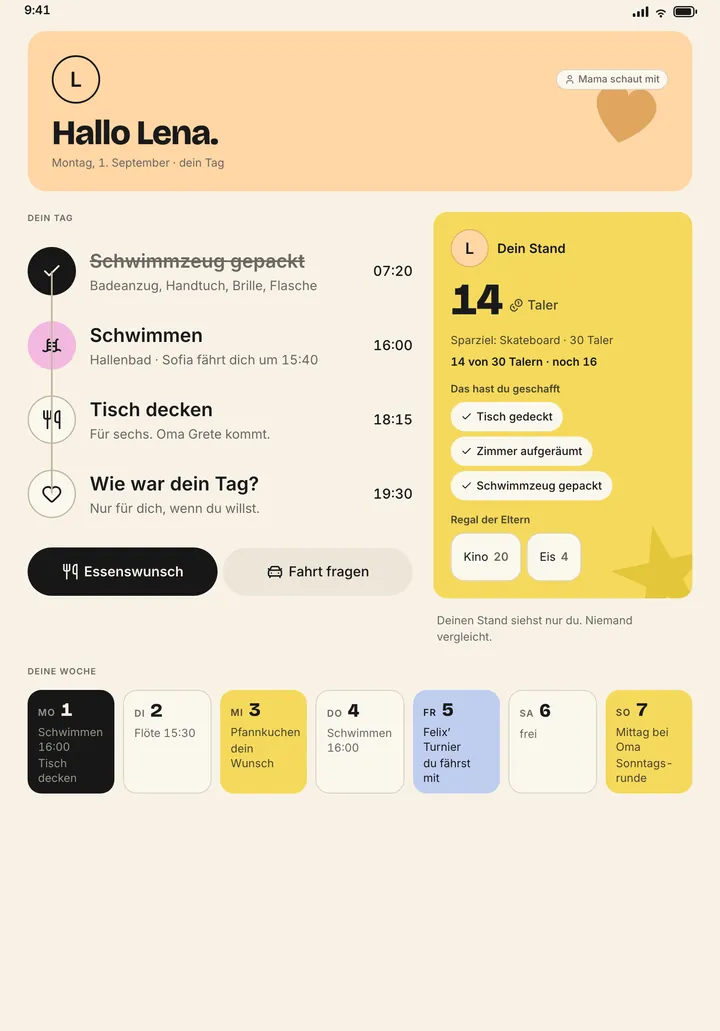
iPad portrait · Lena’s space · 834 × 1194 pt · established
- 1Status bar · 24 pt, owned by the system
Belongs to the system.
- 2Header card in Lena’s colour · margin 32 pt, radius 24 pt
„Hallo Lena.“ on her own peach, with a heart as a playful shape. Top right „Mama schaut mit“ when someone is watching. Lena designs this surface herself, within the contrast guardrails.
--person-4--flaeche-rand-mac--grad-anrede-macAvatarAnredezeileDekoForm - 3Your day as a path · circles 56 pt, times on the right
Four stations, joined by a line: swim kit packed (ticked), swimming 16:00, set the table 18:15, „Wie war dein Tag?“ 19:30. The next step is pink.
--ziel-kind--schwarz--rosaSachSymbol - 4Two buttons · 56 pt high
„Essenswunsch“ (meal wish) and „Fahrt fragen“ (ask for a ride). Both go to people, not to a system.
--ziel-kindKnopfreiheKnopf - 5Your balance
14 Taler, savings goal skateboard, „Das hast du geschafft“ as tick pills, parents’ shelf. Below: „Deinen Stand siehst nur du. Niemand vergleicht.“
--gelb--grad-zahl-grossTalerStand - 6Your week
Seven tiles Mon to Sun with the key item per day. Today black, family days yellow, drive days blue. For children up to nine without times (matrix III); shown here with times because Lena can read them.
--schwarz--gelb--blau--hellTagesreiter
Source: apps/site/bilder/LenaBereich.png (1668 × 2388 px) · docs/11-produkt.md §9 Matrix III · components/kinder/TalerStand.jsx
What applies in the child space:
- No completion rate, no leaderboard, no comparison with Felix. “Deinen Stand siehst nur du. Niemand vergleicht.” (Only you see your balance. Nobody compares.)
- Target sizes 56 pt, read-aloud register (Vorleser).
- Top right shows who is watching: “Mama schaut mit”.
- For children aged six to nine: three picture tiles, no times (matrix III). For ten to twelve: day path, two buttons, own colours.
Adults, landscape
For Anna and Tobias the iPad works like a large iPhone and is laid out like a small Mac. The entry point is the family portal as a tile wall. The week board runs reduced.
iPad landscape · adults · 1194 × 834 pt · proposal, not yet approved
- 1Status bar · 24 pt
Belongs to the system.
- 2Sidebar as on the Mac · 220 pt, collapses to 72 pt
The same groups as on the Mac: surfaces, areas, personal. Places 44 pt high instead of 42, because fingers operate here.
--leiste-mac--leiste-mac-eng--radius-block--flaeche-leisteLeisteMac - 3Surface header
Search pill with pink magnifier, area chips, three circles: bell, messages, pink plus last. Circles 44 pt instead of 40.
--flaeche-erhoben--akzent--ziel-fingerKopfzeileSchnellMenue - 4Greeting
„Guten Morgen, Anna.“
--grad-anrede-macAnredezeile - 5Date, people, span
As on the Mac in one row, span on the right. On the iPad the span stops at Mon – Fri when the width cannot hold seven columns.
--ziel-fingerDatumPillePersonenFilterSpannenRegler - 6Portal or week
The entry is the portal tile wall (matrix III). The week board runs reduced here: five days, compact cards.
--karte-innen--karte-abstand--radius-karteKarteZahlKachelZeitachseTagesreiter
Source: Vorschlag aus components/kopf/Kopfzeile.prompt.md (Kopf auf Mac und iPad) · docs/52-hq-app.md (iPad: Leiste links wie am Mac) · docs/12-roadmap.md Phase 0 (Split View) · Maße der Mac-Anatomie
iPad portrait · adults · 834 × 1194 pt · proposal, not yet approved
- 1Status bar
Belongs to the system.
- 2Collapsed sidebar · 72 pt
Portrait has no room for 220 pt. The sidebar sits collapsed, icons only, the inbox with its counter. Expanding lays it over the content with a veil.
--leiste-mac-eng--radius-blockLeisteMac - 3Surface header
As in landscape. Area chips move below the search when the row gets too narrow.
--ziel-fingerKopfzeile - 4Greeting
„Guten Morgen, Anna.“
--grad-anrede-macAnredezeile - 5Date and people
The span defaults to „3 Tage“ (3 days).
- 6Content
Two columns of tiles or three days in the grid. From here the iPhone patterns apply, only wider.
Source: Vorschlag aus ipad-quer, LeisteMac (fassung eingeklappt) und dem Rand aus apps/site/bilder/LenaBereich.png · docs/12-roadmap.md
The wall in the kitchen
The iPad on the kitchen wall is not operated, it is seen. In passing, while making coffee, when a child asks: “When do I have to leave?” It is the note on the fridge and must be readable from two metres.
iPad on the kitchen wall · wall mode · 1194 × 834 pt · proposal, not yet approved
- 1Time and day, large
„Mittwoch, 3. September · 16:40“. Readable from two metres. No greeting to one person; the device belongs to everyone.
--schrift-titel--ziffern-tabellarischAnredezeile - 2Who is where today
One lane per person with name and circle. The now line moves by itself.
--linie-jetzt--person-1--person-3--person-4SpurenJeMenschJetztLinie - 3Today’s meal
„Pfannkuchen · Lenas Wunsch · Tobias kocht“.
--bedeutung-familieKarte - 4Who drives
The next drive with its driver: „Handball abholen 19:00 · Anna“.
--bedeutung-fahrtKarteFahrtPille - 5Open
What has no one responsible, dashed in open-pink. Tapping goes one level deeper: tick off, meal wish, vote.
--rand-offenKarte - 6Tap hint
Target sizes 56 pt, dimmed at night. No private content: safe, vault, finances and other people’s resolutions are not loaded at all, because the tradesperson sees the wall too.
--ziel-kind
Source: Vorschlag aus docs/11-produkt.md §7 „Die Küche — das iPad an der Wand“ und §9 Matrix III · components/karten/SpurenJeMensch.jsx
What applies in wall mode (docs/11-produkt.md §7):
- Large type, no sign-out after a timeout, no sign-in prompt.
- Dimmed at night.
- No private content. Safe, vault, finances and other people’s resolutions are not hidden but never loaded at all. Whatever hangs on the wall, the tradesperson sees too.
- Whoever stops and taps goes one level deeper: tick off, meal wish, vote.
Gestures and interaction
- Everything that applies on the iPhone applies here: tap, tick off, toast with “Rückgängig” (Undo).
- On Today the three lenses timeline, board and household switch by swiping (
docs/11-produkt.md§5b, ⌘1–3 on the Mac). - A keyboard on the iPad gets the same shortcuts as the Mac. Proposal, not established.
- The Sunday round runs from the iPad to the TV via AirPlay.
Roles on the iPad
| Role | Entry point |
|---|---|
| Anna, Tobias | portal tile wall, wall mode in the kitchen |
| Lena (small) | her space: three picture tiles, no times, 56 pt |
| Felix (middle) | his space: day path, two buttons, own colours |
| Grandparents (guest) | album, large, for browsing |
| Sofia (au pair) | kitchen and meal plan, if granted |
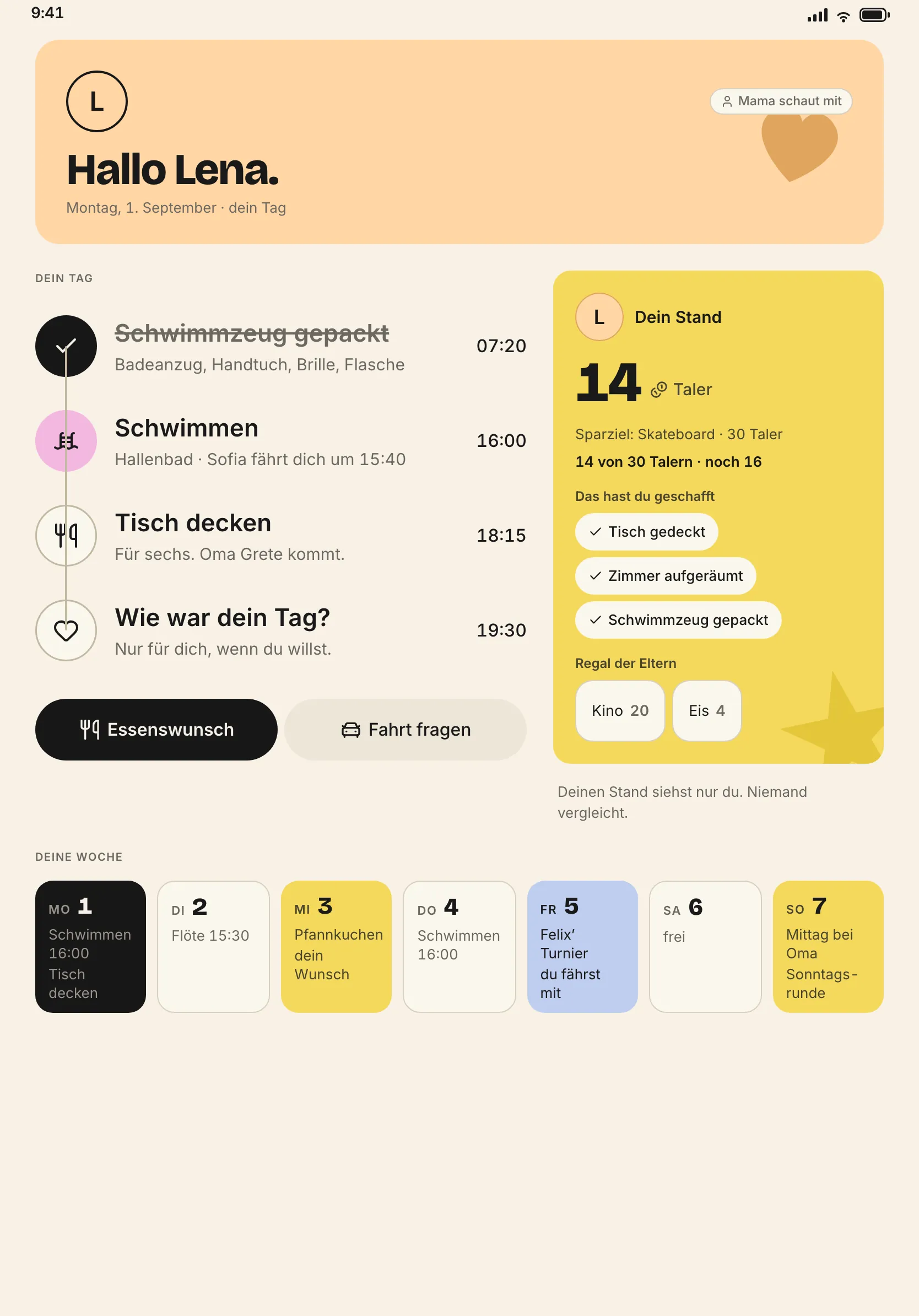
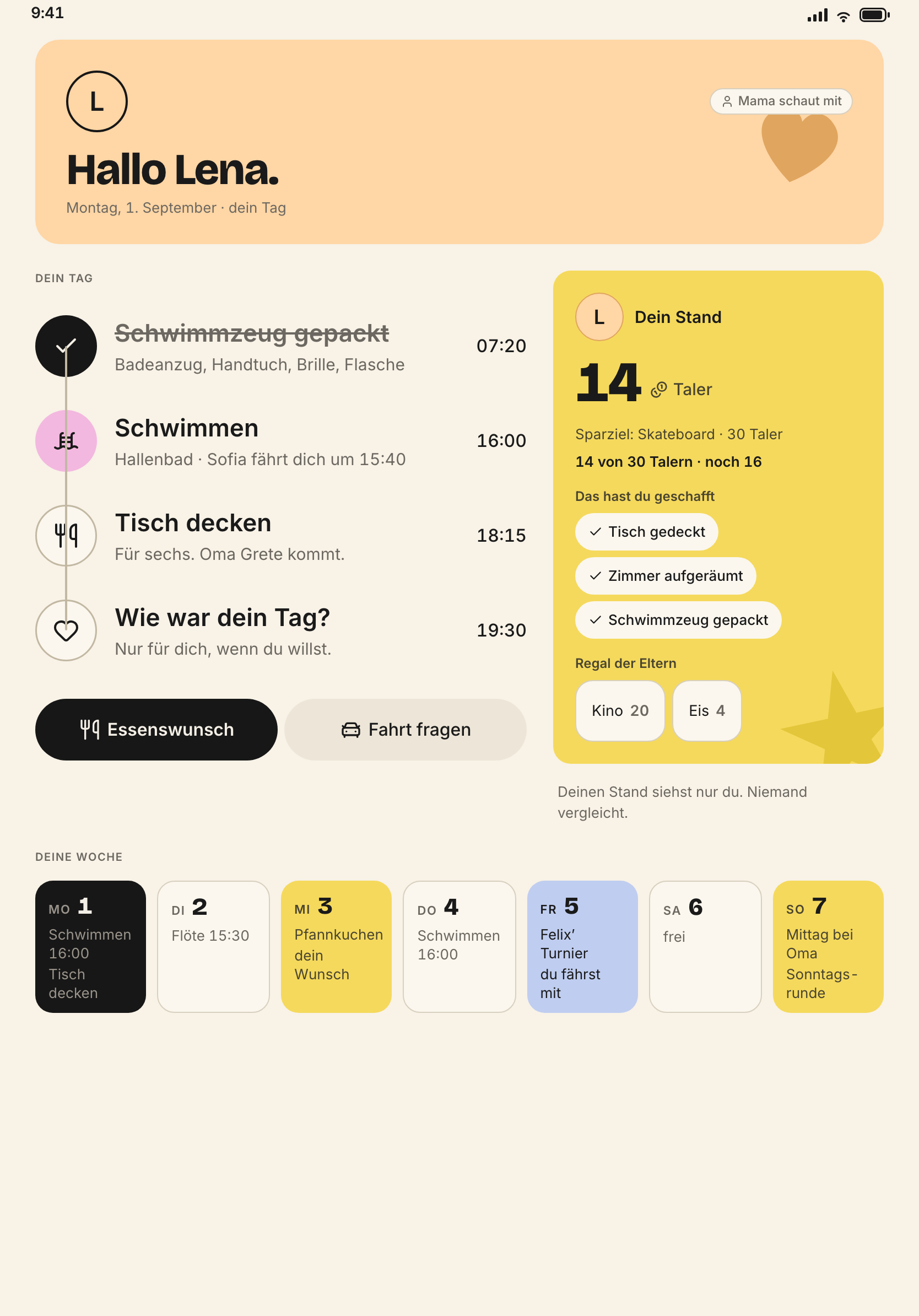
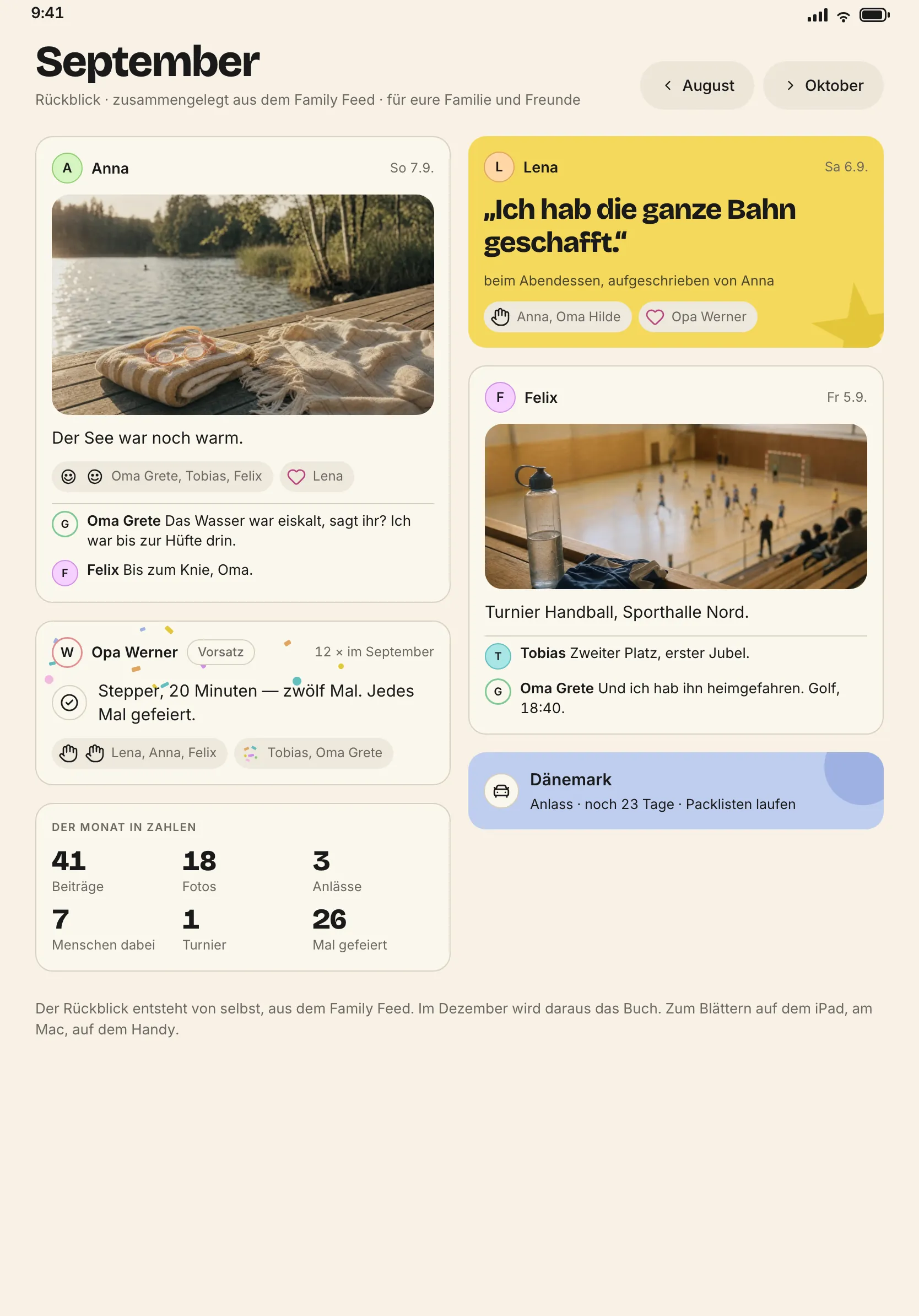
Every surface on the iPad
What the iPad does not have
- Mail rules and printing the yearbook. Both on the Mac.
- Editing the responsibility matrix. Reading yes.
- In wall mode: anything locked, anything private, any sign-in.
- In the child space: safe, vault, finances, other people’s resolutions, fairness figures.